Coreboot/OpenSIL Porting Underway for AMD FW16

Regarding Strix Halo AI 300 series.

I saw this WIP : https://review.coreboot.org/c/coreboot/+/94950 but I’m not sure if that’s enough to work on porting them.

Strix Halo seems to refer to Ryzen AI MAX 300 series, while the latest AMD boards for the FW13 and FW16 use Ryzen AI 300 aka Strix Point. I have no idea how compatible their firmware is, and from what I can tell FSP blobs for Strix Halo are not yet available and thus coreboot won’t be able to boot on them just yet. I don’t know if that can be extracted from the stock firmware, and even if they could the coreboot’s Strix Halo code has a lot of TODOs in it.

The Framework Desktop is Strix Halo though, but as I’ve said coreboot’s support for it does not seem functional yet.

1 Like

But there is no FSP blob binaries for AMD or am I misunderstanding something ? Only blob needed is APCB from stock firmware extracted which is needed for PSP’s init ?

While commonly associated with Intel, FSP is technically just a framework for packaging silicon initialization code and providing a standardized interface for the host firmware to call it and pass information to and from it. With AMD Ryzen, the PSP performs things like DRAM init, while on Intel that is done by FSP-M running on the main processor cores.

However, there are still other parts of the silicon on Ryzen that are initialized by code running on the x86 cores. This is handled by AGESA, which is a binary on newer AMD platforms (it was open sourced on some old AMD platforms which have since been dropped from the main branch of coreboot). To make it easier to integrate into coreboot, AGESA was adapted to support a FSP interface.

OpenSIL is an open-source replacement for AGESA and the FSP wrapper, so the only blobs required on OpenSIL supported platforms will be the ones for the PSP.

2 Likes

I attempted to build a coreboot port for Framework 13th (see more information here : https://review.coreboot.org/c/coreboot/+/81994/4/Documentation/mainboard/framework/azalea/azalea.md).

The current port WIP that is merged in Coreboot right now is based on AGESA/FSP (proprietary AMD firmware), not openSIL (the KConfig at least shows that), I wrongly believed it was based on OpenSIL (the KConfig can be modified to actually use OpenSIL but this isn’t simple, it won’t work without a lot of efforts).

While it’s possible to compile a coreboot ROM using FSP/AGESA, I didn’t think it is worth trying out.

I was able to extract the APCB from the stock BIOS and noticed that APCB binary differs between BIOS versions. (APCB extraction tool)

While there are openSIL PRs that brings Phoenix AM5 support, there’s no clear OpenSIL platform configuration for Framework laptops which is currently public, and documentation is quite lacking. Attempting a port from scratch would require significant effort.

I’ll wait for others to complete/publish openSIL configuration platforms or ports before attempting to look at it again.

I also found out, I’m lacking very cheap hardware to flash the WSON8 SPI chip and I’ve seen that this project might be very useful too (for debug purposes) : GitHub - FrameworkComputer/FrameworkDebugger: Debugger Firmware Multitool · GitHub

1 Like

As we’ve talked at OSFC - not necessairly, vast majority of work needed for Azalea is already done.

Biggest problem in my opinion are PSP blobs, because (according to my coworkers) AMD holds ownership over them.

Given how much of a nightmare this project has been (zero help or documentation from AMD) and my past experiences of working on AMD Chromebooks… not only we can’t publish them, we can’t count AMD on agreeing us to do so. In other words, we’re stuck licensing-wise.

Upstream blobs don’t boot on Framework’s boards, although we can publish APCB (that is fine as Framework holds ownership over it and I’ve been given permission to do so).

Had to take a longer break, as this project had burned me out (not to mention health issues and moving across Europe this summer) but been asked to wrap it up by the end of the year.

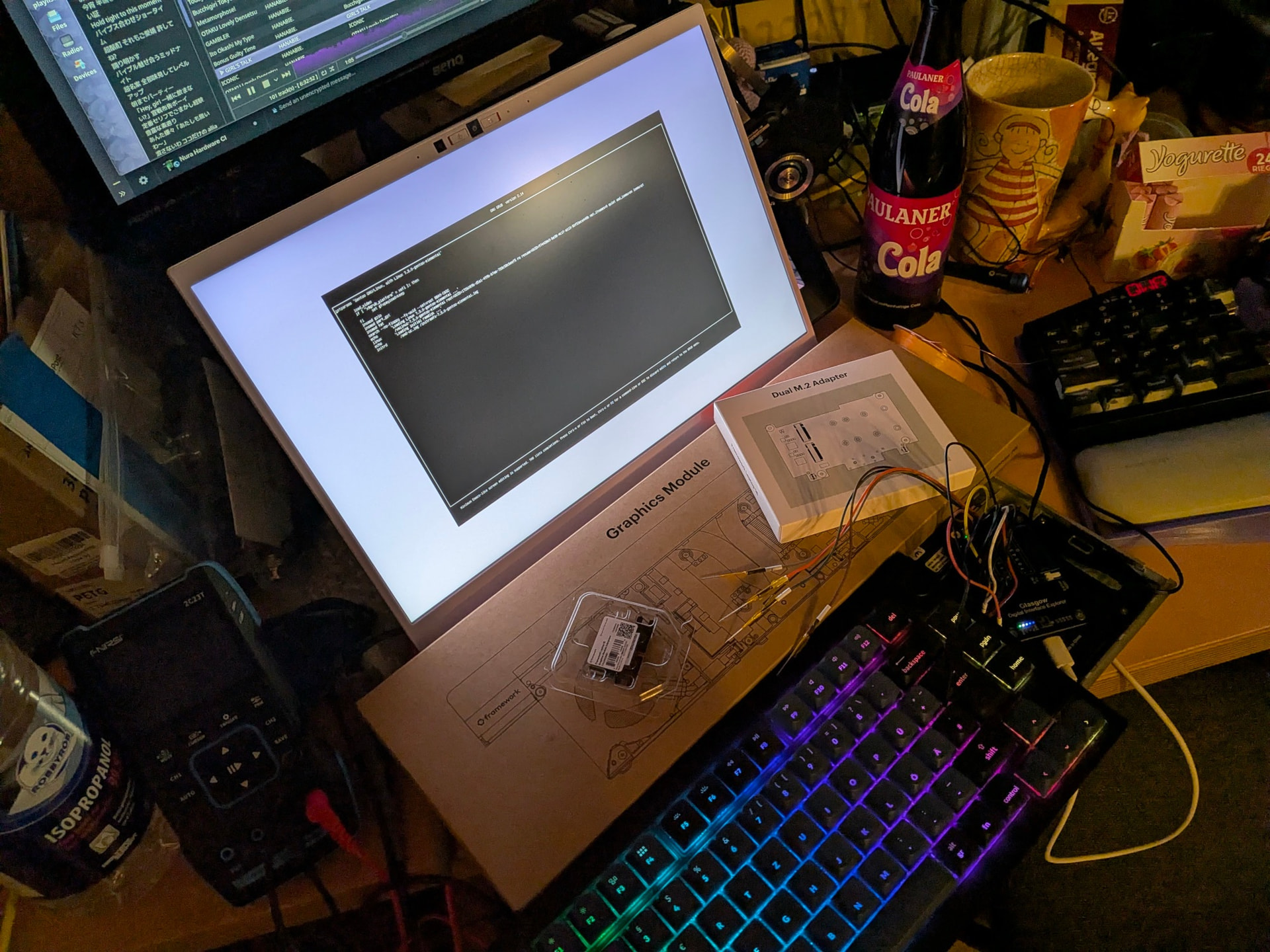
Been waiting for OCuLink module to become available, but that hasn’t happened. Thankfully my manager approved the expense of ordering RX7700M, Dual-M.2 and interposer to implement/test PCIe bifurfication (1x8, 2x4) so it should be done sometime this month.

In the meantime I looked into USB4/TB and got some signs of life. ASPM is still on a TODO list, but I can connect a PCIe enclosure and have it detected, external monitors now work as well.

This gave me some motivation boost, as I can finally use this laptop as a work machine again :face_with_tongue:

13 Likes

Finally found-out that OpenSIL wasn’t locking Data Fabric’s register, hence why sending `BOOT_DONE` mailbox command to PSP was causing a hang (and without that, suspend (among other things) doesn’t work).

Just my luck that yesterday AMD engineers pushed a fix for Turin (which had the same exact problem): https://review.coreboot.org/c/coreboot/+/96613

Thanks to this change, I can finally start upstreaming patches as the board boots without hacks to common code.

Worked on quite a few bugfixes today, EC now receives suspend notification and system pretends to sleep, but after waking it up it’s clear something’s wrong with SMU and GPU doesn’t wake back up. Will need to look at SMI handler.

USB3.2 ports now fully work (USB2/3 + AltDP), but USB4 ports still have issues (Charging, AltDP works, PCIe tunneling hangs the system (though I likely haven’t allocated enough resources) which might be related to ASPM being kiiiinda broken. USB2/3 devices plugged into USB4/TB ports sadly doesn’t so that will still need investigating.

This will also need a lot of cleanup (read: re-write) before sending to upstream and I won’t do it unless I’m 100% certain RE’d registers are correct. It’s very minimal (no VBIOS patching or anything like that), but I managed to get framebuffer initialized without a GOP driver AMD published with OpenSIL.

I can get away with it, because actual GPU initialization is done by PSP (DMCUB firmware) and we already have VBIOS with DDI links patched into it (since it was pulled from sysfs at runtime). That logic isn’t complicated, but we can avoid it for now.

After that, the driver parses ATOMBIOS, reads EDID, sets-up the framebuffer and powers the eDP panel on.

It’s very hacky, might be causing issues with s0ix, but at least I can avoid the whole GOP + VBIOS patching for now and load any payload I want (since it doesn’t have to be UEFI).

9 Likes

With the usb4 problem.
If you boot to linux, and then plug in a usb4 pcie tunnelling device, does it then work.
I.e. does it work in the os but not the bios?
On normal FW bios, you have to enable tpm “measure usb4” option in bios before you can boot from a pcie tunnel / thunderbolt device.

I don’t see how TPM has any relevance here… and no, you wouldn’t be able to boot from it because we don’t have a “Connection Manager”.

Problem is either with ASPM, or tuning of some PCIe PHY parameters:

[ 1262.374940] thunderbolt 0000:5b:00.6: acking hot plug event on 0:2
[ 1262.374978] thunderbolt 0000:5b:00.6: acking hot plug event on 0:3
[ 1262.375010] thunderbolt 0000:5b:00.6: 0:2: hotplug: scanning
[ 1262.375183] thunderbolt 0000:5b:00.6: 0:2: is connected, link is up (state: 2)
[ 1262.375730] thunderbolt 0000:5b:00.6: current switch config:
[ 1262.375737] thunderbolt 0000:5b:00.6:  USB4 Switch: 174c:2463 (Revision: 0, TB Version: 32)
[ 1262.375744] thunderbolt 0000:5b:00.6:   Max Port Number: 4
[ 1262.375748] thunderbolt 0000:5b:00.6:   Config:
[ 1262.375750] thunderbolt 0000:5b:00.6:    Upstream Port Number: 1 Depth: 0 Route String: 0x0 Enabled: 0, PlugEventsDelay: 10ms
[ 1262.375755] thunderbolt 0000:5b:00.6:    unknown1: 0x0 unknown4: 0x0
[ 1262.376767] thunderbolt 0000:5b:00.6: initializing Switch at 0x2 (depth: 1, up port: 1)
[ 1262.376876] thunderbolt 0000:5b:00.6: 2: link: USB4
[ 1262.376882] thunderbolt 0000:5b:00.6: 2: TBT3 support: yes, xHCI: no
[ 1262.383731] thunderbolt 0000:5b:00.6: 2: credit allocation parameters:
[ 1262.383735] thunderbolt 0000:5b:00.6: 2:  PCIe: 64
[ 1262.386726] thunderbolt 0000:5b:00.6: 2: DROM version: 1
[ 1262.387089] thunderbolt 0000:5b:00.6: 2: uid: 0xe169b6d0174c3519
[ 1262.388299] thunderbolt 0000:5b:00.6:  Port 1: 0:0 (Revision: 0, TB Version: 1, Type: Port (0x1))
[ 1262.388304] thunderbolt 0000:5b:00.6:   Max hop id (in/out): 27/27
[ 1262.388307] thunderbolt 0000:5b:00.6:   Max counters: 7
[ 1262.388309] thunderbolt 0000:5b:00.6:   NFC Credits: 0x44200000
[ 1262.388311] thunderbolt 0000:5b:00.6:   Credits (total/control): 66/2
[ 1262.389382] thunderbolt 0000:5b:00.6:  Port 2: 0:0 (Revision: 0, TB Version: 1, Type: Port (0x1))
[ 1262.389386] thunderbolt 0000:5b:00.6:   Max hop id (in/out): 27/27
[ 1262.389388] thunderbolt 0000:5b:00.6:   Max counters: 7
[ 1262.389390] thunderbolt 0000:5b:00.6:   NFC Credits: 0x44200000
[ 1262.389392] thunderbolt 0000:5b:00.6:   Credits (total/control): 66/2
[ 1262.389619] thunderbolt 0000:5b:00.6:  Port 3: 0:0 (Revision: 0, TB Version: 1, Type: PCIe (0x100102))
[ 1262.389623] thunderbolt 0000:5b:00.6:   Max hop id (in/out): 8/8
[ 1262.389625] thunderbolt 0000:5b:00.6:   Max counters: 1
[ 1262.389627] thunderbolt 0000:5b:00.6:   NFC Credits: 0x0
[ 1262.389629] thunderbolt 0000:5b:00.6:   Credits (total/control): 0/0
[ 1262.389631] thunderbolt 0000:5b:00.6: 2:4: disabled by eeprom
[ 1262.389868] thunderbolt 0000:5b:00.6: 2: current link speed 20.0 Gb/s
[ 1262.389872] thunderbolt 0000:5b:00.6: 2: current link width symmetric, single lane
[ 1262.390132] thunderbolt 0000:5b:00.6: 0:3: total credits changed 128 -> 128
[ 1262.390223] thunderbolt 0000:5b:00.6: 2: CLx: current mode: disabled
[ 1262.391180] thunderbolt 0000:5b:00.6: 2: TMU: supports uni-directional mode
[ 1262.391427] thunderbolt 0000:5b:00.6: 2: TMU: current mode: off
[ 1262.392948] thunderbolt 1-2: new device found, vendor=0xb8 device=0x2464
[ 1262.392952] thunderbolt 1-2: ASMedia 246x
[ 1262.393280] thunderbolt 0000:5b:00.6: 0:3: is connected, link is up (state: 2)
[ 1262.394478] thunderbolt 0000:5b:00.6: acking hot unplug event on 0:3
[ 1262.394554] thunderbolt 0000:5b:00.6: 0:3: total credits changed 128 -> 128
[ 1262.395221] thunderbolt 0000:5b:00.6: 2: link width set to symmetric, dual lanes
[ 1262.395596] thunderbolt 0000:5b:00.6: 0:2: reading NVM authentication status of retimers
[ 1262.611295] thunderbolt 1-0:2.1: retimer NVM format of vendor 0x7fea unknown
[ 1262.611300] thunderbolt 1-0:2.1: NVM upgrade disabled
[ 1262.611302] thunderbolt 1-0:2.1: new retimer found, vendor=0x7fea device=0x1032
[ 1262.611322] thunderbolt 0000:5b:00.6: 0:2: disabling sideband transactions
[ 1262.711766] thunderbolt 0000:5b:00.6: 2: TMU: mode change off -> bi-directional, HiFi requested
[ 1262.711788] thunderbolt 0000:5b:00.6: 0: TMU: local_time[0]=0x4b698070
[ 1262.711792] thunderbolt 0000:5b:00.6: 0: TMU: local_time[1]=0x01311384
[ 1262.711795] thunderbolt 0000:5b:00.6: 0: TMU: local_time[2]=0x03e80000
[ 1262.712459] thunderbolt 0000:5b:00.6: 2: TMU: updated local time to 0x13113844b69
[ 1262.713715] thunderbolt 0000:5b:00.6: 2: TMU: mode set to: bi-directional, HiFi
[ 1262.714801] thunderbolt 0000:5b:00.6: 2:1: reading NVM authentication status of retimers
[ 1262.924504] thunderbolt 0000:5b:00.6: 2:1: disabling sideband transactions
[ 1263.025159] thunderbolt 0000:5b:00.6: 0:5 <-> 2:3 (PCI): activating
[ 1263.025244] thunderbolt 0000:5b:00.6: activating PCIe Down path from 0:5 to 2:3
[ 1263.025278] thunderbolt 0000:5b:00.6: 0:5: Writing hop 0
[ 1263.025279] thunderbolt 0000:5b:00.6: 0:5:  In HopID: 8 => Out port: 2 Out HopID: 8
[ 1263.025281] thunderbolt 0000:5b:00.6: 0:5:   Weight: 1 Priority: 3 Credits: 0 Drop: 0 PM: 0
[ 1263.025282] thunderbolt 0000:5b:00.6: 0:5:    Counter enabled: 0 Counter index: 2047
[ 1263.025284] thunderbolt 0000:5b:00.6: 0:5:   Flow Control (In/Eg): 0/1 Shared Buffer (In/Eg): 0/0
[ 1263.025285] thunderbolt 0000:5b:00.6: 0:5:   Unknown1: 0x0 Unknown2: 0x0 Unknown3: 0x0
[ 1263.025486] thunderbolt 0000:5b:00.6: 2:1: Writing hop 1
[ 1263.025487] thunderbolt 0000:5b:00.6: 2:1:  In HopID: 8 => Out port: 3 Out HopID: 8
[ 1263.025489] thunderbolt 0000:5b:00.6: 2:1:   Weight: 1 Priority: 3 Credits: 64 Drop: 0 PM: 0
[ 1263.025490] thunderbolt 0000:5b:00.6: 2:1:    Counter enabled: 0 Counter index: 2047
[ 1263.025491] thunderbolt 0000:5b:00.6: 2:1:   Flow Control (In/Eg): 1/0 Shared Buffer (In/Eg): 0/0
[ 1263.025493] thunderbolt 0000:5b:00.6: 2:1:   Unknown1: 0x0 Unknown2: 0x0 Unknown3: 0x0
[ 1263.025610] thunderbolt 0000:5b:00.6: PCIe Down path activation complete
[ 1263.025612] thunderbolt 0000:5b:00.6: activating PCIe Up path from 2:3 to 0:5
[ 1263.025849] thunderbolt 0000:5b:00.6: 2:3: Writing hop 0
[ 1263.025850] thunderbolt 0000:5b:00.6: 2:3:  In HopID: 8 => Out port: 1 Out HopID: 8
[ 1263.025856] thunderbolt 0000:5b:00.6: 2:3:   Weight: 1 Priority: 3 Credits: 0 Drop: 0 PM: 0
[ 1263.025858] thunderbolt 0000:5b:00.6: 2:3:    Counter enabled: 0 Counter index: 2047
[ 1263.025859] thunderbolt 0000:5b:00.6: 2:3:   Flow Control (In/Eg): 0/1 Shared Buffer (In/Eg): 0/0
[ 1263.025861] thunderbolt 0000:5b:00.6: 2:3:   Unknown1: 0x0 Unknown2: 0x0 Unknown3: 0x0
[ 1263.026007] thunderbolt 0000:5b:00.6: 0:2: Writing hop 1
[ 1263.026009] thunderbolt 0000:5b:00.6: 0:2:  In HopID: 8 => Out port: 5 Out HopID: 8
[ 1263.026010] thunderbolt 0000:5b:00.6: 0:2:   Weight: 1 Priority: 3 Credits: 32 Drop: 0 PM: 0
[ 1263.026011] thunderbolt 0000:5b:00.6: 0:2:    Counter enabled: 0 Counter index: 2047
[ 1263.026012] thunderbolt 0000:5b:00.6: 0:2:   Flow Control (In/Eg): 1/0 Shared Buffer (In/Eg): 0/0
[ 1263.026013] thunderbolt 0000:5b:00.6: 0:2:   Unknown1: 0x0 Unknown2: 0x0 Unknown3: 0x0
[ 1263.026028] thunderbolt 0000:5b:00.6: PCIe Up path activation complete
[ 1263.026145] thunderbolt 0000:5b:00.6: 0:3: got plug event for connected port, ignoring
[ 1263.026153] thunderbolt 0000:5b:00.6: 0:3: got unplug event for disconnected port, ignoring
[ 1263.026212] pcieport 0000:00:04.1: pciehp: Slot(0-1): Card present
[ 1263.153979] pci 0000:2e:00.0: [1b21:2463] type 01 class 0x060400 PCIe Switch Upstream Port
[ 1263.154029] pci 0000:2e:00.0: PCI bridge to [bus 00]
[ 1263.154046] pci 0000:2e:00.0:   bridge window [io  0x0000-0x0fff]
[ 1263.154053] pci 0000:2e:00.0:   bridge window [mem 0x00000000-0x000fffff]
[ 1263.154071] pci 0000:2e:00.0:   bridge window [mem 0x00000000-0x000fffff 64bit pref]
[ 1263.154096] pci 0000:2e:00.0: enabling Extended Tags
[ 1263.154260] pci 0000:2e:00.0: PME# supported from D0 D3hot D3cold
[ 1263.154625] pci 0000:2e:00.0: Adding to iommu group 5
[ 1263.156921] pci 0000:2e:00.0: bridge configuration invalid ([bus 00-00]), reconfiguring
[ 1263.157084] pci 0000:2f:00.0: [1b21:2463] type 01 class 0x060400 PCIe Switch Downstream Port
[ 1263.157124] pci 0000:2f:00.0: PCI bridge to [bus 00]
[ 1263.157135] pci 0000:2f:00.0:   bridge window [io  0x0000-0x0fff]
[ 1263.157140] pci 0000:2f:00.0:   bridge window [mem 0x00000000-0x000fffff]
[ 1263.157156] pci 0000:2f:00.0:   bridge window [mem 0x00000000-0x000fffff 64bit pref]
[ 1263.157184] pci 0000:2f:00.0: enabling Extended Tags
[ 1263.157227] pci 0000:2f:00.0: broken device, retraining non-functional downstream link at 2.5GT/s
[ 1263.183920] pci 0000:2f:00.0: removing 2.5GT/s downstream link speed restriction
[ 1263.984036] pci 0000:2f:00.0: PME# supported from D0 D3hot D3cold
[ 1263.984354] pci 0000:2f:00.0: Adding to iommu group 5
[ 1263.984950] pci 0000:2e:00.0: PCI bridge to [bus 2f-58]
[ 1263.984981] pci 0000:2f:00.0: bridge configuration invalid ([bus 00-00]), reconfiguring
[ 1263.985093] pcieport 0000:00:04.1: AER: Correctable Error message received from 0000:2e:00.0
[ 1263.985118] pci 0000:2e:00.0: PCIe Bus Error: severity=Correctable
[ 1263.985122] pci 0000:2e:00.0:   device [1b21:2463] error status/mask=00002000/0000c000
[ 1263.985130] pci 0000:2e:00.0:   [13] NonFatalErr       |             |                  
[ 1263.985137] pci 0000:2e:00.0: PCIe Bus Error: severity=Uncorrectable (Non-Fatal)
[ 1263.985142] pci 0000:2e:00.0:   device [1b21:2463] error status/mask=00100000/00000000
[ 1263.985148] pci 0000:2e:00.0:   [20] UnsupReq          | Receiver    | Transaction Layer (First)
[ 1263.985157] pci 0000:2e:00.0: AER:   TLP Header: 0x05000001 0x0000200f 0x2f080000 0x00000000
[ 1263.985185] pcieport 0000:00:04.1: AER: Correctable Error message received from 0000:2e:00.0
[ 1263.985196] pcieport 0000:00:04.1: AER: Correctable Error message received from 0000:2e:00.0
[ 1263.985206] pcieport 0000:00:04.1: AER: Correctable Error message received from 0000:2e:00.0
[ 1263.985216] pcieport 0000:00:04.1: AER: Correctable Error message received from 0000:2e:00.0
[ 1263.985226] pcieport 0000:00:04.1: AER: Correctable Error message received from 0000:2e:00.0
[ 1263.985235] pcieport 0000:00:04.1: AER: Correctable Error message received from 0000:2e:00.0
[ 1263.985248] pcieport 0000:00:04.1: AER: Correctable Error message received from 0000:2e:00.0
[ 1263.985257] pcieport 0000:00:04.1: AER: Correctable Error message received from 0000:2e:00.0
[ 1263.985267] pcieport 0000:00:04.1: AER: Correctable Error message received from 0000:2e:00.0
[ 1264.033299] pci 0000:2f:00.0: PCI bridge to [bus 30-58]
[ 1264.033339] pci_bus 0000:30: busn_res: [bus 30-58] end is updated to 30
[ 1264.033357] pci_bus 0000:2f: busn_res: [bus 2f-58] end is updated to 30
[ 1264.033367] pci 0000:2f:00.0: disabling bridge window [mem 0x00000000-0x000fffff 64bit pref] to [bus 30] (unused)
[ 1264.033369] pci 0000:2f:00.0: disabling bridge window [mem 0x00000000-0x000fffff] to [bus 30] (unused)
[ 1264.033372] pci 0000:2e:00.0: disabling bridge window [mem 0x00000000-0x000fffff 64bit pref] to [bus 2f-30] (unused)
[ 1264.033374] pci 0000:2e:00.0: disabling bridge window [mem 0x00000000-0x000fffff] to [bus 2f-30] (unused)
[ 1264.033383] pci 0000:2e:00.0: bridge window [io  0x2000-0x2fff]: assigned
[ 1264.033386] pci 0000:2f:00.0: bridge window [io  0x2000-0x2fff]: assigned
[ 1264.033388] pci 0000:2f:00.0: PCI bridge to [bus 30]
[ 1264.033391] pci 0000:2f:00.0:   bridge window [io  0x2000-0x2fff]
[ 1264.033409] pci 0000:2e:00.0: PCI bridge to [bus 2f-30]
[ 1264.033412] pci 0000:2e:00.0:   bridge window [io  0x2000-0x2fff]
[ 1264.033429] pcieport 0000:00:04.1: PCI bridge to [bus 2e-58]
[ 1264.033433] pcieport 0000:00:04.1:   bridge window [io  0x2000-0x2fff]
[ 1264.033438] pcieport 0000:00:04.1:   bridge window [mem 0xb4c00000-0xc0dfffff]
[ 1264.033441] pcieport 0000:00:04.1:   bridge window [mem 0x8ca00000-0xa89fffff 64bit pref]
[ 1264.033570] pcieport 0000:2e:00.0: enabling device (0000 -> 0001)
[ 1264.034110] pcieport 0000:2f:00.0: enabling device (0000 -> 0001)
[ 1264.034580] pcieport 0000:00:04.1: AER: Multiple Correctable Error messages received, first one from 0000:2f:00.0
[ 1264.034587] pcieport 0000:00:04.1: PCIe Bus Error: severity=Correctable
[ 1264.034588] pcieport 0000:00:04.1:   device [1022:14ef] error status/mask=00002000/00004000
[ 1264.034589] pcieport 0000:00:04.1:   [13] NonFatalErr       |             |                  
[ 1264.034591] pcieport 0000:00:04.1: PCIe Bus Error: severity=Uncorrectable (Non-Fatal)
[ 1264.034592] pcieport 0000:00:04.1:   device [1022:14ef] error status/mask=00004000/00000000
[ 1264.034593] pcieport 0000:00:04.1:   [14] CmpltTO           | Requester   | Transaction Layer (First)
[ 1264.034598] pcieport 0000:2f:00.0: PCIe Bus Error: severity=Correctable
[ 1264.034599] pcieport 0000:2f:00.0:   device [1b21:2463] error status/mask=00000040/0000c000
[ 1264.034600] pcieport 0000:2f:00.0:   [ 6] BadTLP            | Receiver    | Data Link Layer  
[ 1264.034612] pcieport 0000:00:04.1: AER: Correctable Error message received from 0000:2f:00.0
[ 1264.035585] pcieport 0000:00:04.1: AER: Multiple Correctable Error messages received, first one from 0000:2f:00.0
[ 1264.035589] pcieport 0000:2f:00.0: PCIe Bus Error: severity=Correctable
[ 1264.035590] pcieport 0000:2f:00.0:   device [1b21:2463] error status/mask=00000040/0000c000
[ 1264.035591] pcieport 0000:2f:00.0:   [ 6] BadTLP            | Receiver    | Data Link Layer  
[ 1264.037818] pcieport 0000:00:04.1: AER: Multiple Correctable Error messages received, first one from 0000:2f:00.0
[ 1264.037822] pcieport 0000:2f:00.0: PCIe Bus Error: severity=Correctable
[ 1264.037823] pcieport 0000:2f:00.0:   device [1b21:2463] error status/mask=00000040/0000c000
[ 1264.037825] pcieport 0000:2f:00.0:   [ 6] BadTLP            | Receiver    | Data Link Layer  
[ 1264.085972] pcieport 0000:00:04.1: AER: Correctable Error message received from 0000:2f:00.0
[ 1264.085986] pcieport 0000:2f:00.0: PCIe Bus Error: severity=Correctable
[ 1264.085990] pcieport 0000:2f:00.0:   device [1b21:2463] error status/mask=00000040/0000c000
[ 1264.085995] pcieport 0000:2f:00.0:   [ 6] BadTLP            | Receiver    | Data Link Layer  
[ 1264.088026] pcieport 0000:00:04.1: AER: Correctable Error message received from 0000:2f:00.0
[ 1264.088040] pcieport 0000:2f:00.0: PCIe Bus Error: severity=Correctable
[ 1264.088044] pcieport 0000:2f:00.0:   device [1b21:2463] error status/mask=00000040/0000c000
[ 1264.088049] pcieport 0000:2f:00.0:   [ 6] BadTLP            | Receiver    | Data Link Layer  
[ 1264.088061] pcieport 0000:00:04.1: AER: Correctable Error message received from 0000:2f:00.0
[ 1264.090118] pcieport 0000:00:04.1: AER: Multiple Correctable Error messages received, first one from 0000:2f:00.0
[ 1264.090132] pcieport 0000:2f:00.0: PCIe Bus Error: severity=Correctable
[ 1264.090137] pcieport 0000:2f:00.0:   device [1b21:2463] error status/mask=00000040/0000c000
[ 1264.090143] pcieport 0000:2f:00.0:   [ 6] BadTLP            | Receiver    | Data Link Layer  
[ 1264.130060] pcieport 0000:00:04.1: AER: Correctable Error message received from 0000:2f:00.0
[ 1264.130075] pcieport 0000:2f:00.0: PCIe Bus Error: severity=Correctable
[ 1264.130079] pcieport 0000:2f:00.0:   device [1b21:2463] error status/mask=00000040/0000c000
[ 1264.130084] pcieport 0000:2f:00.0:   [ 6] BadTLP            | Receiver    | Data Link Layer  
[ 1264.178170] pcieport 0000:00:04.1: AER: Correctable Error message received from 0000:2f:00.0
[ 1264.178185] pcieport 0000:2f:00.0: PCIe Bus Error: severity=Correctable
[ 1264.178189] pcieport 0000:2f:00.0:   device [1b21:2463] error status/mask=00000040/0000c000
[ 1264.178194] pcieport 0000:2f:00.0:   [ 6] BadTLP            | Receiver    | Data Link Layer  
[ 1264.286849] pcieport 0000:00:04.1: AER: Multiple Correctable Error messages received, first one from 0000:00:04.1
[ 1264.286883] pcieport 0000:00:04.1: PCIe Bus Error: severity=Correctable
[ 1264.286888] pcieport 0000:00:04.1:   device [1022:14ef] error status/mask=00002000/00004000
[ 1264.286893] pcieport 0000:00:04.1:   [13] NonFatalErr       |             |                  
[ 1264.286899] pcieport 0000:00:04.1: PCIe Bus Error: severity=Uncorrectable (Non-Fatal)
[ 1264.286902] pcieport 0000:00:04.1:   device [1022:14ef] error status/mask=00010000/00000000
[ 1264.286907] pcieport 0000:00:04.1:   [16] UnxCmplt          | Receiver    | Transaction Layer (First)
[ 1264.286913] pcieport 0000:00:04.1: AER:   TLP Header: 0x0a000000 0x00004004 0x00002000 0x00000000
1 Like

The FW16 is very fussy about thunderbolt cable quality.
It might work better with a different cable.
If you test FW bios vs coreboot with the same cable, and it works on FW but not on coreboot, then it is still a bios related problem. If it fails on both, it is a cable problem.

Yes, I’ve noticed that. However, the same cable worked on stock (and I even bought an 80Gb/s TB5 60cm cable to make extra sure).

TB5 cable actually has higher chance of link training suceeding, so I suspect PHY tuning being off. Before I did the same with XHCI, even internal USB devices like camera wouldn’t work.

Couldn’t sleep, so I decided to hack-up the script my friend and I wrote after FOSDEM (https://review.coreboot.org/c/coreboot/+/91062/8/util/apcb/apcb_extract.sh) to feed it hex data from PSP blobs.

Much to my surprise, all PSP blobs we need are in the UEFI capsule update Framework publishes. I threw blobs extracted from that capsule into site-local, built coreboot image and it booted sucessfully.

I’ll put it into a single script with bash functions and publish it somewhere on git. People will be able to feed capsules from Framework’s website and extract blobs needed, which “fixes” the blob licensing issue.

Planning to start pushing code into upstream tomorrow and chase people in review rounds, so I suspect at least some people following this thread (such as @AkechiShiro) will be eager to test this on their systems next week :face_with_tongue:

10 Likes

My curiosity overcomes me. I see that various good people in this thread are in the lucky position of being able to work on this excellent project in a professional capacity. I am most interested to understand what kinds of employer might be paying for this effort, given that it is neither AMD nor Framework.

Is this merely a corporate “sponsorship” of Coreboot, or are such employers involved in the hardware ecosystem, and would benefit from Coreboot running on more computers?

Well, I’m fortunate enough to work for a company full of neurospicy nerds with profound hate for closed-source software (especially firmware) :laughing:

Our goal is simple: Make closed-source firmware (whether it’s AMI, Insyde, Phoenix and so on) obsolete. Those companies charge a lot of money for products that barely work and are full of security holes (we’ve all seen memes of people praying while updating their firmware).

Of course this is still a side-project for me that I started working on after getting angry at stock firmware, in my spare time that company just decided to sponsor. We have a pretty long “wishlist” of what we (or our customers) would like to see implemented in coreboot/edk2/U-Boot/LinuxBoot/OpenBMC/Linux and are working on it when we don’t have any time-sensitive customer projects. Last year I had two such projects assigned to me, but this year’s been relatively quiet.

Not only it benefits me and the community, but we also replaced (almost?) all ThinkPads (exactly due to firmware bugs) over the past 2 years so vast majority of my coworkers use Framework’s laptops as their work systems.

We upstream everything we do, because we truly do believe in opensource and transparency that comes with it. Anyone can see and verify how their systems work, possibly learning something in the process. That’s how it should work, and the more people interested in learning the better :face_with_tongue:

For hardware vendors on the other hand it’s a win-win kind of scenario. They can either hire engineers to work on firmware in-house or go to one of consulting companies (such as one I’m working for) and go “we want to ship coreboot on our systems, how much for that fish?”.

Both cases are, of course, much cheaper than signing a contract with big UEFI vendor. Opensource community also appreciates this, a lot of people are buying hardware from System76, Purism, or Google (yes, Chromebooks are very open) specifically because of the firmware being open.

But all of that aside - it’s not about the money. Every single person working with me is aware they could get better salary in some boring corporate job. I’ve quit my previous job (been on a team designing systems such as ETIAS) and I’m fully aware I could probably get ~60% higher salary cosplaying as 社畜 (I wonder who’ll get the reference)… but it’s just boring and exhausting. You never learn anything new (unless you start as a Junior) and pretending to be neurotypical (also known as “masking”) really sucks life out of you.

The more mainstream hardware is supported and more vendors show interest in coreboot (and broader OSF ecosystem), the more general opensource community benefits from it.

This way we improve security, encourage hacking, and reduce e-waste (UEFI vendors usually provide you maybe with 4 to 6 years of support, current coreboot tree will still happily run on Core 2 Duo-era systems… and I’ve seen someone testing semi-recent release on ASUS P3B… a Slot 1 (P2/P3) motherboard from 1999).

Take my new MSI motherboard for instance that I got this May. Normally you would be locked to what vendor provided, while I can connect let’s say, a 7-segment display to unused I2C pins on Thunderbolt connector, write a small program to control it from userspace (yes, you can talk to I2C without a kernel driver, that’s how DDC works after all) and show me current time/temp/humidity.

Just you know… nerds being nerds. I often find some interesting or cursed hardware (like AMD B650 chipset on a PCIe card), throw link to it on slack and if enough people get intrigued we just buy it to mess with it. When I was still working from the office I couldn’t get much work done because we would end up side-tracking each other with ideas of making hardware, hacking something etc.

Case in point: When I started working here, I’ve found a video-greeting e-waste card in /dev/random box. It was about to end up recycled, but my coworker and I had a better idea.

We hacked and planted it on our manager’s desk, he opened it after coming back from vacation and got rickrolled. Rumors are that this card is still somewhere in the office and randomly rickrolls some of our visitors :laughing:

TL;DR: Both :face_with_tongue:

10 Likes

Ha, I like this. When I am not referring to my brain as a third party (with whom I often have to delicately negotiate) I use the phrase neuropeculiar. It has a certain ring to it :sparkles:

I’m afraid that was trivially translatable. My bad for cheatin’ :squinting_face_with_tongue: but yeah, I take your point. Letting the brain do interesting stuff it wants to do (see above) is a good strategy. It turns out that survival cash is an intrinsic motivation, extra cash isn’t.

I gotcha - so your firm works on client projects to keep the lights on, and switch to Coreboot efforts when things are quiet? If so, I like it: it’s like the regular client work is effectively funding the F/OSS stuff.

I don’t doubt it, but I’ve always wondered why CoreBoot hasn’t enjoyed total adoption - even the big boys could benefit from it. I learned only recently that it’s 25+ years old, and that’s a long time for major computer makers still be using crufty, unstable, closed-source systems.

1 Like

It is a shame the PSP is responsible for so much.
I can understand why the PSP might need to be protected for security reasons and preventing the CPU from overheating and damaging itself for warranty reasons.
What I don’t understand is why the PSP is needed for PCIe to work Ok.
Surely the Coreboot / Opensil part should be able to handle that.
At least the Coreboot / Opensil replaces the AGESA and GPU drivers, so it is progress.

Got curious to what extent my extractor would work on Azalea (FW13).

Long story short: FW13 and FW16 share memory config informarion (APCB), which does make sense. Unfortunately, everything else needs to be extracted from full dump first.

Technically you could try to boot Azalea with Lotus’s PSP blobs (same AMD and OEM signing key), but please don’t. I have no idea what would happen.

❯ ~/Desktop/psp_fw_yoinker.sh Framework_Laptop_13_Ryzen7040_capsule_signed_allsku_3.20.cap
Extracted the OEM public key
Extracted the APCB (data present, did you use a firmare dump?)
Created Apob (empty)
[apob_nv] Extraction failed.
Extracted PMU Code 1
Extracted PMU Code 2
Extracted PMU Code 3
Extracted PMU Code 4
Extracted PMU Code 5
Extracted PMU Code 6
Extracted PMU Code 7
Extracted PMU Data 1
Extracted PMU Data 2
Extracted PMU Data 3
Extracted PMU Data 4
Extracted PMU Data 5
Extracted PMU Data 6
Extracted PMU Data 7
Extracted APCB Recovery (0)
Extracted APCB Recovery (8) (No, it's not a typo)
Extracted MP2 Firmware Configuration
Extracted the AMD public key
[smu2] Extraction failed.
[psp_early_unlock] Extraction failed.
[psp_bl] Extraction failed.
[tee_boot_drv] Extraction failed.
[tee_soc_drv] Extraction failed.
[tee_dbg_drv] Extraction failed.
[tee_intf_drv] Extraction failed.
Extracted the Hardware IP Configuration (Part 0)
Extracted the Hardware IP Configuration (Part 1)
Extracted the iKEK (I guess it's some kind of key?)
Extracted the Secure Gasket
[mp2_fw] Extraction failed.
[psp_system_driver] Extraction failed.
[psp_os] Extraction failed.
[psp_agesa_bl0] Extraction failed.
[vbios_preload] Extraction failed.
Extracted USB PHY Firmware
Extracted PSP TrustedOS
Extracted DRTM TA (I have no idea what it is either)
Extracted BIOS L2AB Dir
[psp_nv] Extraction failed.
Extracted PSP BootLoader Public Key
Extracted PSP TrustedOS Public Key
[psp_nvram] Extraction failed.
Extracted BootLoader Anti-Rollback
[msmu0] Extraction failed.
Extracted SPI ROM Configuration
[mpio_offchip_fw] Extraction failed.
[tpm] Extraction failed.
[dmcub_ins] Extraction failed.
[psp_bl2] Extraction failed.
Extracted RIB
Extracted RIB
[amf1] Extraction failed.
[amf2_0] Extraction failed.
[amf2_1] Extraction failed.
[mfd] Extraction failed.
[smu] Extraction failed.
Extracted iKEK TA
[mpccx_fw] Extraction failed.
Extracted LSDMA Firmware
[sep_dxio_c20_fw] Extraction failed.
Extracted FC Table
Extracted the Debug Key
[mini_zsc_0] Extraction failed.
[mini_zsc_1] Extraction failed.
Extracted Graphics Firmware Ins(?)
Extracted Graphics Firmware Data
[uzsc_fw] Extraction failed.
Extracted PSP Trustlet
Done. Please inspect resulting files with hex editor before using them.
2 Likes

Thank you for all your work on this :heart:! I am supper excited to flash this onto my Framework 16 and maybe even try get heads bios running on there (not sure how hard that will be).

I’m curious, is there any chance we’ll get a FW13 port one of these days? You seem to be doing a lot of work already, if it’ complicated, hopefully Framework or someone else will be able to finish it

Probably not very hard, but you’ll need to wait for my patches to have native graphics init as currently the “official” way is to:

  1. Use 64bit build (I forgot specifics, but I think UMA ends up above 4G boundary?) of coreboot + opensil (CONFIG_USE_X86_64_SUPPORT=y).
  2. Use EDK2 as payload.
  3. Provide unpatched VBIOS from stock firmware.
  4. Add 3rdparty/amd_blobs/phoenix/AmdX64GenericGop.efi, which will patch it at runtime.

I nerdsniped a friend of mine into reverse-engineering that driver and told her what I already figured out from staring at IDA, it can currently parse the ATOMBIOS, talk to DMCUB, bring the GPU up, power the eDP panel on and configure the framebuffer… which on paper sounds great but it really is messy and I want to wait for full RE to be done to avoid incorrect assumptions in the code :face_with_tongue:

From looking at sample config you will need to:

  1. Prepare coreboot configuration (that is really easy)
  2. Prepare minimal kernel configuration, you can use this as an inspiration
  3. Write config and build heads, which will (from what I can see) build Linux kernel, embed initramfs into the image, and use that image as a coreboot payload while building it

Yes, bulk of the work’s already been done by Martin.
Of course, this was tested with non-public Phoenix FSP (as it was stuck in internal burecracy hell) but it doesn’t need that many changes to build/work with OpenSIL.
GPIOs and stuff would need to be verified against schematics (Martin knows what he’s doing, but never hurts to double-check instead of frying the board) and I’d need to obtain a full (dumped or otherwise) UEFI image from Azalea to pull PSP blobs from.
Port for azalea overall would be simpler, as you don’t need to add bifurfication logic or anything like that.

Keep in mind however that at the moment, USB4 ports (2 ports on the back of each side) don’t work as USB2/3 right now.
On FW16 you still have 4 fully-functional ports, plus 2x USB4 that can accept charge and tunnel AltDP but on FW13 that would leave you with just two fully-functional ports (still better than chromebook that I’m using on a daily basis), which isn’t ideal.
After months of asking I finally got access to NDA’d stuff from AMD, including PPR for Phoenix and I know what’s needed for USB4 PHY tuning, XHCI tunneling etc.
I’ve tried fixing it, but ended up bricking my laptop (SMU hang)… and had quite a trouble of recovering it.

When my manager brought it back from Taipei, system would randomly fail to power-on and I couldn’t figure out why. I’ve been flashing it internally with flashprog since I disabled ROM Armor so I didn’t need to use an external flasher in recent months, but with a brick I had to.

Upon attaching the ribbon cable I couldn’t get the flash to be detected, started troubleshooting, poking with multimeter… and found that despite caking this connector in hotglue, it still came loose… and riped pads off of JSPI connector to boot. Ouch, but impressive this short didn’t release magic smoke.

After hours of fiddling, I managed to recover it by powering the system on, waiting to hang, upon which I pressed dupont wires with sewing needles attached onto CS, CLK and data pins and ran flashprog at 24MHz to make it quick as heatsink was burning my fingers.
So… yeah, lesson learned: Test every change on board in hardware lab first, even if it seems trivial. Will need to be careful from now on to not brick it anymore :woman_facepalming:

This will be a challenge, because I don’t have physical access to DUT in the hardware lab (unless I go to Bochum, and sadly I need to go in completely opposite direction next week) and got a package from Framework today. My boyfriend picked it up and jokingly asked if it’s Christmas already :laughing:


So, now I have everything I need to implement/test PCIe bifurfication, depending on what EC reports.

All coreboot patches are now out for review, but likely won’t progress until we merge OpenSIL patches first (as CI will fail otherwise). That being said, everything needed to build working coreboot image for this system is now out publicly (with the exception of blobs, will push my script somewhere on git next week).

P.S: I’m hearing some movement on releasing FSP for client Strix (FW16 Gen2, Framework Desktop). I wouldn’t hold my breath on that, but if I manage to get my hands on one I can have a look as well. With officially-supported FSP this would take maybe 2 weeks, not ~8 months :sweat_smile:

4 Likes

With the coreboot/opensil work. Is there a way to do it such that it is unbrickable.
Maybe a 2 stage bios, with the first stage that never changes and can install a recovery bios over usb if needed. Then the second stage that is the upgradable bios.
For example, i do something like that for my EC dev work.
The EC flash contains two bios copies. I only ever overwrite the second copy, so i can always recover it.

absolutely 100% second this. Throughout my time in IT I’ve periodically had machines die from a bad flash, and it hasn’t always been recoverable. This is one of my annoyances with UEFI, it’s so complicated and does so much that it’s constantly having security issues and other problems and you’re expected to apply updates to fix them, yet every update has the possibility to unrecoverably kill the machine if it goes wrong.

With the old fashioned BIOS you were recommended to update it if and only if you were having a specific problem resolved in the newer version, drastically reducing the risk of something going wrong and nuking the board, and it was so simple that it wasn’t needing frequent updates to address exploits or correct badly implemented and often unnecessary ‘features’

1 Like