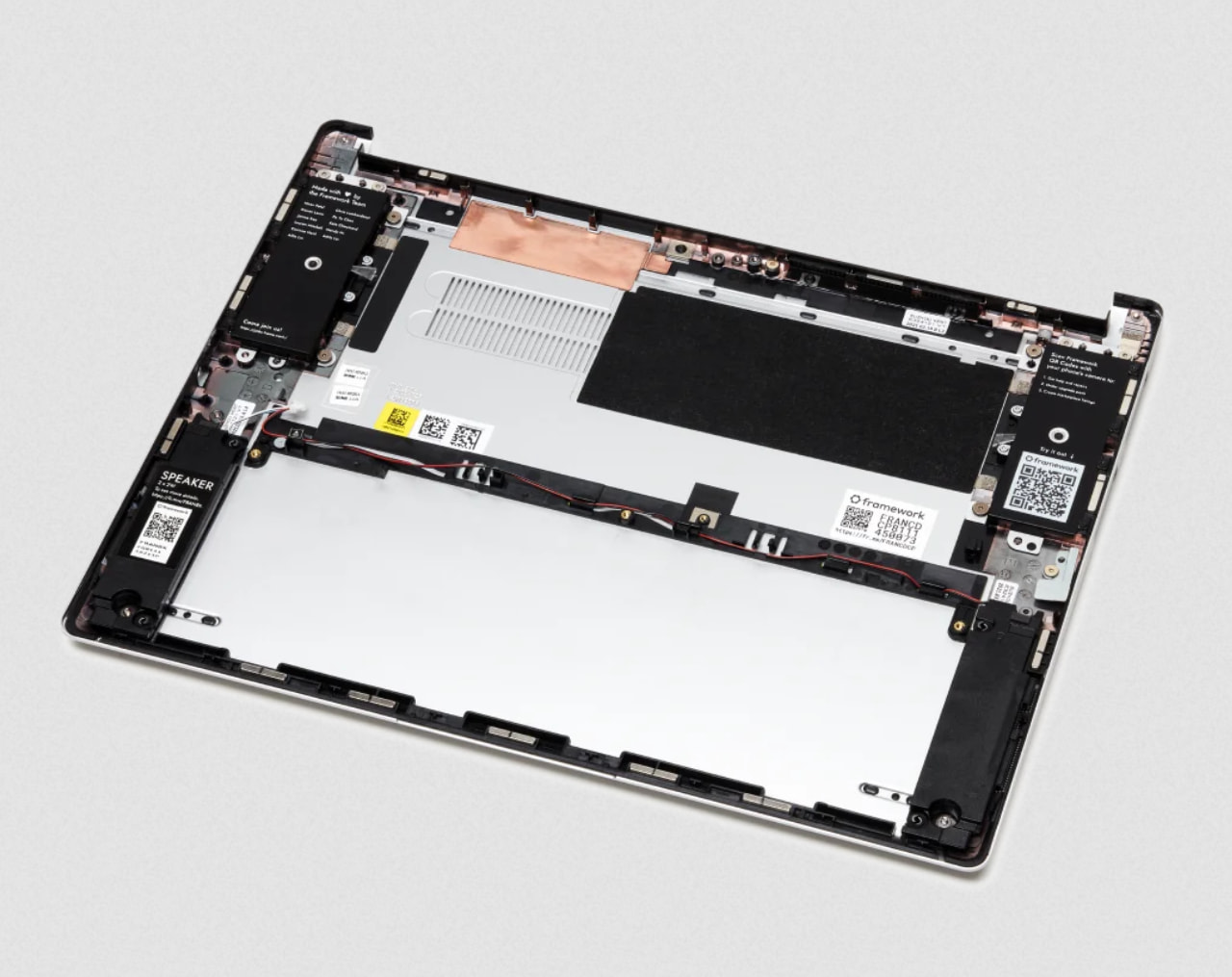
If the bottom cover is broken, the user proceeds to buy another one, the speakers are essentially e-waste. If the user proceeds to buy the Pro version, they need to buy the Pro speakers separately (and the battery but that’s a separate topic) and may fail to do so because they might assume the bottom cover has the speakers included after browsing the OG bottom cover.
This needs clarification, or better, remove the speakers from the OG bottom cover kit to make them consistent.
Which Pro bottom cover link are you using? Please keep in mind that bottom cover upgrade kits and chassis kits are different. Kits may also be different than standard cover only replacements (such as a warranty replacement). Everything included should be listed in the description panel / configurator.
Yeah. If you have a non-Pro 13 and are looking at buying the 13 Pro cover, you’ll need the ‘upgrade kit’ to get all the new parts, as you are ‘upgrading those parts’ from the previous version.
In the interest of giving people options (as maybe some want to upgrade over time, or just want to upgrade individual parts from non-pro to Pro), we have:
Chassis kit: Pretty much everything you need except for the MB. This allows a near drop in ready ‘home’ for your spare boards. “To complete your build, you’ll need a Framework Laptop 13 Mainboard (with compatible memory and storage), Bezel, Wi-Fi module, Expansion Cards, and a USB-C Power Adapter.”
Upgrade kit: Bottom cover, new Battery, new speakers, new audio board, keyboard, touchpad, fasteners, etc. Pretty much the whole lower portion of the machine except for the mainboard.
Bottom Cover kit: Just the new bottom cover
Everything that is included in each should be listed in the description of each item / kit, and at the bottom under ‘included items’. Hope this helps!
Thanks, I’m looking forward to upgrade the bottom cover to improve the chassis rigidity but keeping the top cover because the keyboard is still working and I don’t want the haptic touchpad. I guess I still have to pick parts manually