Yeah… I took the webshop images and they all had really bright highlights from the studio shoot. I definitely messed up the contrast when trying to make them more life-like. If anybody wants to create better representation I’ll gladly switch them. Ideally also the missing expansion cards and translucent variants 


I must be some clueless noob but I can’t get it to work. I click a slot and then a tile to fill it; works fine. I click another slot, but it keeps the original slot selected so both slots change when I select another tile. What gives? How do I deselect the original slot?
Two ways to deselect a tile:
- click a selected tile again
- click the “close” button in the top right corner of the tile chooser
It can be a bit of a pain, but I prefer it that way as it allows quickly change the tile type of all currently selected tiles at once. Only being able to select one single tile or auto-deselecting IMO is more tedious than how it’s implemented right now.
1 Like
Your comment was inspiring. Please refresh the page to load the latest version.
Now clicking a tile will deselect the previous selected tile(s) and only select the newly clicked one. If you hold the CTRL key at the same time you can click and select multiple tiles at once (old behavior).
1 Like
Ah, I see. I suspected it might be part of a clever expert scheme for multiple tiles, but didn’t see a way out. Thanks for clarifying.
1 Like
Haha. Nah. It was just typical engineer brain nonsense. I’ve fixed it now and implemented behavior which is much more natural. Clicking single tiles and only selecting multiple when holding the CTRL key at the same time.
Please make sure to refresh the page to get the new changes and thanks for your feedback!
1 Like
That’s awesome! To support Mac you need to add “Meta” as a modifier. Ctrl-click on Mac brings up a context menu and Meta-click (command key) is the standard for multi-selection on Mac. Allowing either is probably easier than querying the platform.
I couldn’t find a modifier that matches “whatever the platform’s modifier for multiple selection” unfortunately.
1 Like
I came up with these two designs with the help of my Graphic Designer daughter. Rather, I helped her. Much better than what I had originally.

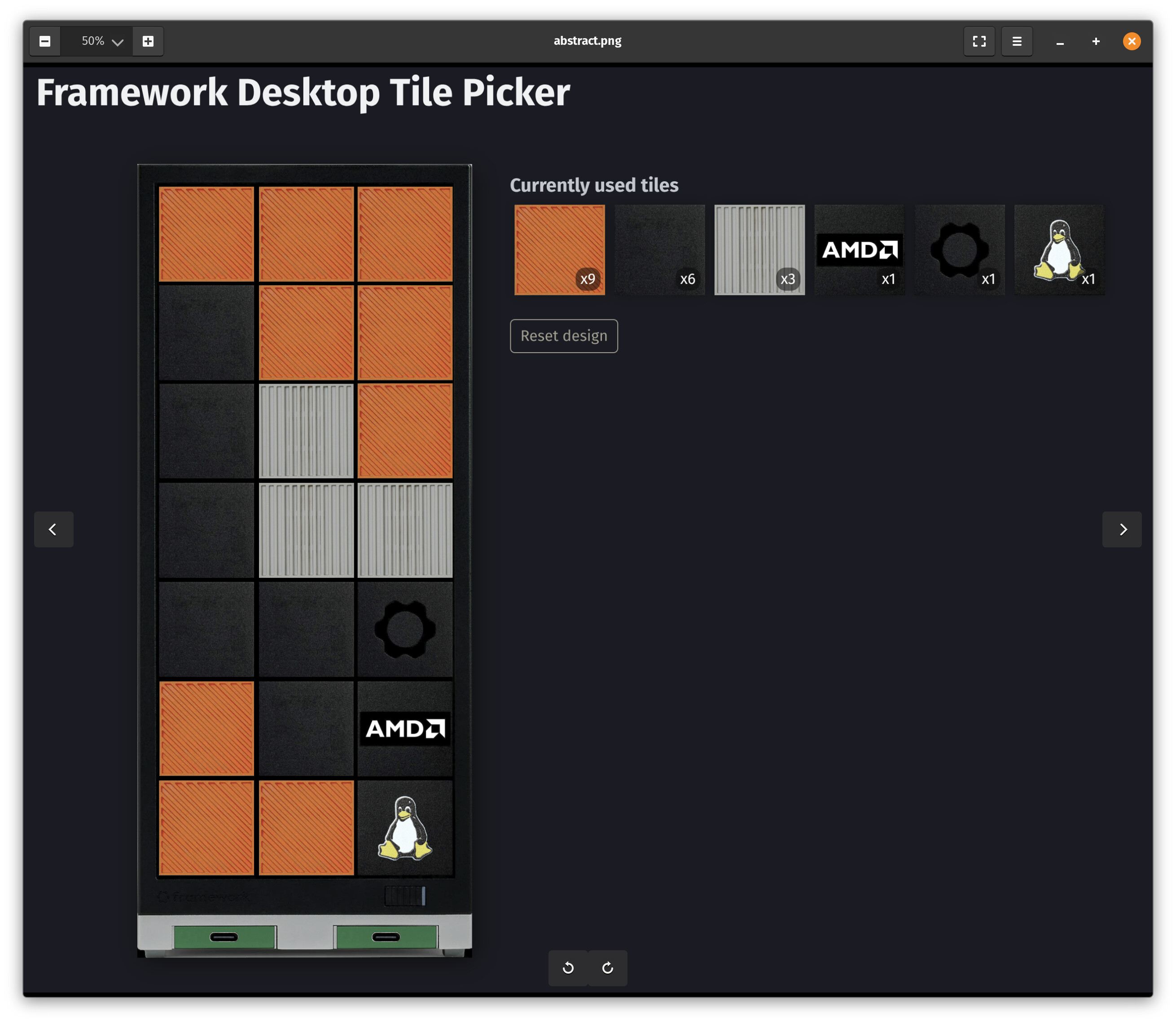
4 Likes
Looks great!
I made alternative versions that optimize the tile packs you would need to order:
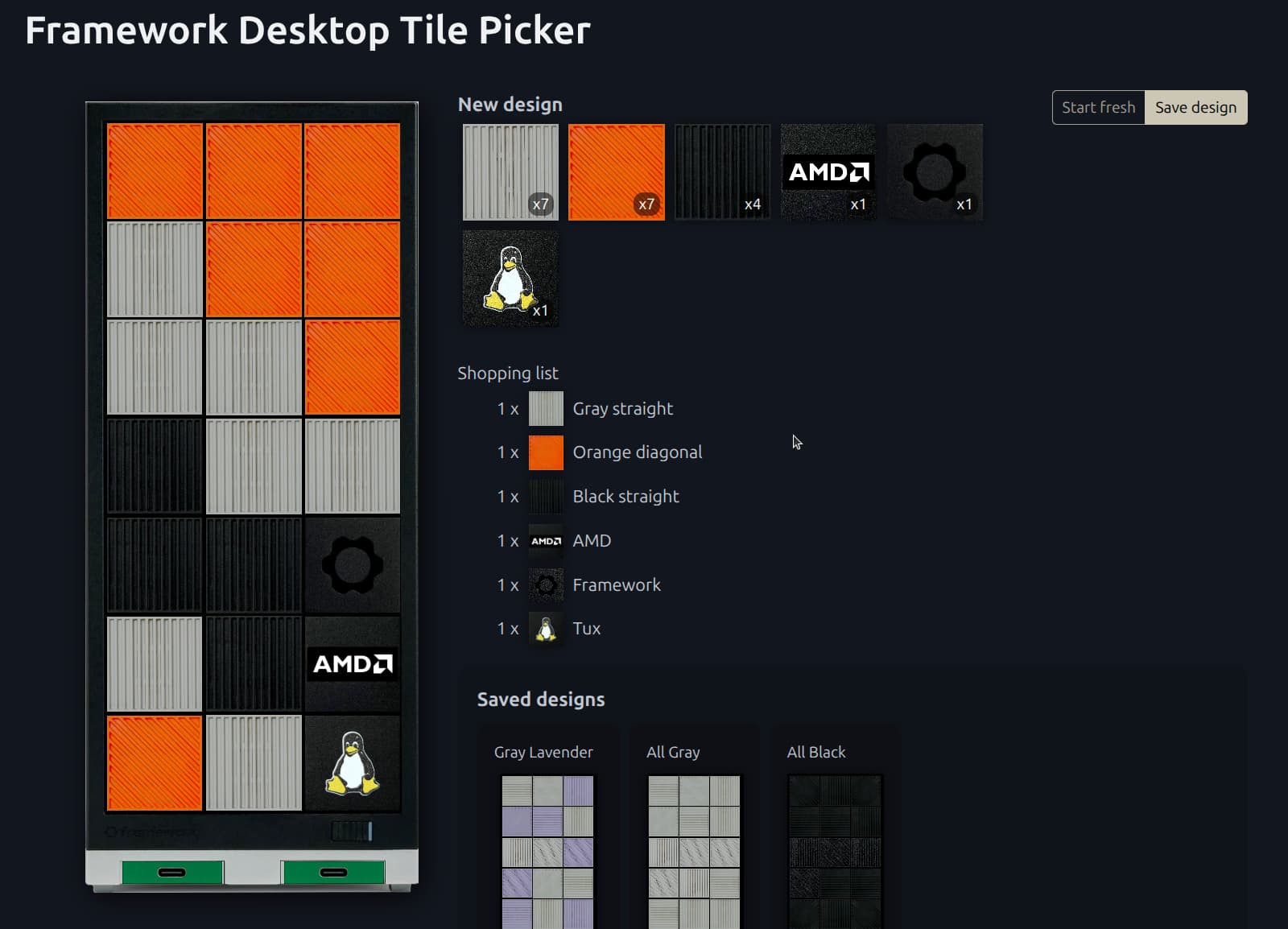

Not sure if it makes a big difference, but it might be better to avoid covering large areas with solid tiles. I think I saw a YouTube video where a user compared covering the air inlets in solid tiles to tiles that let air through and it did make a difference for them.
1 Like
Thanks for the heads-up on the air intake issue with solid tiles. Not sure how much I’ll be taxing my APU, but I’ll keep an eye on temps. I like the look of the solid tiles in the second design, but I’m ordering tiles to cover both designs, so I can switch to the vented ones if needed.
1 Like
If you look at the case front without the faceplate on it, I think the ones that have holes in the case itself are the 3x3 area at the top, and the center bottom tile, so when I designed mine I put my solid tiles in the 3x3 area between those two locations where the case had no openings, but you can also use the bottom left and bottom right spaces.
The red tiles are where there’s openings in the metal frame of the case behind the faceplate.

3 Likes
Added meta key support, but was too lazy to boot my macbook and check if everything works as expected 
Also added long press support for mobile devices. Works fine on desktop but was a bit wonky - yet totally usable - on mobile.
1 Like
Meta works great!
1 Like
This is such a great tool! I was able to fix my tile order before charging thanks to this tool, appreciated!
4 Likes
Btw @wolfie we have those frontal renderings of the expansion cards here: https://frame.work/laptop16?tab=modules
2 Likes
Neat - just added the missing expansion cards (except Ethernet).
Got my batch 10 announcement mail today. Already prepared my desk and peripherals to seamlessly replace a big tower. Can’t wait to finally set up the at least 4 times smaller FW Desktop.
2 Likes
My favorite design currently: Gray Lavender
Got several more tile packs to switch every once in a while.
1 Like
@wolfie Just cross sharing some love for your tile picker from Reddit!
2 Likes