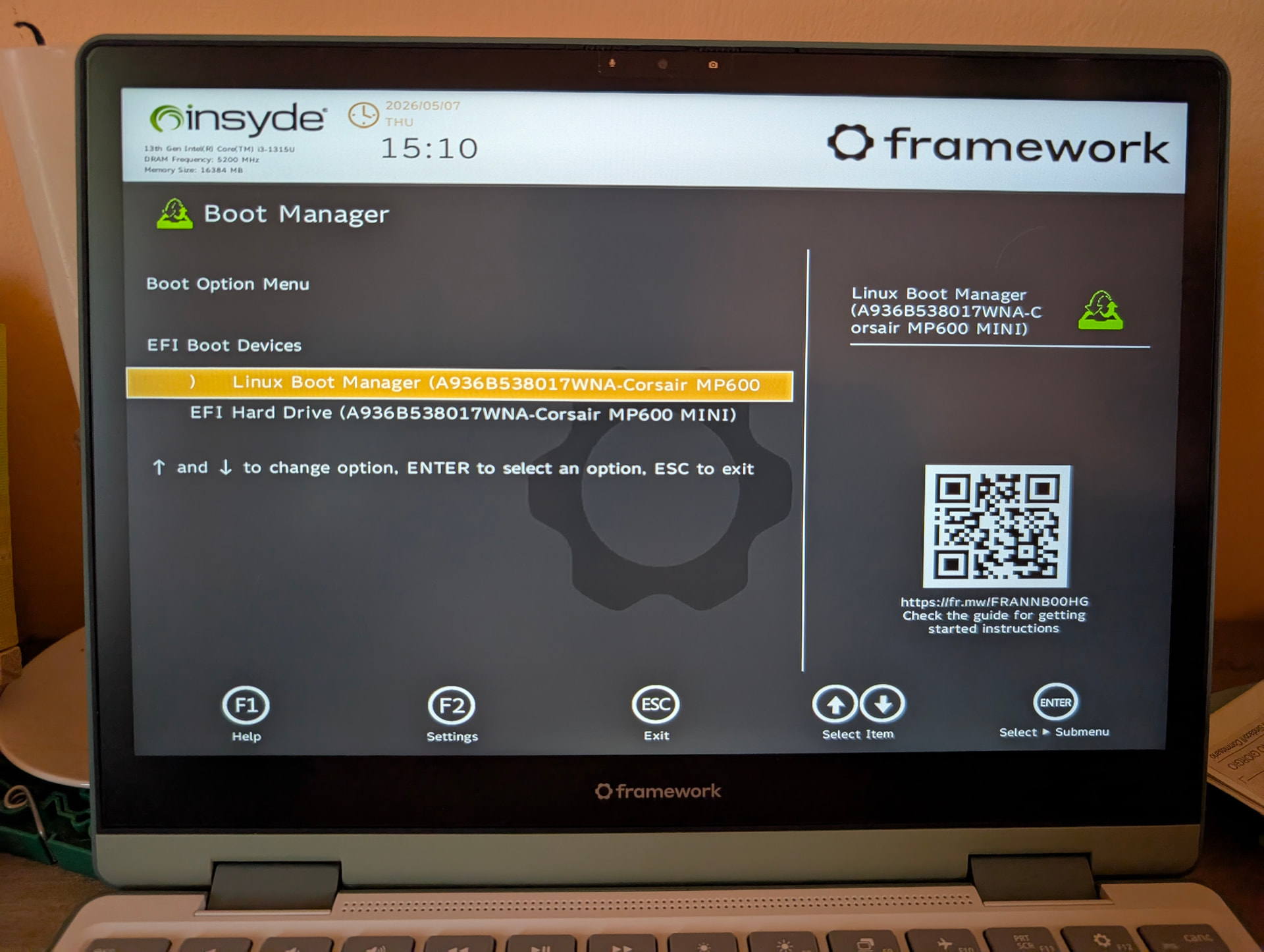
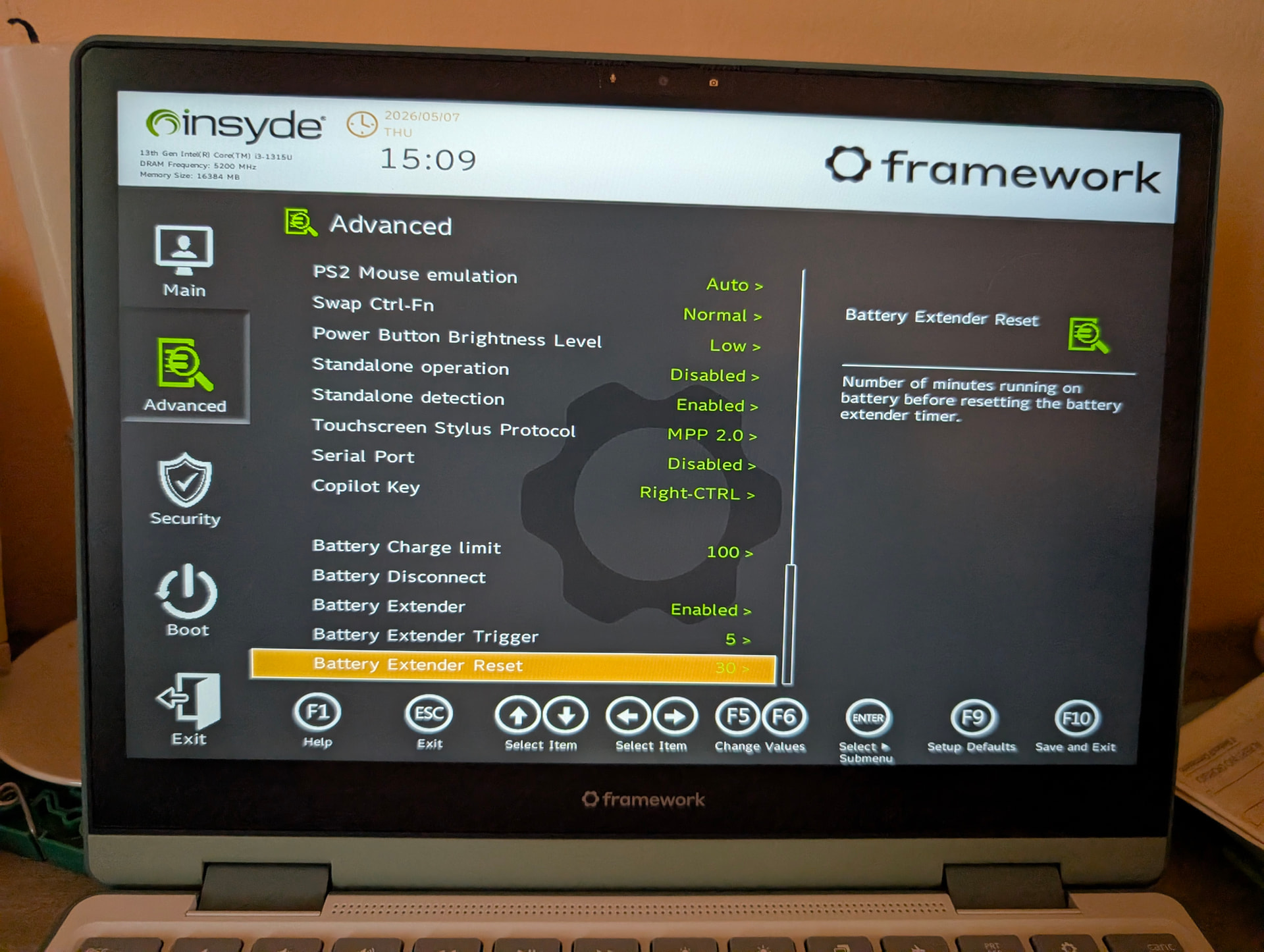
Hi, I’m reporting a reproducible EFI/NVRAM issue on a Framework Laptop 12.
System
-
Framework Laptop 12, 13th Gen Intel Core
-
BIOS 3.07 / fwupd reports System Firmware
0.0.3.7 -
Arch Linux
-
systemd-boot
260.1-2-arch -
UKI boot entry:
/EFI/Linux/arch-linux.efi -
ESP mounted at
/boot -
Secure Boot / Enforce Secure Boot enabled in firmware setup
-
LUKS with TPM2 auto-unlock
-
All EFI binaries signed with
sbctl
Firmware setup
The firmware setup UI shows:
-
EFI Boot Order:
-
Linux Boot Manager
-
EFI Hard Drive
-
-
Enforce Secure Boot: enabled
-
New Boot Device Priority: Auto
-
Automatic Failover: tested both enabled and disabled
-
USB Boot: normally disabled
I attached screenshots of the firmware setup pages showing these settings.
Issue
After creating the EFI boot entry with:
sudo bootctl --esp-path=/boot install
sudo sbctl sign -s /boot/EFI/systemd/systemd-bootx64.efi
sudo sbctl sign -s /boot/EFI/BOOT/BOOTX64.EFI
sudo sbctl sign -s /boot/EFI/systemd/fwupdx64.efi
sudo sbctl verify
sudo efibootmgr -v
Linux sees the EFI entry correctly:
BootOrder: 0000
Boot0000* Linux Boot Manager HD(...)/\EFI\systemd\systemd-bootx64.efi
However, after a normal reboot, the EFI variables disappear again.
Current output after reboot
sudo efibootmgr -v

No BootOrder is set; firmware will attempt recovery
bootctl status reports:
System:
      Firmware: n/a (n/a)
 Firmware Arch: x64
   Secure Boot: disabled (unsupported)
  TPM2 Support: yes
  Measured UKI: no
  Boot into FW: not supported

Random Seed:
 System Token: not set
       Exists: yes

Available Boot Loaders on ESP:
          ESP: /boot (/dev/disk/by-partuuid/[REDACTED])
         File: ├─/boot//EFI/systemd/fwupdx64.efi
               ├─/boot//EFI/systemd/systemd-bootx64.efi (systemd-boot 260.1-2-arch)
               └─/boot//EFI/BOOT/BOOTX64.EFI (systemd-boot 260.1-2-arch)

No boot loaders listed in EFI Variables.

Boot Loader Entry Locations:
          ESP: /boot (/dev/disk/by-partuuid/[REDACTED], $BOOT)
       config: /boot//loader/loader.conf
        token: arch

Default Boot Loader Entry:
         type: Boot Loader Specification Type #2 (UKI, .efi)
        title: Arch Linux
           id: arch-linux.efi
       source: /boot//EFI/Linux/arch-linux.efi (on the EFI System Partition)
     sort-key: arch
      version: 7.0.3-arch1-2
        linux: /boot//EFI/Linux/arch-linux.efi
      profile: 0
      options: [REDACTED]
Signed EFI binaries
sbctl verify passes:
Verifying file database and EFI images in /boot...
✓ /boot/vmlinuz-linux is signed
✓ /usr/lib/fwupd/efi/fwupdx64.efi.signed is signed
✓ /boot/EFI/BOOT/BOOTX64.EFI is signed
✓ /boot/EFI/Linux/arch-linux.efi is signed
✓ /boot/EFI/systemd/fwupdx64.efi is signed
✓ /boot/EFI/systemd/systemd-bootx64.efi is signed
Secure Boot variables missing from Linux
The following command returns no files:
ls /sys/firmware/efi/efivars/SecureBoot-* /sys/firmware/efi/efivars/SetupMode-* 2>/dev/null
This happens even though Enforce Secure Boot is enabled in the firmware setup.
Firmware version
fwupd now reports the BIOS update as completed:
System Firmware:
  Current version: 0.0.3.7
  Update State: Success
Full relevant fwupd output:
fwupdmgr get-devices | grep -A20 -i "System Firmware"

├─System Firmware:
│     ID dispositivo:     384231dd4d582f9575f1c0dde71f2ec239a869ff
│     Riepilogo:          UEFI System Resource Table device (updated via NVRAM)
│     Versione attuale:   0.0.3.7
│     Versione minima:    0.0.3.0
│     Fornitore:          Framework (DMI:INSYDE Corp.)
│     URL:                https://frame.work/laptop
│     Stato aggiornamento: Completato
│     GUID:               6bc0986c-d281-5ba3-965c-2f8d13e1eee8
│     Flag dispositivo:   • Dispositivo interno
│                         • Aggiornabile
│                         • Il sistema richiede una sorgente elettrica esterna
│                         • Supportato sul server remoto
│                         • Necessita un riavvio dopo l'installazione
│                         • È disponibile la verifica dell'hash crittografico
│                         • Il dispositivo è utilizzabile per la durata dell'aggiornamento
Impact on fwupd / LVFS BIOS update flow
Before updating via EFI USB, the LVFS/fwupd update flow failed because the firmware did not boot the Linux Firmware Updater entry after reboot.
fwupd was able to stage the update and set BootNext after manually recreating BootOrder, but after reboot the firmware did not start the Linux Firmware Updater. fwupd then reported:
boot entry missing: no 'Linux Firmware Updater' entry found
The BIOS update to 3.07 was eventually completed successfully using the EFI Shell USB update method.
Reproduction
-
Boot Arch Linux.
-
Run:
sudo bootctl --esp-path=/boot install
sudo sbctl sign -s /boot/EFI/systemd/systemd-bootx64.efi
sudo sbctl sign -s /boot/EFI/BOOT/BOOTX64.EFI
sudo sbctl sign -s /boot/EFI/systemd/fwupdx64.efi
- Verify that
efibootmgr -vshows:
BootOrder: 0000
Boot0000* Linux Boot Manager
-
Reboot.
-
Run
sudo efibootmgr -vagain. -
BootOrderis gone again:
No BootOrder is set; firmware will attempt recovery
Expected behavior
EFI BootOrder / Boot#### entries created by bootctl or efibootmgr should persist across reboots.
Linux should also be able to read standard Secure Boot variables such as SecureBoot-* and SetupMode-* when Secure Boot / Enforce Secure Boot is enabled in firmware setup.
Actual behavior
BootOrder / Boot#### entries disappear after reboot.
Linux reports:
No BootOrder is set; firmware will attempt recovery
No boot loaders listed in EFI Variables.
Secure Boot: disabled (unsupported)
The standard Secure Boot efivars are also missing from Linux.
The system still boots successfully, apparently through the fallback path:
\EFI\BOOT\BOOTX64.EFI
Since the fallback EFI binary is signed, the system remains bootable. However, this behavior breaks the normal fwupd/LVFS BIOS update flow, because fwupd relies on persistent EFI boot variables / BootNext to boot the Linux Firmware Updater.