I’m currently on kUbuntu 25.04, however I’ve applied the workaround, and before “Moving in” I tried a number of distros including Fedora 42 GNOME and Mint Cinnamon, all of which had the same problem.
Got what I believe is your ticket here. Working with you there.
From a ticket I replied to recently, for context:
Pardon the outside photos, working outside today.
For this photo, a USB loaded with the Fedora 42 ISO image. No changes, not installed. Just live USB boot. On screen keyboard automatically happens when a text area is touched.
For this photo, Kubuntu 25.04 (not the LTS). Fully apt updated and snaps updated, rebooted, as well (installed onto the nvme drive).
For Kubuntu 25.04, I made sure I applied this fix (pasted in entire top code box) and pressed enter, rebooted.
Onscreen keyboard for the tablet using Plasma is possible as well by installing and applying maliit-keyboard. On screen keyboard automatically happens when a text area is touched once this is installed and applied.
Remember, fold the screen back completely so the tablet is in portrait orientation; i.e., tablet mode.
Testing this is straightforward with a Live ISO of Fedora.
- New Fedora 42 Workstation GNOME ISO.
- Setup a USB key with the ISO.
- Boot into said USB key.
- Fold back screen, rotate with screen completely folded back.
Works as described above (Bazzite is based on Fedora Atomic).
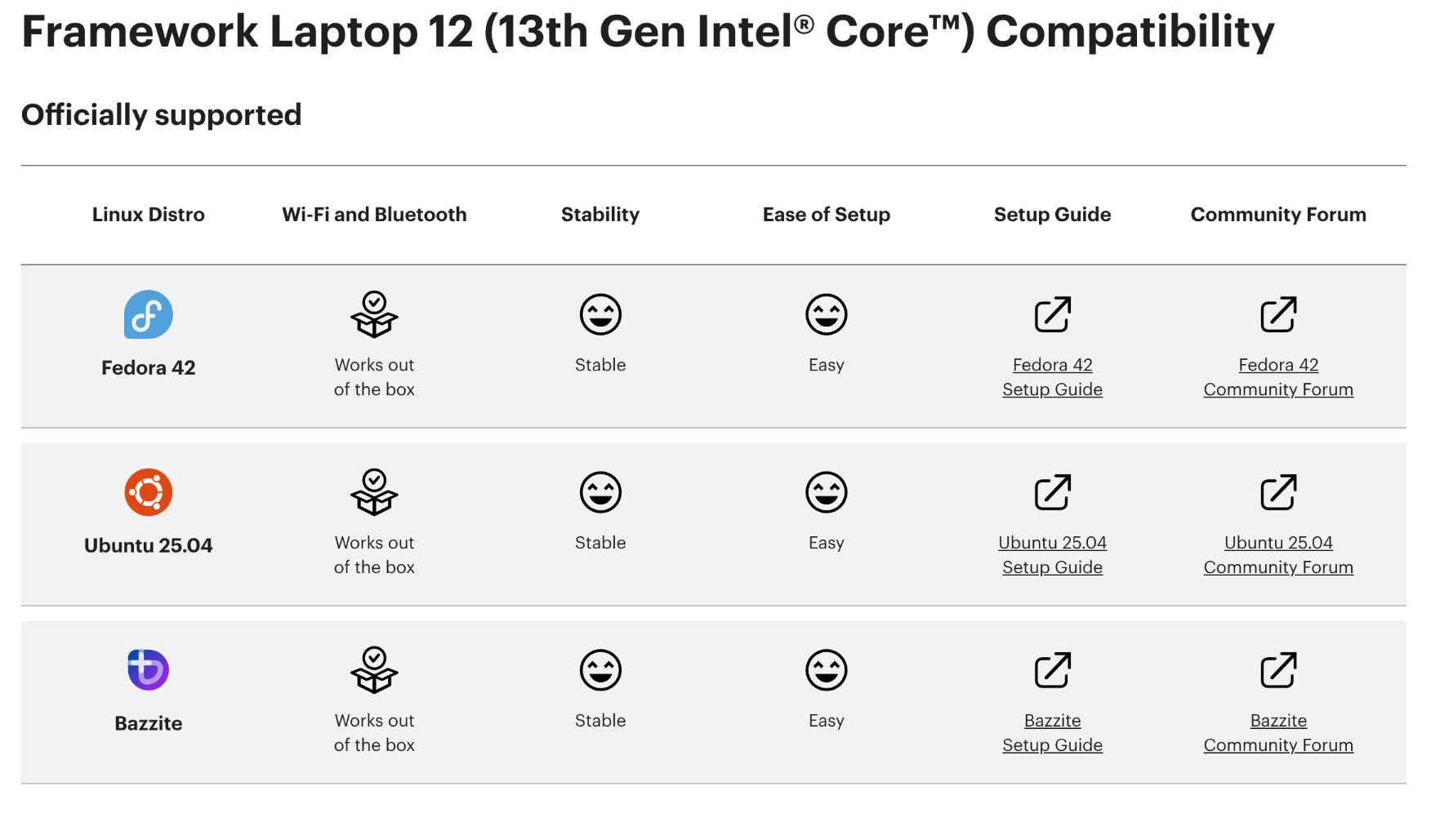
Should you reproduce this, on a Fedora Live ISO as I described, fully folding back the tablet and using the correct orientation, please file a ticket as something hardware related may be wrong.
If your issue is with one of the distros NOT in the image, we will try to help in a ticket - but cannot promise your distro of choice is tested.
5 Likes
Before I do send in an inquisitive support ticket:
- Does this only apply to different flavours/forks of supported distributions (Ubuntu & Fedora)?
- Figured asking as I do face an issue with OpenSUSE’s
iio-sensor-proxynot loading on my FWL12, which is not a supported distro at the moment and its roots being independent from any of the official/community supported distros.
- Figured asking as I do face an issue with OpenSUSE’s
- Which type of support category is fitting for those types of tickets? Problem with my Framework Laptop or Business user technical issue?
Hey, I just got my framework 12 and I wanted to say that I am experiencing the same issues (no rotate, and keyboard unlock only on lid closing), however I am running windows 11. I haven’t seen any reports of it on windows on the forum. Do you think the cause of the issue would be the same for windows?
1 Like
I wonder what the Linux to Windows ratio is for early batch FW12s…
I’m waiting on a replacement motherboard (Unfortunately it took some time to get to a stage where Framework felt confident it was a hardware issue, and now I’m off on holiday with the laptop). It seems that
- Screen rotation and laptop mode doesn’t work out of the box on a number of Linux distros, but there is advice here on how to make it work
- Some of the early batch FW12 boards have a suspected hardware issue with the accelerators, which isn’t overly surprising for early-batch.
Raise a support ticket
2 Likes
Thank you for the advice. I raised a support ticked. I hope the issue gets resolved soon-ish. At least I am glad the FW12 seems to be working fine as a laptop, since I am using it for my job now 
I’m using cachyOS with KDE wayland and if I open the mkinitcpio.conf the Modules the line MODULES looks like this: MODULES=(crc32c).
How do i add the pinctrl_tigerlake ? Do I replace the crc32c inside the () or add a new Line with MODULES=(pinctrl_tigerlake) or add it like this: MODULES=(crc32c pinctrl_tigerlake)? (The last one with space inbetween does not work after sudo mkinitcpio.conf -Pand sudo reboot.) I thought maybe it works the same for cachyos since its based an arch.
What issue exactly are you attempting to fix? The fix you described is specifically for Touch Mode to activate automatically when no mouse or touchpad is detected i.e. you flipped the screen of the FW12 fully around so that the ec turned the touchpad off.*
If you want to fix the screen automatically rotating when the Laptop’s orientation is changed, that would be another fix.
*Touch Mode is deactivated as long as the keyboard is not flipped around enough. Meaning when the FW12 sits on a table like any Laptop would do, the screen will not rotate no matter the orientation of the FW12.

This fixed it for me in Arch, and I didn’t do any other troubleshooting steps so I feel relatively confident that’s the fix for Arch.
I tried a Fedora Live CD for KDE (which is what I’m using on Arch) and it worked fine, so I was convinced my problem was a distro issue; this fixes it.
The only “issue” that I’m having now is the return from tablet mode is a bit slow: flipping back to laptop it takes several seconds before the keyboard/touchpad wake back up, whereas on my Lenovo it was pretty much instant; it takes 5 or so seconds, which is just long enough to make you wonder if it’s working. This is extremely not a problem, I’m just mentioning it in case it’s a data point.
ou ok thank you for the clarification. The problem I’m facing is that my display does not auto-rotate when I turn my Laptop. What is the fix for that? (edit: MODULES=(crc32c pinctrl_tigerlake) fixed the touch-mode problem.) Still looking for the fix for the auto-rotate.
I do have to note that the switching locks up the whole system for 4-5 seconds before touch mode enables and I can do something on the laptop again.
I did now. It rotates now correctly under when folded and touch-mode is enabled. Thank you for your help!
2 Likes
Appreciate the question. I am in the process of putting together guidence on which specs exactly are needed in terms of iio-sensor-proxy exceptions, desktop environments tested outside of what we have shared on the Linux Landing page.
As it is currently, those distros listed for Framework Laptop 12 for official support are recommended using the guides provided.
1 Like
Delighted to hear this. Looks like you implemented the Ubuntu 25.04 fix for CatchyOS. Can you outline the steps you took for Catchy so I can pass this along to the engineering team and my own records? Thanks
Yes of course. But be aware that I’m a beginner in Linux and can’t assure if some of my “fixes” were actually fixes or “fixed” a problem that wasn’t there. For the automatic change into touch-mode when the laptop is flipped: Adding pinctrl_tigerlake to the mkinitcpio.conf next to the existing module crc32c (with a space) fixed it for me. so my line now looks like this: MODULES=(crc32c pinctrl_tigerlake). Then the usual sudo mkinitcpio -P and sudo reboot and it worked for me.
As for the auto-rotate of the screen. Unfortunately I’m not 100% sure anymore what exactly fixed it for me in the end but looking at my history I did the following things:
Trying to install a newer version of iio-sensor-proxy. sudo pacman -S iio-sensor-proxy I can’t remeber if that changed the version though (my version is: cachyos-extra-v3/iio-sensor-proxy 3.7-1.1).
Then I tried the commands from the Ubuntu 25.04 fix (
sed ‘s/.*iio-buffer-accel/#&/’ /usr/lib/udev/rules.d/80-iio-sensor-proxy.rules | sudo tee /etc/udev/rules.d/80-iio-sensor-proxy.rules
sudo udevadm trigger --settle
sudo systemctl restart iio-sensor-proxy)
Then it worked for me.
1 Like
I use cachyOs with kde plasma. And I installed maliit-keyboard (which automatically enables itself in touch-mode) using the command: sudo pacman -S maliit-keyboard.
I installed/enabled the german keyboard version for it using: gsettings set org.maliit.keyboard.maliit enabled-languages "['de']"
1 Like
Using a more recent version of Fedora (see below) than the one @Matt_Hartley posted with Gnome, the OS doesn’t switch to tablet mode (keyboard stays enabled and rotating the device keeps the screen orientation).
I haven’t spent a lot of time on investigating the sensors. However, from reading this thread, it appears the following two sensors seem relevant (see more details below).
The in_angle_raw value doesn’t change for me no matter the position of the laptop lid, which I suspect to be the reason why tablet mode isn’t turned on.
The in_accel_*_raw values change depending on how the laptop is rotated. That said, I assume that they don’t take effect on the screen orientation because the laptop mode isn’t turned on in the first place.
If anybody knows how to debug the issue further, please let me know! I’m especially interested in finding out why the first value stays fixed as that seems to be the main cause of the issue. I hope it’s not a hardware issue, so glad to have the FW 12 in my hands finally!
niklaas@niklaas-fw-12:~$ cat /sys/bus/iio/devices/iio\:device1/in_angl_raw
500
niklaas@niklaas-fw-12:~$ cat /sys/bus/iio/devices/iio\:device0/in_accel_*_raw
-368
-2192
15872
System Details Report
Report details
- Date generated: 2025-07-27 13:32:33
Hardware Information:
- Hardware Model: Framework Laptop 12 13th Gen Intel Core
- Memory: 48.0 GiB
- Processor: 13th Gen Intel® Core™ i5-1334U × 12
- Graphics: Intel® Graphics (RPL-U)
- Disk Capacity: 1.0 TB
Software Information:
- Firmware Version: 03.03
- OS Name: Fedora Linux 42 (Workstation Edition)
- OS Build: (null)
- OS Type: 64-bit
- GNOME Version: 48
- Windowing System: Wayland
- Kernel Version: Linux 6.15.7-200.fc42.x86_64
1 Like
I had the opposite problem as you, my lid sensor worked fine but the accelerometer stopped working for me after the first few days or first week on Fedora, I installed Windows 11 just to make sure it wasn’t a Linux driver or module problem, but autorotate was broken for me in Windows as well.
I downloaded SensorInfo on W11 and it wasn’t picking up anything on the accelerometer.
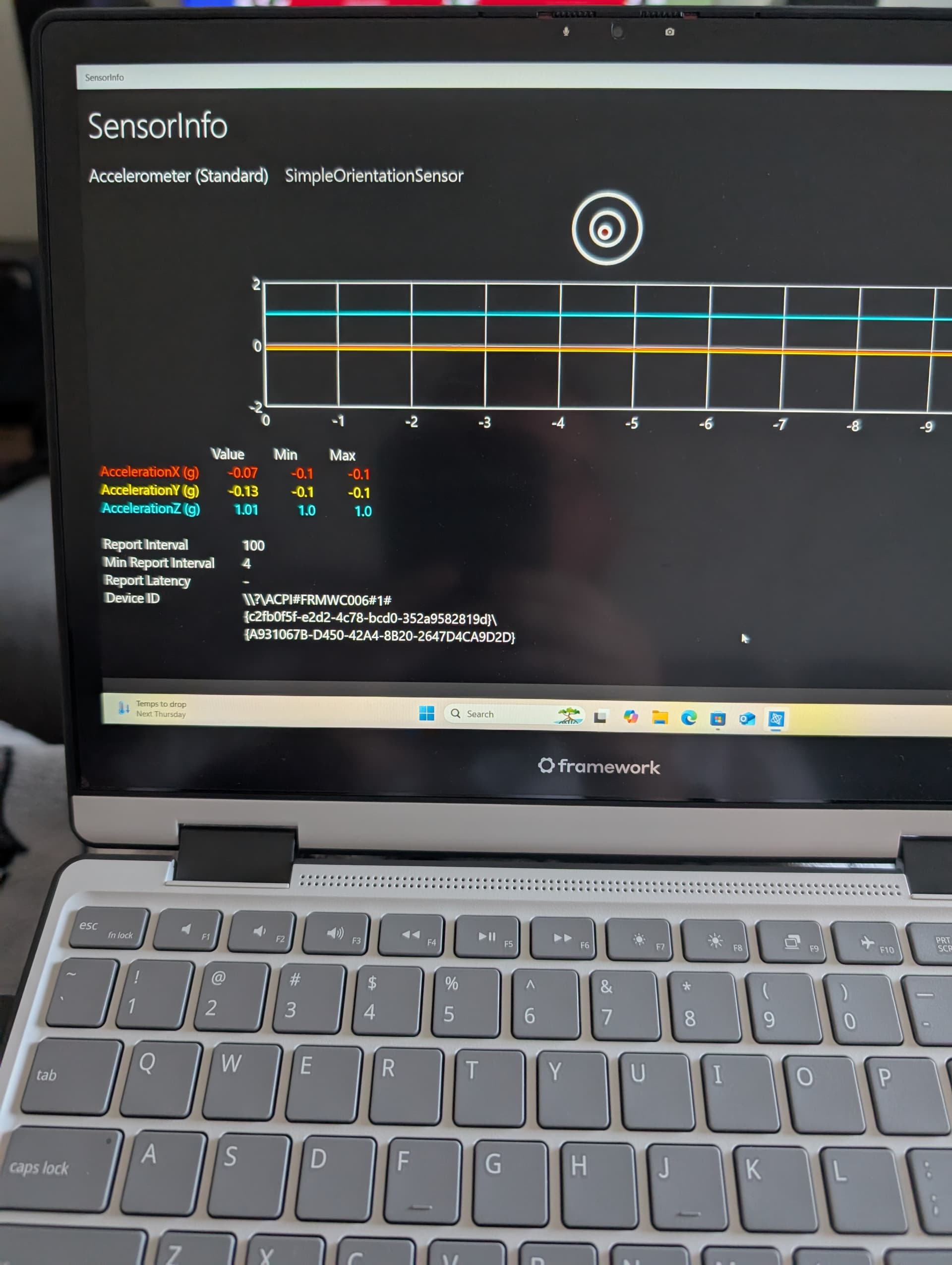
I just received my batch 2 FW12 and hit this issue .. I followed the Ubuntu 25.04 installation guides including the additional bits for tablet mode .. I tested tablet mode and it worked fine but after that the keyboard was disabled.
I had no idea what had happened so I connected an external keyboard and reinstalled ubuntu and just to make sure re-fitted the keyboard.
I’m hesitant to try tablet mode again in case I can’t figure out how to re-enable the keyboard.