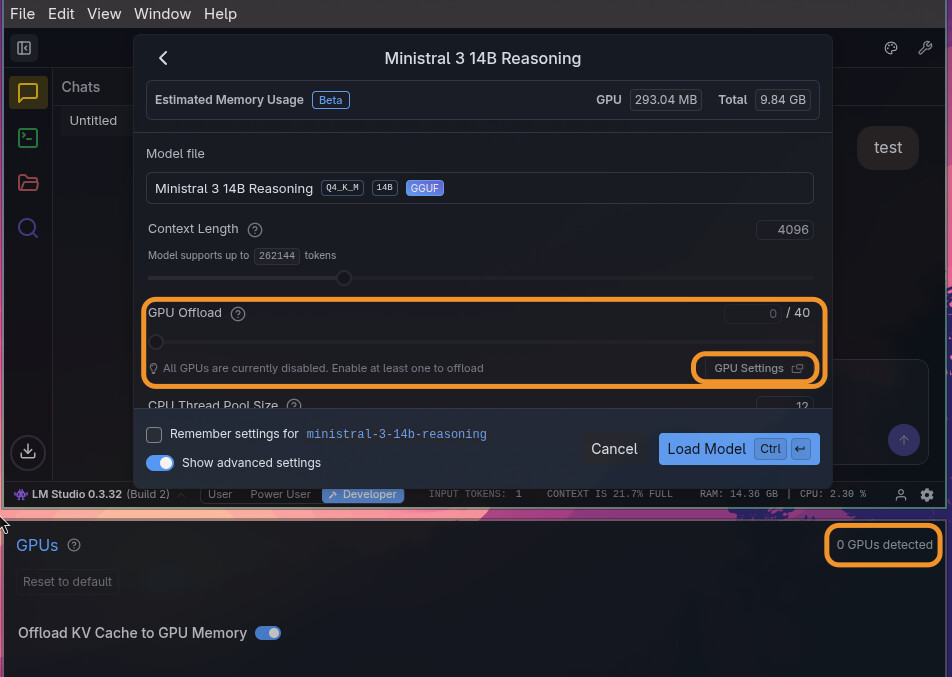
I got my desktop. installed omarchy on it and installed lm studio. when i boot up the computer i hit f2 and changed the memory allocated to manual and set it to 96GB for gpu.
any ideas what I can do at this point to debug why no gpus are showing up?
I got my desktop. installed omarchy on it and installed lm studio. when i boot up the computer i hit f2 and changed the memory allocated to manual and set it to 96GB for gpu.
any ideas what I can do at this point to debug why no gpus are showing up?
i’m a little upset by this given all the hype with Omarchy+DHH and that’s how I found out about this project, but now I guess I have to install Fedora which seems to work?
really hope someone is working on getting this to work
You need to install ROCm/Vulkan drivers. I don’t know of any Linux distribution that has AMD or NVIDIA compute drivers installed by default, including Omarchy.
We have pretty much all of those in the ublue land 
LM studio for example works pretty much out of the box after install (installed it from our homebrew tap). Just needed to set few kernel parameters to unleash the full ram for it
ok, what i did was followed @inffy suggestion, got Fedora Silverblue and installed LM Studio and Ollama - it works out of the box for running LLM’s locally.
I tried @jheart ‘s rec to get ROCm/Vulkan drivers to install but to no avail. Would hope that DHH/Omarchy get an out of box solution for this at some point, but i’ll be toying with Fedora until then.
Thanks for the direction everyone!
Glad to hear it’s working for you. I am still waiting for my Batch 17 to ship, so my advice was based on how to make AMD GPUs work in Omarchy, or in Linux in general, but it sounds like it may not be that simple with this platform. There are different versions of ROCm and Vulkan so existing toolboxes and proven workflows are probably always going to provide faster results unless you want to endure the headache of troubleshooting for a few hours.
I got my RX 9070XT working in Omarchy fairly easily, but kind of gave up on the distro when I found that the lockscreen just decided to ignore my password input on a regular basis and force me to reset the system every time I wanted to use it. Maybe they’ve fixed it by now.
I couldn’t get ROCm to work. All models just crash with a null error. Not that Vulkan performance is bad.
Update: Reverted back to Omarchy because I wanted hyprland and liked that setup (no offense to Fedora fans)
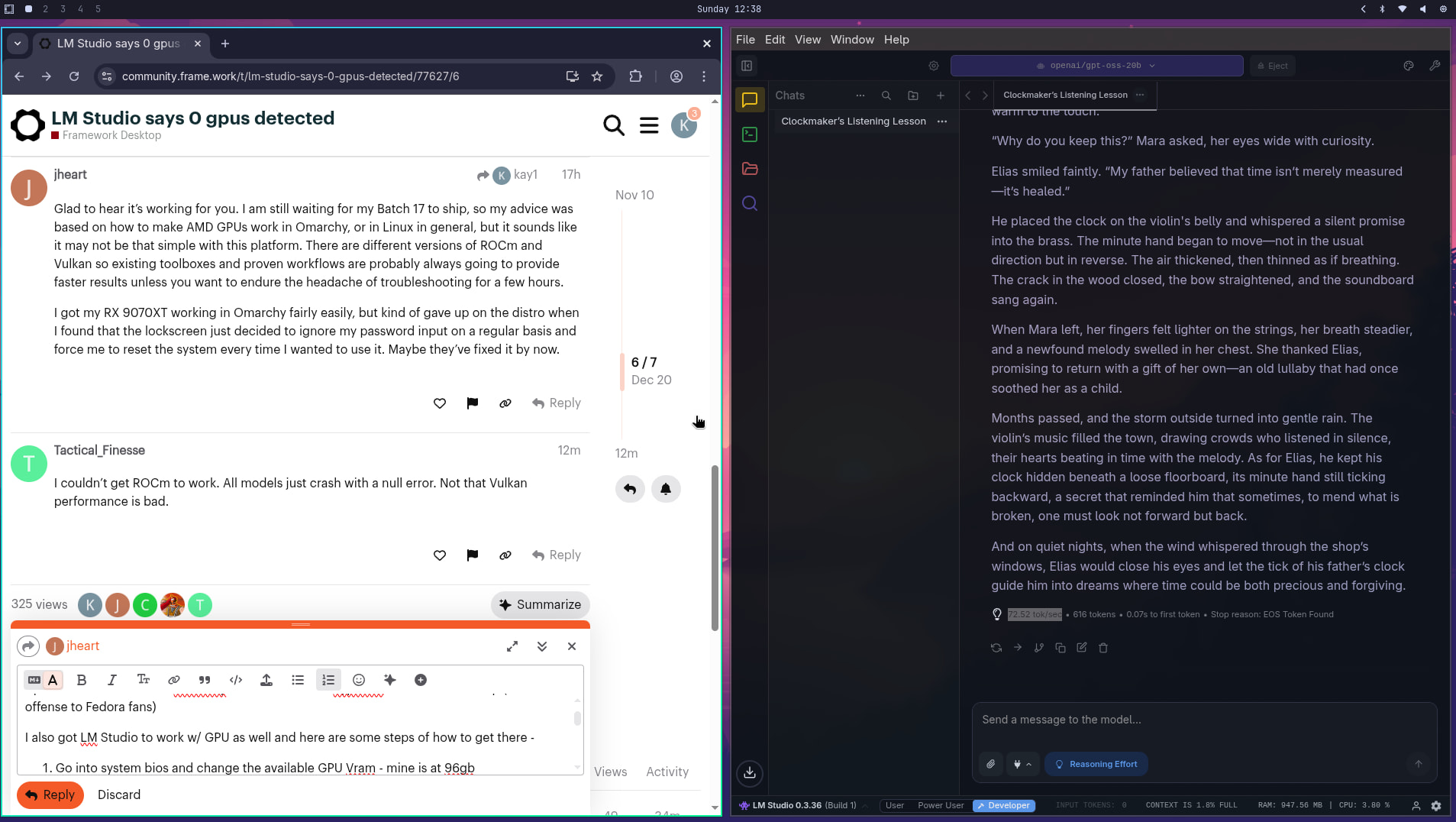
I also got LM Studio to work w/ GPU as well and here are some steps of how to get there -
I ran the gpt-oss-20b model and achieved over 70 tokens/sec. Also, not sure if this matters at all to the above, but I did a bios update as well when I was on Fedora Silverblue…maybe that changed smth? In any case, happy because this is why I bought this machine…Omarchy + Running LLM’s locally using GPU. Very happy!
70 tokens/second is quite good for that model on the FD. I’m getting around 64 tokens/second on Bazzite using Vulkan without trying at any optimizations. That is probably just the difference between Arch versus Bazzite.