…something about it breaking PCIe specs if left open-ended.
But it should be fine to make the slot physically 16 lanes and electrically 4 lanes.
…something about it breaking PCIe specs if left open-ended.
But it should be fine to make the slot physically 16 lanes and electrically 4 lanes.
Well, then you have a ton more board space taken up (and below for vias as well)! Always a trade off when you go Mini ITX…
There’s an alternative that’s still better than a physically constrained quad-lane slot: a SlimSAS or MCIO port.
Ooh, or even Oculink on the back! Docks for that are finally not exorbitant, and would also allow you to throw a beefy GPU external to the desktop.
hey its that guy
I’m looking at either using a mining x4 to x16 riser that has supplemental power added, or getting funky with Oculink. How about an official Oculink Tile that runs back to either the x4 slot or the second m.2?
That’d be interesting, though routing things inside would be a pain. Time for some case mods!
I don’t understand your point. Most people will not need any additional cables from the power supply. If you want to add an additional GPU, you easily can. Just get the mainboard instead of the complete system. No need to sacrfice any perfectly fine case that doesn’t meet your special requirements.
You don’t need to replace anything. Just get/reuse an ITX case that can actually fit a GPU, get an appropriate PSU and get a suitable riser cable (in a compact ITX case with a GPU you usually want to use a riser cable anyway). All of that can probably be done for the same price as the added price for the full stock Desktop system.
Super modular, no wasted components.
I doubt that since different competition has different features (eg. occulink). They kinda explained why they didn’t do open x4 and I can acccept that. But switch from the modular PSU to stripped one that makes it impossible to expand the computer in any meaningful way is hard to explain.
There are PCI risers that allow for a separate power from the PSU. Unfortunately the PSU does not provide extra cables now.
I might email support to ask if it’s possible to switch the framework desktop to motherboard only and keep my place in the queue.
If it is 25w only reusing existing card I was planning to will now need me to buy like 3 extra adapters. As the only pciex4 riser with power injection I could find looks well sketch.
So now into pcie x4 to nvme to pcie with 75w via injection. Somewhat awkward.
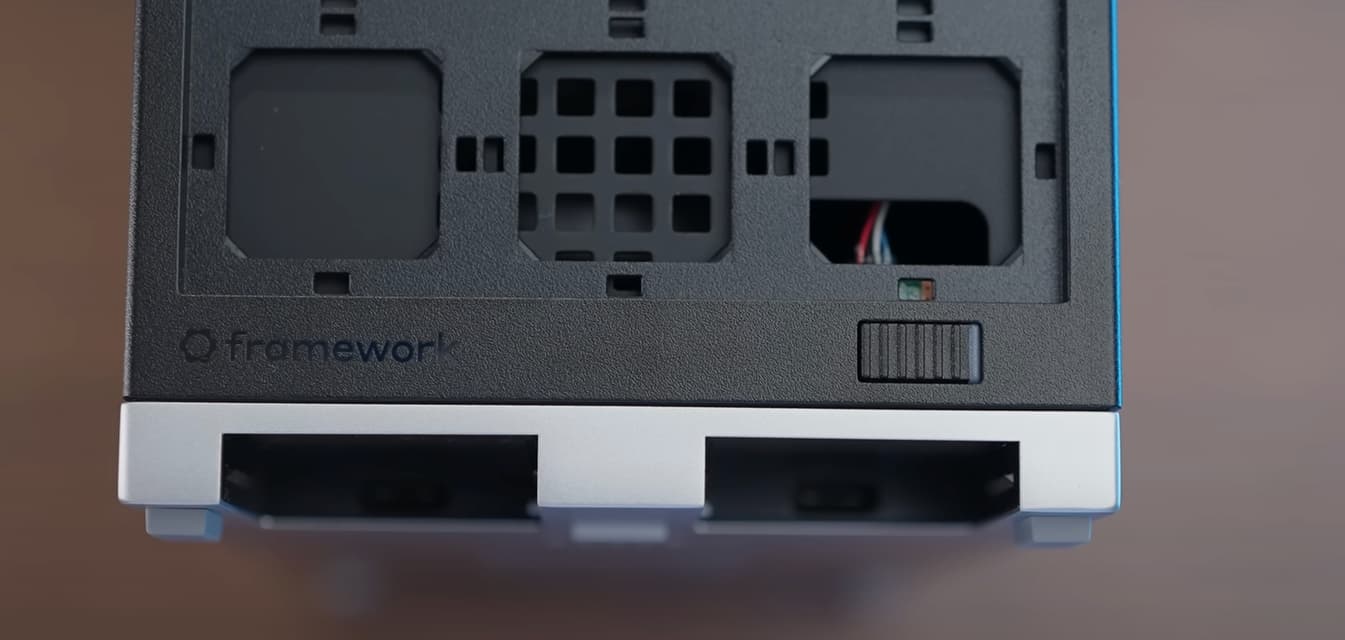
In “Dawid Does Tech Stuff”’s video, with all the Tiles removed, looks like the bottom right tile would be a good place to get a wire to the front of the case. I’m sure Oculink could be fed though that hole to a custom tile. I was thinking of using a different motherboard and trying to put a USB port here when the case comes out
I hope this topic isn’t dead, because I also would be FAR more interested in getting this motherboard if that slot wasn’t closed off… at the moment I’m looking at PCIe 4x 5.0 risers that could open the slot for me… turns out I don’t think those exist yet… you are literally better off using an M.2 → PCIe 4x 5.0 riser which is ridiculous when the board literally has the slot… and no “stock” case easily supports M.2 → PCIe risers…
that said, I guess nice there there at least is a solution… even if it has to be incredibly janky
Edit: I guess the other options is that you can buy a half height 4x to 16x adapter… which seems even worse.. I wonder if you can do 4x → 16x adapter → 16x riser…? but I have concerns about signal integrity and power when chaining risers like that with 5.0
Really I just want the ability to potentially add a secondary gpu down the line for passing through to VMs. Because I would use this platform for linux… but 2 specific programs I use regularly require windows and a GPU and I will not dual boot.
Edit edit: I did see the video about conforming to the PCIe standard and I did see Level1Techs’s that included the blurb about it only providing 25 watts. I do just still find that closed slot frustrating since a 5.0 4x → 16x powered riser doesn’t exist (yet)
watching this space to see other viable and tested options to use the X4 pcie to add gpu capabilities in the future. I have a feeling that ‘just the right hardware’ for this has not been born yet, but will be. Perhaps an opportunity for FW to introduce such a module
Minisforum managed to put full length x16 slot in there. It still provides 4 PCIe lanes, but it should be usable. They don’t mention anything power wise, so I assume they solved 25W power issue too. I’m tempted to cancel my Framework preorder and just wait until those are in stock.
I really hope that Framework has plans for this x4 slot. I’d be happy with an Oculink adapter.
I’d recommend thorough research prior to making the call to go with the MS-S1- MAX. The specs look good but, as they say, the “proof of the pudding …” I’d especially read comments on Reddit in the Mini PC forum about this brands other products, customer service, and support. That said, I personally have had no experience with them
Me neither. I like Framework as a company, so I’m keeping my pre-order for now. I’m in Batch 13, so I still have time to change my mind.
Not much solving needed there, just give the thing wide/thick enough power traces to handle 75W, though if they did that is a whole different question.
Honestly if you want to add a GPU the best option I can find online is to sacrifice an M.2 slot to get a powered 16x slot that’s wired for 4x.
I can’t find any 4x PCIe 5.0 risers and of the risers that end in a 16x compatible slot, none seem to accept supplemental power.
Also Oculink does seem to go up to PCIe 5.0 (yet) so that’s also disappointing…
But you can find TONS of good options for an M.2 → PCIe 5.0 4x slot with a power connector so it can provide the full 75 watts.
But then you are obviously doing something janky with a case or making your own.
Edit: the M.2s are also PCIe 4.0 and not 5.0, so disregard my comments about PCIe 5.0