I think the box date is random. The mold date is all that make sense. I received a different part that had box date of jan 2026, but part date was feb 2025.
I would have thought it would be easier for stock taking if the box matched the part inside.
2 Likes


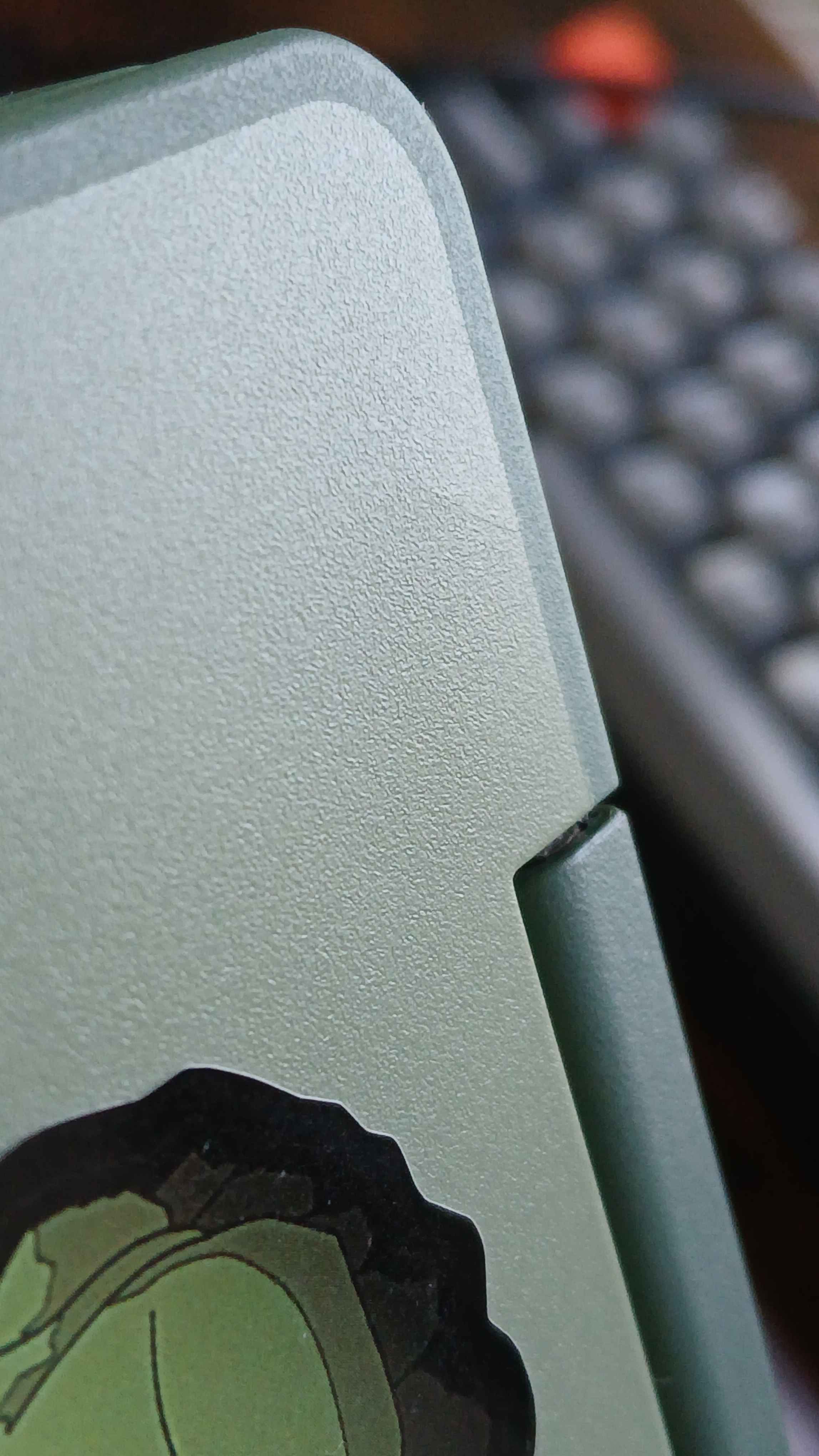

My top cover has once again cracked all the way through on the left side. I give up.
I don’t think it makes sense anymore to start another support ticket as to my knowledge framework hasn’t made any adjustments to the geometry on the top cover, and every top cover I’ve had has cracked.
So this issue is half fixed because my bottom cover is fine. (for now)
7 Likes
I just received my 2nd replacement; the box is dated 12/2025 and the mold stamp on the part is 11/2025, so this one should be fixed. This is also the “Grey” variant.
1 Like
@Eagle can you confirm whether the fix you mentioned after week 50 of 2025 was just for the bottom case or if that also included the top case cracking issue?
1 Like
That is for the bottom cover.
Just an observation.
What is the point of having the box dated 12/2025 and the mold stamp on the part is 11/2025 ? Everything else I buy, SSD, phone etc. the date on the box matches the component inside the box. Isn’t that the only way to properly track stuff?
Another example for a mainboard:
Mainboard Box dated: 11/2025
Mainboard part dated: 2024-05-XX
Notice the dates are 18 months apart.
It would seem sensible to send out the oldest stock first, but with the box dates 18 months different from the part itself, that makes if very difficult to intentionally send out older parts first. I guess the point I am trying to make, is I don’t see the point of not matching the box date to the part date inside the box. It just makes stock management a lot harder to do efficiently.
The date on the box is the date that the item was shipped from the manufacturing warehouse to the sales warehouse. The date on the item is the date of manufacture.
1 Like
It’s probably not made and packaged at the same place. The mold stamp would be when it’s made and the date on the box would be when it was packaged. That’s my hunch anyway.
I started a support ticket about my cracked top cover anyway because I remembered I didn’t get an up to date top cover. I wanted to inquire about whether there was a similar fix for the top cover or if perhaps the updated input material would help alleviate the cracking.
Rant incoming:
Long story short I’m getting exhausted of support ignoring most of what I say.
At this point I would literally rather have an AI chatbot because at least they acknowledge what you ask.
Support has decided to go on a tangent trying to trouble shoot a clicking sound coming from my laptop. I only even brought up the clicking sound to give them more info, and now they don’t care about the cracking at all. They’re too busy pursuing side quests. They do this every time.
What the hell is even going on? There is such a massive contrast between talking to Eagle and normal support reps and I do not get it.
Framework needs better training for their support.
Rant over.
7 Likes

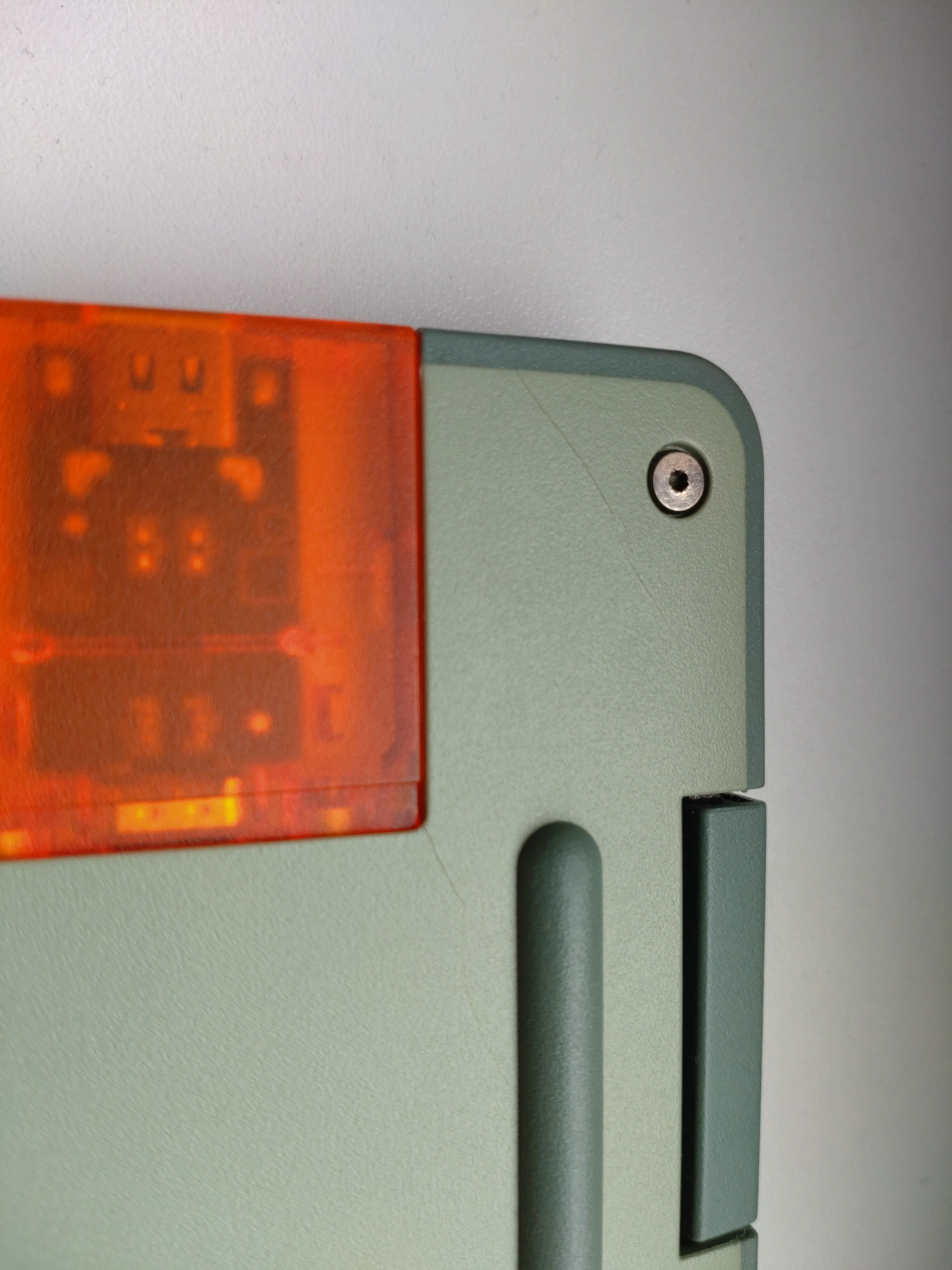
Those are pretty standard for the bottom cover. I’m assuming you have an old bottom cover.
Just email support about it and they should send you an updated one. Include pictures of all sides and the top and bottom of the laptop if you wanna speed things up a bit because they’ll ask for those anyway.
1 Like
Yes, mine is the original batch 3 ones. Already contacted support too, but unfortunately didnt include top cover photos.
Newer covers they send as replacement have solved the issue or still haunts FW12s?
Suprisingly long took for me notice it because time to time i check that, been aware of the issue because this thread from the beginning. Some get it like first months or weeks even visibly.
2 Likes
Newer bottom covers have the issue fixed.
Top covers on the other hand are very much still effected and can take anywhere from a week to a few months to crack. Framework hasn’t changed the top cover design to my knowledge though they may be using the same updated input material in them as they are in the bottom covers. (but that’s just a fuckin guess.)
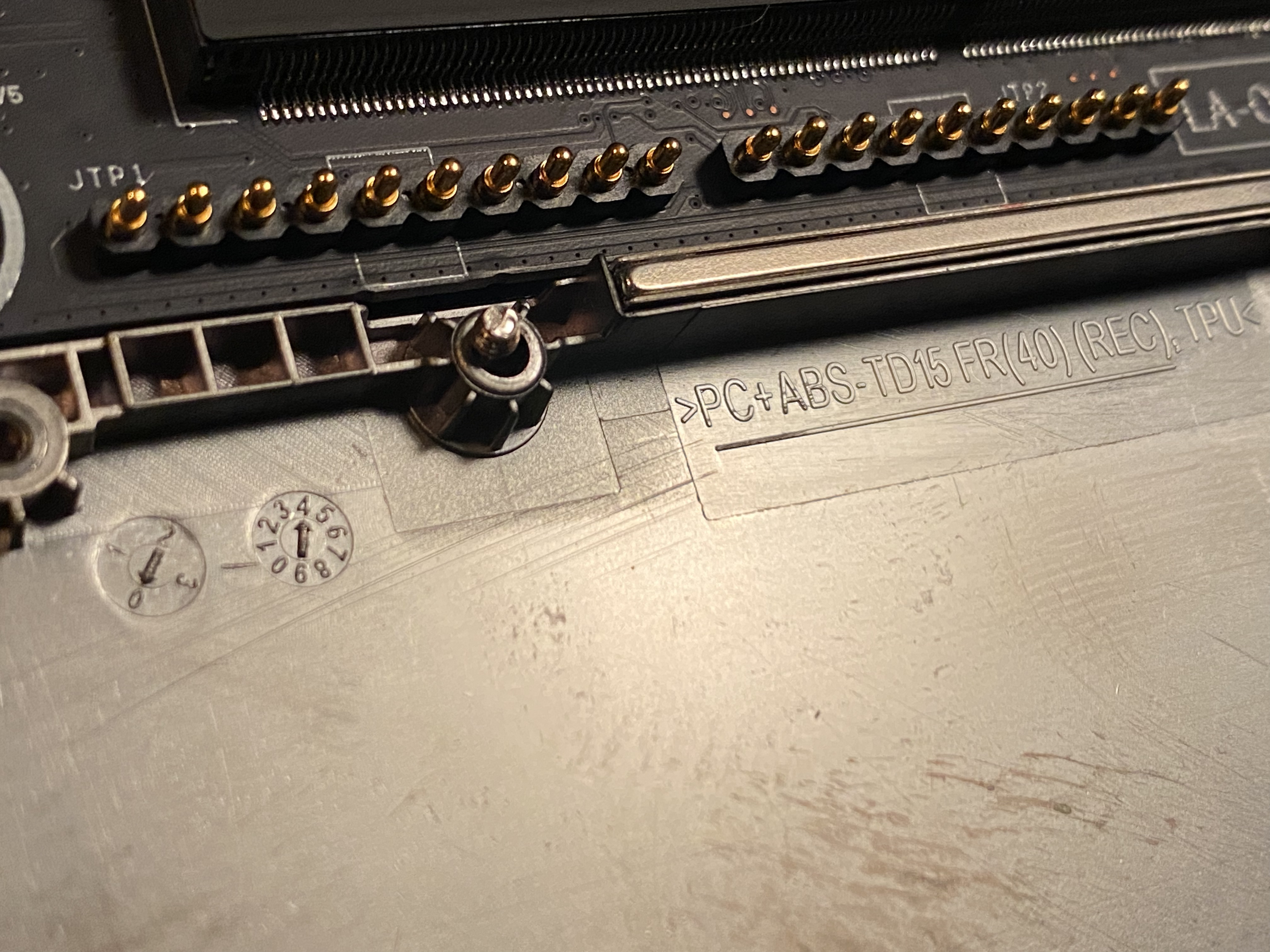
Support has a tendency to send old covers as replacements for fun as well so make sure you check the manufacture date stamped on the cover itself so you can make sure it’s been manufactured after November of last year.
So basically the issue is half fixed because I guess the top cover cracks are irrelevant and that’s where we’re currently at with this issue.
3 Likes
I noticed these usually start consistently after 1-2 weeks and yours are very large so my guess is you had them for quite a while before you noticed.
2 Likes
Maybe maximum 3 months then, i sure checked my laptop before change of year in december.
Good to hear when bottom cover issue is solved. Top cover for my eye still looks like new. But will see soon, how my issue gets solved by support.
But thanks for info!
2 Likes
I haven’t actually checked my top either. I have a D-Brand skin on it so it’s obviously not pulling it off to see if there’s any damage. If I have problems in the future I’ll just buy another one if it’s out of warranty.
Hey @Nathan_Alan_Hansen I just sent the approval over for a replacement. Getting this in front of the quality team as well. 
1 Like
Thank you so much Eagle! <3
You need a substantial raise.
Eagle hard carrying for Framework on support issues:

4 Likes
HA! Glad to be of service. 
As a side note:: You made me snort my Red Bull and brought back some great memories. Kudos!
1 Like
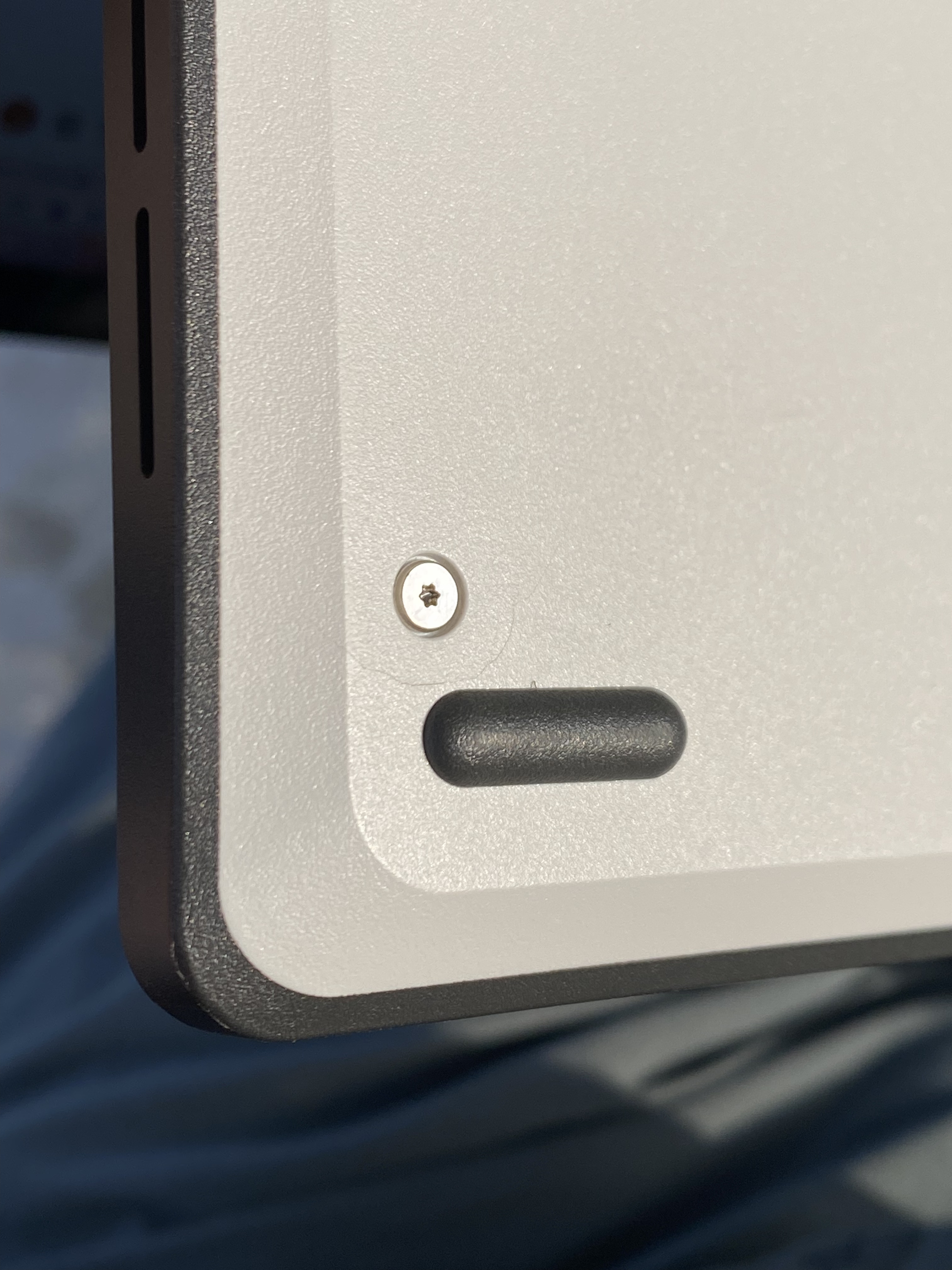
Happening to my gray color from batch 12  I submitted a support ticket with pics and included the interior manufacturing timestamp in case that helps. What is surprising is it took a bit for mine to ship (october 2025) and it came from Taiwan so figured it would be the newer version. O well, here’s hoping the replacement bottom cover doesn’t experience ground hog day!


1 Like