tldr- I added a “free” USB Type A 2.0 port to my FW16 by breaking out one of the unused Input Module USB interfaces to a custom Expansion Card alongside a Type C.
While making a FW16 custom touchpad, it occurred to me that there are five USB interfaces exposed on the Mid Plate pogo pins via an internal USB 2.0 hub, however only 3 of these (at most) may be used at any one time by the currently-available Input Modules (eg. LED Matrix + Keyboard + LED Matrix = 3). In a typical configuration, a centred keyboard actually occupies three of these ports: one for its own connection, and two which are obscured by magnetic connectors. If these were made accessible in some way, they’re basically “free”…
Since Slots 1 and 4 are the two full-featured USB4 slots, I figure I will always have USB Type C expansion cards in these anyway, so I decided to test out the concept by using a flexible PCB to bring one USB interface out to Slot 1, and designed an Expansion Card that breaks this out as a USB Type A 2.0 port alongside the full-featured USB4 Type C.

The FPC snakes through the vent in the Mid Plate and out via the locking pin hole in Port 1. It’s not pretty, but it works. The keyboard holds it in place very firmly.
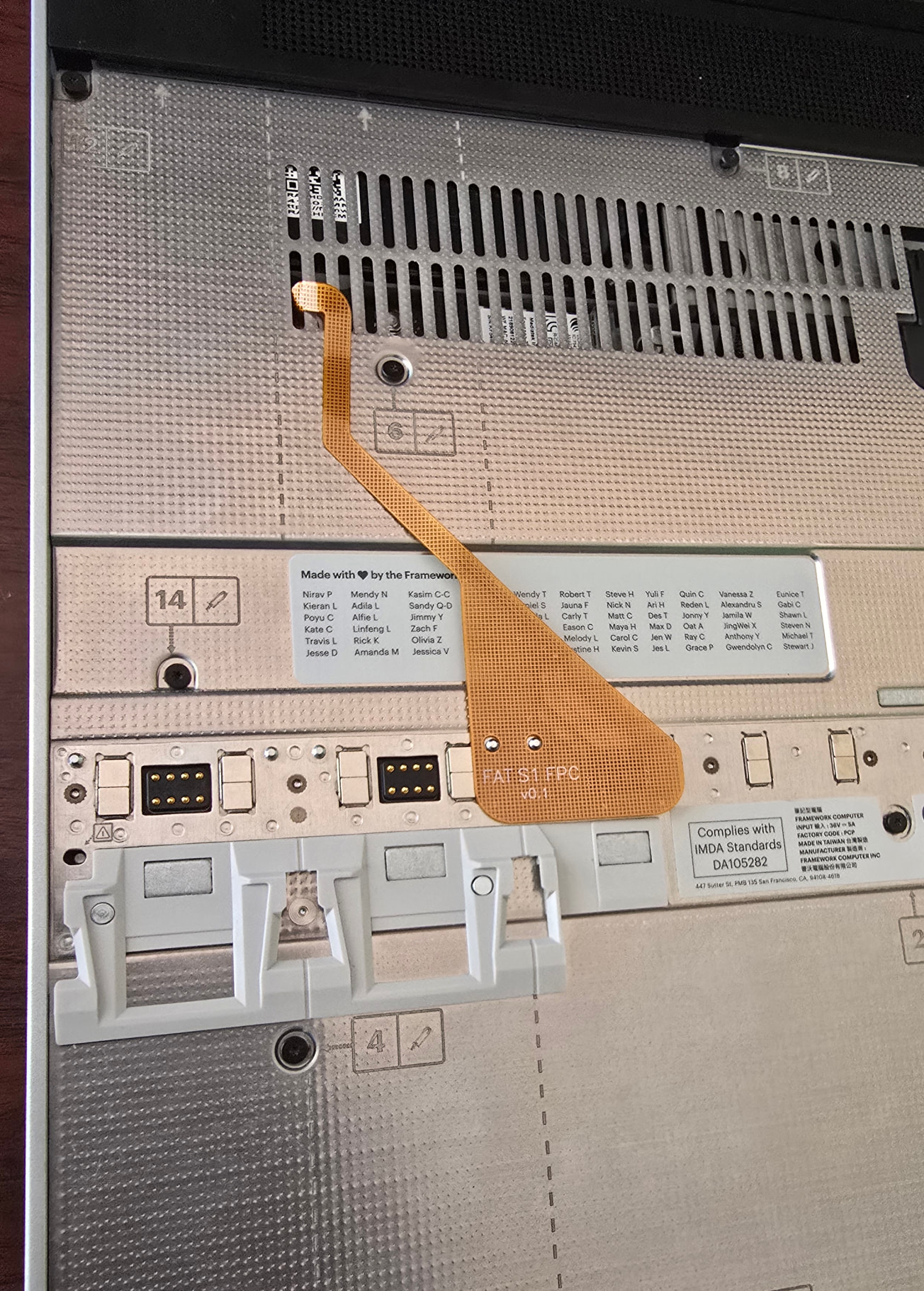
Then plug in the Expansion Card PCB and connect the FPC. I selected both of the USB C connectors for 240W 40gbps ratings, which limited my options. The Type A receptacle was selected to match the height of the Type C. I used a Dremel to amputate the outer limbs of both female receptacles.
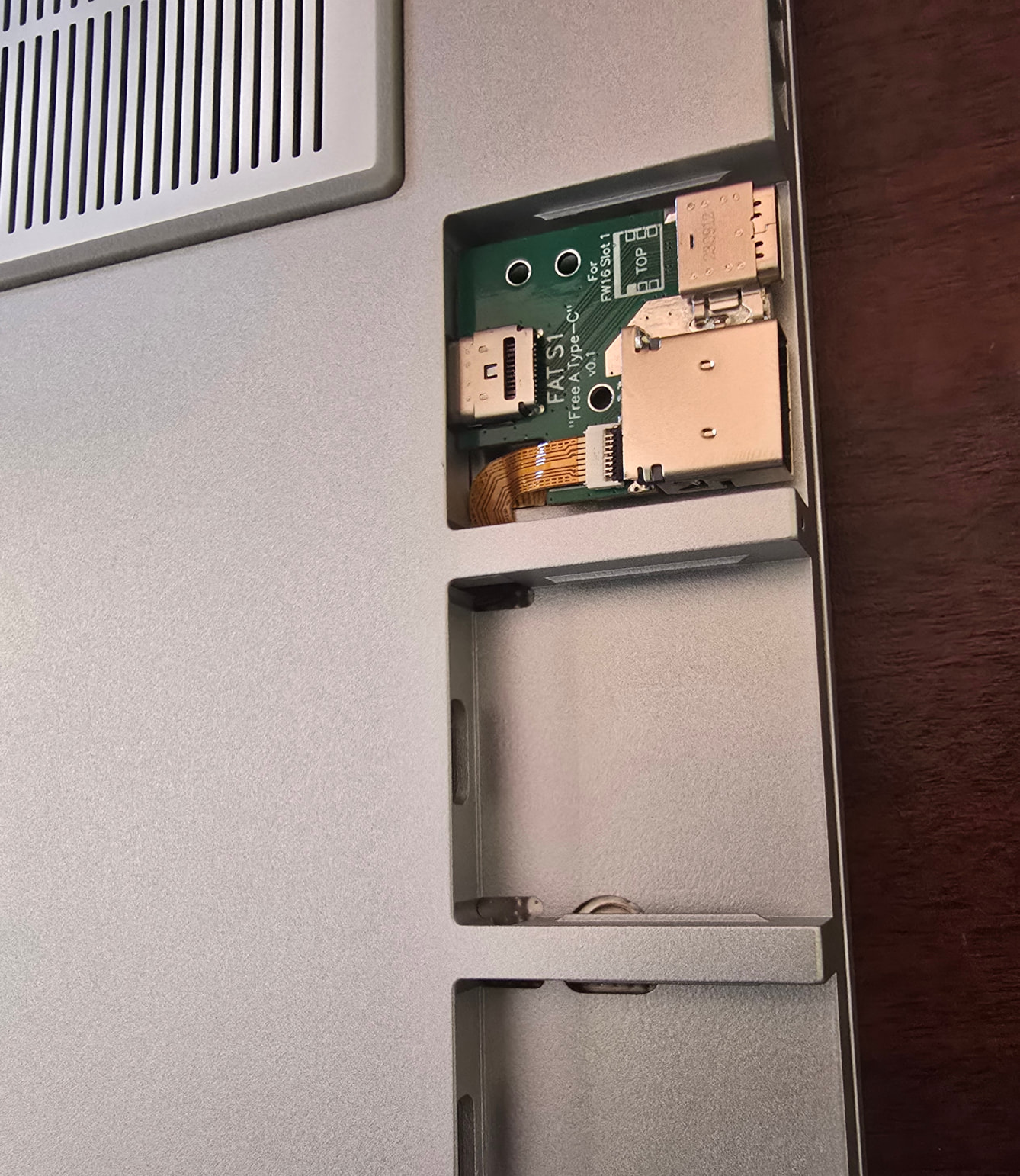
The “enclosure” is designed to then slide in over the PCB, without fixtures, locked in only by the Expansion Card locking pin. If anyone ever tries to remove this like any other Expansion Card, the enclosure alone slides out rather than dragging the PCB with it and tearing the FPC. This is aluminium by JLC CNC. The fit could be better.
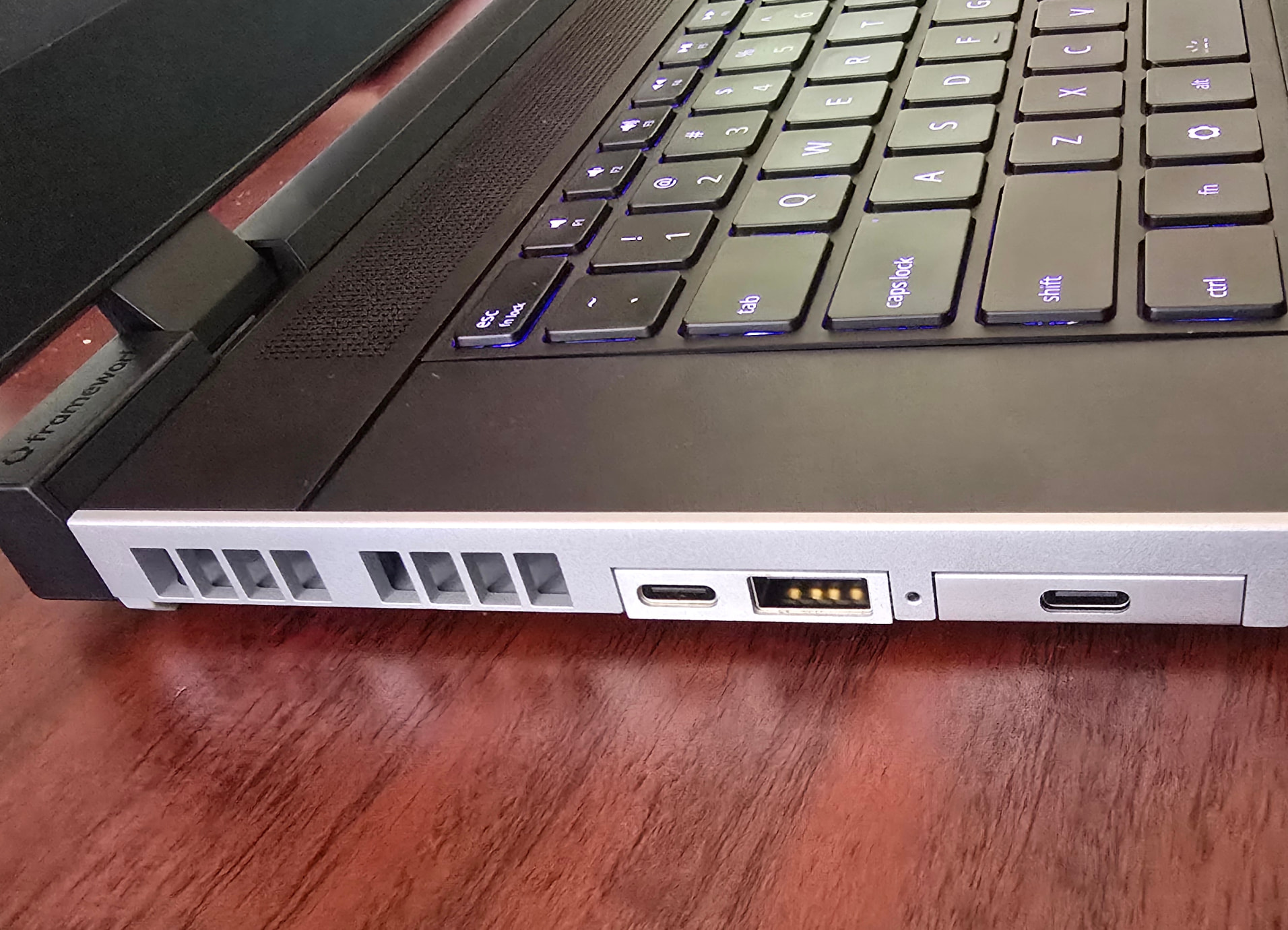

That’s it! Sure beats dedicating an entire Expansion Card Slot to a mouse. You could also embed the receiver, expose a Micro SD slot, etc.
Note: Only later did I find the connectors used by the Mid Plate Cable (10156000-051100LF and 10156001-051100LF) - a less hacky solution than the snaking FPC here would be to design a custom Mid Plate Cable instead. If I do the same on the opposite side (Slot 4), I may go this route.

