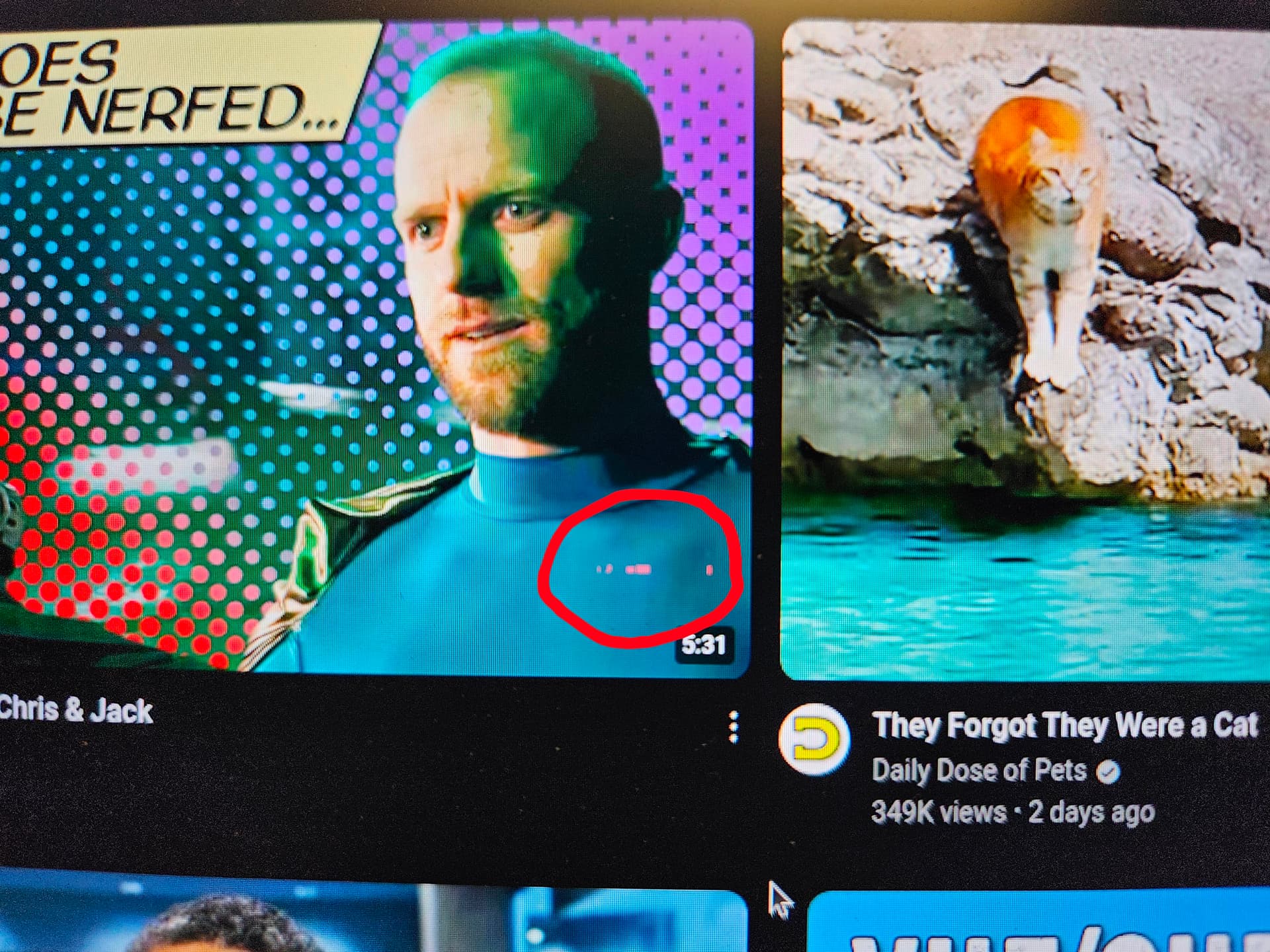
ROOT CAUSE IDENTIFIED….(maybe - see bottom update)
As part of troubleshooting everything I could think of, I replaced the SSD with another, older one that I had laying around.
So far I’ve gone 2+ hours without a single issue with the display. For reference, the original SSD that I was seeing problems with was a Kingston SNV3S 1TB.
The one where so far no issues have occurred is a Kingston SNS8154P3 256GB.
Will continue to use throughout the rest of the day and see how things do or don’t progress.
UPDATE - NO GOOD
Nope.
Still seeing artifacts, though less consistently. Will see what the new SSD does, but I’m no longer convinced that this is the culprit.
UPDATE - NEXT MORNING (Aug 27)
Yesterday, I had Amazon same-day deliver me a WD SN7100 2TB nvme since that is one of the models Framework sells with their configurations.
Installed it and then put Arch on it w/Hyperland (wayland). Setup my profile a bit and opened a bunch of tabs in Chromium, couple of alacritty windows, etc.
And I let it sit without suspending all night.
As of this morning, this system is way more usable than it has been since receiving it almost 1 week ago. I have seen exactly two odd artifacts in Chromium. Nothing from the desktop background or other apps (yet).
Whereas before I couldn’t scroll a website without artifacts all over the place, now I am seeing just an odd one here and there and not consistently.
So in summary:
- There is a correlation between the SSD used and the graphics system (PCIe/GPU isolation issue??)
- I will be re-installing my original Kingston SSD to validate if this is correlation or causation (after installing all the same software as on the WD SSD)
- Will also be testing today with a lot of suspend/resume operations with the new WD nvme since that seemed to make things worse on the original Kingston
- VRAM is set to the default (I had previously tried giving it 8GB since others in forums had said that would help - it didn’t)
- Will report back as I progress through the day
UPDATE - PROBLEMS PERSIST (Aug 27)
Ok, so that theory is out the window. Unplugging the external monitor and running off of battery absolutely continues to have artifacts show up. With an external monitor plugged in and using the built-in display while powered with the power supply, there is only minor amounts of artifacts happening.
When unplugged from both external power and an external monitor, it is back and more widespread.
I should have gone with the Intel chipset…..