Anybody else have horrible buzzing (coil whine?) from the PSU on Framework Desktop? I can easily reproduce by simply visiting bazzite.gg in Firefox full screen. Sins of a Solar Empire 2 main menu screen is also VERY good at producing this issue.
In the video you can hear the buzzing, at the end I am changing the framerate limit from 120 to 12 which is why the sound changes.
I have contacted support and had an extremely frustrating exchange about this, I am pretty sure at this point that I’ve just been speaking to an AI bot the whole time. They already replaced the mainboard AND PSU so it’s basically a new computer at this point. I have asked them to try reproducing it on their side several times in the ticket, but they always completely ignore/gloss over that and mention something else (contributing to me believing it’s an LLM).
Anybody else have issues like this? It happens in Linux and Windows, I have tried entirely different cables/monitor etc. Nothing fixes it (different refresh rates /resolutions do slightly change what it sounds like, but it’s still there).
Since they already replaced the entire machine, my only ideas are that either the PSU hates UK voltage (~240V), or it has some other inherent flaw. What is strange is that more people are not talking about this online…
Any other Framework Desktop users in the UK (or Europe - similar voltage) with issues like this?
I am worried that it’s going to damage something in the machine, hardware experts out there - should I be worried or just try to live with it? I have very little hope that support are going to do anything else… what can they do? Firmware fix?
Nope, I’m using DisplayPort, and the buzzing is coming from the computer not from the monitor. It just seems vaguely graphics related because it seems to buzz at the same rate as the refresh rate / framerate. Sometimes even just scrolling up and down on a web page triggers it, it seems quite severe.
Thanks, yeah I have but I think everybody in that thread is just talking about the PSU fan which turns on now and then and is louder than the system fan?
This is NOT about the PSU fan, that is mildly annoying given it’s supposed to be an ultra-quiet machine, but not the issue I am talking about here. This is more like an electrical buzzing - from what I gather doing some general research online it’s coil whine / issues with voltage regulators.
I would open a ticker with support, that buzzing sound is very concerning to me. It’s supposed to be high pitched humming sound like a kitchen appliance, this one almost sounds like the fan is about to come off which is no good. My wild guess is the oil in the fan bearing leaked or something. Those PSUs have high electromagnetic charge and if anything goes wrong it could be bad, like fire hazard bad. Anyway, I don’t wanna scare you too much since I am def not an expert when it comes to power supplies but this one is most definitely very concerning.
I’m very confident this is NOT related to PSU fans at all tbh… You can instantaneously stop/start the buzzing sound by closing the game. Another good repro is to open Firefox with bazzite.gg - the purple/pink swirly background seems to trigger it (if you scroll down it stops). You can alt tab between that and a blank tab and it will instantly stop/start the sound. Also if I change refresh rate from 120hz to 30hz for example, then the buzzing sound changes; I’m pretty sure it’s just synced to the refresh rate so it’s graphics power related.
This sounds like classic coil whine to me. Probably from the PSU. I’ve had the same noise on some PSU:s I have owned. Usually harmless, but very annoying of course.
The reason could be a million things, but usually replacing the PSU repeatedly may eventually give some luck. But I guess Framework doesn’t want to that for you.
I have coil “buzzing” with my HD-Plex 250W GAN PSU. Maybe something is also coming from the board under certain circumstances but I can’t say for sure.
It is however strictly GPU load related, even CPU stress tests don’t trigger it. Certain GPU load scenarios do sound, reproducibly, differently. Even different LLM models sound very distinct.
I won’t do anything about it, coil whine is a frustrating gamble if you want to completely eradicate it. But if you wan to do smething, first make clear if it is only the PSU or if some of it is coming from the board as well.
Still fighting with support on this, it’s a hugely frustrating experience. The latest support “agent” (claims to be human, I am not so sure) is trying to send me a replacement PSU. I have now asked THREE times HOW they think that will help, when they literally already replaced the PSU two weeks ago, so clearly it’s not a fault with that specific PSU which came with the machine.
They just completely ignore the question and go back to “in order to process your replacement, please confirm your address”
I will have to try to escalate this ticket but I don’t see any clear paths for doing that at the moment… this is ridiculous…
It is also, not necessarily considered a defect in this market segment, like it or not. I am not really an expert in electrical engineering but apparently it would be possible to minimise coil whine in the context of CPU and GPU power circuits but most companies don’t consider this a serious enough issue to spend extra money on it, especially as most of the time the coil whine is drowned out by fan noise. To add to that, even if you spend extra money, it still is a bit of a gamble and on top of that people’s perception of it varies a lot. What is clearly audible coil whine/buzzing to some can’t be even heard by others.
If the whine/buzzing originates from your board’s power circuits there is little you can do (other than replacing the board, or, if you have advanced electronics skills in replacing individual components maybe replacing individiual components). If however the source is exclusively the PSU, you can possible resolve it with another PSU. However, your chances of success might be higher by going for an entirely different PSU, preferably one with an even higher power rating than the official one.
Hey @Aaron_Trout I can guarantee that all tickets are, indeed, answered by humans. The only automated / AI email you will receive on a support ticket is the first one saying we received your message.
Feel free to shoot me a DM with the email address you used to contact support with. I’ll take a look.
Thanks for the offer, unless I am missing something though, there does not appear to be a function for sending DMs on this community forum?
My email is the same on my account here, and the subject line of the original email was “two desktop issues” - is that enough for you to find it?
Right now I have two main questions
Will this issue cause damage to the machine? I am concerned about a latent failure, especially after warranty expires that would be very annoying/disappointing.
Why does support want to replace the PSU a second time? What do they hope to achieve?
One more for the club I have the exact same problem. With high frame rates in games there is a very loud whine coming from the PC and I can even reproduce it by opening bazzite.gg in Firefox.
Running Fedora and I have it connected over HDMI to a 4k display.
Has there been any progress on this issue? The coil whine is even louder than any of the fans!
Thanks for sharing that info, Robert! It’s useful to know that it’s not just me! After the PSU + motherboard replacement, and using the machine on different electricity supplies (Anker powerstation, and away from home), I thought how can this not be widespread? Why are more people not complaining about this?!
I have to assume that most people don’t have working ears or their rooms are too loud!
@Robert_DaBai where are you located / where is your FrameWork desktop located? I am curious if you are in a 230V country too? I wondered if that was a contributing factor to why there are not more reports of this (assuming most users are in the US).
I am still in contact with Framework via email, there are no solutions as of now. They have commented that it should not impact reliability and is just cosmetic.
Despite the above comments about AI support agents, I would still bet money that there is AI involved here. Maybe it’s not autonomously responding to tickets, but at the very least it’s assisting with writing responses in order to speed up the process. Either drafting the full message which can then be edited before sending, or providing other kinds of writing assistance.
For example in the last email I received from the head of Linux dept:
First off, thank you for pointing out the PSU replacement. You’re right, I missed that detail when writing my last reply. That’s on me. I wasn’t trying to send you in circles; I just slipped on that point while reviewing the earlier steps. I appreciate your patience.
As well as sounding exactly like an LLM (“you’re absolutely right!”), this was the very first message I received from this particular person, so “I missed that detail when writing my last reply” makes zero sense.
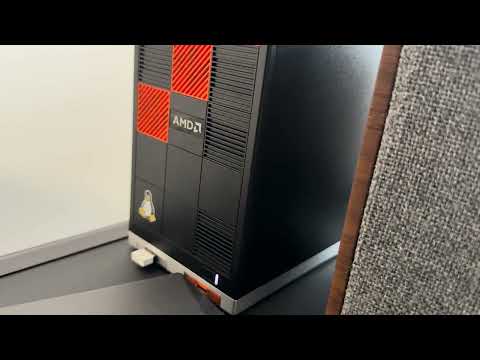


 I have the exact same problem. With high frame rates in games there is a very loud whine coming from the PC and I can even reproduce it by opening bazzite.gg in Firefox.