Do you mind sharing your experience with your new desktop? Really interested in how widespread PSU noise is and if it’s a similar pattern for those affected.
Also looking for alternative PSU recommendations that ideally fit into the sock chassis. Willing to spend a bit extra if it means I get a completely silent machine (other than under heavy workloads maybe).
Stock PSU is never audible (only under heavy loads)
Stock PSU is sometimes audible (~ 1-2 minutes every ~ 10-15 minutes)
Stock PSU is sometimes audible (different or random pattern)
Stock PSU shows completely different behavior (optional details in comments)
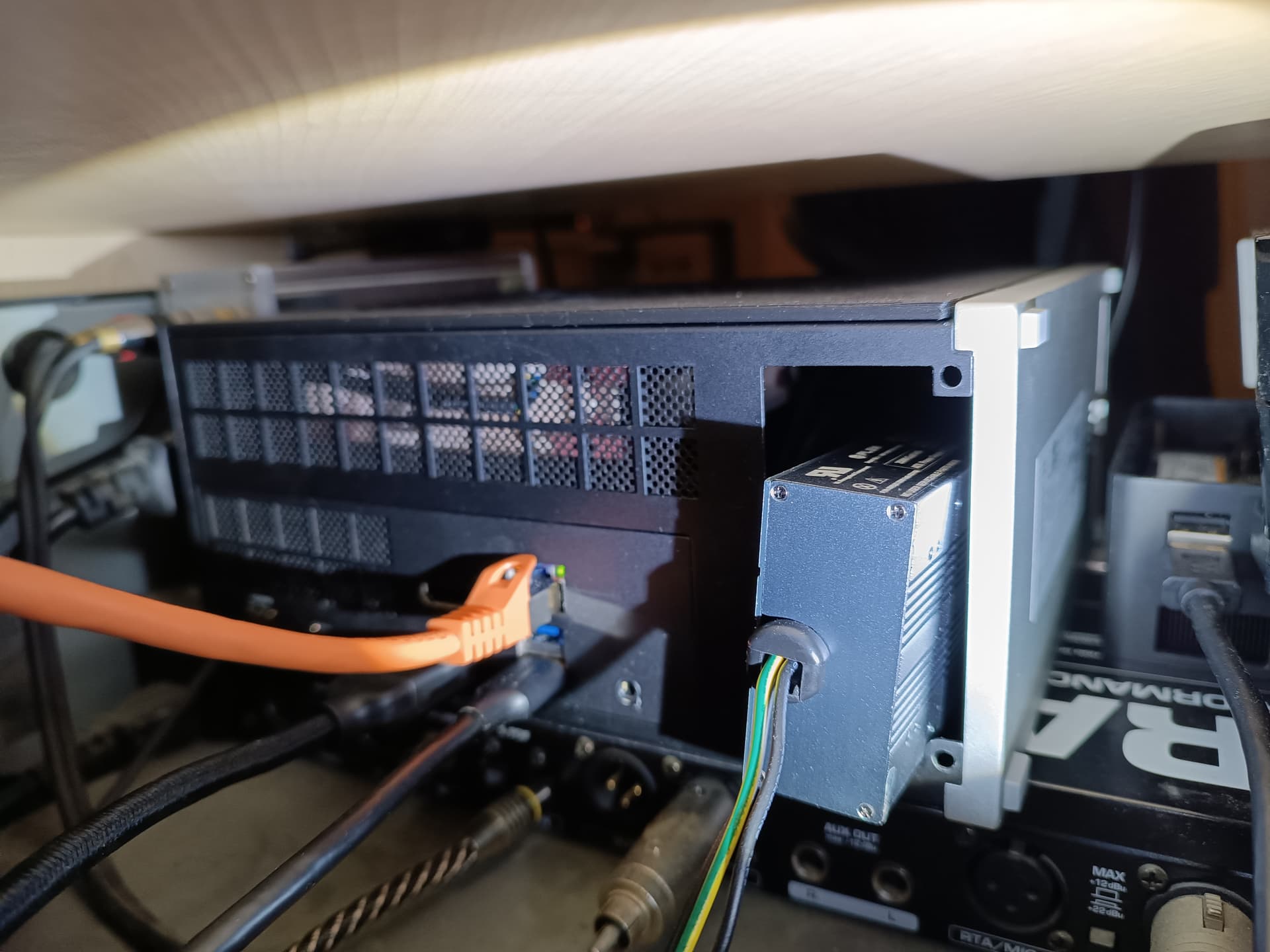
I got the Mainboard only for my custom fanless build. Consequently also the PSU is fanless: HD-Plex 250W GaN. I am aware that the wattage is well below recommendation, but it is in line with other Strix Halo products out there. I will not recommend it for that reason but I can say that I have not encountered any problems because of that so far. I use the system at 100W TDP sustained, (“Balanced” in Linux, as is the stock setting) and power draw at the outlet is never above 160W with these settings with sustained draws of 136W during full load.
The PSU is obviously without fan noise and under full CPU load it is completely silent. GPU loads do lead to some coil whine though, or rather a coil brbrbr, only really audible in complete silence but very specific to the kind of GPU load.
Same PSU for me as a daily driver, with some testing at 160W TDP (~213W @ 230V AC) and I can confirm that PSU even at that load does not show the slightest sign of weakness - actually I’m convinced if it weren’t for OCP this PSU’s components could push significantly more power.
The price is quite reasonable and if I would build another system with the original FW case, yes I would pick that PSU again.
Coil noise appears to be sample variance, only once with iGPU load and 160W TDP set I encountered extremely minimal buzzing that was only audible because I hadn’t installed the CPU fan yet and I think it actually came from the board, I wasn’t able to get the PSU to produce any noise otherwise.
Batch 10, running on Fedora 42, while being idle with just a terminal open (6W) or with Firefox open at idle (12W), taking the watts from btop.
The PSU noise shows up for almost exactly 45-50 seconds, with gaps of 3.5-4.5 minutes between. Was tracking that for a span of around 55 minutes now. It seems the gaps increased from 3.5 to 4-4.5 minutes after I closed Firefox in idle mode.
Do you mind sharing your install experience with the HD-Plex 250W GaN? @AnaLogiC@Jiral
If it turns out that there are no silent stock replacements I’m very interested in installing my own PSU too. Looked at the official PSU guide and the HD-Plex 250W GaN photos. I assume you can just lay it on the bottom of the chassis and internal cabling is hopefully easy. Don’t yet understand how to mount the power cable socket. The HD-Plex seems to need two screws while the stock PSU seems to be mounted differently. That’s what I’m most curious about.
I don’t use the Framework case. Somewhere on the forum I read that it might not fit by 1-2cm but from some measurements I made on images of the case I would have thought it maybe might fit although very tightly. I can’t say for sure.
What you need to consider: The PSU needs a length of 170mm + 3 mm on one and ~10mm on the other side (but only in the middle for latch and cable)
Ah - thanks for the info. I thought only the 500W was too big, but the 250W might also not fit then. Will make sure to measure and double check everything before going that direction.
That was me with the sticking out PSU, it could fit completely if the front module connectors were not in the way.
Installation is not hard, I would install the cables on the PSU first, then route them through the FlexATX opening, at one point it gets a bit tight to move the PSU case with the connected cable through the opening, just take your time, then finally connect the cables to the mainboard (they plug in very tightly).
You will now find that the cables coming with the HDplex are quite long, the only place to stuff them in is in the front part of the case, those cables make it a bit annoying to replace the primary SSD but nothing major, airflow is still fine.
Though not needed I optimized PSU cooling by reversing the main fan so it blows hot air out on the case and pulls fresh air in through the now wide open PSU hole - this reduced PSU case temps (measured after 30mins of prime95 load) from 54°C to 43°C while APU temp went up 6°C - I would see none of those temps as worrysome, the HDplex is specified for temperature up to 70°C.
It may not be pretty but it works very nicely. For further cooling improvement I can definitely recommend the Noctua side panel, that reduced all temps by 6°C for me.
For aesthetics, it should fit if you sacrifice the 2 front USB ports. And if you want, it should be possible to mod the case or the I/O shield to have 2 extra USB ports by using this kind of cables
I haven’t heard it yet, and hoping it stays that way, but there is no poll entry for that. The closest has an “(only under heavy loads)” disclaimer and I haven’t heard it even under Prime95, Cinebench R23 runs, multiple games. I can’t report on how hot the PSU is getting under all of that, but the CPU has never exceeded 75c except in short bursts of a couple of seconds as the CPU fan ramps up.
So I finally noticed it after a gaming session (nothing stressful, just Powerwash Simulator for about 40 minutes). After I quit the game I was hearing a low “rush of air” fan noise, not very loud, and at first I thought it was just the CPU fan which has a similar very quiet “just a rush of air” sound to it, but the CPU fan had already stopped. Then I thought it might be the PSU on the Desktop, so I leaned in and discovered:
the “rush of air” fan noise was from my Ubiquiti switch about 5 feet away and it was very very quiet, barely audible
there was also noise coming from the Desktop PSU, but I didn’t hear it over the quiet switch fan
So, with my ear right next to the PSU air port I could hear a tiny little fan with a high pitched “tiny little fan whine” to it. I couldn’t hear this over the embedded fan in my switch which I also barely noticed.
I can’t say whether it would be annoying in tone if my switch wasn’t blowing because it stopped before the switch cooled down. I’ll keep an eye on it, but I guess for now I’m in the “it does make a sound, but is barely audible and easily drowned out” camp.
Thanks for sharing your experience. Would not mind it if it was as unobtrusive as yours seem to sound.
My replacement PSU should arrive in the next two days and I’m curious about any change. Hoping for an improvement - fingers crossed. Will definitely update here once I’ve switched it.
I’m hearing it more and more now. I wonder if it is something that gets worse over time, or perhaps just one of those things that when you first notice it you start noticing it all the time. It may grow to grate on me (it is a somewhat grating type of sound, but pretty quiet), time will tell…
Same here. There was a brief moment where I thought I don’t want this.
But thinking it through it’s just such a neat machine and there is no alternative for me. On paper it’s the best implementation of the Ryzen AI max mini desktop. Also their choice of ports is ideal for me. Like you I really hope they either figure out a fix or at least release a future PSU that really is silent in most situations.
Also still hopeful that there might be alternatives that fit into the stock chassis. So many enthusiasts that know what they are doing. I’ll survive the next few months. Still waiting for a reply from support on next steps, but very sure I won’t return it.
The Enhance ENP 7660B should fit. The problem with the standard one is the very long cable loom but you can get a customised one that has a shorter loom here. From what I’ve read the fan runs at about 20db until the power draw exceeds 450w which should happen with the desktop
Unfortunately, I’m in batch 14 (and very impatiently waiting) so don’t have a Desktop to try alternatives