Hi, I’m following up on a previous post I’ve made as the issue has gotten a lot worse (and more interesting), and I was hoping to see if others have had this issue or any insights.
Model: Framework 13 Intel Core Ultra Series 1
Operating system: Fedora Linux 44, 43 (Both tested extensively)
Kernel: 7.0.13-100.fc43.86_64
BIOS: 03.07
Over the last 3 months my laptop has begun freezing and kernel panicking, and now I can hardly use it for 20 minutes before it stops working.
About 50% of the time, first programs like Firefox or the windows system (plasma-desktop) will crash.
Regardless of whether that happens first, the system will throw a kernel panic and/or freeze. Usually the panic screen itself is corrupted and doesn’t display correctly. Being disconnected from AC power can make the crash happen faster but it still happens regardless. I’ve noticed that the computer is very hot near the mainboard after panicking or freezing, but this doesn’t seem to presage a panic at all. Sometimes the computer will throw a kernel panic or freeze before the OS even fully loads.

In a desperate bid to fix this, I
- Completely wiped the disk and reinstalled the OS (Fedora 44 → Fedora 43, a version of the OS for which I didn’t experience this issue). I have set the BIOS settings back to the defaults. The computer is in a blank slate, software-wise.
- Before wiping my disk, I tried to use Clonezilla live from a USB to do a full-disk backup, but this couldn’t be completed because a freeze or crash would always happen (Clonezilla live is based on Debian. About 6 months ago I was able to use it without issue.)
- I also disconnected and reconnected the RAM, the hard drive, and the WiFi module.
- Storage-issue checks through
btrfs checkon the main OS partition returns no issues, andfsckon the non-BTRFS partitions also returns no issues. - Stress testing through
stressisn’t able to trigger a panic. - I’ve performed a complete RAM check with Memtest86+ with no issues found.
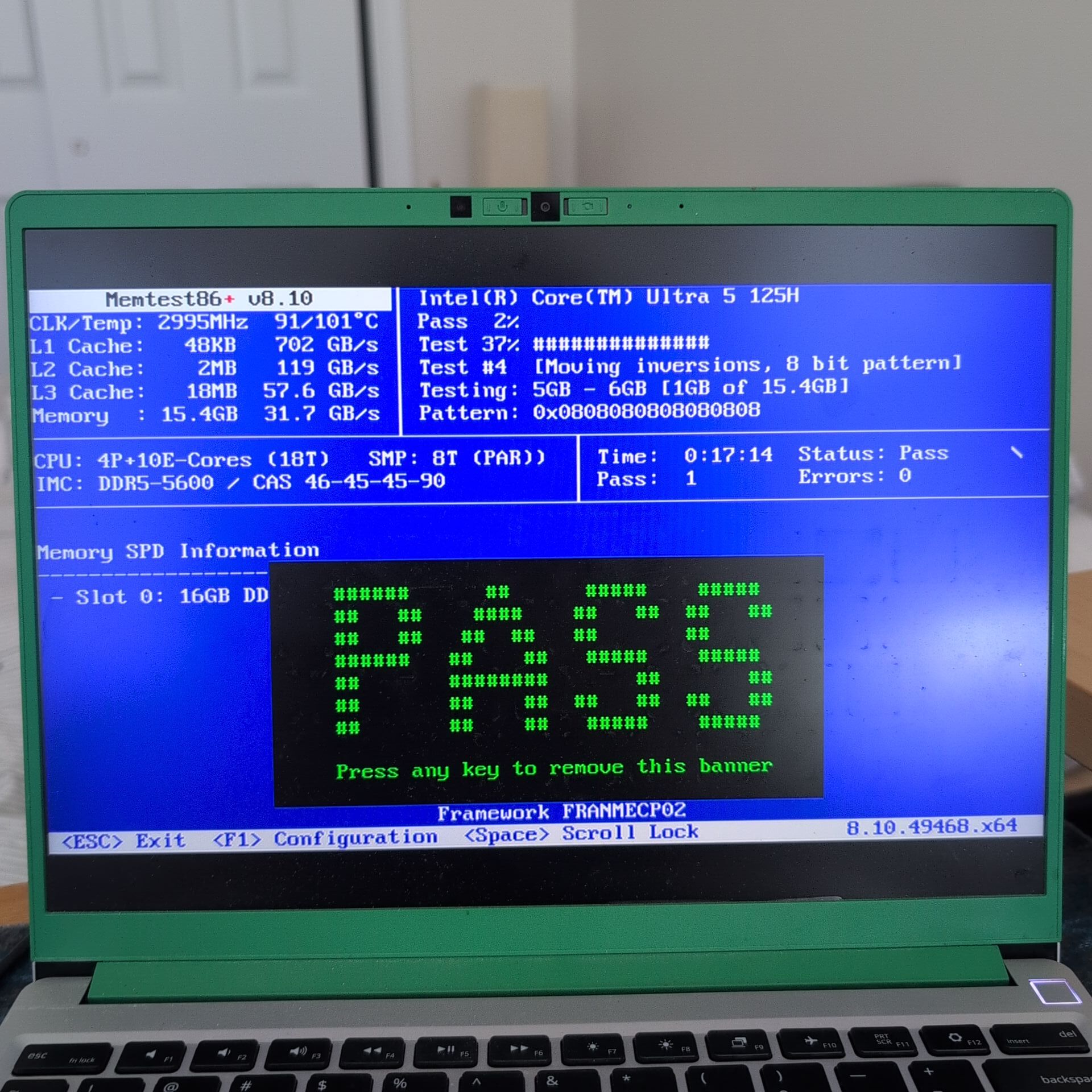
From what I can glean from the kernel log files (journalctl -b -1 -k -p 3), the most consistent error that might appear before a panic is fedora kernel: x86/split lock detection: #AC: crashing the kernel on kernel split_locks and warning on user-space split_locks. A phenomenologically similar issue has been described here but I can’t make much sense of this issue myself.
At this point, I’m pretty convinced this is either a physically-damaged hardware component, or there is some firmware that is incompatible with the kernel setup.
I’m currently working to set up kdump to see if I can isolate the firmware or hardware component that I believe is inducing the crash, and will update this thread if I get results. I am also planning on trying to backdate to an older kernel version, though I have no records of under which ones I avoided this issue, and under which ones I suffered it.
Thanks.
P.S. I’ve been working with Framework support for 1 month on this issue now, though its been 2 weeks since support has responded to me after I performed the diagnostics and tests they asked for. I’m really hoping to use this laptop again, even if I have to order replacement parts.