Can anyone upload the 1.50.2 version somewhere?
Installed LM Studio for the first time today, so I don’t have an old version to roll back to.
Can anyone upload the 1.50.2 version somewhere?
Installed LM Studio for the first time today, so I don’t have an old version to roll back to.
this solved it for me also gpt-oss-120b at 44.56 tps now with about 20k token length, seems to have trouble loading if I try to max out the token length and errors
Reverting the engine fixed it here also.
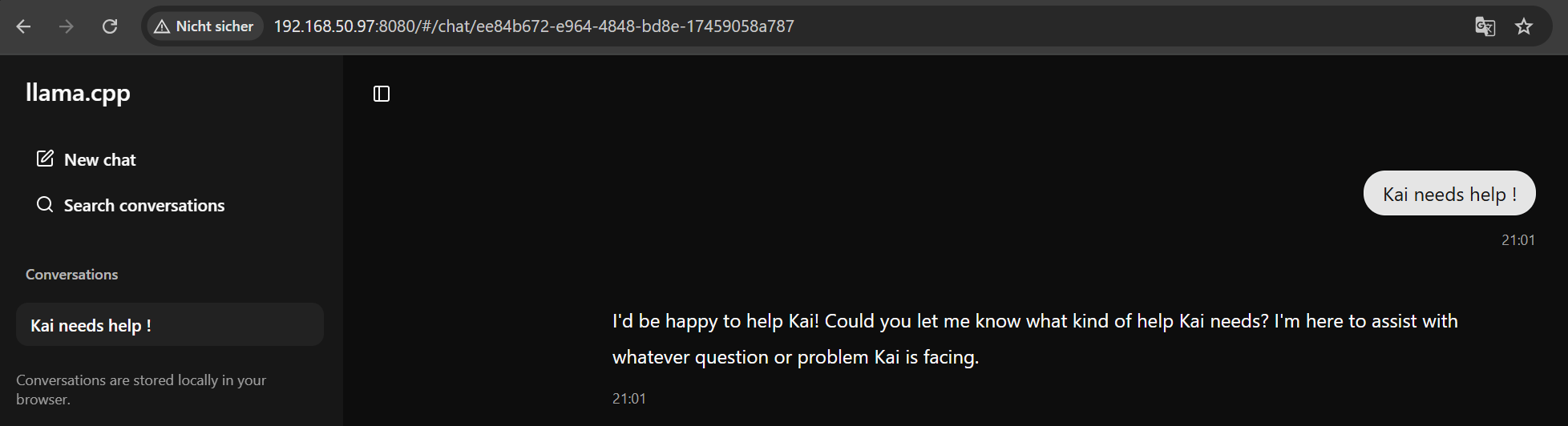
@Kai_Fricke
thats done like this:
[maintenance@toolbx ~]$ llama-server -m ./models/qwen3-coder-30B-A3B/BF16/Qwen3-Coder-30B-A3B-Instruct-BF16-00001-of-00002.gguf -ngl 999 --no-mmap --port 8080 --host 0.0.0.0
Toolbox is a tool that creates containerized command-line environments using Podman. It allows you to have isolated development environments without affecting your host system.
You need a full guide how to setup this Environment ?
ps.:
I just created a new topic:
AMD Strix Halo Llama.cpp Installation Guide for Fedora 42
Confirmed 0.3.30 fixed it for me!
Vulkan 1.52.1 version of the runtime fixed it
It fixed it for me too, but my models keep crashing after some text generation (not always, but this is on models that never crashed previously), this doesn’t happen under 1.50. Will try a few more times with different models so I can get more data points, and update from there.
Testing update – Under 1.52.1, I can fairly reliably crash the backend using gpt-oss-120b model – this is with about 100 tokens prompt, and it generates 3500 - 4000 tokens. In most of the tests, the answer to the initial prompt works, then it crashes when LM Studio tries to auto-name the chat. I ran about 5 tests, same pattern, and re-ran them under 1.50.2 and no crash.
I am seeing some issues with running LM Studio on my Desktop, searching for reports of similar issues has led me here.
I am running Windows 11.
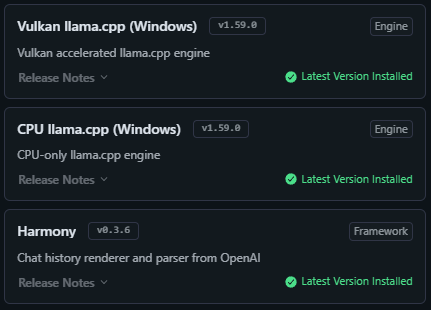
I have the latest LM Studio as of today (0.3.31) and have the following engines installed:
When using the Vulkan engine I am given the GPU offload option when loading models.
If I set that option to >=1 the loading fails, if I leave the option as 0 the model will load.
The error I am given is:
```
🥲 Failed to load the model

Error loading model.

(Exit code: 18446744072635812000). Unknown error. Try a different model and/or config.
```
Different models display the same problem.
I am fairly certain this previously worked, but has been broken for some time.
It looks like some of you have had some luck with the later releases of LM Studio and/or the Vulkan engine.
Are you still seeing issues with GPU offload?
Does it fail on every load with GPU offload set to >=1?
Are there any other settings which need to be tweaked when loading models for the GPU offload to work?
Is this now a Windows issue that is resolved on Linux?
Thanks!
I have resolved my issue on Windows 11, for those interested here are some details:
Today (10 December 2025) I updated my Framework Desktop to the latest BIOS and Windows drivers:
I also updated the AMD Software: Adrenalin Edition (likely unrelated, including for full context):
LM Studio was updated to:

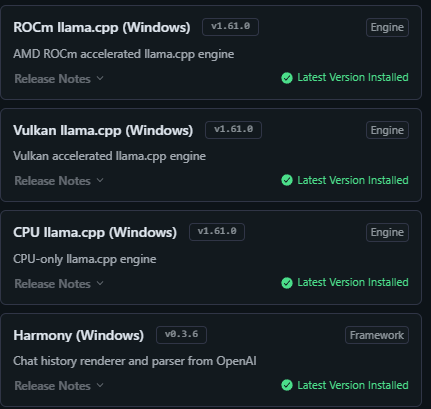
A new LM runtime was made available (ROCm llama.cpp), which I installed. I also updated all other runtimes:
Switching to the ROCm llama.cpp runtime allowed me to load all of my current models, without the error being displayed.
ROCm is “an Advanced Micro Devices (AMD) software stack for graphics processing unit (GPU) programming.“
I assume using this runtime designed to target the AMD specific software stack is what has resolved the issue.
I am unsure if that LM Studio runtime is available without the driver updates, I only noticed it in the compatible listing following installation of the latest drivers.
Thanks!
A quick additional test:
I tried to load models using Vulkan llama.cpp and they also now load under that runtime.
It looks like I now have the option of two runtimes which are optimised for GPU offloading, ROCm llama.cpp and Vulkan llama.cpp.
Unsure of the fix, but following the set of updates in my previous post everything is working well!