Some progress on the 4 Node AI Cluster

Morning Everyone,

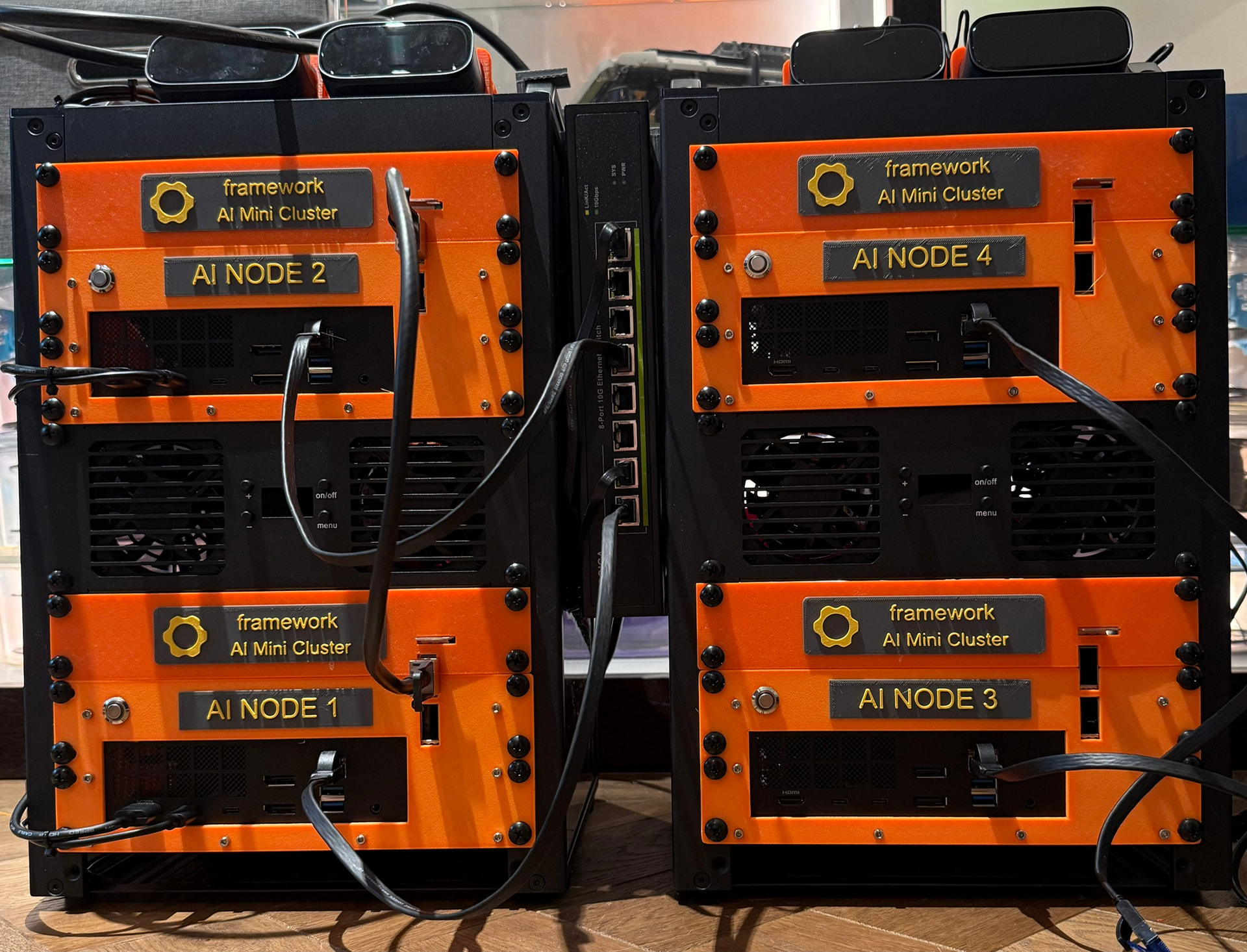
I thought I would post a few images on the progress on my mini AI cluster following along with the the great work from @forest_johnson , @kyuz0 and folks like Jeff Geerling. I want to eventually build an automation agent(s) for my home which is already heavily digitized but not automated if that makes sense (Lutron / Crestron / Luma CCTV and so on). I would also like to run local coding models, image generation models and perhaps even open claw :slight_smile:

I will have 2 mini racks for a total of 4 framework desktops. I also day to day use a MinisForum MS-S1 desktop which could feature somehow in the chain.

So far I have only completed the hardware build and the OS install. Still loads to do including getting those intel E810-CQDA2 cards working with a MikroTik CRS812-DDQ switch.

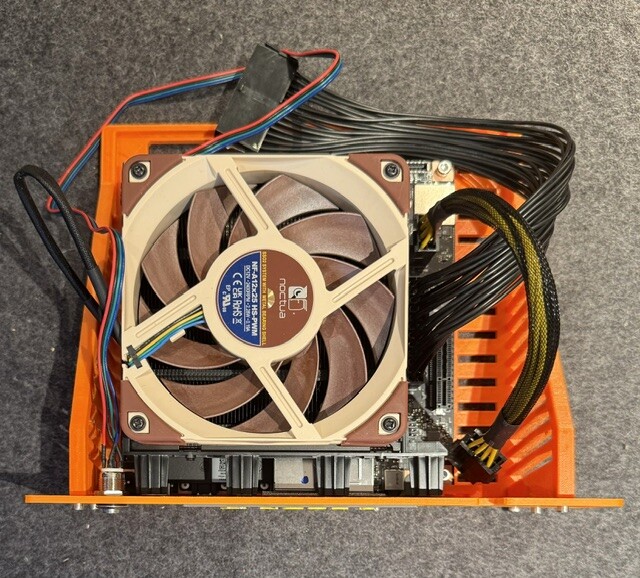
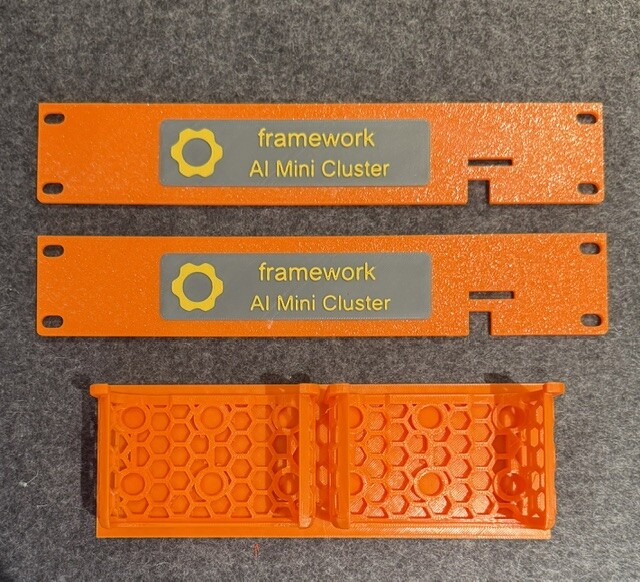
I have done quite a bit of 3D printing to make this look nice. Credit where credit is due …

The intel card fan shroud is from Donato Capitella (Thanks!)

The base board support tray is here Modular 10 inch rack 2U ITX case + storage mount by Jordi | Download free STL model | Printables.com

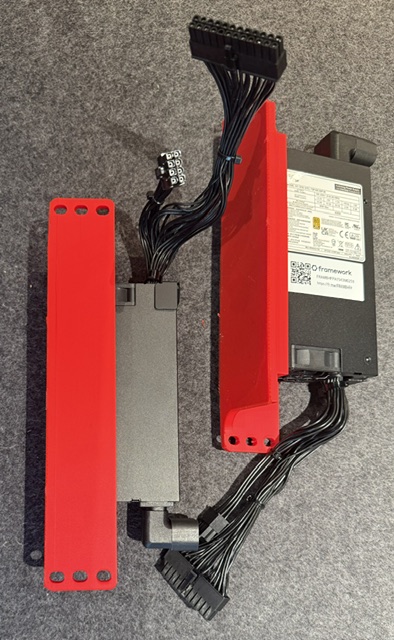
I created a custom front for the rack support tray, a custom intel card support. Some nice labels and support / holder for PSU and the GL-iNet Comet Pros I am using (the racks will eventually live in the basement and don’t want to keep trekking down there).

I need to use PCI x4 risers for the intel cards Amazon.co.uk and also extensions for the PSU cables (standard 30cm extensions).

The switch hanging off the side is a NICGIGA 10Gbps from Amazon.

Anyway some photos!

Best

Chris

2 Likes

Oh and a photo of the second rack - still missing its PDU though.

Chris

2 Likes

Hey I’m here too!

Good luck with the cluster build, looking nice already!

1 Like

Thought I would make some notes here. I am using a Fedora 43 install ISO but it comes with a 6.17 kernel not the needed 6.18. Quite a pain to work out how to get it safely upgraded given its an old kernel now!

The ISO is here

https://download.fedoraproject.org/pub/fedora/linux/releases/43/Workstation/x86_64/iso/Fedora-Workstation-Live-43-1.6.x86_64.iso

Install it but do not update. Instead do the following.

1 sudo hostnamectl set-hostname ai-node3
2 sudo nano /etc/hosts
3 reboot
4 sudo dnf list kernel-core
5 cd Downloads/
6 mkdir kernel
7 cd kernel/
8 sudo dnf install koji
9 koji download-build --arch=x86_64 kernel-6.18.5-200.fc43.x86_64
10 sudo dnf install ./kernel-.rpm ./python3-perf-6.18.5-200.fc43.x86_64.rpm
11 sudo dnf remove "debug
"
12 sudo grubby --info=ALL | grep -E “index=|title=”
13 reboot
14 uname -r
15 sudo dnf install python3-dnf-plugin-versionlock
16 sudo dnf versionlock add kernel
17 sudo dnf versionlock add kernel-core
18 sudo dnf versionlock add kernel-modules
19 sudo dnf versionlock add kernel-modules-extra
20 sudo dnf versionlock add kernel-devel
21 sudo nano /etc/dnf/dnf.conf
22 sudo dnf update --exclude=kernel
23 reboot
24 uname -r
25 sudo dnf install rdma-core libibverbs-utils perftest
26 sudo dnf install ethtool net-tools iproute nmap tcpdump
27 sudo dnf install toolbox podman
28 sudo systemctl enable --now sshd
29 sudo dnf install git
30 ifconfig
31 ethtool -i enp193s0f0np0
32 sudo nano /etc/default/grub
33 sudo grub2-mkconfig -o /boot/grub2/grub.cfg
34 reboot
35 sudo dmesg | grep -i amdgpu | grep memory
36 sudo systemctl mask sleep.target suspend.target hibernate.target hybrid-sleep.target
37 gsettings get org.gnome.settings-daemon.plugins.power sleep-inactive-ac-type
38 gsettings set org.gnome.settings-daemon.plugins.power sleep-inactive-ac-type ‘nothing’
39 reboot
40 clear4
41 clear
42 sudo nano /etc/modprobe.d/irdma.conf
43 sudo rmmod irdma
44 sudo modprobe irdma roce_ena=1
45 echo ‘irdma’ | sudo tee /etc/modules-load.d/irdma.conf
46 sudo reboot
47 sudo rm /etc/modprobe.d/irdma.conf
48 sudo modprobe irdma
49 sudo reboot
50 lsmod | grep irdma && ibv_devices
51 sudo dnf install libibverbs-utils rdma-core perftest librdmacm-utils
52 sudo rm -f /etc/modprobe.d/irdma.conf
53 sudo dnf install rdma-core libibverbs-utils perftest librdmacm-utils
54 echo “irdma” | sudo tee /etc/modules-load.d/irdma.conf
55 Load irdma now:
56 echo “irdma” | sudo tee /etc/modules-load.d/irdma.conf
57 sudo modprobe irdma
58 ibv_devices
59 sudo ip addr add 192.168.100.3/24 dev enp193s0f1np1
60 ibv_devinfo | grep state
61 sudo bash -c ‘ulimit -l unlimited && ib_read_bw -a -d rocep193s0f1 -i 1’
62 ip addr show enp193s0f1np1
63 sudo ip addr add 192.168.100.3/24 dev enp193s0f1np1
64 sudo bash -c ‘ulimit -l unlimited && ib_read_bw -a -d rocep193s0f1 -i 1’
65 sudo nmcli con add type ethernet ifname enp193s0f1np1 con-name rdma0 ip4 192.168.100.3/24
66 sudo nmcli con up rdma0
67 ip addr show enp193s0f1np1

Also

sudo systemctl mask sleep.target suspend.target hibernate.target hybrid-sleep.target

gsettings set org.gnome.settings-daemon.plugins.power sleep-inactive-ac-type ‘nothing’

https://www.amd.com/en/developer/resources/technical-articles/2026/how-to-run-a-one-trillion-parameter-llm-locally-an-amd.html

This bunch got me to the network working!

Serious kudos to Claude :slight_smile:

#2.5:
 sudo dnf upgrade --refresh`

=> will update kernel and all packages that have upgrade (the 7.0.10 today I think)

(or use fedora-44 that is the latest…)

and for security lock the kernel is not a good idea … is it needed?

sudo nano /etc/default/grub
# +
GRUB_CMDLINE_LINUX_DEFAULT="quiet splash ttm.pages_limit=30720000 amdgpu.gttsize=120000"

is for old (?) UBUNTU not for Fedora.
the best/simple is to change:

/etc/modprobe.d/ttm.conf

amd scripte: => Install Ryzen Software for Linux with ROCm — Use ROCm on Radeon and Ryzen

or manual set it:

# change the value as you need.
# - 100Go config:
options ttm pages_limit= 26214400

=> reboot.

The older 43 version and locked kernel are for compatibility with the STRIX halo toolboxes in cluster mode. I have the cluster in its own dedicated VLAN so it’s separated from my other machines.

Best

Chris

for me latest STRIX hallo toolboxes is compatible with never kernel :wink:

This is currently the most stable setup. Kernels older than 6.18.4 have a bug that causes stability issues on gfx1151 and should be avoided.

this comment is month old (before fedora 44), older than have a “bug” but you can use all never one 6.18/7.0 …
and all work on fedora 44

I guess we probably need @kyuz0 to comment as I am following his instructions here.

I totally hear you about staying up to date and the benefits but at the same time the danger is I bork something that is working nicely :slight_smile: for me and I then need to go through hours and hours of work to get it back :slight_smile:

Best

Chris

I’d definitely update to the most recent kernel and toolboxes, I am not aware of any issues!

Looks very exciting Chris. What’s the hardware spec per node? Dare you share your total spend on the project so far? :money_with_wings:

I’ve a thread hereabouts on coding models on the Desktop. I’m given to believe that one cannot split a single code requirement across multiple nodes, since AI inference is largely a highly serialised problem, and for performance one has to scale upwards, not outwards.

But I’m also learning about agentic development, where each agent is given a small piece to complete independently of the others. This approach apparently requires conflict detection, where one agent backs off, or waits until the other is done and commits. Are you looking to do something like this? (I think this is what JetBrains Air is trying to achieve, though their product seems to only work with cloud models for now).

Hey,

Its the 128mb mainboard so I guess those are around £3k with PSU and an SSD. I have four. Also figure another £1k for KVM and switches. Oh and a couple of racks :slight_smile:

I haven’t completely decided which models to run but with this setup I am able to run the larger parameter ones if needed up to around 500gb of ram! More likley I will run a few different models.

Best

Chris

Phew, that’s a stack of cash! Maybe you’re having too much fun with this particular arch, but your budget would have bought a decent PC plus a 80GB Nvidia GPU card, which I assume would fit very capable models, and run them some 10x faster.

I acknowledge though that if one likes the Framework philosophy, and one also likes to tinker for its own sake, that there is much value in your direction.

I wanted to try the multi machine route - this is a nice way of trying it :slight_smile:

Chris

1 Like

No quarrels here! :relieved_face: I will be most interested in any and all of:

  • What kinds of AI workload this set-up suits
  • Whether your kinds of inference are inherently parallelisable
  • To what degree AI software can distribute sub-problems across your cluster
  • How much the relatively slow network undoes the gains of parallelisation
  • How much “plug and play” software like Ollama can simplify problem splitting without excessive configuration

I shall stay tuned :television:

1 Like

Oh and just noticed your slow network comment - my network ain’t that slow :slight_smile: 100gig cards 5 micro second latency. Obviously there is faster out there but this is definitely not a slouch.

Chris

Oh yes, that’s impressive, no doubt about it. My comment was more aimed at how computation problems might be parallelised given the underlying hardware characteristics; any software that splits a problem will incur a processing latency between nodes compared to keeping things on the same node.