Last night at my local makerspace, I inadvertently sat down at a table where someone had previously been using steel wool, and not cleaned up after themself. TL;DR: It’s magnetic and it got everywhere, but thanks to thoughtful design and exquisitely detailed teardown instructions, I was able to open the machine and completely clean it out, with no damage.
At first I just noticed some crud appearing where the case had magnets in it, and I thought “that’s funny, I didn’t use the machine in the welding area while someone was using an angle grinder…”

After a few more minutes, I realized the crud was continuing to accumulate, and I shut the machine down:

After a cursory vacuuming-out, there were still strands of metal in awkward places:
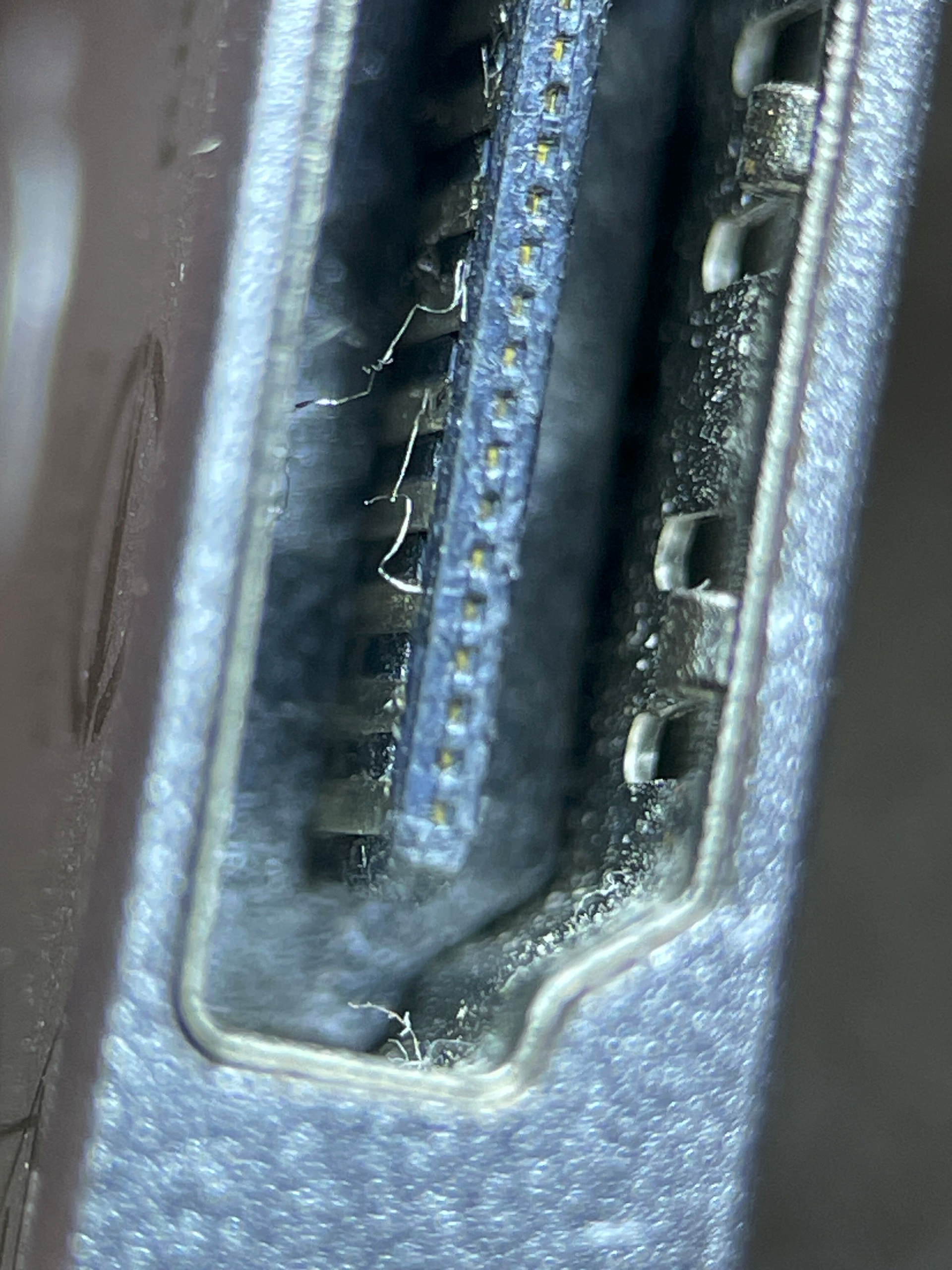
As soon as I vacuumed out most of the bulk material, I opened the machine up and unplugged the battery, since I couldn’t predict how far the contamination had gotten inside.
This morning, I geared up, sat down, and cleaned it out. I didn’t take a lot of pictures of the teardown and cleaning process, but the material was everywhere. The air intake on the bottom had sucked up quite a bit of it, and everywhere the case had a magnet, I found more. The speaker magnets, too.
Thankfully, I have a 3M 497 ESD-safe vacuum cleaner and conductive-bristle brush, and a whole ESD-safe workstation: Conductive smock and grounding cable, dissipative surface mat, various other carbon-bristle brushes, and a good microscope. Accessing Framework’s remove-and-replace videos on my phone, the process was tedious but hassle-free. Everything came out exactly as I’d expect, and went right back in with no confusion about cable routing or screw order or anything. I’ve done more than my share of laptop repair over the years, and I have to say the Framework was, far and away, the easiest machine I’ve ever opened up.
I also took the opportunity to repaste my CPU while I was in there, and am enjoying about 10°C lower thermals as a result.
I hope I never meet steel wool debris again! What an ordeal.