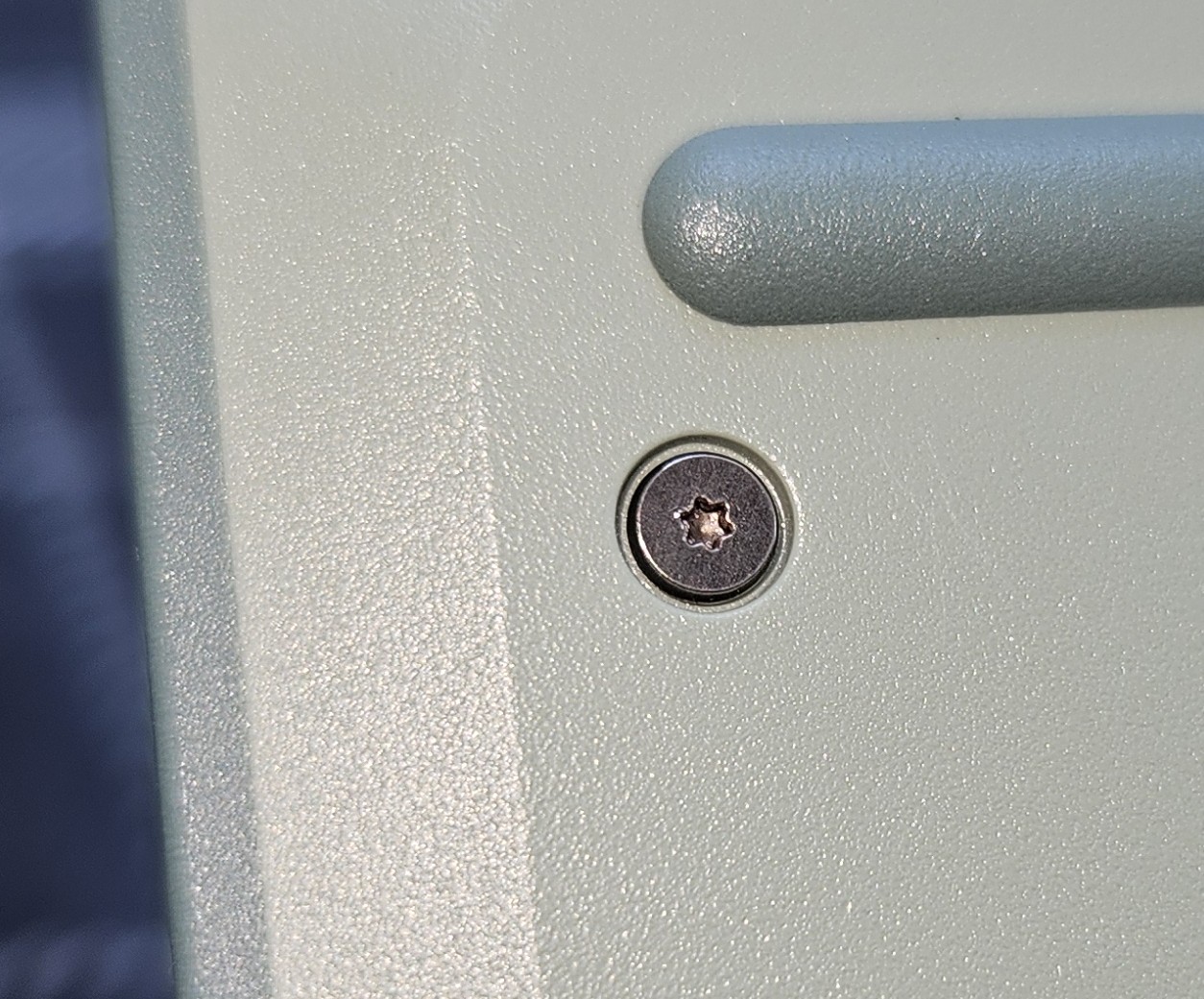
My replacement unit is still good. I think it is actually better than my first unit, as I can get the front screws slightly tighter before it seems to be deforming the case. But I still left the front two screws just a bit looser than the rest. It’s probably silly to try to prevent it, rather than just let it crack if it’s going to, and then make another ticket. I’m sure they want to find the extent of the problem and track it, and all that. But I can’t help it, lol. I’d rather it just not crack. That said, my replacement sage unit (had it just over a week) shows no signs of cracks.
Interestingly, my gray unit is still essentially fine. There is a faint line near one front screw that seems like it would be the start of a crack, but it hasn’t progressed at all since I first saw it several weeks ago, and I’ve done nothing special with that machine. Even with a careful examination with a flashlight, I see nothing worthy of starting a ticket over. Maybe the trick is to throw your new laptop at the ground a few times when you get it…okay, maybe not.
Looking again, I guess the crack on the gray unit is progressing some. It’s just not really “open” yet, so it’s difficult to see on the light gray plastic. But I guess throwing it at the ground didn’t fix the issue, lol. Seriously though, the my gray unit is still getting worse, just not as fast as my sage unit did.
just morbid curiosity, would you think the case is a plastic/material that can be molten/remolded by prodding it with a soldering iron? I have done stuff like that before to touch up 3d prints and the likes. Though the results always looks a bit crude, as you can imagine.
For fixing and touching up with a soldering iron - ye gods no… I mean yes theoretically, but it’d be like trying to smooth hot glue, theoretically possible but realistically nigh impossible to do neatly.
Even still, if the screw standoffs were seating against each other, then over-tightening the screw would maybe destroy the plastic under the screw, strip the threads, or break the stand-offs. But the fact that it breaks the plastic in a large radius around it like that makes it pretty obvious that the screw is putting stress in the wrong place.
I also got my replacement unit a week ago and until now no sign of cracks. Hopefully they found the route cause of the problem and were able to fix it. But indeed it’s a bit frightening that no info is coming why they cracks happen and if they where able to solve the issue.
Will keep you updated on my unit, but let’s hope no more cracks will occur.
I got my sage laptop batch 8 two days ago, and sadly I’m beginning to see stress marks appearing although I made sure not to over tighten the screws since I knew that was a problem…
You don’t see them well on the photos though, It’s still faint for now. I’ll raise a ticket to support
I just saw the pictures of your sage, it looks a bit worse than mine. did your cracks appear that fast too ? My trackpad was also a bit misaligned, I corrected it by removing the keyboard and that’s when I noticed the cracks
I went ahead and tightened the screws on my replacement sage. If it’s going to crack, I’ll let it crack and report it to Framework (and here). I don’t want folks or Framework to get an inaccurate picture of how widespread the issue is.
I have had my FW 12 since the beginning of July and I have, as of yet, not seen any cracking. However, I did have an initial RAM problem with mine. Turned out the RAM that came with mine was bad. No biggy, and I ended up with a 64gb stick (which I bought myself, of course) and a refund. But because of these issues, I thought that I might be having some RAM issues because the top cover was too tightly connected, so I intentionally left my screws not that tight at all. I think this is most likely why I haven’t had any issues.
So for those maybe a little worried, just back the screws off a bit. I’m not saying leave them loose, just don’t torque them way down.
So far mine is fine. There are several weird warbled spots in the plastic but those have been there from day one as far as I know.
I’ve opened the laptop one or two times and my screws aren’t overly loose but I didn’t tighten them as much as I would intuitively tighten a laptop screw either. I’m still not convinced this isn’t a problem with every Framework laptop 12. Cracks appearing seems to depend on how tight the screw is.
Imo you shouldn’t be able to crack the chassis even by over tightening screws. It should just bottom out before that happens. This kind of thing doesn’t happen on a Steam deck or a game boy and those are 100% plastic.
I really don’t think Framework can fix it unless they redesign the chassis. To my knowledge there still isn’t a fix and I don’t see one coming any time soon, I’d love to be wrong about that though.
I really don’t think they’ve found a fix. Why would they stay quiet about it if they had? I’d probably at least get a message from Catastrophic with a request to mark this thread as solved and a brief on the solution.
I still suspect they aren’t planning to fix it until a gen 2 case is developed.
Maybe I’m being stupid. But if a screw “bottoms out”, that means the point hits the bottom of the hole, right? Which means the screw stops before the head can fully press onto whatever you are screwing together? Wouldn’t that defeat the purpose of a screw?
On the other hand, the pressure of the head is what keeps the two parts together. As soon as the head presses into the outer chassis, it also exerts the force of the rotation onto the outer chassis. Meaning you can’t screw the laptop together without also applying torque to the chassis. And this torque seems to be what’s making the chassis crack.