I just did the same, and I have slightly better results, but I’m using Thermal Grizzly PhaseSheet as I couldn’t apply the one from Framework 
10-minute test, room temp 23 °C, 14 485

1-minute test, room temp 23.5 °C after the 10-minute test, 15 613
I just did the same, and I have slightly better results, but I’m using Thermal Grizzly PhaseSheet as I couldn’t apply the one from Framework
10-minute test, room temp 23 °C, 14 485
1-minute test, room temp 23.5 °C after the 10-minute test, 15 613
I have updated to Bios 4.01 Beta (and Fedora 43) this week and I noticed that while under full load, the total CPU power consumption seems to be hard limited to 35W (performance mode) respectively 25W (balanced mode). That means that typical core frequency is now around 3.6Ghz (3.0Ghz when balanced) with all cores under full load. Until yesterday, I could see it run at up to 4.1Ghz during e.g. a kernel compilation.
A side effect of this is of course that peak temperatures are down to ~80°C (~70°C when in balanced mode) and fan noise has significantly decreased.
I have not yet had the time to run Cinebench but will do that later, though I’m sure my scores will have decreased.
To me, it seems that the new bios has changed the power limits for the different performance modes, but apparently the highest performance mode (> 35W) does not exist anymore.
This might also be an effect of different settings in Fedora 43, does anybody have an idea about this?
Note: I’m still on LM because I had no performance problems after my first RMA. I do have the PTM kit here but was kind of afraid to break something (“never change a running system”…)
Same behavior in Windows, so I doubt it’s a Linux issue. I’ve submitted a support ticket, and this power issue is mentioned in it (among other issues I’m having). We’ll see what they say.
There’s no point in changing it out while it’s working 
I believe I’m having the same issue after switching to PTM. I suspect the liquid metal I had tried has soaked into the solder attaching the original shim to the board and made the connection there even worse. I’m planning on trying the shim mod and seeing how well that works.
Speaking of which I already have 15x15mm shims in various sizes from another project. Can anyone tell me if that’s going to be large enough to cover the die of the CPU before I take mine apart?
Edit: No, 15x15 will not work. It’s slightly longer than that. Also, yes the original shim solder was 100% compromised… It fell off on its own when I removed the heatsink and stayed stuck to the CPU (with just PTM)
I lapped and polished a 20x20x0.8mm copper shim until it worked as a mirror, lapped and polished the heatsink vapor chamber as best I could with the tools I have, and sandwiched the new shim with PTM.
Now I’m able to sustain over 60w for at least 10 minutes. I tuned the per-core curve optimizer and applied the stable settings in smokeless_UMAF and now can sustain between 4.3-4.5ghz on all core loads depending on the type of workload. 17215 after 10 minutes and 17427 single run on Cinebench r23.
Much better. Hopefully this solution remains stable over time so I can stop taking this thing apart every couple of months. Lol
16299 points in Cinebench R23, that is a new personal best 
I am also fascinated to see this is truly power limited, not thermally limited. Core 5 does hit 100C for milliseconds at the start of each new render frame, but then once the power drops to the 54W limit, cores are all below 100C.
This is with the beta BIOS 4.03 and another replacement mainboard from service. Still doesn’t match NotebookCheck’s scores, but that doesn’t bother me. With the change in seasons my indoor ambient temperature is now 18C / 64F, so that most likely helps keep the thermals under control, too.
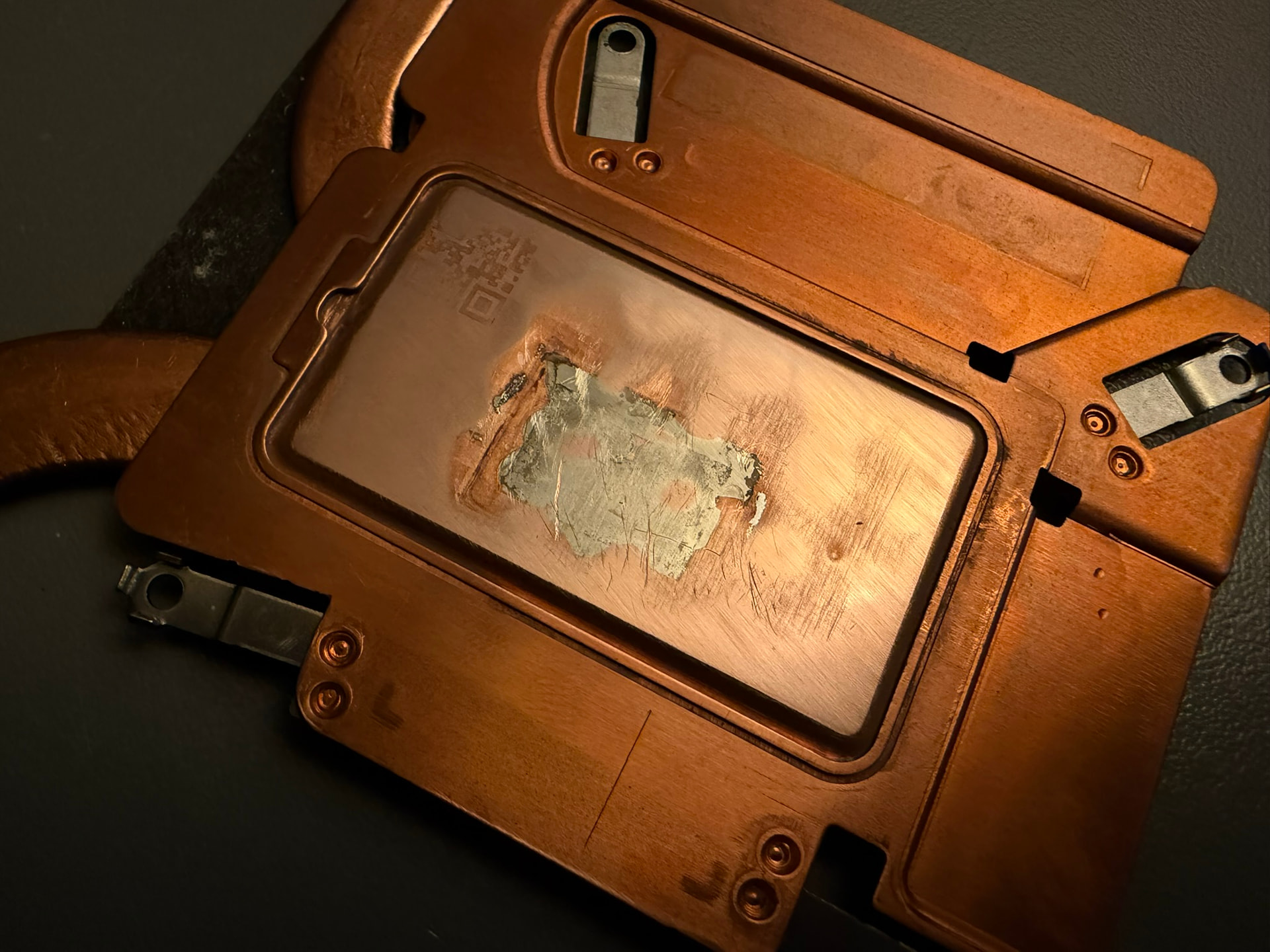
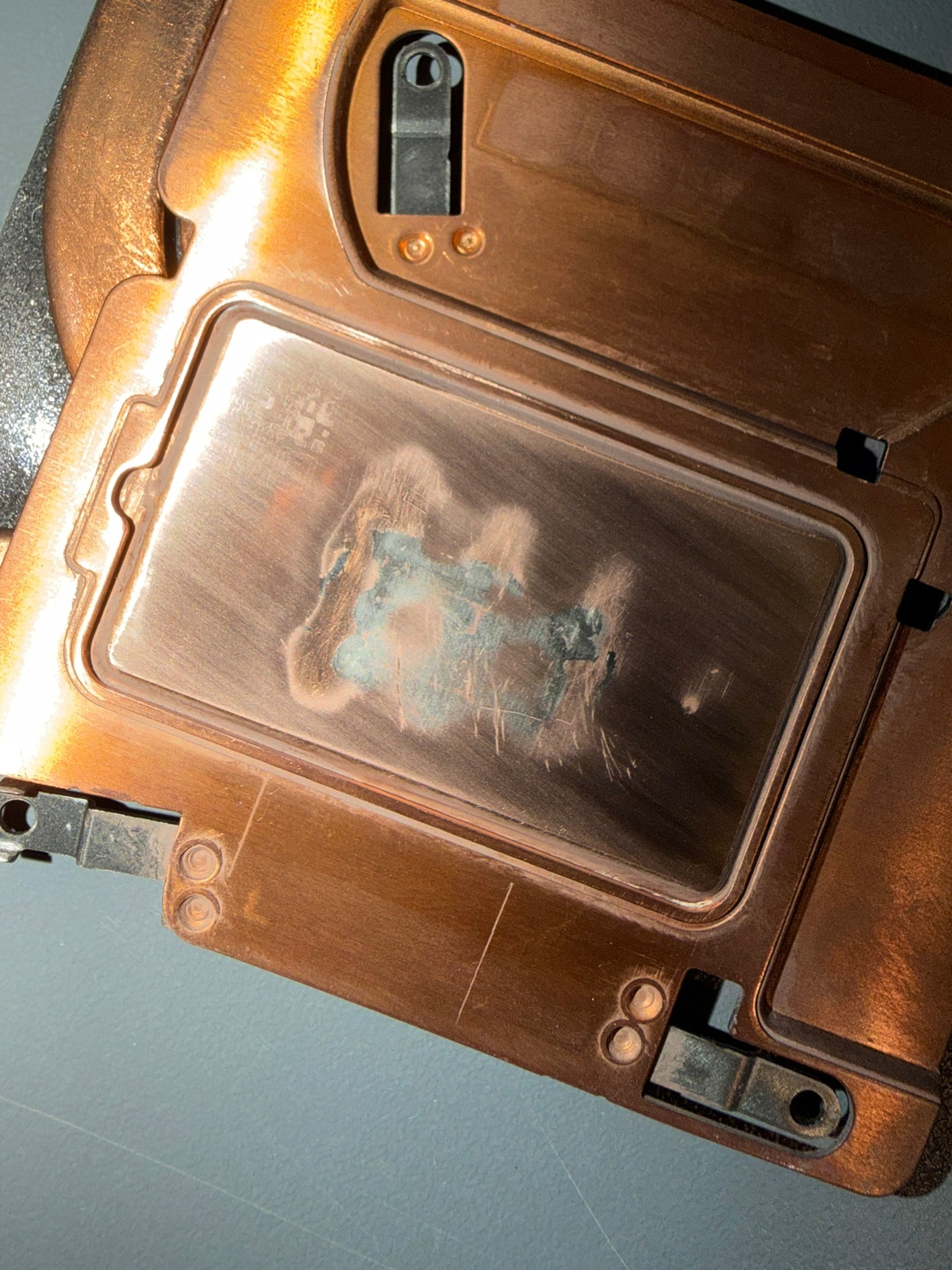
I recently decided to do the “PTM7950 sandwich” mod to my heatsink because I felt like my thermals and performance could be a lot better than they are, but the results I got weren’t exactly what I expected.
I did some initial testing with my laptop to get a baseline of how it performs, and well, it was kinda average. The temps weren’t great, and I always felt like it heated up so easily and got fed up with it to do the mod.
I read a lot about what others did for the mod and ordered everything I needed.
Here are all the steps I took to make it as perfect as possible 
I couldn’t get it as flat as possible because there was a big dip in the surface that I could feel with my finger. I didn’t want to sand too far in fear that I’d break the vapor chamber. I didn’t worry too much, though, because of how PTM7950 works.

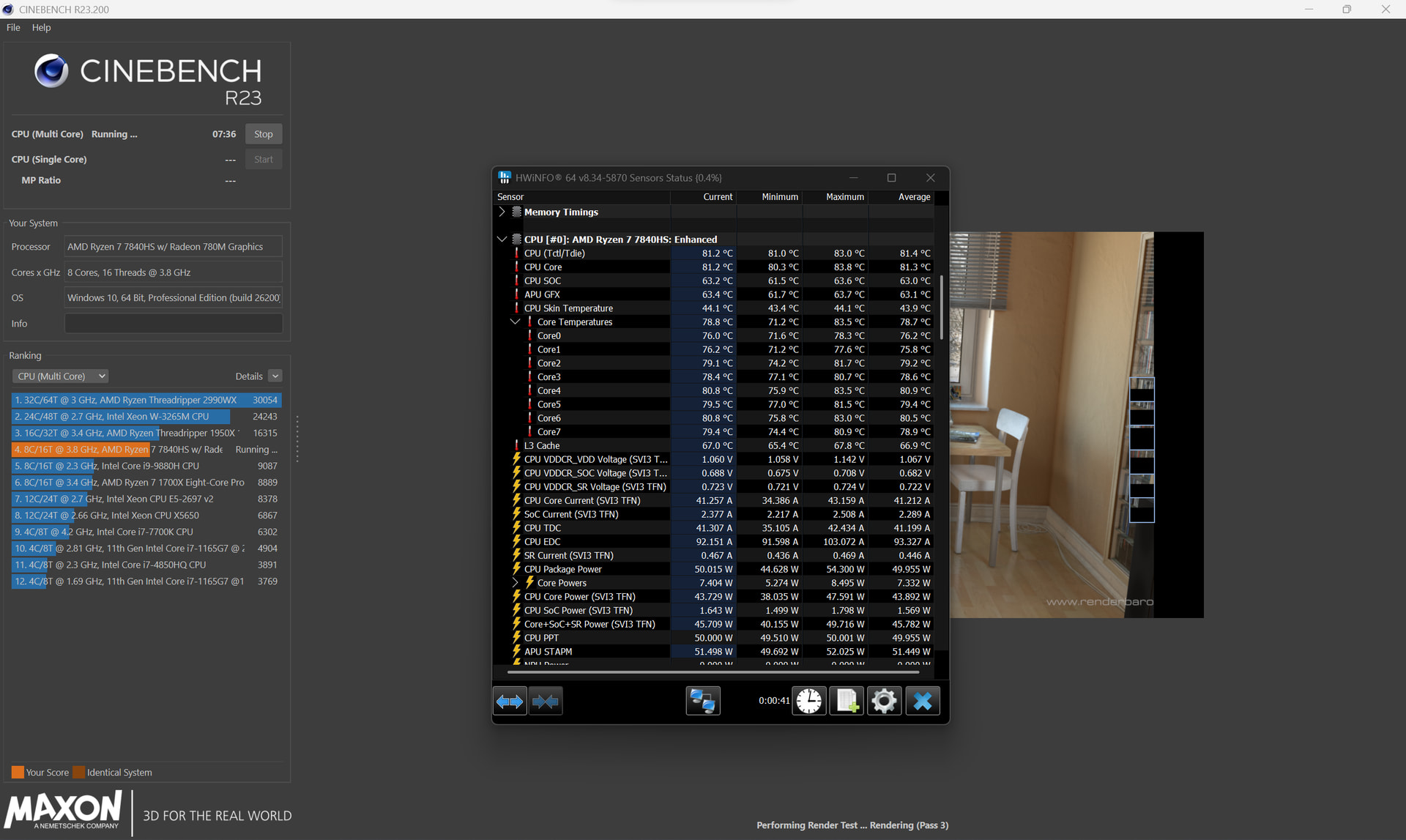
After all those steps, I ran the benchmarks and well… I got the exact same scores as before . I looked into it, and it seems that my CPU just won’t use more than 50W after the initial boost. I tried installing Universal x86 Tuning Utility and setting the extreme power profile and nothing changed. I have seen the CPU initially boost to 86W now, but I’m not sure what it did previously. I remember my laptop being able to use at least 54W of continuous power when I had liquid metal, before it stopped working. I’m not sure if something may have changed in the recent BIOS/firmware updates, but it does kinda suck. I’m running Windows 11 25H2 with the latest BIOS and driver bundle.
On the other hand, the CPU only ever peaks to 86c on the hotspot. I have never seen cooling like that on a laptop CPU. The bottom of the laptop also doesn’t get burning hot as well and the fans barely need to spin up with light tasks. Same for gaming, the fans don’t need to spin at 100% to stay cool anymore.
In conclusion, these results are great, although not exactly what I wanted. If any of y’all know what I could do to make it use more continuous power, that would be great, but if not, I’m happy with my results from the effort I put in.
Also, huge thanks to everyone who has helped with creating this fix. It has worked wonders for the cooling issues, and it’s something I would’ve never thought of doing if it weren’t for y’all.
Please check latest bios 4.03 beta. They change PCM and it should be able to pull more power
Great work. You did it alot better than i ever did.
But never mind thats the spirit i had in mind when tinkering to create that fix.
Making a great Computer better with the diy aspect in Mind!
Definitely this. Framework did us a bait and switch with the recent bios updates and totally gimped our power.
Thanks, I’ll try out the beta and post my results here in a bit👍
Hm that does sound disappointing. I wonder why it’s not drawing as much average power, just 50W per your screenshot. I feel like it has to be software related. Clearly you aren’t thermally limited since your hwinfo stats show no cores every touching 100 °C, and in fact doing phenomenally better at just 92.4°C.
And it looks like your peak power usage increased to 76W, that’s sweet too.
So to be clear, you’re looking to set least increase average power draw from 50W to 54W, or ideally even more power? I was able to get 54W on average as you can see in my latest graph with the 4.03 BIOS.
It stinks software has so many variables. Windows update settings, BIOS settings, power adapter negotiations, battery charge level, AMD Adrenaline stuff, etc.
I do see you said you’re on Windows 11 25H2, I think that’s different from me. I believe I’m on 24H2. I could definitely see Windows updates messing with it too, there was all that press when 24H2 came out and drastically improved performance for a lot of folks.
Oh, and can you confirm you got Framework’s November driver updates package?
Yeah, I am running the latest driver bundle from November. I even tried reinstalling Windows primarily to debloat it again. I reinstall it when it starts to feel off.
Well, um, I’m not sure what I did exactly, but I somehow managed to fix the power issue. All I did was try to test if the power would increase if I disabled the dGPU, so I took off the keyboard and just opened the latch for the expansion bay, which makes Windows freak out and disable the dGPU. I got that 35w power bug and restarted my laptop. When I ran the benchmark, I was surprised to see that the CPU could now draw more than 50w continuously. Turns out the CPU pulls 70 watts continuously and then slowly drops to 62w over a few minutes. I was able to get a score of 16389 in Cinebench. Well, now this mod was definitely worth the effort  .
.
Welp I did some more testing, and it turns out the CPU only uses more power if the dGPU stays disabled. I didn’t notice before that the dGPU didn’t re-enable after a restart and after I fixed it by re-enabling the dGPU, the CPU dropped back to 50w. It seems like this is either a bug or a change that might suggest it requires the new 240w power adapter, but I’m not sure.
there were some changes to pmf.c EmbeddedController/zephyr/program/framework/lotus/src/pmf.c at fwk-tulip-29169 · FrameworkComputer/EmbeddedController · GitHub I I good remember it is code from 4.02 I’m not sure if 4.03 is available. You should be able to find what will be limit depend on power adapter 240 vs 180 vs 140 etc.
I’m not exactly very technical to this level, but from guessing, it seems that on a 180w power adapter, the CPU gets limited to 50w and on a 240w the CPU gets limited to 54w🤷♂️
Ah interesting. I’m getting 54W on a 180W power adapter, but I don’t have a dGPU.
Just curious, what are your UMAF settings? No matter what I did I couldnt get it to hold over 60 after the boost period. I sustain about 58w for a 10 min run (thermals are all low to mid 90s).
No issues w/my current performance, I just enjoy pushing it