I’m in Kyiv, lot of power cuts, been using lappy with an INIU power bank for some time now, no problems.
Bought second power bank - INIU, P63-E1. Big brother of the bank I already have.
Had cause to use it for first time today.
Worked well, fast charge, lots of power.
Shortly after power bank discharged fully, mains electric comes back on.
And now - laptop is not charging up.
Not from mains, not from power bank.
I’ve tried different chargers, different cables, tried charging phone, works fine - but what I see when I try a power bank is that it looks like laptop is trying to charge the power bank.
I’ve done a full reboot, and then another and adjusted battery maximum - no help.
Now going to try shutting down for five mins, see if it helps.
Then will try taking out BIOS battery (not so easy, have fractured wrist right now).
I tried changing battery max charge in BIOS, normally 95, set to 90, did not help.
Next, I turned on battery disconnect and this DID help. Laptop was now charging. I left it to charge and went to bed (was 00:30). In morning, battery at 100 and mains power is off (was on overnight). Laptop boots.
Mains has just come back on and laptop is charging normally.
Question now in my mind - if I use new power bank again, will this problem reoccur?
Based on what you’re experiencing, this is something our Support team is best equipped to look into, since they can check your hardware details and guide you through the right steps.
To get in touch with them, you can do the following:
From the forums, click Support at the top of the page.
Scroll all the way down.
Click Submit support request and fill out the form.
Then Submit it at the bottom.
Once that’s in, the Support team will review everything and get back to you as soon as possible. If anything else comes up or you need help finding the right page, just let us know.
This is a situation where two supplies were attempting to charge the laptop at the same time. Since dual PD input is not supported, it might confused the charge controller causing it to hang. I suggest unplug the PD charger from the mains if the power goes down, and unplug one(mains or power bank) before plugging the other (power bank or mains)
Yes, I had this problem, not charging from both mobile battery power bank and battery adapter on Framework Laptop 12. In the past, the front 2 USB-C ports didn’t work, then last week the back 2 USB-C ports didn’t work.
Opening the mainboard cover and disconnecting battery (more than 1 minute) solved. Now all the 4 USB-C ports work.
To solve this problem I used my ChatGPT Plus. So I cannot prove this information. But here is information.
Cause
PD controller firmware hanged due to unstable power supply from power bank with USB-C In to USB-C Out. The PD controller confuses if the laptop’s USB-C port is used for In or Out.
Solution
Reset the PD controller by disconnecting the battery (around 1 mnute is good enough).
Improvement
Upgrade your BIOS to the latest version if your BIOS version is not latest. This may your PD firmware more stable with unstable power supply.
First, power on the power bank, then connect it to the laptop’s USB-C port. This makes the power supply stable. Don’t power on/off the power bank when connecting to the laptop.
Use the power bank only when the remaining battery mount in the power bank is more than 20 or 30%. If the power amount is less than 20 or 30%, the voltage of the power supply is lower, and unstable. That may make this problem happen again.
If you buy a new power bank in the future, consider buying a power bank with PD version 3.1. According to the ChatGPT, PD version 3.0 is often used for the power bank. But PD version 3.1 is nicer, as it improves the functionality. The following power bank’s PD version 3.1.
@Xenophon Power banks have 2 way charge (you charge the bank and it charges other things). If the power bank is depleted and the Framework has available power draw / battery available, it will usually try to charge your bank. Happens with many smart phones as well. I’ve given my phone a boost many times in an airport off of my Framework and it’s battery.
If you’d like to contact support, we can check to make sure that it’s working as designed and nothing to be worried about.
I may be wrong, but I understand each device has built into it a value which indicates how “dominant” or “submissive” it is, when it comes to charging. Power banks should always deliver only. Phones should always be charged by other things.
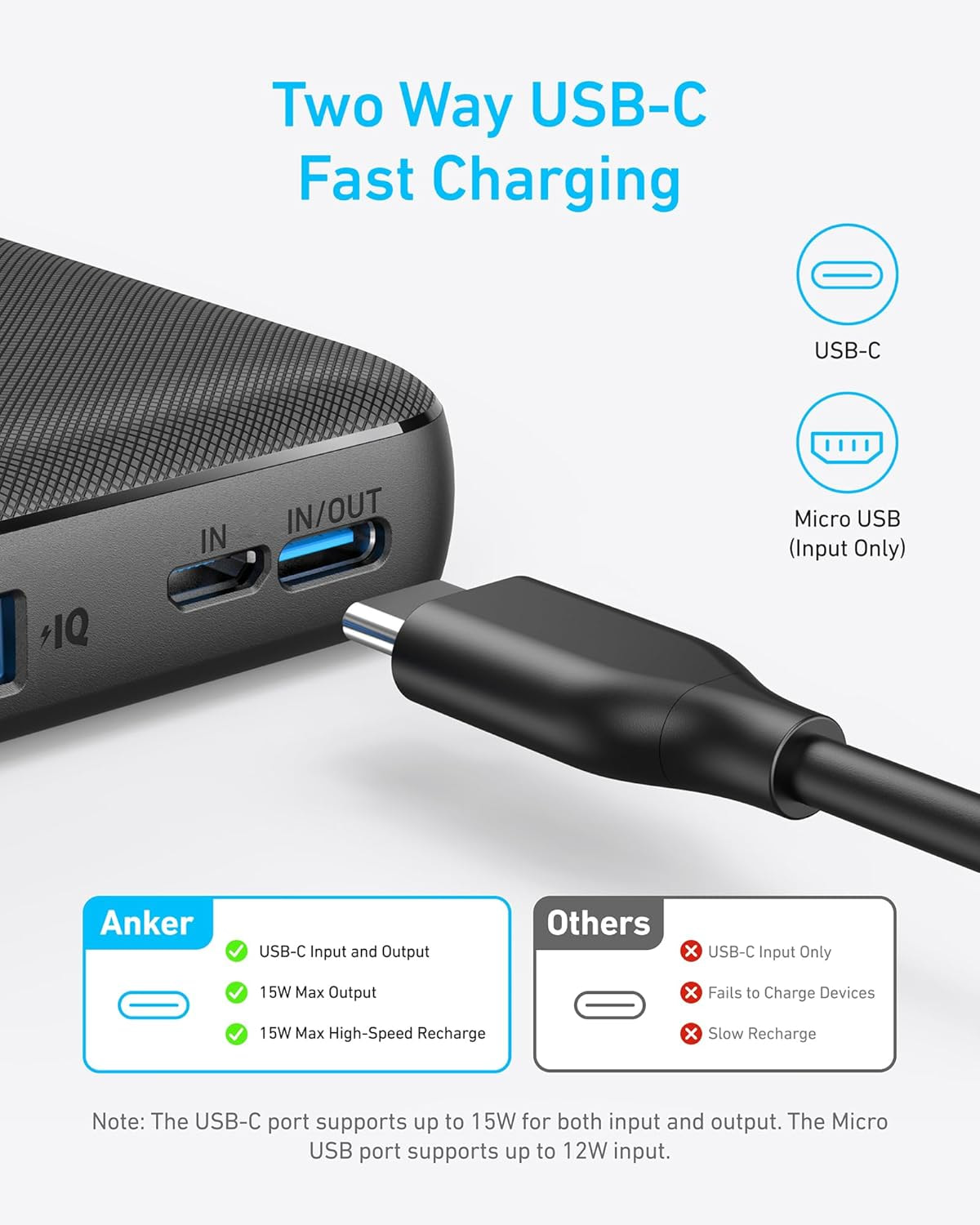
That’s no longer true with modern power banks, especially those that use a USB-C port to both receive charge, and charge other devices. Most newer banks are bi-directional, as are many other things such as Laptops and Smart Phones (enabling charging of things like ear buds, etc). Here’s an example of a power bank that uses bi-directional / two-way USB-C charging. It’s an Anker PowerCore 10K, and one I use quite often, personally.
Here is an explanation from Google AI regarding bi-directional charging as it explains it quite well.
Power bricks and power banks with modern USB-C ports determine whether to accept (sink) or deliver (source) power through a digital negotiation process called USB Power Delivery (USB-PD), aided by physical resistor configurations on the USB-C connector pins. ****This allows the devices to “talk” to each other to determine which has more power and which needs it.
Here is the breakdown of how they know what to do:
Bidirectional Power (Power Banks)
Modern, bidirectional power banks are designed to handle both roles.
Dual-Role Port (DRP): These devices can act as a Source (delivering power to a phone) or a Sink (accepting power from a wall adapter).
Logic: The Power Bank’s internal controller frequently monitors voltage and current. If you plug a wall charger into the power bank, it detects the incoming power and switches to “charging” mode. If you plug a phone into the same port, it detects a lower voltage/different resistance and switches to “discharging” mode.
The Mechanism Behind the Decision
Initial Detection (Resistor Sensing): When you plug a device in, the power brick and the device check their CC pins to see which has a “pull-up” resistor (identifying as a power provider, or Downstream Facing Port - DFP) and which has a “pull-down” resistor (identifying as a power consumer, or Upstream Facing Port - UFP).
Digital Negotiation (The Handshake): Once connected, they “talk” to determine the optimal power level. The consumer tells the provider what voltage (5V, 9V, 15V, 20V) and current it needs.
Default Behavior: If two devices that can both charge and be charged (like two laptops or two power banks) are connected, they will often pick a default, but they can later renegotiate or, if you unplug and replug, the roles may reverse.
I may be completely wrong, but I think two-way charging is where a power bank can charge a device while being charged. The power bank however will only charge from a charger.
Which OUT port are you using on the INIU, P63-E1?
There appear to be 3 to choose from.
I think OUT1 would be the best to use, as it has the 20V, 5A output profile.
In general, it might be more reliable if you connect it as:
Mains plug → Power bank → USB-C → FW13 laptop. (i.e. only use one port on the FW13 laptop for power)
When I have been to areas that lack power or have intermittent power, I have taken larger power banks, such as:
Jackery Explorer.
I then have enough power to power the internet router and the laptop and lighting.
You can also plug solar panels into some of the Jackery models to allow for longer power outages.
As others have mentioned, it is better to use power bank ports that say only “OUT” on them, ones that say “IN/OUT” on them can confuse the laptop.
The problem case is when both Laptop and Power bank have DRP (Dual-Role Power).
It becomes mostly a guess as to which charges and which gets charged.
A “OUT” port will be just a “Source”.
A “IN” port will be just a “sink”.
A “IN/OUT” port will be both Source/Sink or DRP, and thus the confusing state.
The FW13 laptop USB-C ports are all DRP. On the FW13, that is max 100W in, 15W out.
There are maybe some “ectool” commands that will force the FW laptop to change its USB port from DRP to just “sink”, but I have not tried them. So long as only one end is “DRP”, there is no confusion as to what happens.
Note: USB-C standard actually has “Dual Role Data” and “Dual Role Power”, it is only the DRP that you need to worry about here.
I would be interested to see evidence of that. Do you know of any studies that demonstrate that. I am thinking of it from the point of view of solar power with batteries. They are designed to work in pass-through mode. I.e. Solar Cell → battery → device. If not powering a device, it charges the battery. If a cloud comes over, it powers the device from the battery.