Bazzite install gone wrong; Stuck in Grub; Shim Error; Can not get into Bios to Disable Secure boot. I need help. Any advice?
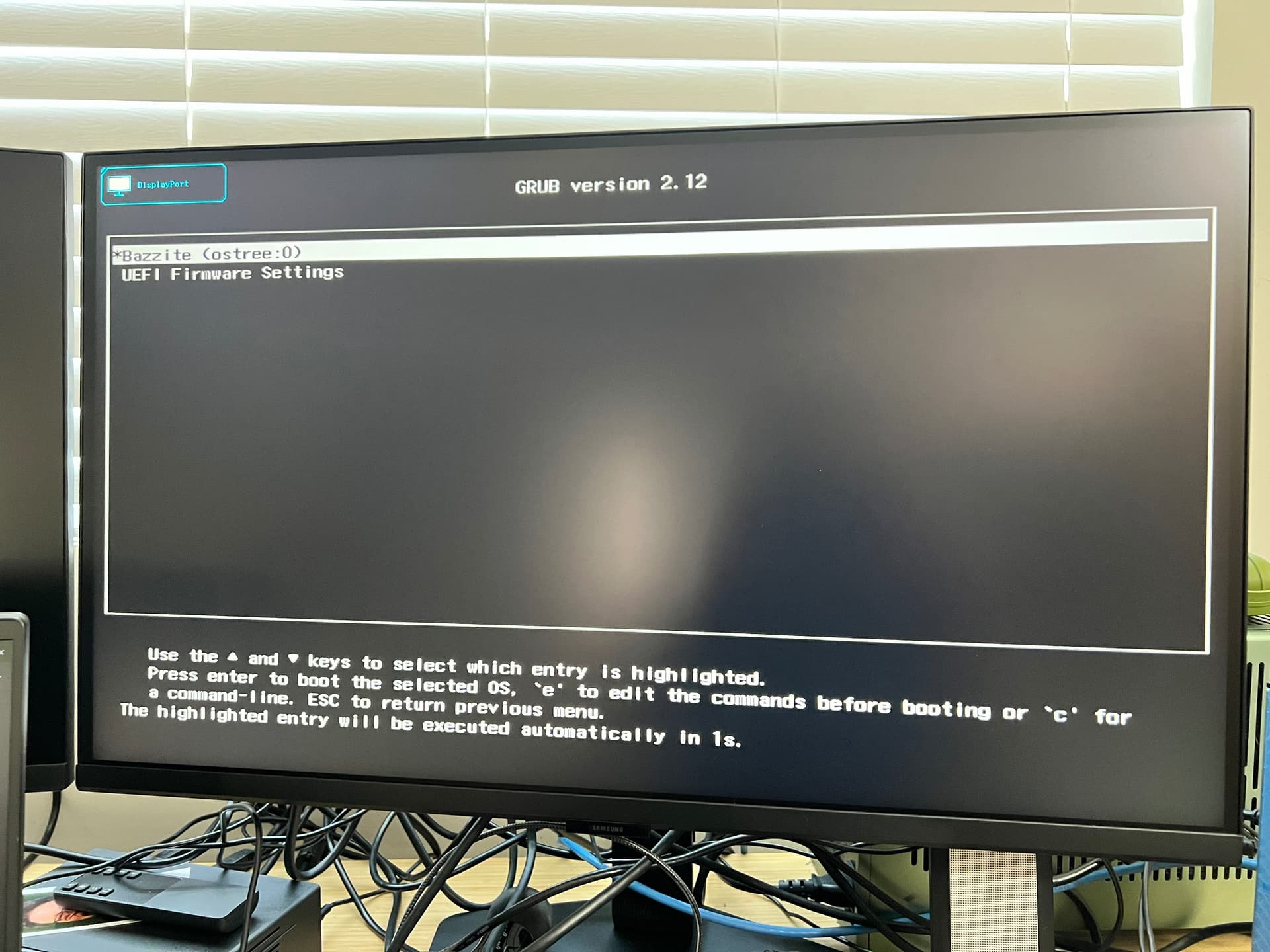
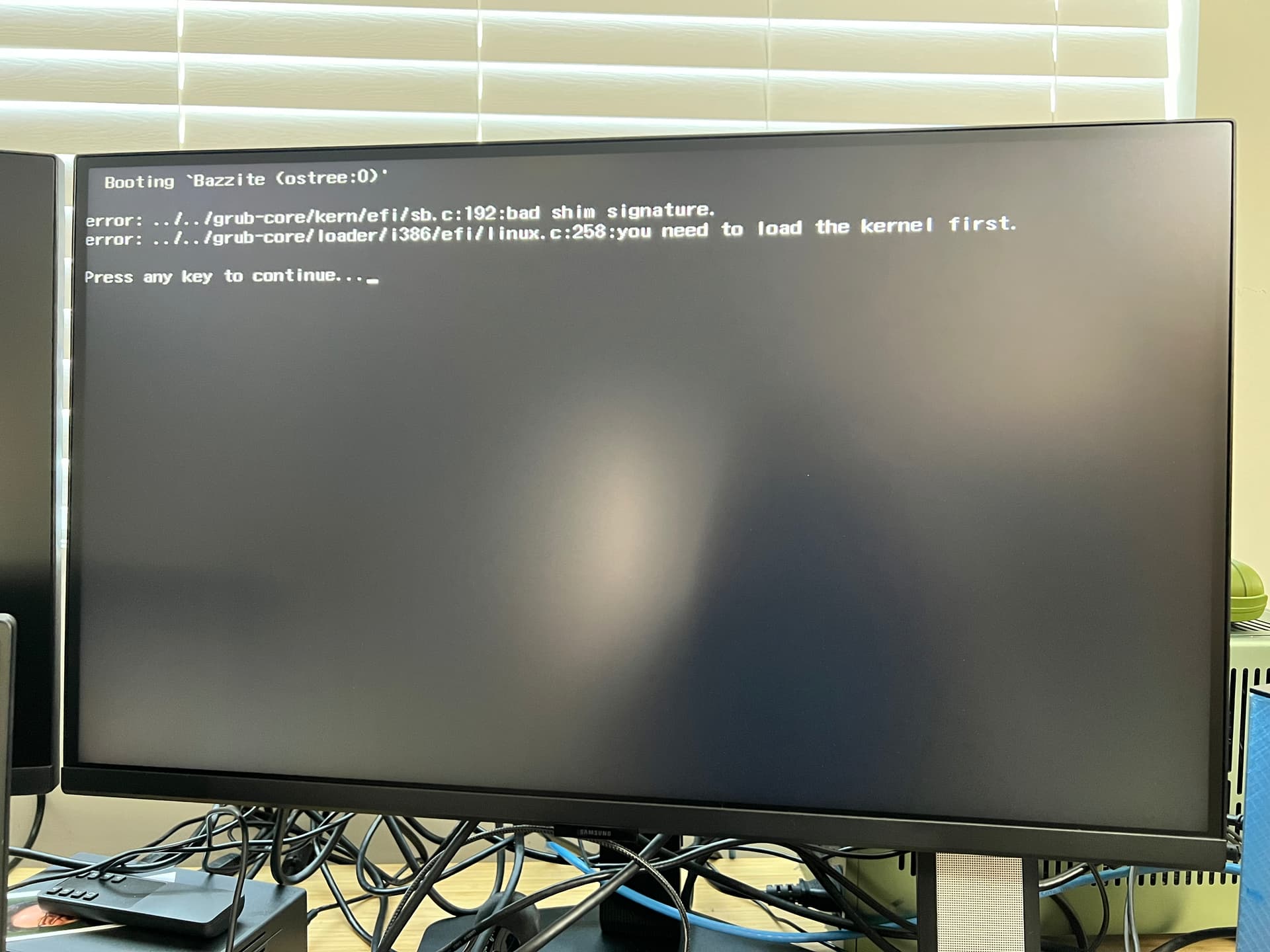
Keep press F2 during boot to get into Bios.
To solve your Bad shim error refer to the troubleshooting video guide here
https://docs.bazzite.gg/General/Installation_Guide/troubleshoot_guide/
I have tried countless times hitting F2; system just goes straight into boot manager…
Select Uefi firmware settings to get into bios.
Is this a dual boot with windows?
It will not let me select UEFI and I do have a wired keyboard…
It is not a dual boot. Just trying to get Linux on it…
Did you get into the BIOS ever before installing Bazzite?
Try in terminal “systemctl reboot --firmware-setup”
That hopefully should get you into the bios.
Using the usb you used to install Bazzite to get to a terminal.
I did not go into bios before doin the install; I read framework instructions for installing bazzite and they said it was optional so I decided against entering into it to disable secure boot as I had no intentions of running windows; the install with bazzite went fine with no errors. System just a brick now I get the screens I sent and it’s like it’s frozen at those; by frozen I mean it literally as system not responding to keyboard mouse commands; when I do get into boot manager it does respond to keyboard and mouse; weird. When you say “Try in terminal “systemctl reboot --firmware-setup” This is Greek to me and even if I did understand it; my only option are to boot with the SSD in it getting me to the screen shots I provided or booting without SSD in it which just takes me to boot manager and does not allow me into bios. I basically have a $2k brick. I going to try to wipe the SSD but have to wait for an Amazon delivery for and m.2 reader and wipe it on my windows machine. I also ordered an Amazon basic keyboard and mouse even though my current keyboard and mouse are wired but I figure I goin all in dang it. I refuse to give up. Just being slowed down. I new to Linux so yea I stink. Hahaha.
When I install the usb that I used to install bazzite I stay stuck in the same loop of screen that are not responding to keyboard and mouse…
Ok. There may be compatibility issues with you keyboard. On the Bazzite install screen you can test your keyboard.
Have you tried all usb ports. Do you have the optional front usb port ?
Its a bummer that its not working straight out the box. I understand your frustration believe me.
Linux seems complicated but once you have it working the way you want you’ll never miss other operating systems.
Edit: I just tried the command “systemctl reboot --firmware-setup” in the terminal from the Bazzite troubleshooting and rescue options on the Grub screen and it got me to the Bios screen.
So my theory is that Linux was installed fine but the version of bazzite I got from there website per frameworks instructions requires secure boot to be turned off. It’s on by default out of box. I believe I am unable to get into bios because even though my keyboard is wired it is usbc to usb3.0 and during boot it’s not getting recognized or not legacy enough to be known during preboot or boot. I ordered an amazon basic keyboard and mouse that are usb 2.0 that should arrive tomorrow. I will try to get in bios with them. If that don’t work, I also ordered a m.2 SSD reader. I will use it to wipe the SSD with bazzite through Rufus on my windows machine. I will recreate the bazzite iso on the usb. I will try to install bazzite one more time before going to windows. lol…
I believe somebody also had this issue with using the usb-c ports. You could also just buy a usb-a to usb-c adapter but I can’t guarantee that will work with your keyboard.
Bazzite can be installed with secure boot enabled but you need to enter the secure boot key which is “universalblue”. Did you skip that part?
Good luck anyway.
I did not know about the key code part… not to step on framework; but their instructions are not the best; constructive feedback…
When does one add in the key code “universalblue”? What step of the install process? I curious as I may just wide the SSD anyway and redo it and go that path…?
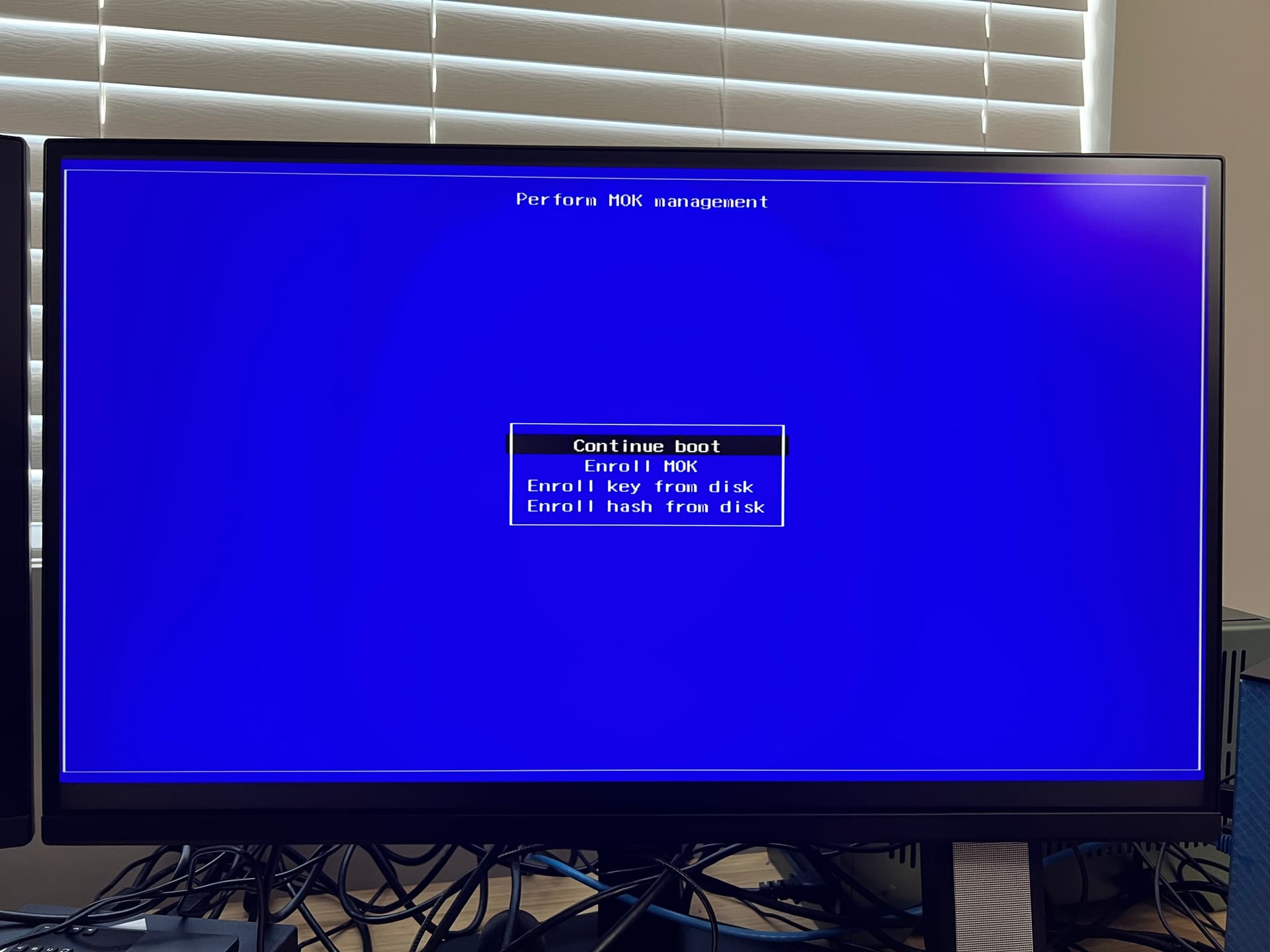
Enroll MoK. You won’t be able to see what you type so type one letter at a time.
Disable secure boot first, before installing an operating system. Can you try removing the SSD and booting while hitting F2?
i tried that; that is when i started down the path that my logi usbc to usb3.0 wired keyboard is not being recognized when i hit F2 or F12…