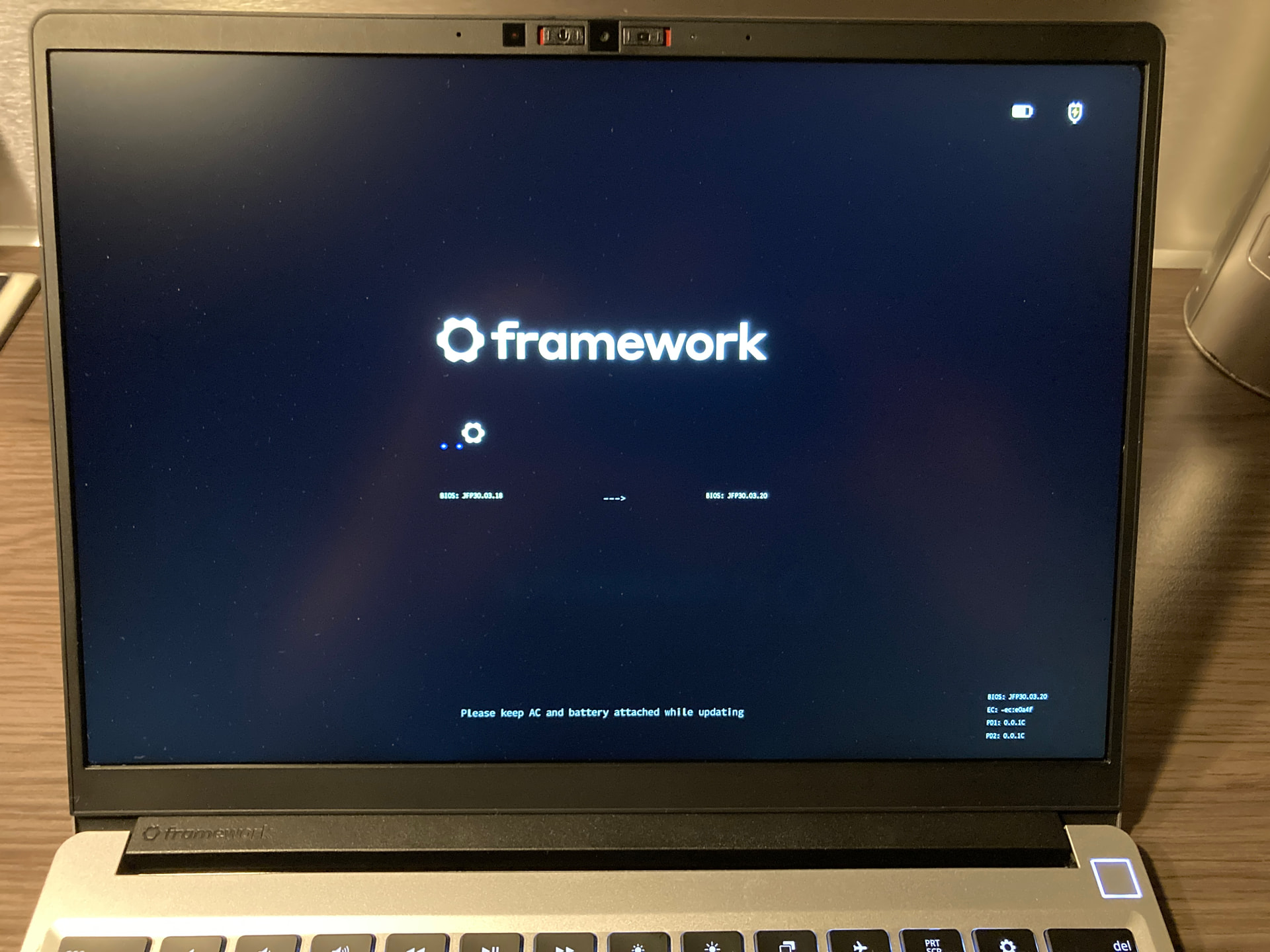
I’m trying to update the BIOS of my Framework Laptop 13 (AMD Ryzen 7040) from 3.18 to 3.20 with the EFI shell update. But the update process seems to have stalled.
What I see is a black screen and a progress bar with 2 dots and then the Framework logo.
The progress bar is not moving for about 3 hours now.
Also I can’t turn off the Framework using the power button, no matter how long I hold it down. Now the BIOS update is stuck and I can not power down or reboot the machine.
Has anyone experienced the same thing or do you have any idea what to do now?
Hi, try not to worry too much: the power button locking up is actually normal during a firmware update; it prevents the process from being accidentally interrupted. In cases like this, the best course of action is always to contact Framework support. Good luck!
It’s now the morning, so 8 and a half hours since the bios hung, and now the laptop is off. If i try and power it on, the power button flashes, there is no led light indications, and eventually the screen flashes the same ftpm dialog reported earlier, showing the dialog only for a second before turning off. It does not appear to be receiving a charge.
I have disk encryption with whatever fedora uses, where I type a password on boot; hopefully my data will be ok!
Haven’t received any additional advice from Framework support, only the usual soliciting of the condition of the laptop then and now, which as can be seen, everything is still in mint condition. Hopefully someone is making more progress.
Okay, after noticing my the laptop is finally taking a charge again, I decided to try do No on the ftpm dialog and it booted into the bios upgrade which completed successfully and everything seems fine. Videos added to Proton drive.
I’ve had the same issue, stuck at 1 dot. Unfortunately, after draining the battery, it’s still unresponsive. The laptop seems to charge, and pressing the power button will make it light up and the fans start spinning, but there is no response otherwise. I’ve contacted Framework support. Does anyone have any other advice?
Did you check the diagnostic led? While booting, even tho nothing is displayed, the charging LEDs on the side starts blinking in a pattern. One white and 12 green says everythings fine, followed by orange and some irrelevant blue/green. What is your pattern? Did you try something in the meantime?
I have the same. Can you also please tell me your 8 blue/green ones after the orange one? Got b/b/b/g/b/b/b/b. Those seem to indicate the BIOS state (display BIOS POST-Code port80) that are e.g. on towers displayed trough a segments display or beeping noise.
Here is a sheet I found during research, does not seem to cover my pattern (11110111 → F7). So I tried a mainboard reset to erase the corrupted BIOS state but that did not change anything of the laptops state unfortunately.
I removed and re-inserted the battery and also got to the fTPM screen and chose No, but I didn’t have the charger plugged so the bios update failed imediatly. Then I tried resetting the bios pressing and releasing 10 times the lid detect button as suggested in the ifixit guide on this thread, but I’m not sure if it did anything. Now I once again removed the battery and charger, put back the battery and charger and turned the laptop on, but no fTPM screen is show anymore. After some time waiting, I get the color code: 12 green blinks followed by 1 red blink followed by 7 green blinks followed by 1 blue blink.
i was instructed to do that in a prior unrelated support case, i also struggled with it - if it works it is undeniable the board flashes like a police car - for me i think i just kept mashing that button until it did something - here’s the video, see 6:50
Today I did the 3.18 → 3.20 update via fwupdmgr and I got stuck too, at two blue dots.
After 2 hours of no change, I unplug the AC adapter and let the battery drain. Once the laptop ran out of battery and turned off, I put the AC adapter and powered on the laptop again. I got a screen during one second with something like “BIOS Upgrade Failed - Battery < 20%” and then black screen again.
I restarted several times the laptop (fully charged) but I did not get this message again.
That is exactly my experience. Only black screen now when rebooting. I seem to get a gbgbbggg BIOS post code if that is from interest. Haven’t tried the BIOS reset yet though.
Is there any solution right now to get back into a working state?