I think that there were a few people interested in the power consumption of the new Desktop machine. I have a few anecdotal notes here for anyone interested.
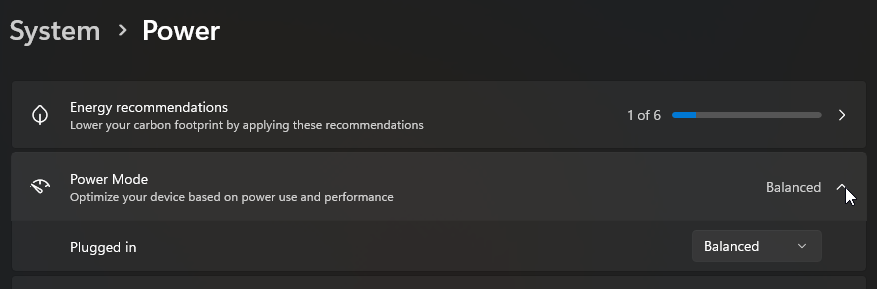
My machine is based on a Max+ 395 with 128G of RAM running Windows 11 Pro using a “balanced” power plan. All of the wattages mentioned below are Watts drawn from the wall socket as measured by a Watts Up Pro.
For me, a typical day involves Spotify playing constantly (unless I am streaming a baseball game), while using VS Code connected to a WSL2 instance. Under those conditions, power consumption is typically 25 to 28W unless I am building the project. Typically, the big cooling fan is completely off. If I rebuild my project, the big fan will run so slowly that I don’t even hear it, though I can see it spinning through the holes in the side plate. Once in a while, it spins fast enough to hear for a short period of time.
Here are some measurements:
At idle, the system draws about 15-17W (if disk indexing is paused)
If I start my Spotify, the power goes up to 25W. Pausing Spotify sends the power back down to 15-17W. I find that fascinating because the reported CPU usage is like only 4% with Spotify running, but the system power really does go up by 8W!
Streaming a baseball game on a second monitor is only about 2W more expensive than Spotify. I guess that video decoding is pretty efficient these days! Or maybe Spotify’s audio decoding is not power efficient…
When building my project in VS Code, power can go as high as 100W for a second or two. It only takes 10 seconds or so to build everything, which is not long enough for the system to heat up to the point that it needs to spin the fan up. For my usage model, the system is nice and quiet. As a side note, my old machine would take 40 seconds to build the same project. The new 395X processor is a beast!
My power meter tracks the minimum and maximum power consumption observed over time. While using my machine all day, the minimum power consumption ever observed was 13.0W. The maximum power draw observed was 159.5W while running portions of a Passmark benchmark suite.
My takeaway from all this is that if you are running a typical Win11 setup, an idle machine will always be drawing 15-17W, with 13W as a dead minimum. Depending on what other tasks you might want to run, power consumption will only go up from there.
Wow. My guess would be the add’l power needed for the DAC but more so the analog headphone/line output section. Even tho you’re driving an external amp in your usage, which has a high impedance input, the output section of the headphone/line amp needs to be stable driving a 16 or 8 ohm headphone/iem. That may be accomplished in an inefficient manner in a budget device’s simple circuit. … just a guess.
The coop my wife and I decided to retire in has electricity included in my maintenance; all we pay for is gas. So technically if I wanted I ‘could’ use a 4U server case, Xeon CPUs, with 4x RTX 5090s or Pro 6000s inside for the local LLM duties. … lol … but happy to stick with only using the reported 120 - 140 watts for local LLM and not have to crank the A/C to compensate. Haha
It still would require the DAC and audio components to work, and while you are using an external amplifier the system itself is pushing a boosted signal to your amp.
It was a shot in the dark, but I could see audio components taking 8 watts of power pretty easily. NOT SURE that this is the case here. Thanks for your feedback on this though! Good information!
How does idle consumption change if you switch the the “Power save” plan? Had quite an effect for me and I’m now using it, it doesn’t block the system from going full power but it may be a little bit slower switching to high clocks I think.
Even more so did “ryzenadj.exe --power-saving” reduce idle consumption for me - whatever the setting does is undone on reboot and I think even when switching power plans, so no harm in giving it a try.
Would be interesting to see if those settings have an effect for you and if the system feels different to work with.
I can’t find a datasheet for the Reaktek ALC623 Audio codec chip used in the Desktop, but I did find datasheets for older Realtek codecs. It would appear that a typical codec chip draws on the order of 0.25W. So I think that the 8W of power that spotify triggers is mostly due to the 5% CPU, not the codec.
It’ll certainly draw more actually outputting audio to anything more than tiny earbuds.
That is likely where the bulk of that extra power consumption comes from, maybe less the 5% themselves but the core being awake relatively continuously.
As like my Framework Desktop, latest Windows install does seem to ‘hide’ the other power plans, probably Microsoft preferring that you set your power mode here instead or to use command prompt to force enable other profiles again.
If I set the power button setting to hibernate and then push it, the system ends up drawing essentially nothing: 0.0W to 0.1W
If I set the power button setting to sleep and then push it, the system ends up drawing the same as what it was doing before I pushed sleep. Maybe I need to wait longer for the sleep to really kick in though. I’ll try it overnight tonight.
Unfortunately s2idle does not exist for Windows, ACPI S2 I’ve never seen implemented anywhere, ACPI S1 never was more than “turn off screen and HDDs” and the awful S0x, S0ix and as the current naming appears to be “S0 Low Power Idle” (at least thats somewhat honest, earlier namings were much more misleading) are no standby states whatsoever, they can be anything from essentially S1 to sometimes-allmost-S3 if Windows feels like it.
Even if S0x works at first nothing more than turning of the display will happen, around 30-60 seconds later the system may actually enter a lower power state (with my HDplex I can see ~1,4W on the meter) or simply wakeup again - or the system may get stuck in this state with the only option being forced power-off, like what happens for me with the Desktop - the tl;dr is, S0x behavior on several platforms I tested, both Intel and AMD, is so unpredictable and unreliable that I can only recommend to force disable it via registry and use Hibernate instead.
Yes, registry, it is not enough to disable automatic sleep in the power plan - I learned that the hard way the first evening I had Windows running on the Desktop.
Apparently AMD has removed ACPI S3 support completely with the 7000 series as wished by Microsoft, so at least on Windows the days of properly working suspend to RAM are over.
With the NixOS installation on my Desktop however I once tried Sleep and was really surprised, it actually entered a state that on the power meter looked like S3 and also resumed from it to full operation - I don’t know how they do it but would like to have that for Windows.
PS C:\Users\robin> powercfg -a
The following sleep states are available on this system:
Standby (S0 Low Power Idle) Network Connected
Hibernate
The following sleep states are not available on this system:
Standby (S1)
The system firmware does not support this standby state.
This standby state is disabled when S0 low power idle is supported.
Standby (S2)
    The system firmware does not support this standby state.
    This standby state is disabled when S0 low power idle is supported.

Standby (S3)
    The system firmware does not support this standby state.
    This standby state is disabled when S0 low power idle is supported.
    The current Device Guard configuration has disabled this standby state.

Hybrid Sleep
    Standby (S3) is not available.
    The hypervisor does not support this standby state.

Fast Startup
    This action is disabled in the current system policy.