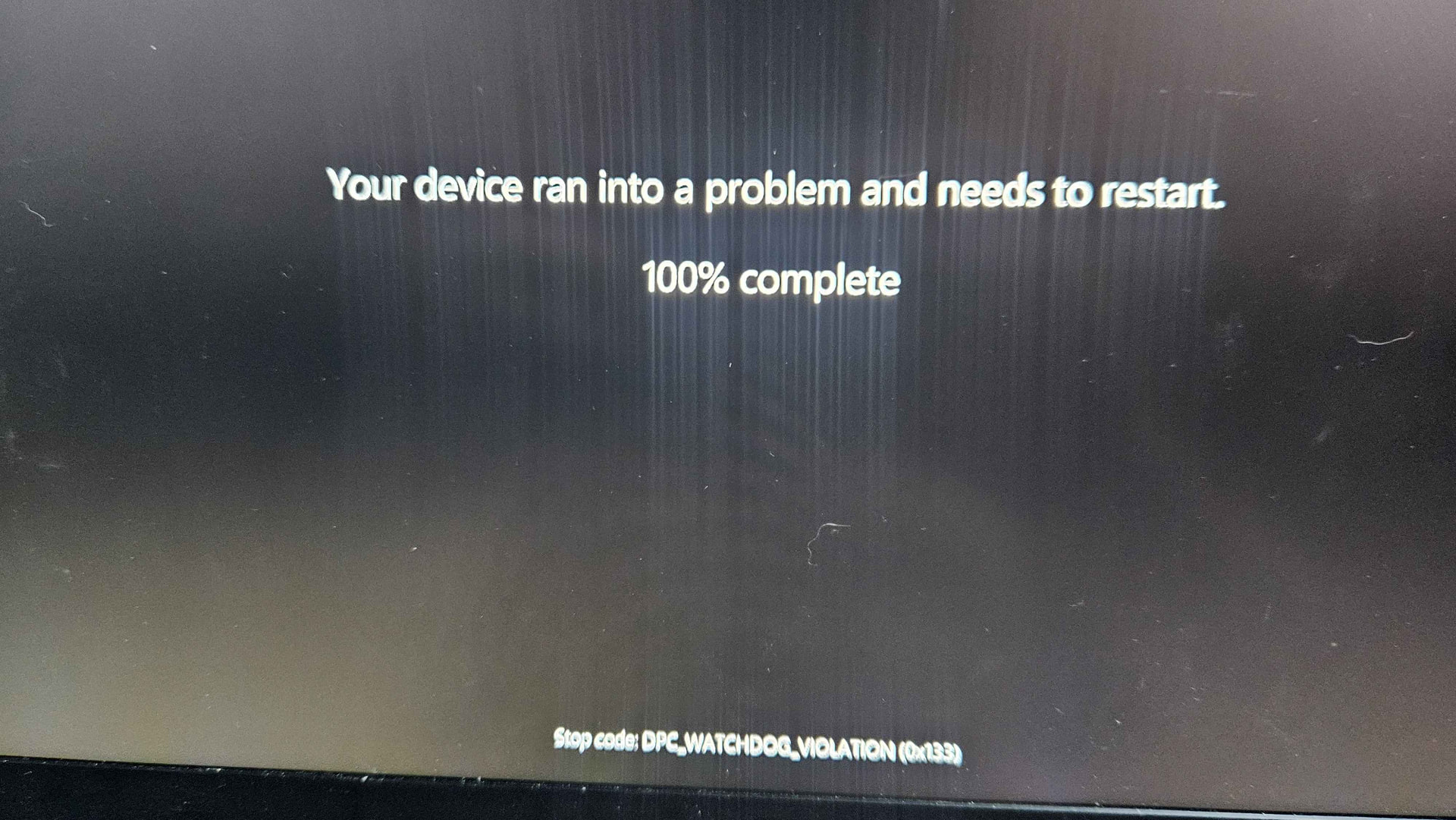
IMO… you have pretty well exhausted any support you’re going to find in this forum. You continue to ignore any suggestions offered to you. Im not sure why this is… perhaps its a language thing or maybe you are incapable of following any guidance -or- you could even be an AI bot getting satisfaction stirring the pot. Who knows? They say you can take a horse to water but you cant make it drink.
Wishing you all the best with your laptop troubleshooting endeavours.
I can tell you right away: this is how a regular person approaches warranty claims, don’t ask me how I know.
This is BTW a major reason why Framework will remain niche for the foreseeable future.
A regular customer understandably expects to experience no issues and to not have to think too hard when using the product, so they get frustrated when any of this happens.
My take is that our role is to take that into account and either be understanding or say nothing. It does us no favours to have a reputation of being abrasive.
Have you been able to identify a local repair shop that, for a price, could work to sort this whole thing out with Framework? Just to reiterate: as someone who is not as good as you or others with technical problems, that would be a solution that would work for both me and framework, even if it would probably cost a bit. In the end, it would probably save me time and thus some money.
I got word to have the laptop be checked in by Framework to see if there’s any issues. But a mobile game did this to my PC. How funny. Trying to play games with the lowest demands on hardware possible and it just can’t.
If anyone curious, the minimum stats for this game is:
Risk: Global Domination is the game I play. Once it successfully launches once, it works well every time after that. Occasionally, the laptop goes down to 1fps or less for a few minutes. Yesterday was the first time it crashed entirely off that game.
All games fail to open, through Steam or downloaded games off the internet. Minecraft is the only thing that won’t crash, ironically.
The shipping of the laptop has to wait another day because we have no FedEx shipment in my town, the drop box only take envelopes. I have to drive 40 minutes to the nearest city to drop it off.
Yeah they have, sent across the country and back. Not to SF like I thought. It returned today so I will be testing it on the games it used to play before it got rutted. They said it was issues with hair in the fans and overheating.
So far, it seems to be working like new. The first time I launched that one game it has resolution change issues but after that, it never happened again. Then 10 hours of playing a game across 4 days, it had a computer reset crash once in a high demanding game. Which is a lot more normal than how it was a month ago. Seems to be working good now.
Yeah, keeping any laptop fans clean and dust-free is very important, and the nice thing about Frameworks is the ease of doing it yourself compared to other laptops that would require way more screws and breakable plastic clips and ribbon cables to even gain access to the fans
As of now, the laptop still works fine. The only issue is the “D” key failing. Each time I want to use it, I have to slam it in a few times before the D appears on screen. Can’t play games with keyboard until it starts working again. I’m glad to have my controller. When the laptop works, it works well. It’s just problem after problem. I’ve opened the laptop to clear dust and dirt under the keyboard but I still gotta slam D. XD
That is interesting to me. Over my last 25 years or so of laptop ownership (I guess about 7-8 machines), I’d say the biggest problem has been the keyboard. For a long time I solved this by moving to island style keys and away from chicklet style keys, and by making sure to purchase Dell’s top-of-the-line longest-lasting extra warranty on-site service, and by always buying a third-party keyboard skin and using it (Dell did not sell them). This was not a cure-all, and to be sure there are other problems that go wrong, but the keyboard and the touchpads were often replaced under warranty, and by the time I had my last Dell, I was able to make it last 8 years until finally Dell refused to send me a replacement keyboard, and Microsoft refused to stop playing their ridiculous upgrade-your-computer games.
Anyway, all of this is to say that I think FrameWork can take a useful lesson by reading your experience and mine and others, and making sure they meet customers partway with good keyboard replacement policies. If I have a FrameWork laptop in the future, and one of the keys goes bad (and eventually there is always a key that goes bad), then I hope they would ship my repair shop a replacement so I could have it replaced quickly. I also hope they consult internally to make any changes possible to increase keyboard and touchpad lifetimes. Also, when one considers how much a $3000 computer lifetime can be extended by a simple $20 keyboard skin, maybe they would make that part available at the time of purchase (if they don’t already).
(and yes, I get that there are other strategies here such as just using external keyboard and mouse and avoiding most of the possibility of harming the keyboard).