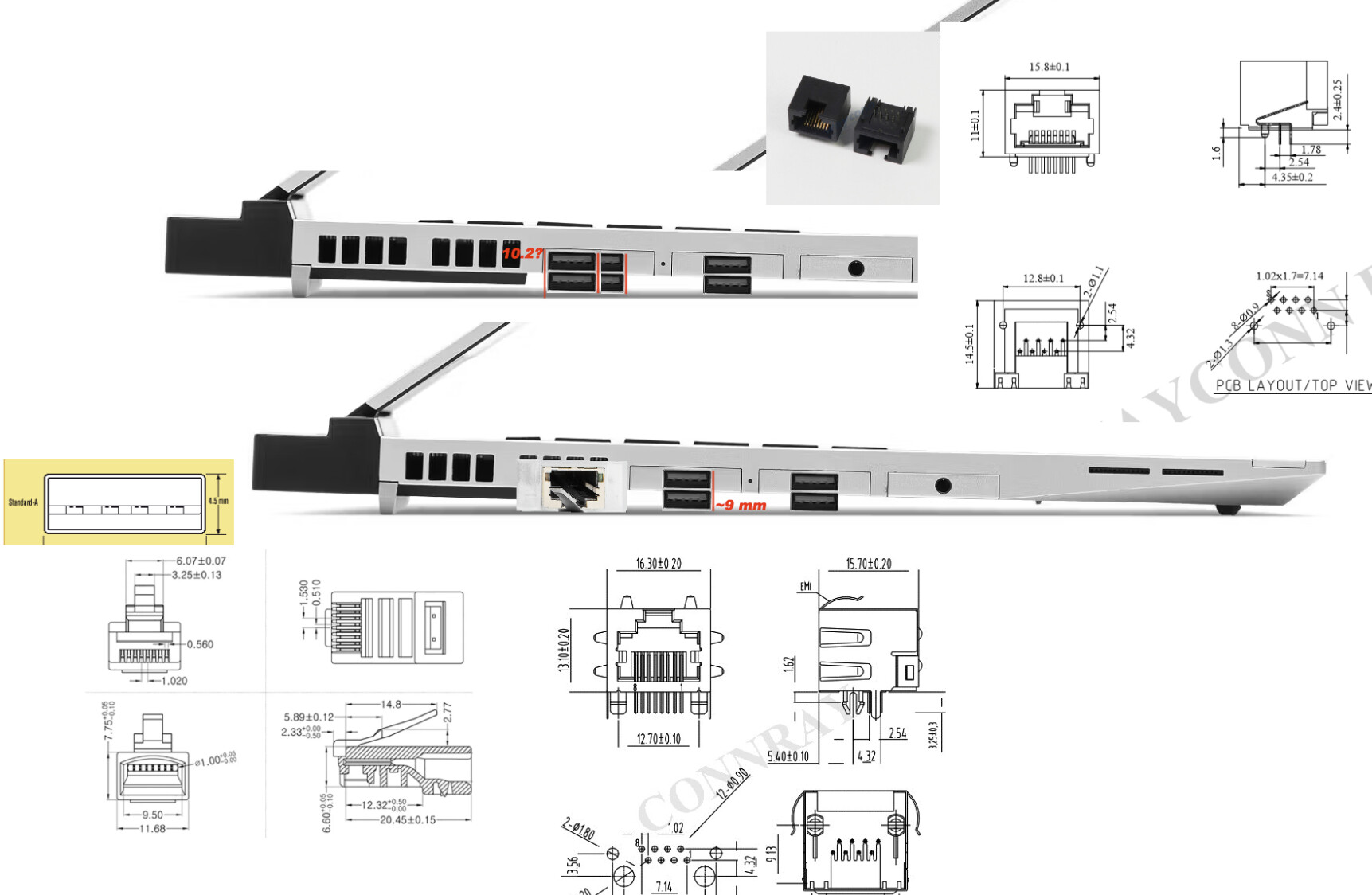
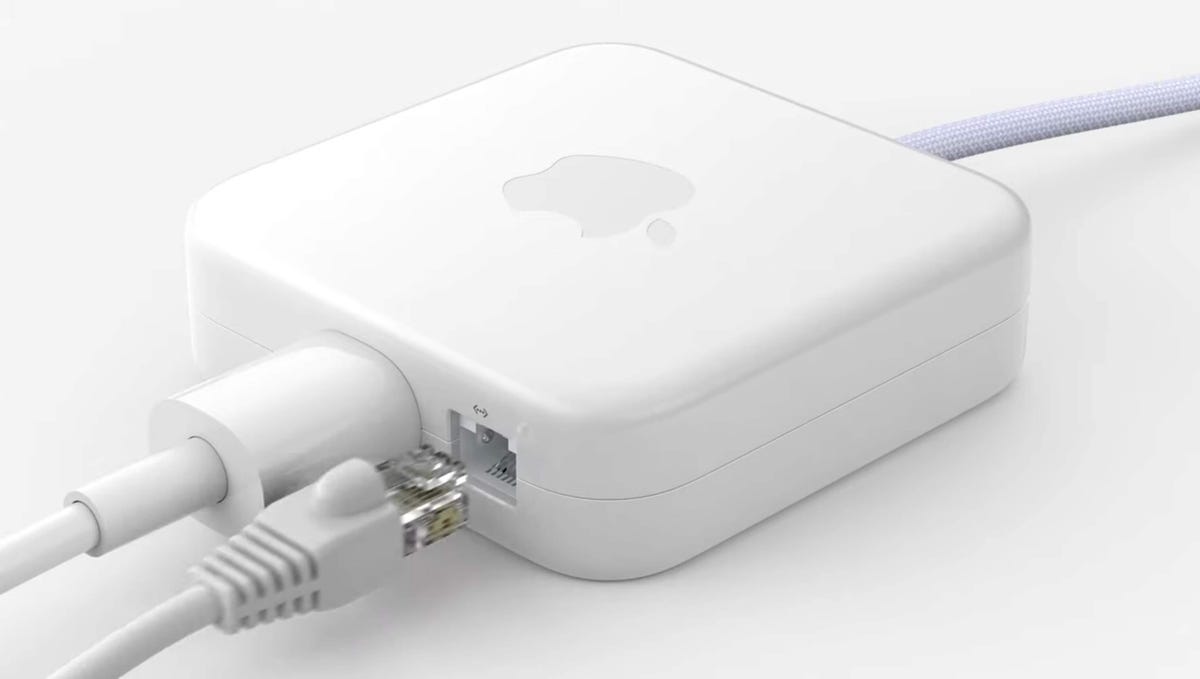
RJ45 is just a connector spec. Ethernet (copper) is a signaling spec built on top of that connector with particular rated wires connected to it.
USB-C is just a connector spec. However signaling that is possible over it is drastically different than ethernet (and much shorter distance), so there has to be an actual chip in there to provide the necessary PHY/hardware.
So USB-C connector is not appropriate for a network connector in and of itself. Has no retention clip to ensure it stays in place for one thing.
So no, a “USB-C” cable can’t replace an ethernet cable. They aren’t designed/intended for long range (up to ~100m/~300ft) communication. An appropriate USB-C ↔ ethernet dongle, whether in cable format or just a short connector is quite viable, although I question that the longer cable format can actually sustain 10 Gbit copper ethernet, although chips have gotten a lot more efficient and cooler lately. I question it’s sustained throughput, but that’s a matter of testing.
And while I agree in the home most people will be satisfied with WiFi 6e or 7, it’s definitely no replacement for proper wired networking in many cases. I’ll agree 1Gbit ethernet is mostly sufficient for vast majority of homes.
So I definitely support you using whichever cabling/dongles that suit you and your needs, I disagree that “USB-C” is the only thing you need.
And I agree that while serial/UART is very useful, built-in is not that useful these days, which is why there is the USB ↔ UART adapters out there all over the place. But that is still quite useful, especially to hobbyists and communicating with small embedded things, since it’s so simple to do in hardware.
There might be some @PantheraIgnis mentioned the part number
FUJ:CA52303-3751
I found it in a few places, one even allows buying just one (well, there is also an eBay seller that only has 1 so it doesn’t count) as a regular shop https://www.lambda-tek.eu/shop/?prodID=B47741186
It may not be cheap but I think it should enable a prototype for the module, and to be honest if Fujitsu produced them and a prototype showed that this solution is be comfortable enough to use (from the get-go it’d surely be a more comfortable than an XJACK solution, that could be easily mangled by an arm) I don’t see why Framework himself could talk with Fujitsu and make the same 2.5Gbps Expansion card in a format that not protrudes, I assume by now there should be out there small enough components to use that connector and create a 2.5Gbps Expansion Cards within the size contrains of Framework’s expansion cards
That looks to me like the blue portion of the connector hinges up when you insert the mating (standard) RJ45. I think you will find that when you have the cable plugged in the overall height won’t be that much different to a standard socket.
IIRC Dell also had a similar connector on one of its slim laptops.
Then if Framework ever release an 2nd Ethernet expansion card with this jack, I’ll totally get one. I like the idea of being able to leave it in the laptop and only use it when needed - one less expansion card (or realistically a dongle) to carry around. The current one I can’t leave in because of the protrusion.
I second this question. Any updates on this project? I’d love a low profile expansion card, especially if someone can get folding version working on this. I just got my laptop and the ethernet expansion card, to me, is extremely bulky and ugly, especially since its uses a see through plastic.
Somewhat tangential: There was this person that made a “slimmer” ethernet card. It’s still full sized compared to the goals here, but there still is interest out there.
Thank you for posting this. I printed it out and modified my ethernet module with it. Perfect for my set up that has a laptop riser under it that was not completely even because of the ethernet module protruding below the laptop a bit. This fixed that.
Same argument I have with making a serial interface expansion card. You may as well use a dongle, then when you don’t need that connection you have a USB port available without fiddling with expansion cards.
yea thats exactly why there are only so many different ports that make sense as an expansion card and i think frame work has pretty much reached the limit of what makes sense.
personally i would like to see another m.2 slot added that could be used for a 5g modem but thats about it.
this is the argument against any and all expansion cards. While I agree that it may be too low of quantity for Framework to make 1st party, I’m sure there are people who will be using a serial connection 99% of the time, and only sometimes want the ability to swap it out, therefore don’t want to use a dongle. I honestly have that with my work computer, where I am very commonly using a serial debug interface and currently use a dongle, but would honestly prefer to just have the interface on my laptop.
Actually, the one limitation the Framework 16 might not share is the space between the bottom of the card and the desk. When the currently available dedicated GPU module (Radeon RX 7700S) is installed, it raises the back of the device by quite a bit, to allow for more space within the module itself as well as more airflow underneath the laptop. I wouldn’t be surprised if a full-sized Ethernet port would fit comfortably between the top of an expansion card slot and the desk.
Has anyone explored mounting the RJ45 connector to the far side of the module? It’s certainly convention to center the port, but having a minimal fold-out mechanism to support the locking part of the connector while also being on a far side of the module would, at the very least, allow for some configurations of this to potentially work.
The Framework Laptop 16 is uniquely capable of handling a thicker expansion card when deployed for an Ethernet cable like this due to the added height in the rear the dGPU expansion offers.
You can see in this very rough mockup that there’s potentially enough room on the furthest ends for Ethernet when using the dGPU expansion. It’d definitely be better on the FW16 to try and build Ethernet somewhere into the expansion bay itself than try and make it work with the current module system (you definitely could do this along side a number of other ports on the normal fan bay), but I think it could still be done with just the right amount of compromise. Plan to get a FW16 this December (batch 3, woo!) so we’ll see if these measurements make any sense then I suppose.
I bought a broken Fujitsu LifeBook on eBay for cheap, and took the module out…
This has the full “drawer” assembly, which apparently is a Slip Rail.
As you can see, it takes up most of the space in a FrameWork module housing (see attached image).
I also bought the smallest USB-C to Ethernet adapter I could find, and removed the housing (see attached image).
Not that I really thought I could re-use the innards directly but, mostly, to see what all is involved. There is a fairly large (what we believe to be) opto isolator on the other side.
The point is it’ll have to be two internal layers, and the module housing is not thick enough. Well, I measured to see what is the max thickness that can be used but not “bottom out”, and it seems to be 9.6mm (at least on the FrameWork 13) (see attached image)
Yes, the irony is not lost on my that the goal is to make sure it doesn’t stick out, yet it will stick out vertically in this solution.
I don’t have the chops to design my own PCB and fab a controller board, though.