Do anybody knows a 1,5 meter cable working with the minisforum DEG1? Shipping to the EU?
Word of advice, I tried the same thing (i.e. getting a longer cable) and it did not work. I also found other people over at EGPU.IO and they also mentioned that other cables did not work. Current consensus is that most likely the DEG1 does only work with the minisforum cable that comes with it - unfortunately.
1 Like
It is just a cable. I don’t understand it…
Simple !
The longer the cable, the lesser the integrity and the worst performance (if it ever works)
1 Like
This cable is carrying signals that are not meant to be carried distances longer than 30cm, and when it’s carried those distances, it normally is being done via high-quality traces on a printed circuit board which do not change shape. It’s also normally supposed to happen inside a big metal box which shields the signals from radiowave interference to a high degree.
When you instead try to carry it via a cable, the characterstics of a cable start being important: how long does the signal need to be carried, how good is the radiowave shilding on each individual pair of wires within the cable. How good is the medium those wires are made of and are they precicely the same length as each other. It’s really easy to eff-up one or more of those things, but even if the cable is functional, it’s normally tested inside a server enclosure.
2 Likes
Thanks for the explanation. So the problem is the length, more surface for radio waves to “attack”
But when I follow the oculink topic correct. Then this seems to be only a problem for the DEG1. So that surprises me.
I doubt it’s only a cable quality issue as it’s not the first time I see the issue mentioned for the DEG1. I suspect there is a pin difference that make any “standard” OcuLink cable incompatible with the DEG1.
1 Like
Like @Francis mentioned, this could be two different issues. Maybe DEG1 requires specially made cables. But in addition to that, the cable quality plays a role with every OcuLink eGPU. For example, my cheap non-DEG1 setup doesn’t handle PCIe Gen 4 GPUs limiting me to Gen 3 only right now.

DEG1 using a Micro SATA Cables oculink cable, did not make lot of testing but for what I saw it was working fine.
3 Likes
Well I have both the DEG-1 and a cheaper board with no retimer/redriver whatsoever. The DEG-1 works with Gen4 on both the ~50cm cable that came with the DEG-1, and the ~30cm cable that came with the cheaper build, the other barely ran at Gen1 (with only 2 of the 4 lanes working at all) with the shorter cable that came with it (won’t set it up again just to test the DEG-1 cable, I doubt it’ll make a difference)
I’m a little late to this thread.. but followed suit on setting up an eGPU with the DEG1. I am using a 9070XT and got everything to work. And when it’s working, it works great. My problem is I experience random crashes that I can’t seem to determine why. Might happen 2 hours after gaming, might happen in first 5 mins of boot sitting idle at desktop. Has anyone else experienced this and found a fix? I check windows event viewer and can’t find any specific reason. I already uninstalled and reinstalled the driver. That didn’t seem to help.
My thought was that it may be intentionally by Minisforum, or it may be in some way a “cheap” solution which somehow prevents many other cables from working.
But it is really interesting to see that some people got some kind of cables working. If you could post links to the cables that you got working, then I will upload it to egpu.io too as some people there have the same questions and are searching for cables that work.
I have, however, not seen any OCulink 4i to OCulink 4i cable that worked and was longer than the minisforum cable that comes with the egpu.
Make sure you wait a couple of seconds between turning on the egpu and turning on the laptop. And maybe try error 43 fixer once in addition even it is connected. This worked once for me when I forgot to wait about 5 seconds before turning on the laptop after turning on the egpu.
Funny enough, I read about needing to power the dock before boot with this setup. However, the dock doesn’t even power up when I press the button. Confused, I booted the pc and it automatically powered up the dock and everything connects just fine. Still random crashes though. After literal days of troubleshooting with many attempted potential fixes, my last ditch effort moves away from the software side and is more focused on hardware end. I’ll be picking up a different psu today from the store. If that doesn’t work, I’ll probably just RMA the card and scrap the egpu project.
This video gives a short overview of the steps to follow to turn it on: https://www.youtube.com/watch?v=wsmFcbWMCDU&t=754s
If the DEG1 does not power up once connected, once the psu is on, and before the laptop is on, then there may be a problem with the egpu itself.
I cannot guarantee the stability of it. I did not test it enough, I installed it, did some tests and removed everything, it’s to plug on a Framework Desktop that I do not have yet. It was running only at PCIe3 too because of the M.2 port limitation. I have gone with what seemed the safest bet but it is quite costly.
The cable is 50cm.
3 Likes
I should probably provide an update since I seemingly forgot to in this thread.. after days of troubleshooting and replacing my psu, everything seems stable now. My psu must have been faulty. Grainy image as it was a quick snap with my phone and not a screenshot (I know, I know, but I wanted to text it to a friend) but here was a quick test and result with the 9070XT, factory settings. Runs great for me, like playing on a desktop and I couldn’t be happier.

4 Likes
I love your setup and thanks for sharing the stl files. How were you able to make a clean cut of the expansion bay shell for the ioshield?
Framework has all its CAD 3D models available on GitHub. By just downloading the expansion bay from there, I had all the correct measurements and more. I then downloaded an Oculink female connector from elsewhere, and rest is trial and error. I used FreeCAD to make the cut.
1 Like
Hi everyone,
I am a total beginner with eGPUs, but I like DIY projects and was looking for a setup that is easily transportable between countries and easily upgradable in the future.
Here are some things I didn’t understand before making a mistake, which might happen to future readers, so I’m sharing my experience.
I went with a Framework 16, an RTX 5080, and an AOOSTAR AG02.
My first mistake was not realizing that the M.2 to OCuLink adapter would not fit inside the Framework 16 due to the thickness of the port.

You’ll want to buy the longer adapter that allows you to route the port outside the Framework’s chassis. (Even with this, it’s still a little too thick to clip in fully, but it’s a minor issue, so I’m fine with it.)
First attempt: RTX 5080 + AOOSTAR AG02

THIS IS NOT WORKING
At first, I encountered the “Code 43” error, which is apparently well-known in the eGPU community. I tried various fixes, but the card, while appearing in my device list, always had a yellow triangle icon next to it. After trying many options, I came to the conclusion that the issue was an insufficient power supply.
I initially chose that setup thinking, “Oh, this is a clean solution; I like it.” But not if it doesn’t work! 
So I switched to: RTX 5080 + MINISFORUM DEG1 + ASUS ROG Loki SFX-L 1000W Platinum

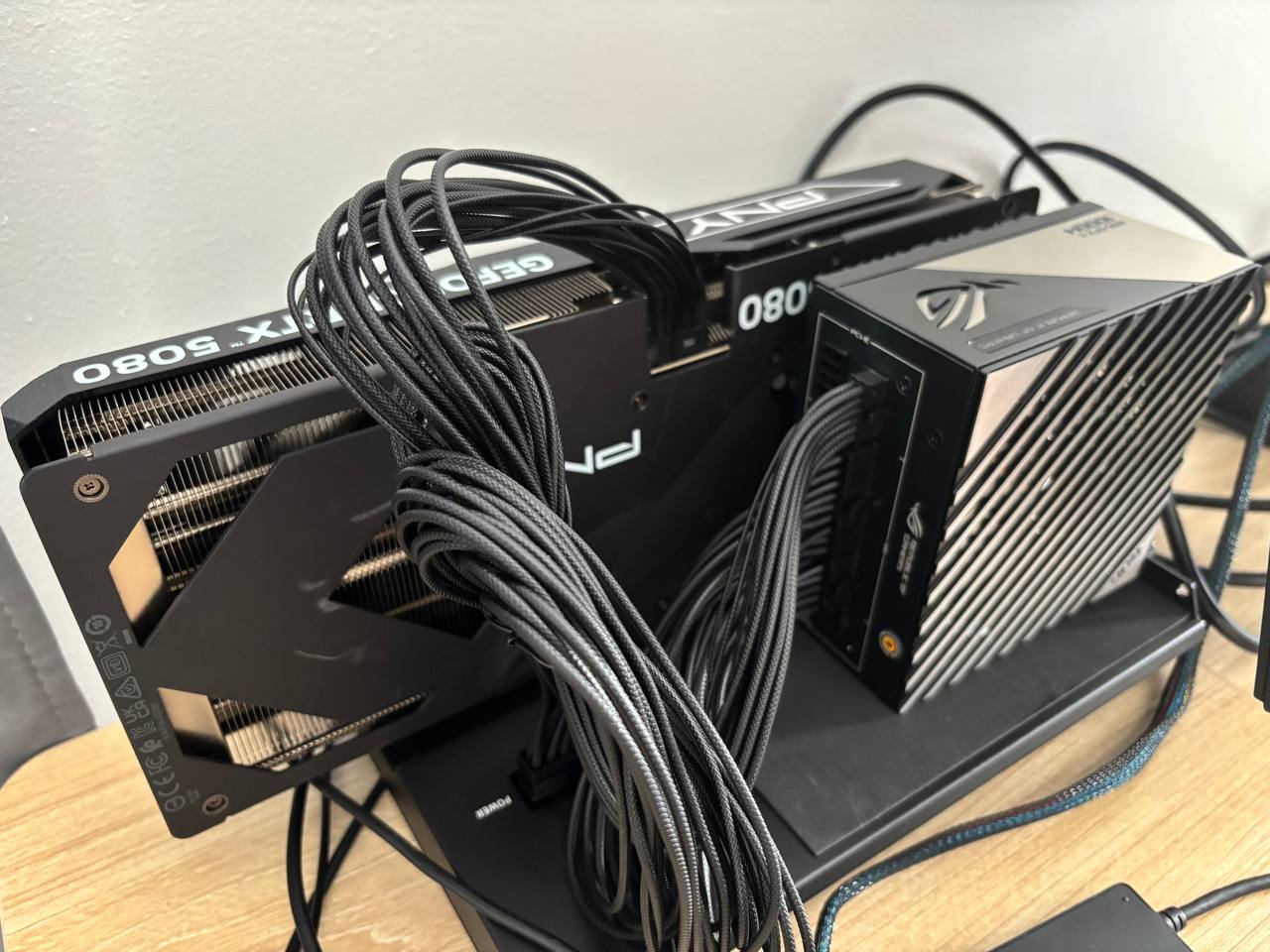
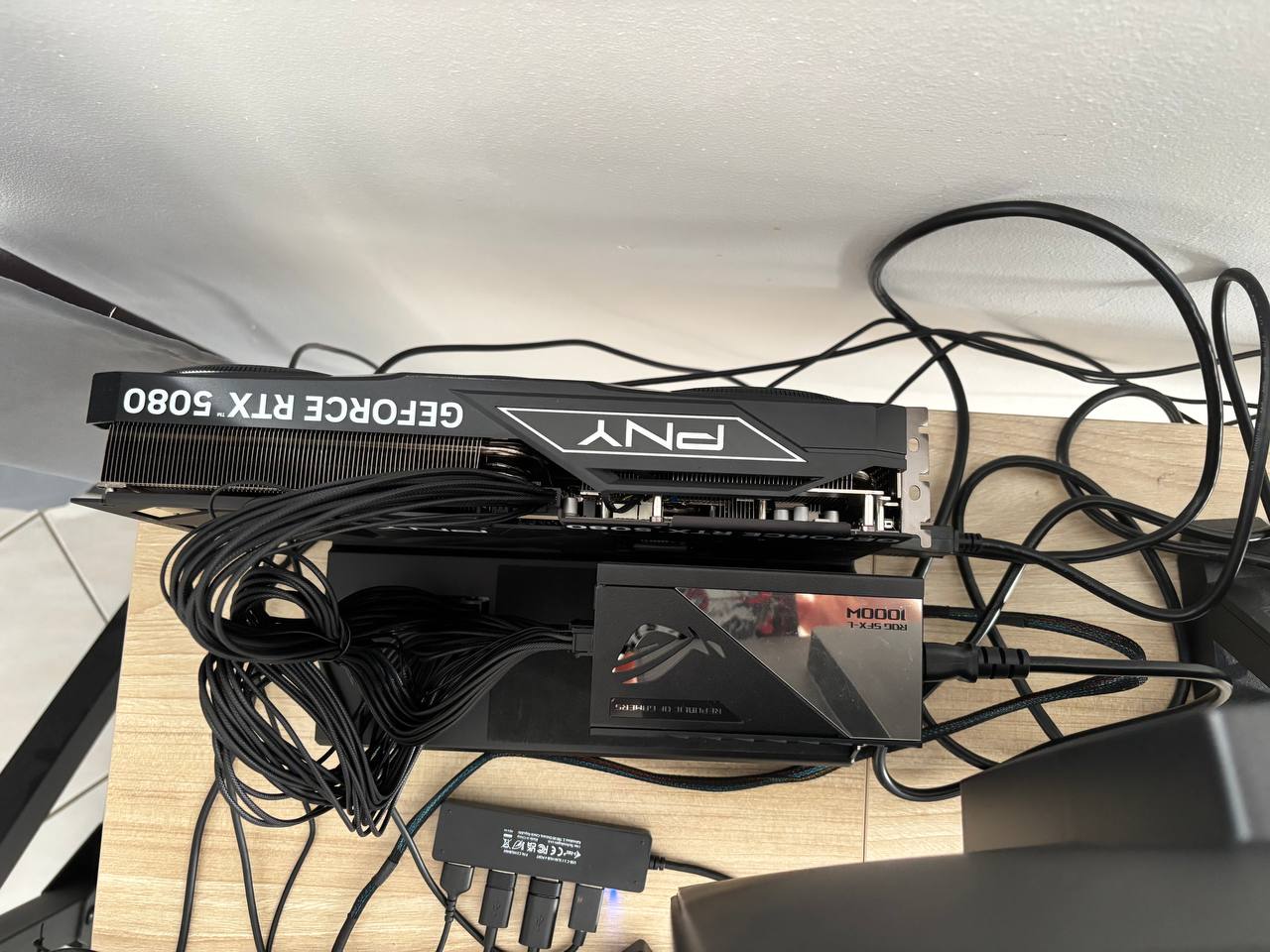
And this works perfectly! I am super happy  !
!
I hope this will help!
2 Likes