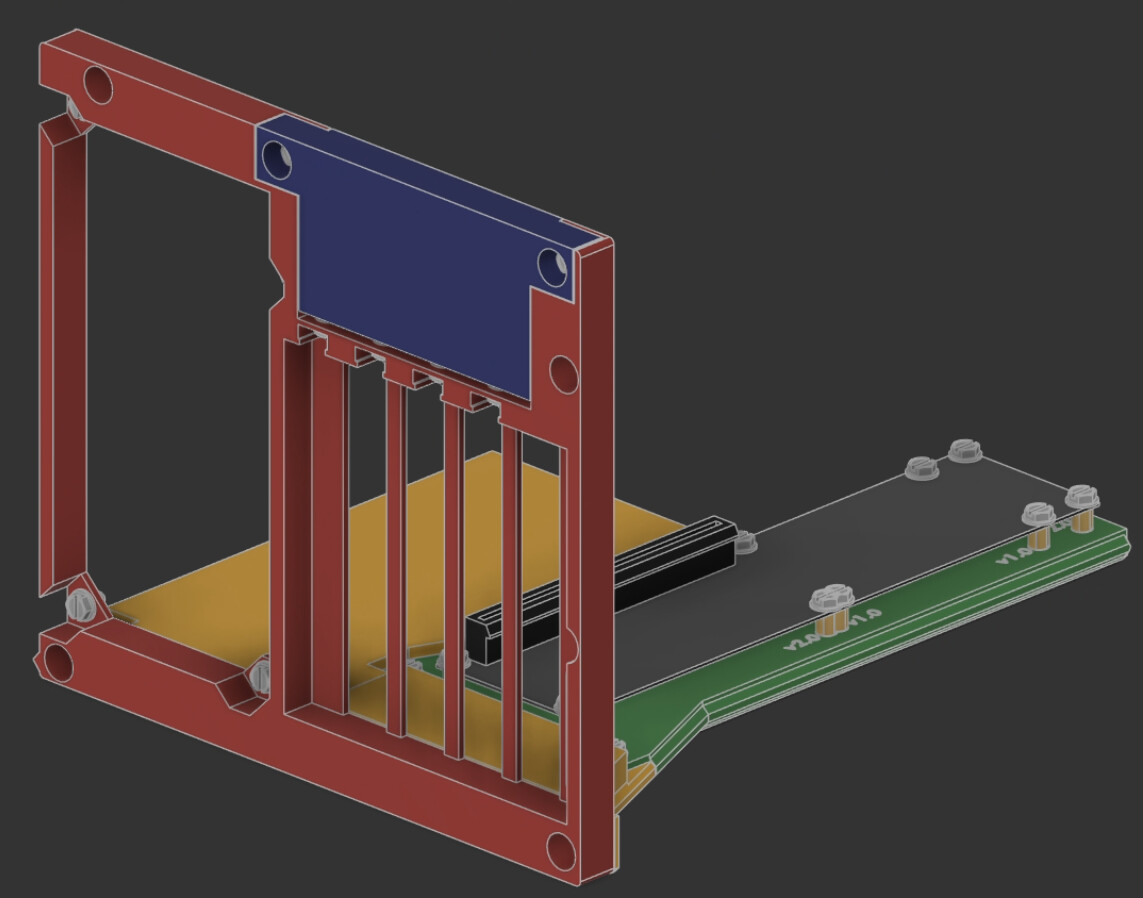
Please note - I have not printed this yet. My printer nozzle is still clogged and I won’t likely have time to fix it until this weekend (probably Sunday). As such, I can’t guarantee things will fit perfectly - so if you want to keep your prints to a minimum (either to save some cash on extra filament, or because you’re leaning on a buddy to print it for you), you may want to wait until we’ve got some confirmations (either from the community or from my own tests next week) that everything is fitting together.
I also will be modifying the design slightly to make it even easier to print (rounding some corners/etc), though unless there’s something particularly wrong with the current designs, this revision should be compatible with the shell I’m still working on and future versions of the existing components.
Also realized when I uploaded it that I didn’t make blank PCI slot fillers, so you’ll have to source your own or run as blanks for now. Given there’s no shell yet, I don’t imagine this will be a problem for folks.
I very much want to print this but as you said, I lean on a friend and I’d feel really bad if something didn’t quite fit together after having them print for me. Still on the fence at this time. Might wait to see if someone else can print and test first. Question: I’m using a standard ATX psu so I wouldn’t need to print any of the “optional adapter”(s) right?
Good news is I should be able to test things in just a couple more days.
Correct, with an ATX PSU, you would skip the adapters (and use less screws & nuts to boot). I considered making different back plates specifically for those, but went with this route to enable more versatility at the cost of some additional parts. Wouldn’t be hard to make alternative back plates later though.
Thanks for sharing the WIP model. I just printed the Mount Sled… not the best print quality (my printer still hates PETG), but it fits well with my board (v2.0). I used some plastic washers because the screw heads are a little bit wide and would have contact with some parts otherwise.
So I guess I can start the print of the other parts and hope, they also will fit well
Ah, a fellow sufferer of the 600 MHz issue —I’m sorry to hear that.. Unfortunately, I haven’t found a fix for myself yet.
I’m curious to see how the support ticket turns out and whether Framework can provide support. Please keep us updated.
Unlike you, I have an AI 7 350. But I tested mostly with the 6900XT, the same GPU architecture as yours. Maybe it really has something to do the ReBAR or the driver/firmware of this series or the GPU (or CPU series) which crashes/slows the EC…
I don’t know whats the thing with my Nvidia GPUs I tested, but maybe they are simply to old (GTX 750 TI and GTX 760) because they have different symtoms. I don’t trust them at this moment.
Maybe I will grab the 7900 XTX from my other pc to test oculink with it to see what happens. I haven’t wanted to do that yet, because it was too expensive and important to me to use for experiments. But I’m interested, if it makes a difference.
So i got my broad from @Filip and windows and linux pick up either gpu i have attached (3070 or 4070) but my monitor is not getting any output. I have the 7840HS and the NHGK 8i to 16x board. I have a 100cm cable and i looked over the forum and saw 50cm is the limit. i have a 50cm cable on order. If anyone has suggestions if not I’ll wait for the 50cm cable.
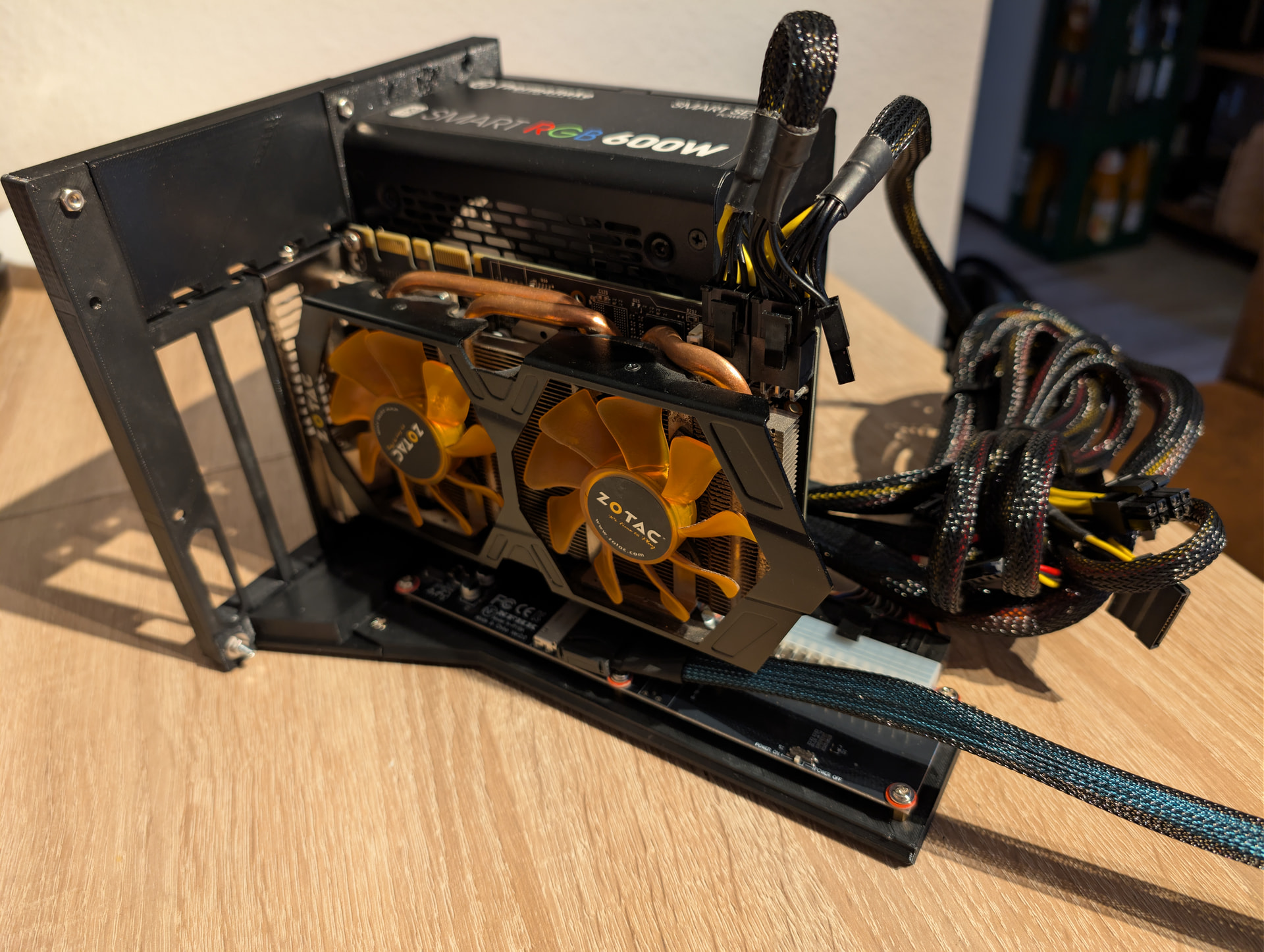
Ok, I finished printing the other parts and got it together. It took me a little time to connect the Mount Sled to the Sled interface. Unfortunately, I couldn’t plug the 24 pin ATX power cable into the socket with my Seasonic Prime TX-750 power supply (SSR-750TR) because it’s a bit too long. But it works fine with another ATX power supply. With both of them, the top-left screw for securing the power supply was a bit of a challenge. It felt like the hole could have been about 1 mm higher. But hey, everything fitted at the first print Amazing work.
Edit:
I also tested my 7900 XTX, but it also trottles the cpu to ~600Mhz.. I also used a new 50cm cable without any sucess.
That seems like a cable issue to me since GPU-Z does not seem to be reading all the data from the GPU, so there’s something odd going on with the PCIe link.
Oof… That ATX overlap is going to be tricky to solve while keeping the overall shape consistent. Might not be compatible with future revisions after all. I’ll have to think on that a bit.
I could separate the PSU from GPU more, but to do that enough might make it hard to print on smaller printers. If memory serves, I have more vertical room to play with - might just move the PSU up and make the whole thing 1-2cm taller. I’ll take a look next time I can pop open the model.
Update: I checked, and yep, I have room vertically to expand. May actually make it a bit easier to keep the shell attached, but will increase the height about 14mm. Think I’ll make the outside a square since it’s so close anyway - shell will be something like 198mmx198mm.
No docks for 8i to my knowledge. 8i is a very recent thing (niche) in itself in the west. Which is why the community has been not only developing the boards but also designing docks too.
So I troubleshooted with @Filip and it turns out I had upgraded my bios. So do not upgrade above 03.07. I have 04.06 and the board would pick up the GPU but no monitor output. And gpuz wouldn’t read values for the clock and memory.
So that’s the 2nd confirmed issue with the latest BIOS. I have a similar issue, but for me the GPU was not detected at all. This is really the reason why I am excited about the official board since this might result in some BIOS improvements that fixes these issues.
Just tested my 100cm cable and it works with @Filip board.
As for the Framework Oculink accouncement. This is now what rubs me the wrong way. I recall they initially said they would not be making oculink and its up to the community. And we went out and did it. But now it looks like a bios update can break the hard work. Now how do we go about fixing it? We dont have access to the Bios update to know what was changed or what would cause this issue. So how do we troubleshoot? As far as i understand we are just passing through the pcie lanes from the interposer connection to a oculink port. We aren’t converting the signal from like pcie to usb so why would a bios update break the signal. How is the community supposed to feel safe developing products when they can break with an update. Do we just never update our bios? What if there is a bios update that adds a feautre we want/need now we have to choose between our community developed solution we wanted and having that new bios feature?
I feel like at a minimum Framework should have a dedicated time to work with the community member heading a project for say 30 mins or and hour to help ensure the project works. Like Every friday at 3pm is community support time. If they have 3 engineers/designers, each one could help a different project for 30 mins to an hour.