Hi, I’m interested in the Framework PC but the lack of an oculink port is disappointing and a deal breaker for me.
What options do i have to add one?
I guess you have options as far as getting an oculink internally.
1 . Use a pci-e card that has the port internally since framework pc doesn’t expose the pci card outside the case.
2. Take up one of the nvme slots to an oculink adapter.
I would prefer one, if not I’d have to get another pci-e to nvme card to add more storage
What options other options are available?
But now I have an oculink cable inside the case with no way to connect to it externally. What options exist? Would be great if one of the expansion slots could be used.
Any ideas, parts that would make this a reality?
I know the mainboard is a standard itx, but at that point what benefit does a framework desktop offer? I like the small form factor case and would like to support that.
Assuming this remark means you are buying the case from Framework as well,
Where on the case are you going even going to expose it?
I’d drop that idea―been burnt by shoddy signal integrity for PCIe 4.0 with OCuLink cables on many occasions. Every mating interface you add to the chain further degrades the signal integrity.
For maintaining PCIe 4.0 signal integrity, I highly recommend Micro SATA Cables’ and Serial Cables’ adapters and cables.
The modular front panel is an interesting idea. While behind the squares is a metal case. there might room on the left vertical slot in this image. It looks to be removable by screws.. Would be nice to hide the oculink port behind it when not in use.
I gonna test my oculink setup next week but it seem a bit confusing to make it work optimally. My understanding is to get an adapter with ReDriver and a passive cable, eGPU dock may have a cable with it so you can try that out first. It seem you want a short cable to not degrade the signal and possibly a shielded cable. I’m getting a Micro SATA Cables adapter and cable. Here is what I got:
For your cable management I do not know, I’m making a frankenstein computer with open case and plan to reuse the same power supply for the ePGU with a splitter for the 24 pins. Pass the cable through a hole somewhere is what I would do.
Those products linked above is basically how I did mine.
For future-proofing, I would suggest the PCIe 5.0 redriver adapters with MCIO cables. There are MCIO-to-OCuLink cables as well.
Exposing an OCuLink port is not my expertise, however. I don’t know if OCuLink was meant to be an external connector, although the market says otherwise.
Seems redriver is necessary to boost the signal.
This card might work instead. pci-e x4 to oculink 4 lane
I think the framework desktop only has pci-e x4, not x16.
This is pretty much certain. The only time I have succeeded in getting an OCuLink connection to work (and only most of the time) with a passive adapter is with a 25-centimeter cable.
There’s no such thing as PCIe 5.0 over OCuLink. OCuLink was never defined for PCIe 5.0 speeds, and even PCIe 4.0 might not be formal.
You risk instability. If you turn on AER (advanced error reporting) you should be able to see how often recoverable/unrecoverable errors happen over the wire.
what cord did you use to connect the pci card to the cards mount / interface? I’ve heard youve got to use the right kind of non passive cable for it to work correctly?
The cord is permanently attached to the K993G board, this cord connects the the BK7 inside the Framework case.
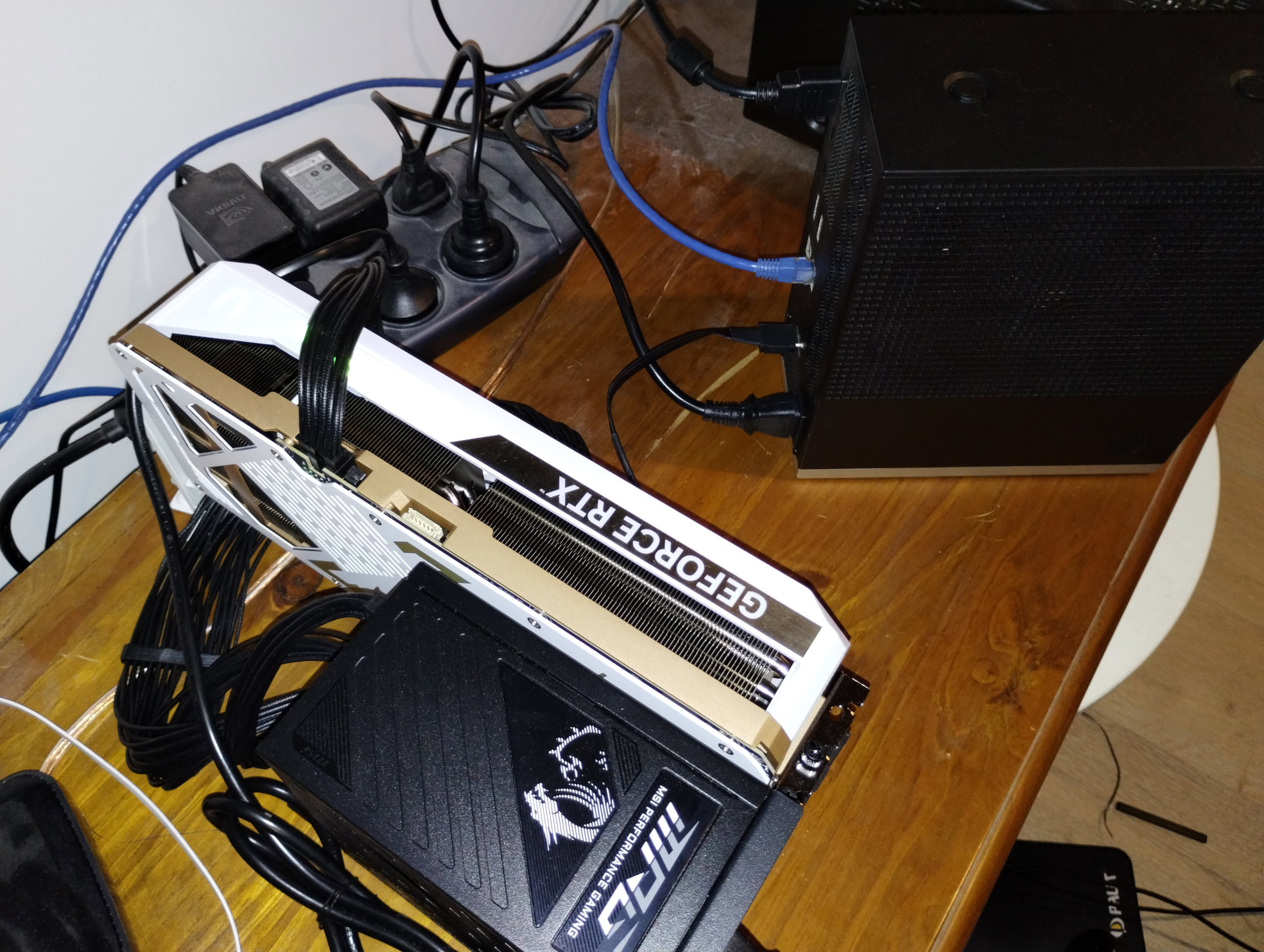
I was aware of the other threads around hear about needing to get a expansion cards with the redriver functionality but i was never able to find results that it did fix the supposed loss or signal integrity. This is why i just bought the egpu package with the 30cm cable and posted the results here.