I have a small wall-mounted rack;
Will I be able to put this on my rack ?
I wonder if there’s some accessory I can purchase to make it mountable.
1 Like
Are there mini-itx cases for your rack form factor? Any of those mini itx cases should work for it.

I do remember that picture.
I have that rack myself. good 10" rack for sure.
How are you powering those mainboards? I assume you have the Flex ATX or SFX PSUs tucked away behind the rack, yes? Or maybe you’re being a bit more clever than that?
Or maybe you’re being a bit more clever than that?
Our Flex ATX power supplies zip tied in the back 
We’re working on something nicer.
3 Likes
Don’t knock the ziptie or velcro cable wrap. If it works it works. 
Though if you end up making 3d print files for a more elegant mounting solution i would love to get those STLs onto my Prusa XL.
Its a shame because the framework desktop case almost fits in that rack. Its too tall to sit on its side by only 12mm. Might be possible to do some squeeze one it by sliding it back ~20mm to clear the front and rear vertical mounts but its hard to tell without having both to take some measurements of. Otherwise it takes up 6u to stand up vertically because its basically 5.1u tall 
this one?
so the board fit in 2U height ?
RackMatic - Boîtier châssis rack 19" IPC mini-ITX 2U 4x3.5" profondeur 360mm : Amazon.fr: Informatique can work ?
the bare board does fit in 2u of space with the cooling fan installed on the included heatsink. You’ll still need to mount the flexATX PSU sinde the 1" rac trays for itx motherboards dont’ usually come with mounting points for those, but that’s a problem 3d printing or zipties can fix.
1 Like
This one have more room for aire flow and spaca at the back for PSU and more … Or have 5/6 boards …
Anyone heard of or know of a 19" rackmount setup that can hold 4x Framework Desktop mainboards? Likely would require rails but that would be a nice setup for those with larger racks. Most of the discussion about racking and Framework Desktop mainboards is focused around 10" racks.
4 Likes
Have you found anything about this? I have two framework mainboards that I want to rack. For good clearance above the fan it looks like I need a 3U chassis, and 6U for two of these boards just feels wasteful.
look 2U is good… (yes I Know it is not for a 19" rack…
I haven’t found anything for 19" racks, just some stuff for 10" racks.
1 Like
I’ve found two cases that let me fit 2x Framework Desktop motherboards in a single 2U chassis, but both have compromises that I’m not yet willing to give up on. I have the cases and motherboards in hand, I’m test-fitting things and trying to find a solution.
The 2 cases in question are:
-
Rackchoice 2U / iStarUSA : Amazon.com: 2U Rackmount Case for Dual Mini-ITX MB 14" Deep : Electronics
-
Circotech RM-2270 : Amazon.com: Circotech RM-2270 2U Rackmount Case for Dual Mini-ITX MB 14 Deep : Electronics
The FWD PSUs fit fine, but you’d need extension cables for both CPU & ATX connectors. If you plan to mount fans on the heat sink (vs just using high-flow/pressure front-2-back server fans) they would need to be the 120x15 low profile fans (and you’d still need some decent front fans since the 15mm fans don’t meet FWD fan guidelines).
Of those two cases, the Circotech is a little nicer but I don’t think the difference is worth the 2x cost unless you’re a little OCD about your homelab (I am  ). The Rackchoice flip down front is awful, just remove it.
My scenario wants to also fit a PCIe NIC, either 2xSFP28 or 2xQSFP28. These would either be regular 25G/100G Ethernet, or maybe a pair of used VPI-capable Mellanox cards so I can experiment with the lower latency of Infiniband. The card in question are all HH, PCIE 4.0 x8 or PCIe 3.0 x8. Yes, I’ll lose a bunch of potential bandwidth going from x8 to x4, but even so, this is about the best a Strix Halo can do. And especially in the case of the Connect-X cards the latency benefit from Infiniband will be fully enabled.
But regardless of the cards, the challenge is where to mount them. FWD desktop heatsink is tall enough that it protrudes into the top-mounted PCIe slot, even with no fan. I’m currently trying to find a good way to mount the NICs internally, beyond the motherboard, transversely, laying flat. PCIe 4x to 16x converters & risers might work, or PCIe-MCIO-PCIe but then I’d definitely need a flex ATX PSU to provide the 75w to the PCIe riser.
Obviously I could wire the two cards P2P inside the case, fine for inter-node comms but I want the option of at least one connector on each node to be able to uplink to my Ethernet switches. And even for Infiniband, EDR/FDR-capable switches are <$1k used so TBH I’d rather the NIC connectors were fully externally available.
So the NIC needs to feed out of the case. I refuse to accept permanent cables just dangling out, these connectors are either SFP28 or QSFP28, so I was thinking of mounting a fiber coupler on the backplate, running a transceiver in the cage and a short fiber run to the coupler. Thoughts / alternate suggestions?
I’ve found some other cases that don’t have these issues, but they would require me to either:
- Replace FWD heat sink with something low profile to fit it in 1U; OR
- Swap to powering the MBs with (one? two?) PicoPSUs
This last option is the most attractive, I’m just not sure where to start looking for 300-400W PicoPSUs. The AliExpress stuff that I found looks incredibly janky. Suggestions welcome!
This is the bigger I know, but only 200W…
I don’t know if we can use 2 of them… and like other PicoPSU you need a 48V external power…
There is this case too Amazon.com: 19 inch 2U Mini-ITX case for Dual Mini-ITX Short Depth : Electronics
but like other didn’t know what PSU to use…
That case is one of the options that I’d found, but it would need a PicoPSU per FWD MB. which I’m fine with doing, so long as I can find something that seems reliable.
The other issue that it has is that to use the HH PCI slot (which is perfect for all the NIC options I’m considering) the card needs to be mounted directly in the PCI slot (no risers). I can’t find any x4 SFP28/ConnectX cards, only x8, so to get >10G (and Infiniband) on that case, I’d need to cut open the end of the x4 connector on the motherboard.
Looked into that a bit, it’s really scary-looking. So… maybe a dumb question but why does everyone cut the end off the MB connector, vs cut a slot in the card itself? Properly braced, it seems a lot safer to cut a groove into a PCI card’s connector (dremeled-out connectors are electrically the same as connectors just hanging out of an open-ended slot). And should an accident occur, I’d be damaging a $160 card not a $1600 motherboard.
Still, if 2x10G was acceptable, that case with something like this card would work fine: Amazon.com: Vogzone 10Gb PCI-E NIC Network Card for Intel X550-T2,2.5GbE/5GbE/10GbE Copper Dual RJ45 Ports,with Intel ELX550AT2 Chip,10GbE PCI Express 3.0 X4 Ethernet Adapter Support Windows/Linux/VMware : Electronics
I like the MyElectronics cases design, they can adapt from a desktop case, to a 10” 2U rack mount, to a 2x units in a 19” 2U rack mount setup. But I’d need to find the right PicoPSU setup and solve the NIC puzzle. Ideally without violence.
I’ve got my Framework Desktop rackmounted so I’ll chime in if that’s ok.
I’ve spent some time on a 3D printable rackmount for the framework. There are a few out there, but the issue I’ve run into is that the standoff height isn’t actually enough for the mainboard’s underside M.2 slot, so the options are either make a cutout for the M.2 (could actually be a good solution), or increase the standoff height to be compliant with the mini-ITX spec. I’ve gone with the latter, and I’ll be printing my next iteration shortly. Bear in mind that the space limitations of 2U (and probably 3d printed part thickness) mean I can only fit a slim 120mm fan, but it has no trouble cooling the Framework desktop.
I’m also powering my unit with a HDPlex 500W DC-ATX power supply, which mounts to the front rackmount 2U cover I designed, and has space for a power button as well. I didn’t think the 200W HDPlex model was quite enough and the next one was 500W, it seems to perform plenty well enough though - even under peak loads.
I’ll hopefully be posting said 3D models on github in the near future, once I can best work out how to do git submodules with freecad models (i’m doing some template stuff so i don’t re-design all my stuff from scratch every time).
~Skyler
1 Like
Nice!
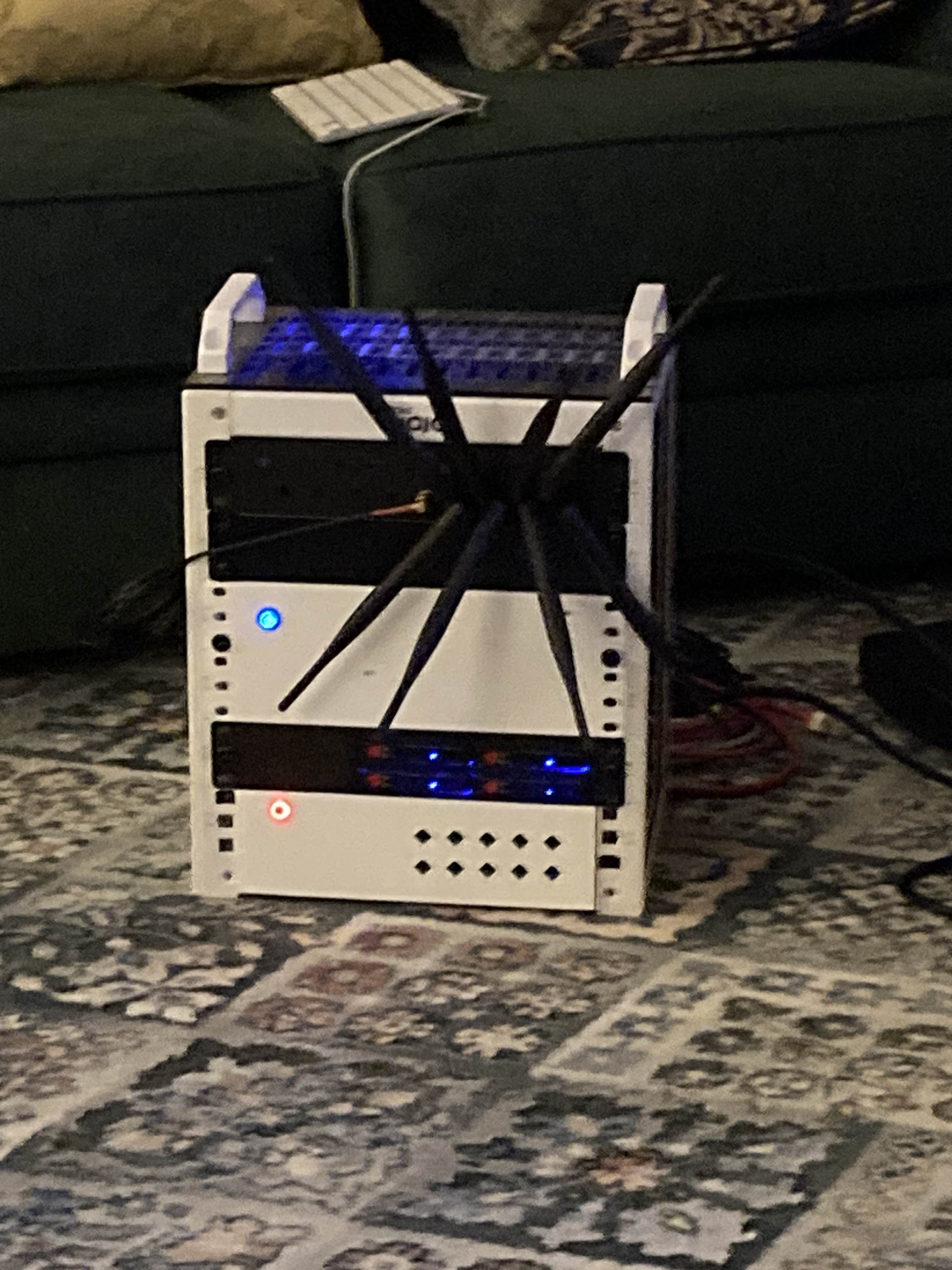
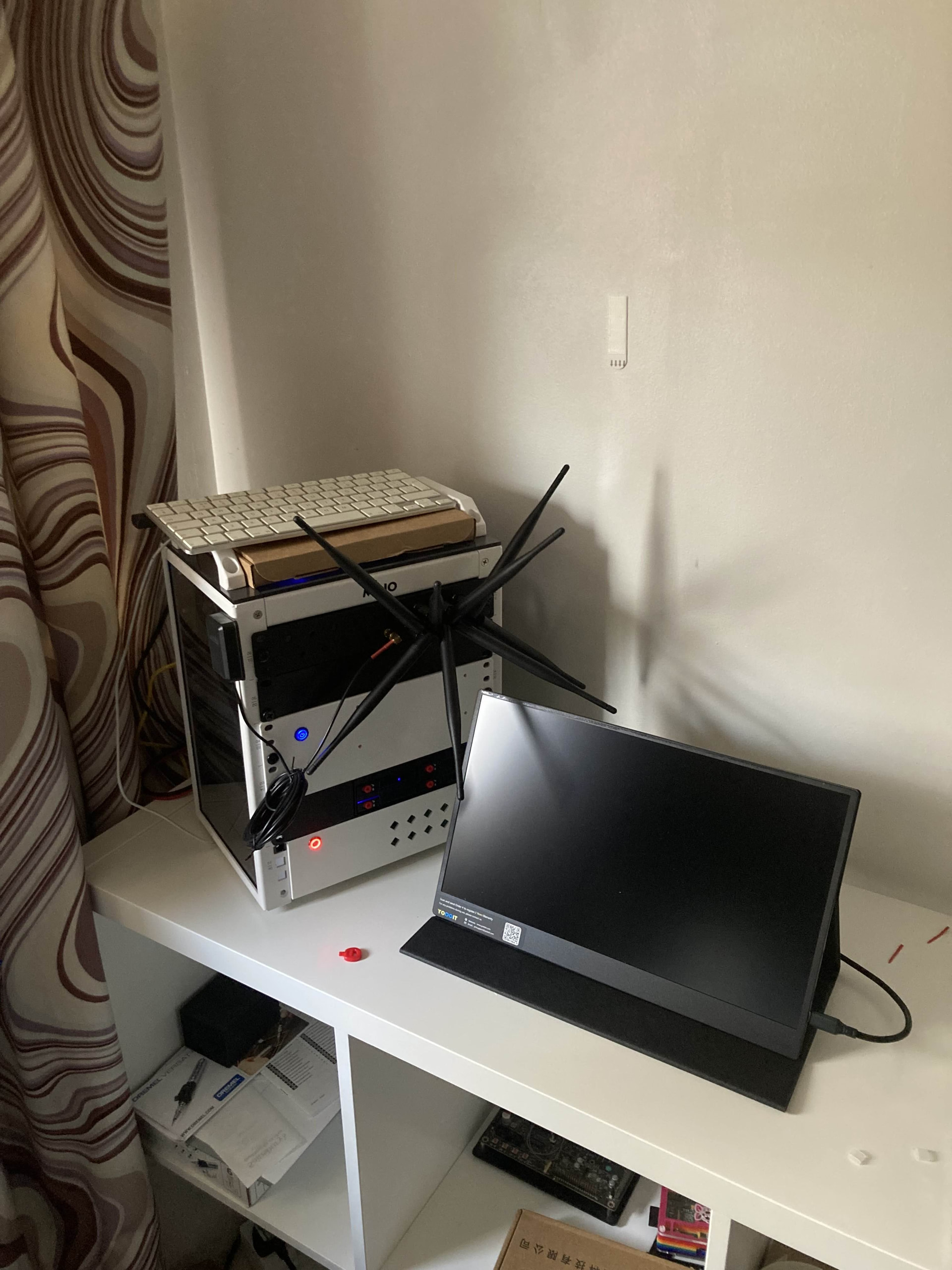
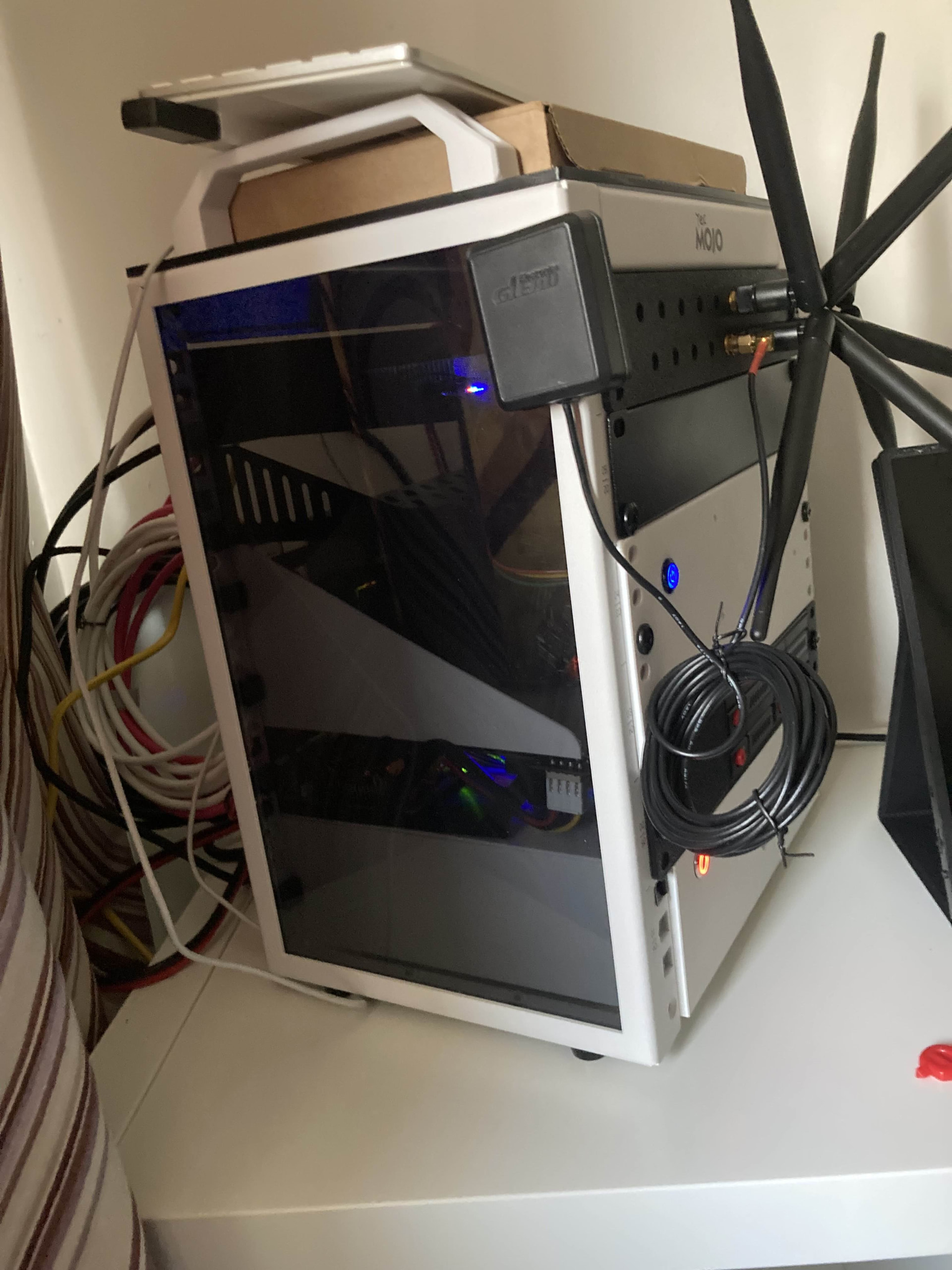
Can we have some photos?
what did you use to “power” the 500W DC-ATX?
Sorry for the not-so-great images, they’re just what I’ve got on hand at the moment.
I’m powering the entire rack with a custom built UPS running ~200Wh of 18650 cells. It has no trouble keeping my router+NAS up and running for about 10h and I can comfortably get ~2h of gaming on battery as well.
I’m working on publishing all the designs and making it a bit nicer, currently the UPS is all cheap off-the-shelf parts as i wanted it done first, and then perfected later. My plan is to design a full switching power path to support the batteries, solar, any kind of power input etc but it’s going to take a while to do that.
The whole rack needs some work and I need to print the final parts still, but it’s in a working state and that’s all that really mattered to me.
Anyhow, hope that satisfies
~Skyler

1 Like