Hi,
the last time I saw the Framework 12 (FW12) it was running low on battery. So far okay. I thought time still is enough, but apparently it was not. So then I powered it on, when I was checking it later to check and it was at the bios startup password prompt. I did not mind much.
However, while searching and connecting my USB c cable it seems to already lost its last power meaning it’s deep/exhausively discharged? At least that’s what I guess?
Anyway, when I connected it now, even the LED will light up. Neither the power button nor the charging LED. I tried with different cables and usb-c ports of the device itself.
If the battery gets too discharged, it might now be dead and you might need a new battery.
The EC does try to recover it though.
Power on the laptop from the power adapter and leave it on for a few hours.
Initially, it will attempt to charge it very very slowly for a few hours.
So, just leave it powered on, and the battery might eventually come back to life.
The BMS is very “smart” to allow the battery to fully drain while preventing it from being charged, killing it. It’s a QC issue. My FL13 doesn’t do that when it’s fully drained, it just force shutdown the computer. The charging goes normally even from 0% so it’s probably random, i.e some batches have the issue of the BMS smartness. An RMA could help in this case
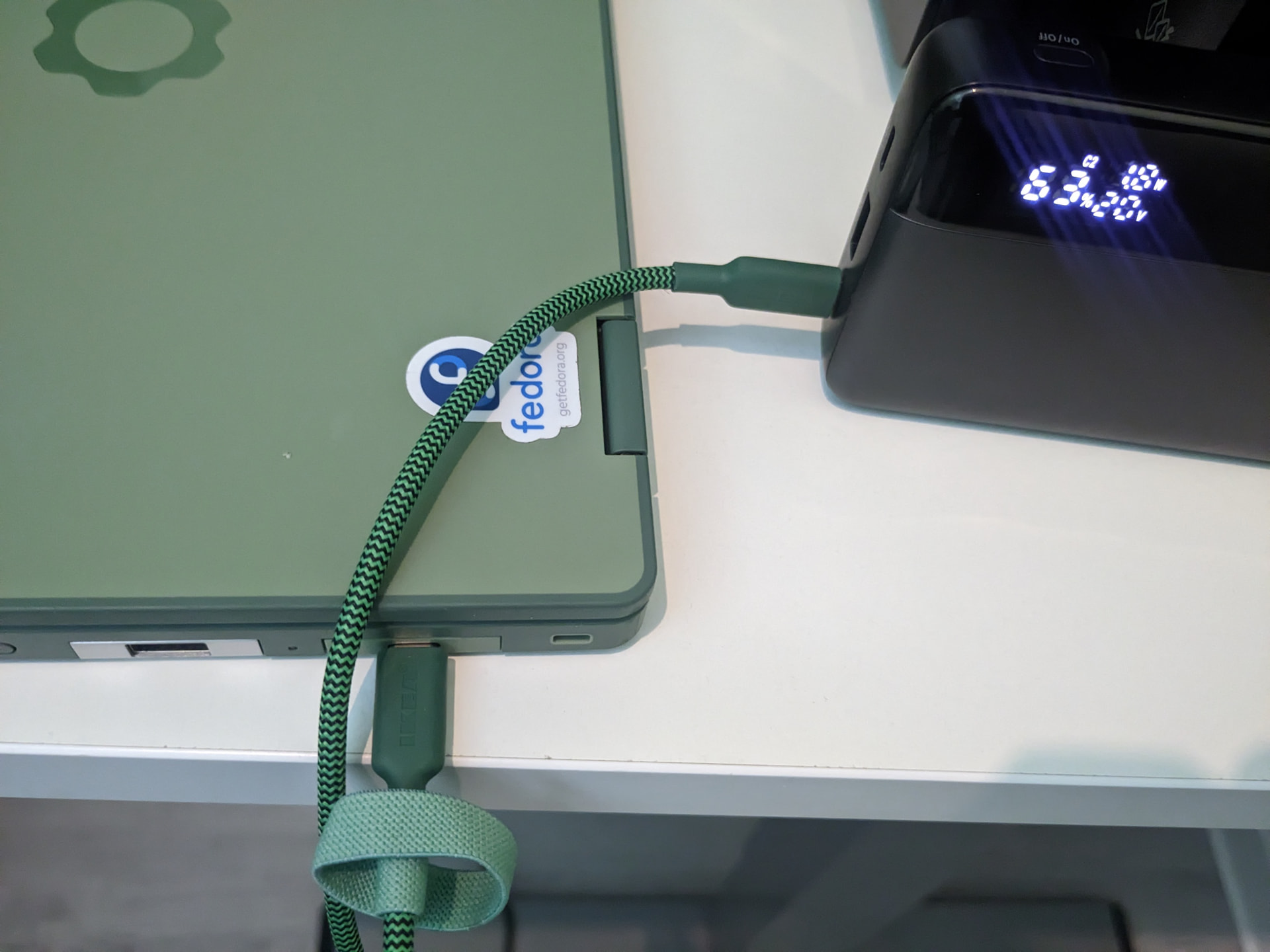
The 1.8W is not 0W which is good, the EC consumes for about 0.2W on its own while the power bank’s display consumes for another 0.2W. A bench power supply is probably faster however for most users it’s better to wait the 1.4W for a few hours
Thanks yeah I’ll try that though I have to say, it does not power on at all. It does not react at all. I could only see it charging because of the power bank. I mean even the charging indicator led does not light up. (neither side/right or left)
I guess the power bank already subtracts is own consumption.
As for charging (also tried without modules as per support) it did not charge further at some time (maybe some hours or charged 2W) and, now, when connected again, only “charges” with 0.2W for some seconds and then stops as if it is fully charged? (Note I had set a charging limit of 80% before.)
I’ll try leaving it charging again. (Though I am not sure it does charge at all now given my powerbank soon stops charging, so USB-c charge might not be possible anyway now?)
Hmm yeah I also think the actual issue may be that when you’re in the bios, your battery is not checked at all. It can (apparently) drain the battery while waiting for your bios password which is unfortunate…
@rugk
I did not spot that you were using a power bank and not a mains power adapter. The FW is sometimes not compatible with some power banks.
So, that might be contributing to your problems.
No not at all related. The same powerbank worked before. Also, I was just using that top diagnose the problem to see how fast it was charging/whether it was at all. In any case, I also used a “normal” USB-c power adapter now and have it plugged in for hours to see what it does.
No, the negotiation is different in “passive” mode. If the mainboard loses power or the battery is disconnected. The mainboard would first “negotiate” 5V to power on and connect the battery, then switch to 20V as actual negotiation.
I found it interesting when last year when I was troubleshooting I disconnected and reconnected the battery but I didn’t have a charger so I used my smartphone as a 5V source. 5V can’t charge a Framework Computer but it somehow used it to connect the battery so I booted up and used it normally
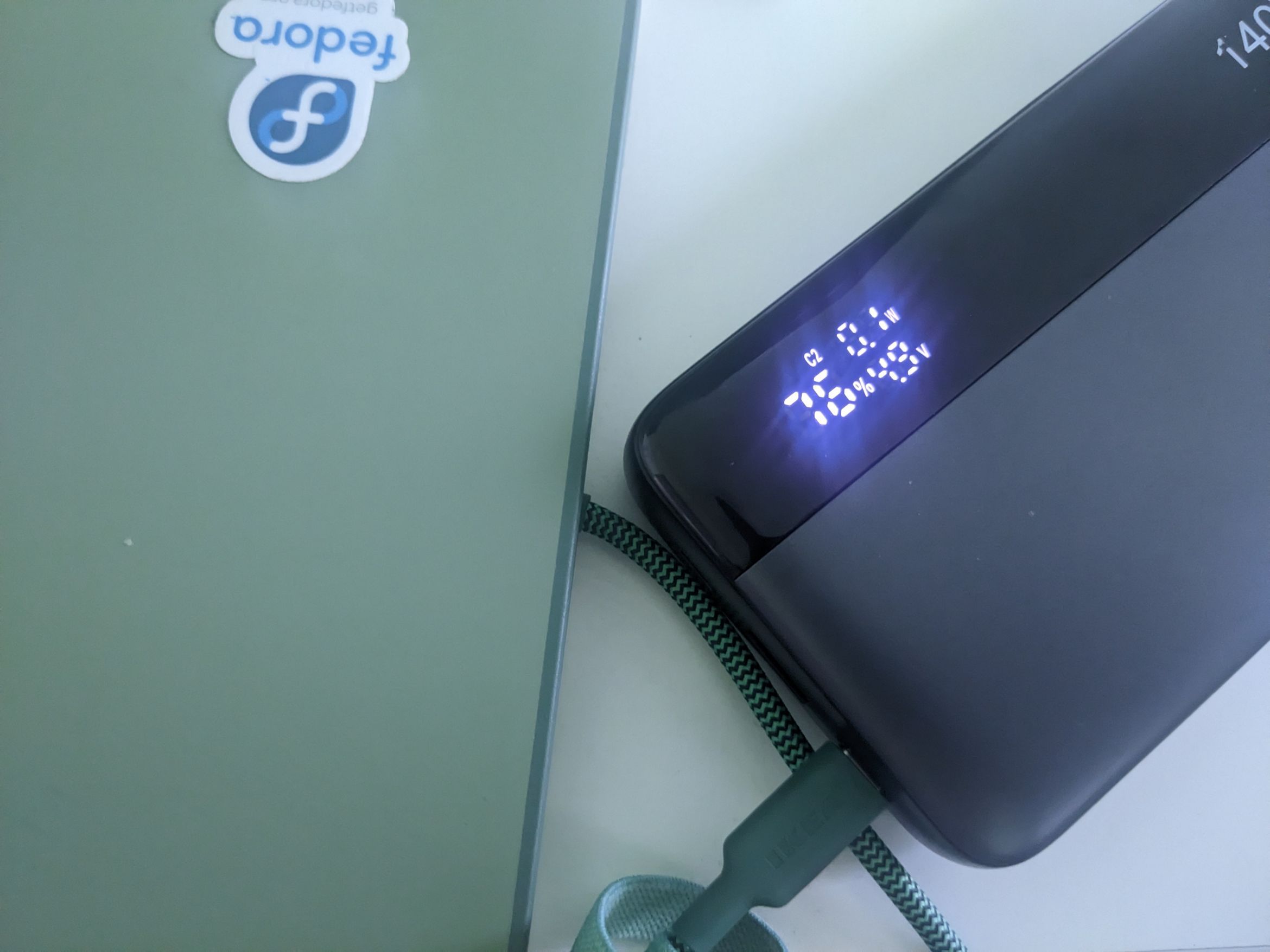
For some reason the first 1.8W screenshot is done at 20V but the second 0.1W screenshot is at 5V. 0.1W is expected with 5V input regardless of the battery charge or computer on/off. Try using an AC power adapter and see if the computer continue charging
How long have you been on the power bank? The computer might already reached 80%. Try switching it on
This problem might have nothing to do with the battery.
Try removing the battery, ssd, wifi card, all usb cards, leaving just the mainboard and ram.
There are various FW guides on how to remove them safely.
Then try powering on using a mains power adapter and keep quick pressing F2 to see if you get to a BIOS screen.
If that does not even work, you have a bad mainboard, so contact FW support via their web page for help.
If it does work, then add parts back in until you find the cause.