Mine sits on the framework logo for about a minute before the “windows is now doing stuff” circle appears and starts spinning (not memory training - when that happens it’s before the POST screen). 25H2 on an SN850X as well (with another SN850X on the backside). The only notable connected device is an external UGREEN NVMe enclosure with yet another SN850X in it. I wonder if the 3A charging issue and my extended boot issue are related? Maybe it’s taking longer because i have a high-power device plugged in? The issue is, if I don’t have it plugged in when I power on the PC, it can’t negotiate 15W (still in talks with support over this) which it needs for high-I/O with active cooling.
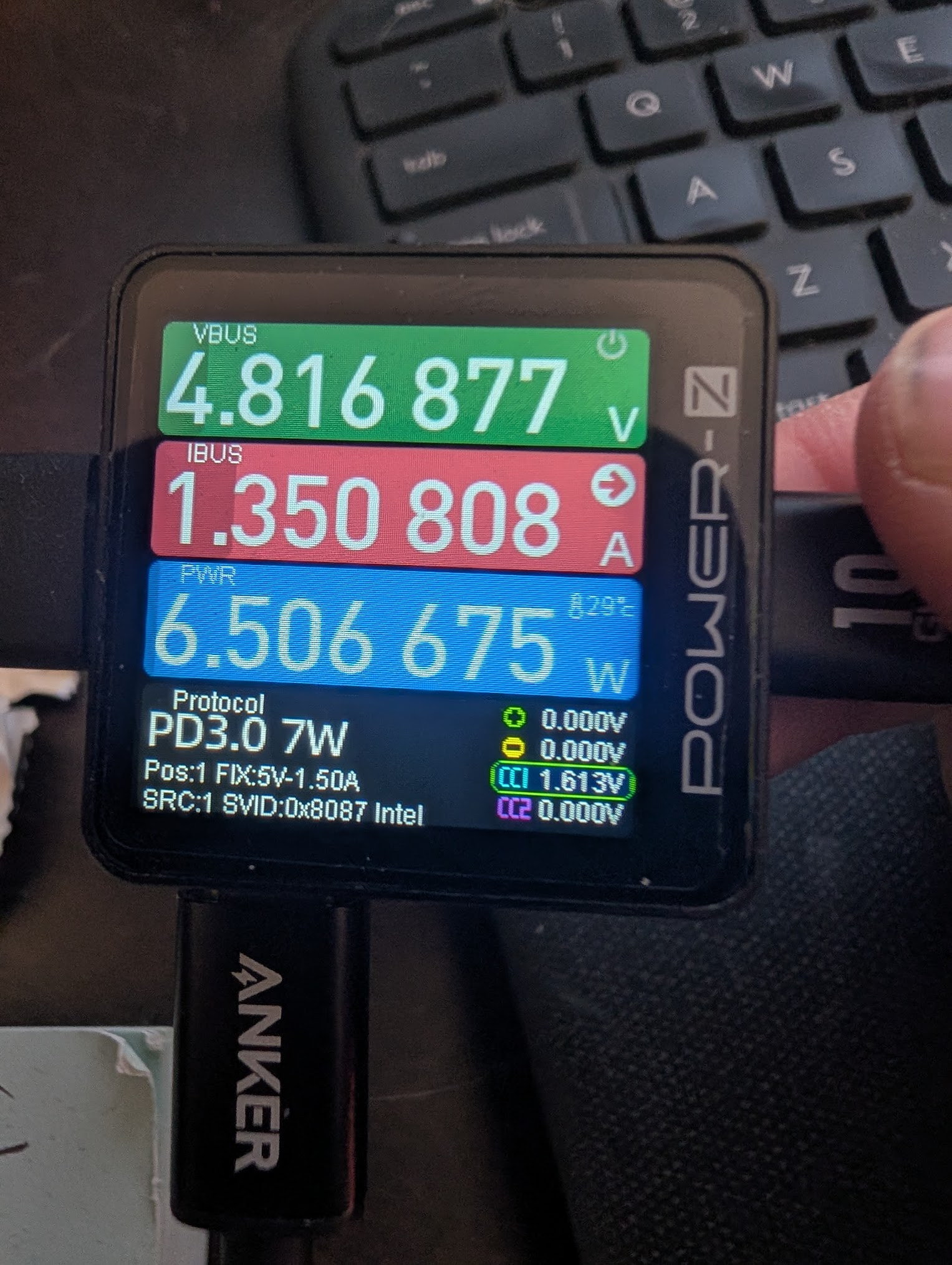
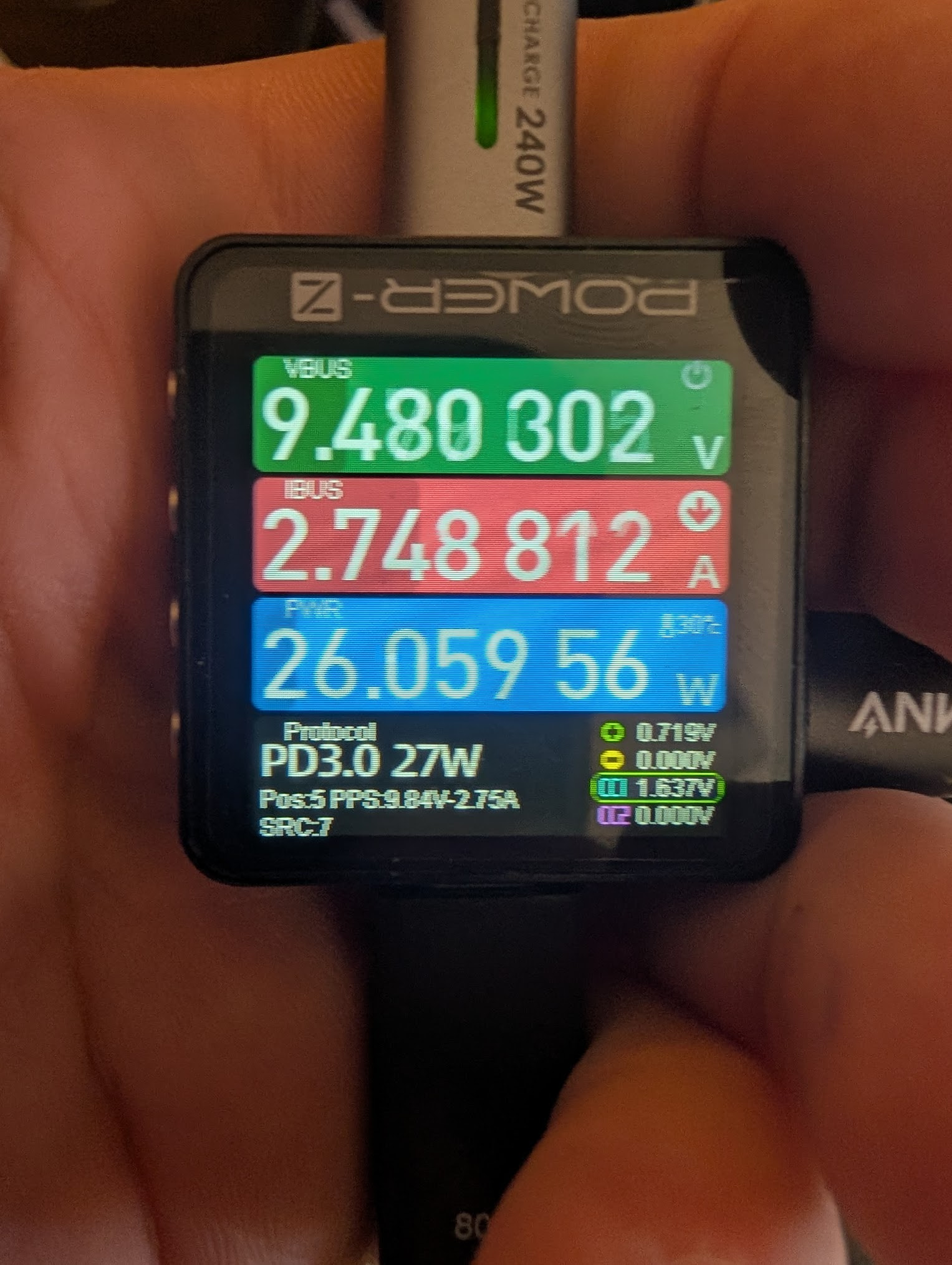
The engineering team sent me a picture of an iPhone connected at PD 15W (coincidentally using the same exact PD power meter I use) which I totally concede is possible - if the device is plugged in when the PSU is engaged. But they didn’t state what conditions led to this 15W, or whether it was stable when unplugging/plugging while the desktop is powered on. I sent back a video showing my phone negotiating 15W as soon as the PD chip is initialized, and holding that 15W all the way into Windows. When I un/replugged it, it consistently negotiated PD 7W, over and over. When I connect it to a 240W USB-C power supply, the phone pulls up to PD 30W, so I know it will actively renegotiate as high as the source PD controller will let it. I tested a total of 12 devices and all show the same behavior. 3A/15W available at boot, and 1.5A/7W available post-power-on.
It seems like they’re rebuilding the PD logic from scratch. if they already have good PD logic for more power-constrained devices like the laptops, why can’t they just use the same logic here, minus the charge circuit?
Supporting Images
Plugged in while desktop powered off, picture taken after reaching Windows login screen (note, the Desktop did not send a SVID - this behavior is inconsistent but not absent):

After unplugging/replugging while desktop is running (twice)(note it now reports an SVID of “0x8087 Intel”:

Pulling from 240W PD3 Anker power station:
Oh, and BIOS setting shouldn’t be a problem:

Note: I am using a 240W-rated USB-C extension cable to connect the meter to the rear port. This is purely for ease of taking videos & images of the meter and devices. I have verified that this behavior persits with a variety of cables with the meter plugged directly into either the device or the PC, and the extension cable is not having any notable effect. Plus when I plug in a 15W device without the meter or anything, it just powers down, but if I have it plugged in while booting, it runs fine as long as it stays connected.