I recently decided to do the “PTM7950 sandwich” mod to my heatsink because I felt like my thermals and performance could be a lot better than they are, but the results I got weren’t exactly what I expected.
I did some initial testing with my laptop to get a baseline of how it performs, and well, it was kinda average. The temps weren’t great, and I always felt like it heated up so easily and got fed up with it to do the mod.


I read a lot about what others did for the mod and ordered everything I needed.
Here are all the steps I took to make it as perfect as possible 
- I took the heatsink off and carefully peeled off the old shim with a blade.


- Then I lapped the surface of the heatsink with 2000-5000 grit sandpaper on a piece of glass.
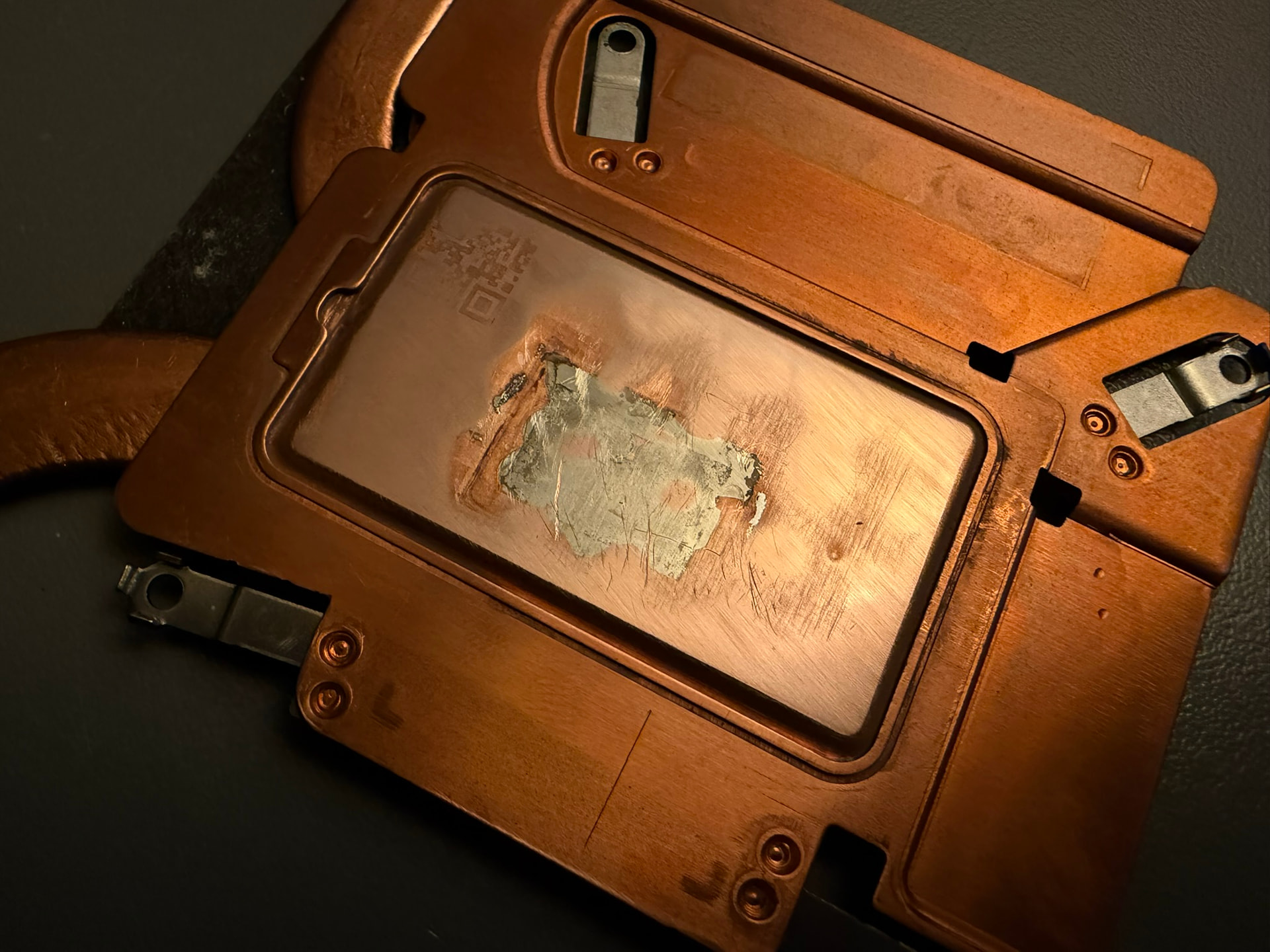
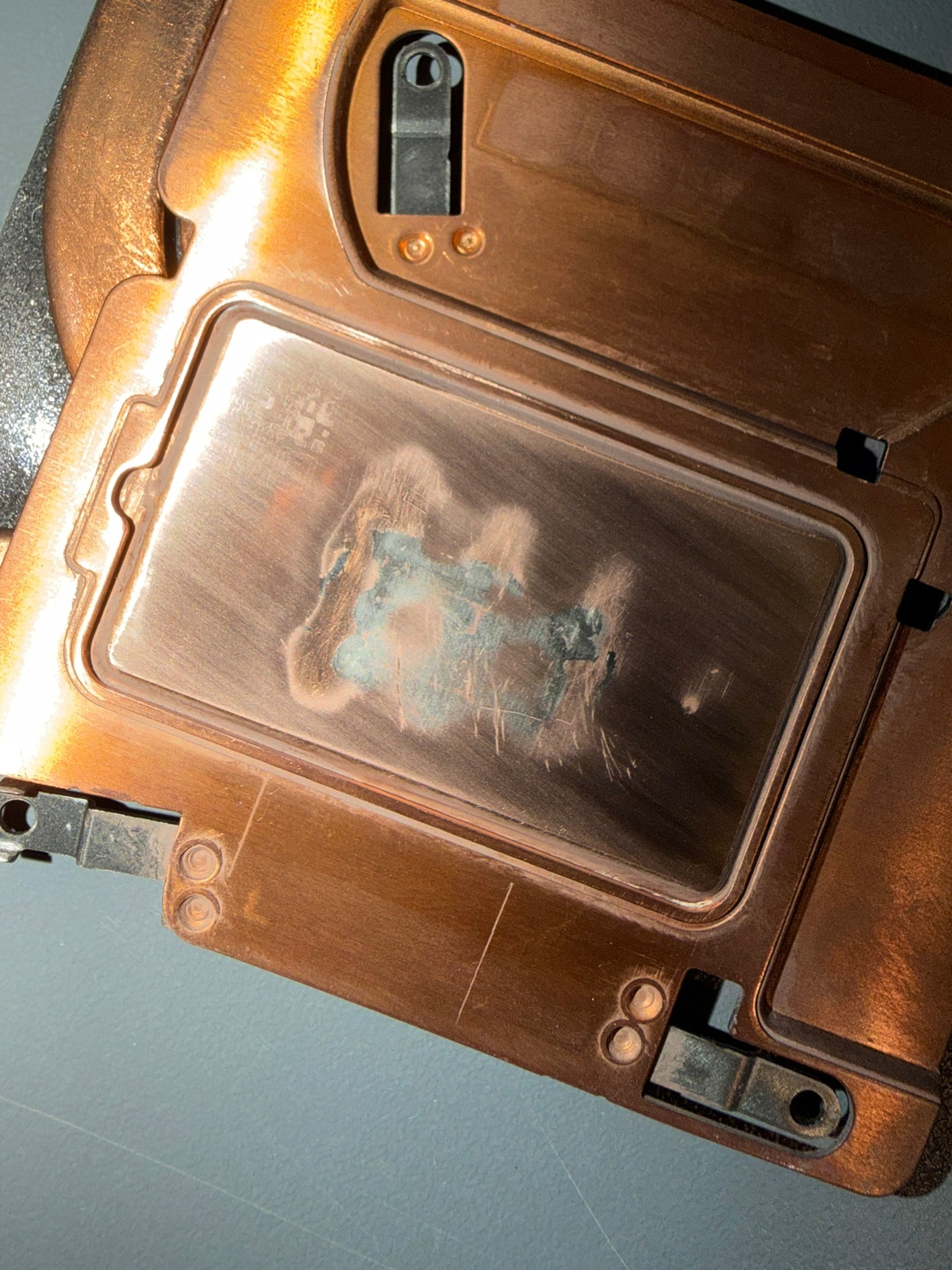

I couldn’t get it as flat as possible because there was a big dip in the surface that I could feel with my finger. I didn’t want to sand too far in fear that I’d break the vapor chamber. I didn’t worry too much, though, because of how PTM7950 works.

- I then lapped a 20mm x 20mm x .8mm copper shim with 2000-7000 grit sandpaper. The thickness got down to about 0.75mm after all the sanding. I did take a picture of it alone, though

- I then cut a square of PTM7950, the exact size of the shim, and stuck it on the heatsink, making sure to align it to 2 score lines I made from the original placement of the old shim.

- I slapped some PTM7950 to the CPU and tightened down the screws to the heatsink about halfway because the “PTM7950 sandwich” felt really thick. After a few thermal cycles, I tightened everything all the way down.

After all those steps, I ran the benchmarks and well… I got the exact same scores as before . I looked into it, and it seems that my CPU just won’t use more than 50W after the initial boost. I tried installing Universal x86 Tuning Utility and setting the extreme power profile and nothing changed. I have seen the CPU initially boost to 86W now, but I’m not sure what it did previously. I remember my laptop being able to use at least 54W of continuous power when I had liquid metal, before it stopped working. I’m not sure if something may have changed in the recent BIOS/firmware updates, but it does kinda suck. I’m running Windows 11 25H2 with the latest BIOS and driver bundle.
On the other hand, the CPU only ever peaks to 86c on the hotspot. I have never seen cooling like that on a laptop CPU. The bottom of the laptop also doesn’t get burning hot as well and the fans barely need to spin up with light tasks. Same for gaming, the fans don’t need to spin at 100% to stay cool anymore.
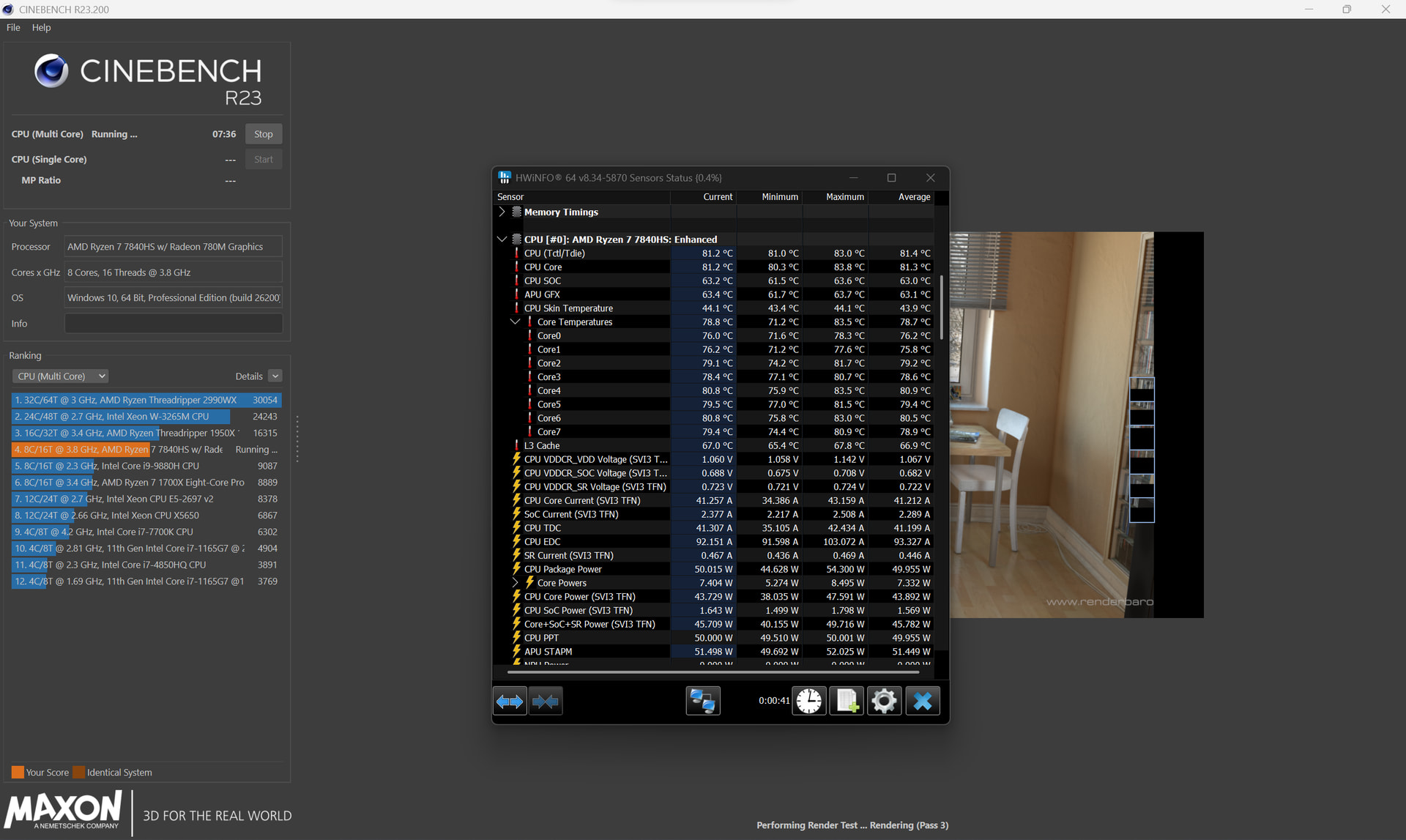

In conclusion, these results are great, although not exactly what I wanted. If any of y’all know what I could do to make it use more continuous power, that would be great, but if not, I’m happy with my results from the effort I put in.
Also, huge thanks to everyone who has helped with creating this fix. It has worked wonders for the cooling issues, and it’s something I would’ve never thought of doing if it weren’t for y’all.