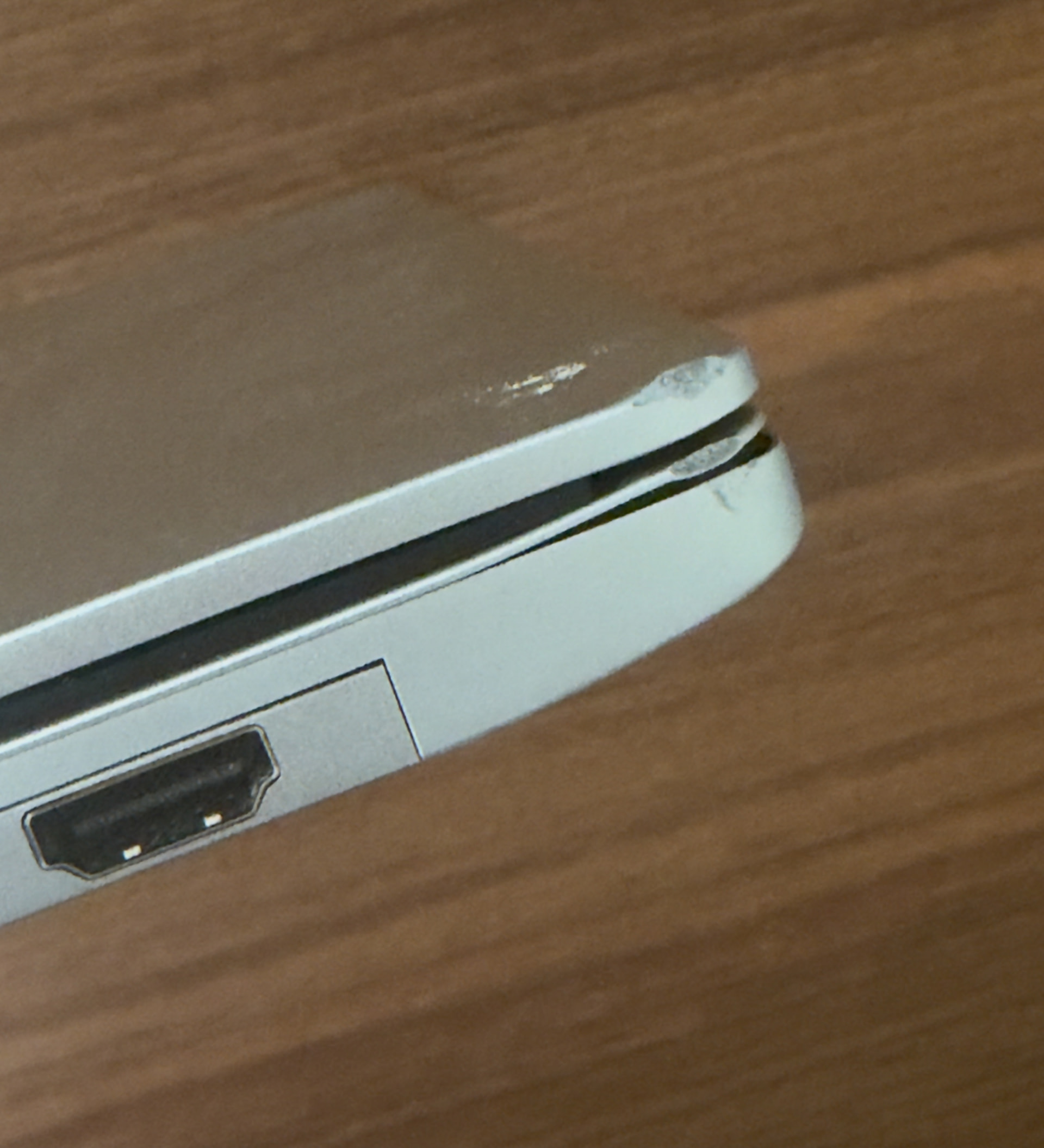
My first generation Framework 13 slipped off a table maybe 4 feet onto hard outdoor tiles. Really sucks to see it damaged, but most importantly the power button no longer works probably due to it being stuck by the bent top cover.
I would love to get this thing up and running again but I don’t know what parts I need, or what would be involved.
Any suggestions on a part list or what to do next?
For what would be involved, take a look through the input cover replacement guide. guides.frame.work. Replacing just the aluminum frame portion is possible, but it’s a longer, more involved process with the risk of stripping screws. The keyboard is attached to a frame which passes between individual keys, I believe done to keep the 13 stiff enough without adding bulk. But unfortunately this design means a lot of tiny screws to connect the two. Like, over 70 tiny phillips screws if I recall. Due to that one has to consider if it’s worth it in the extra time, effort & risk of stripping tiny screws and getting stuck. Just getting a new input cover which includes a keyboard already attached avoids that.
You could also confirm that the power button is the only thing broken from the impact. And in the process, maybe make your laptop somewhat usable until you can fix it fully.
There is a secondary power button on the motherboard. Now it’s a tiny, somewhat delicate surface mounted button, so do be careful pressing it. The black dot is the part to press.
Then there is an option in the BIOS that will power on your laptop when you connect a charger. With that you could make some use of your laptop while waiting for parts. As long as you have a power plug or a USB-C PD battery pack. I believe the key to repeatedly press during startup to access the BIOS is F2. The option is called “Power on AC attach”. This thread shows the screen, community.frame.work/t/bios-guide/4178.