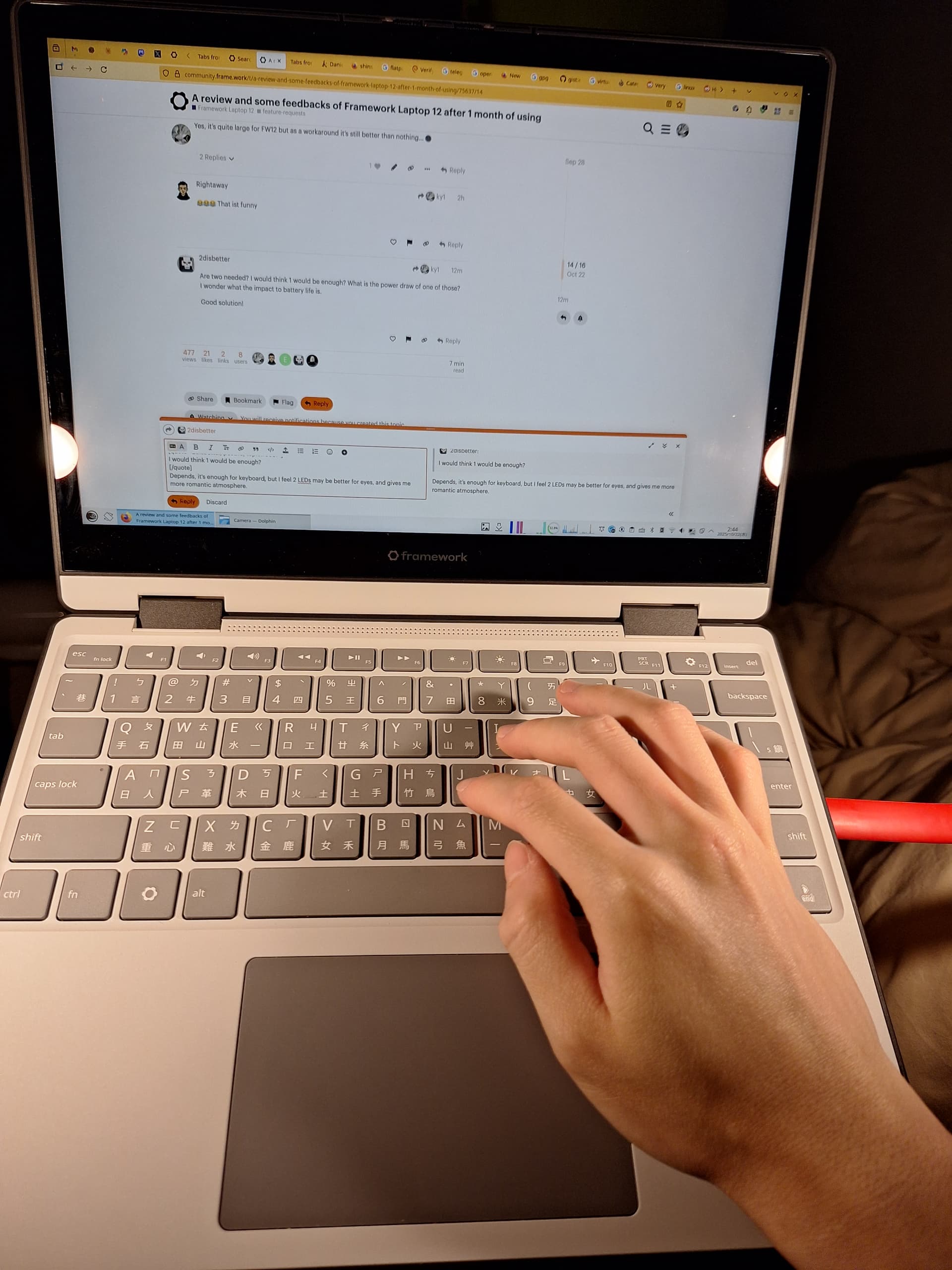
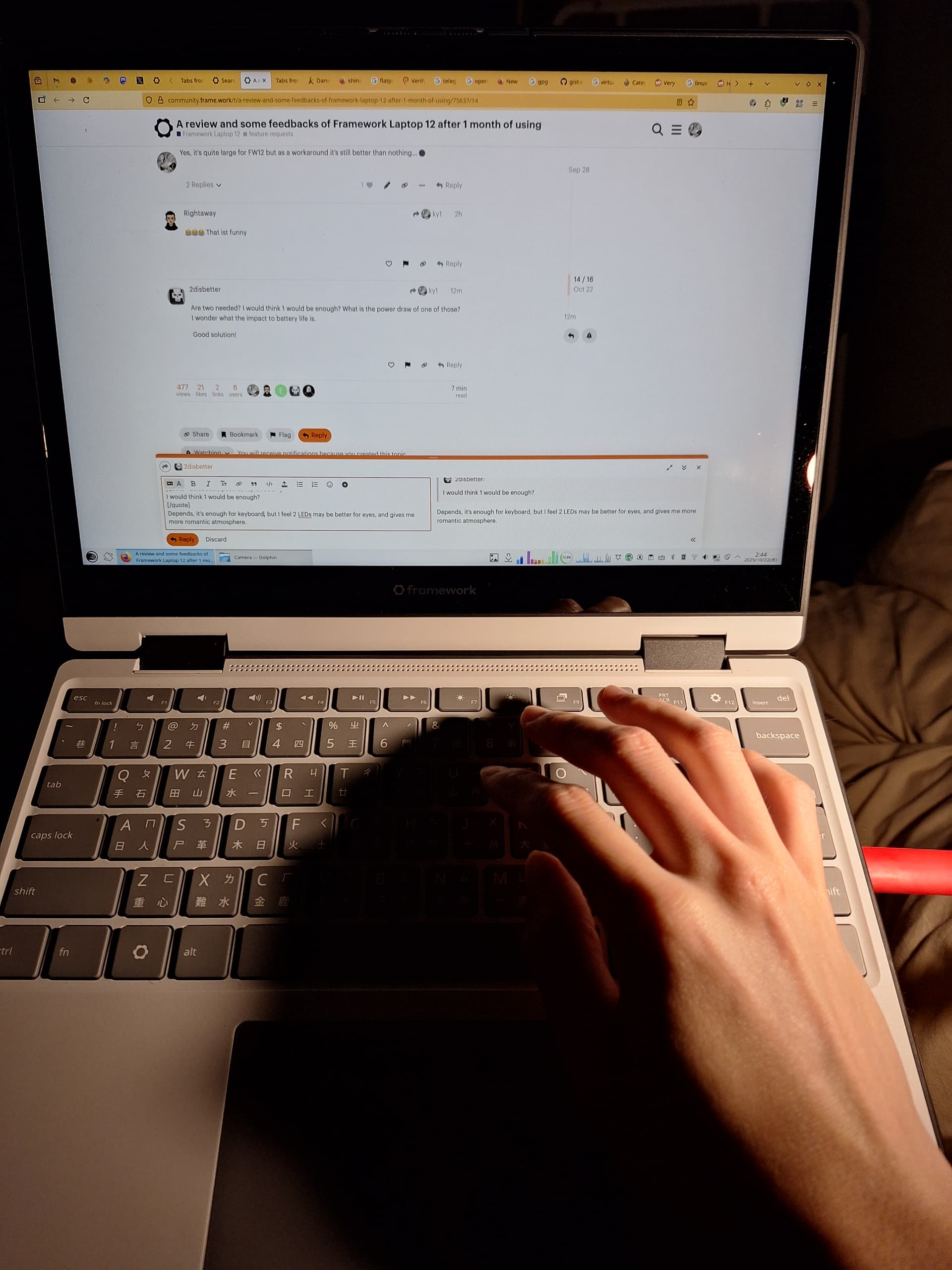
This is my first time to buy a Framework Laptop because I’ve been looking forward a < 13 inch laptop with touchscreen and RAM/SSD slots, so that I can develop some linux applications for touchscreen,
Now I’ve gotten my preordered Framework Laptop 12 (i5 1334U) and have been using it for 1 month. Some personal quick reviews:
System
- openSUSE Tumbleweed. Everything is available out-of-box with mainstream kernel, except for wifi seems not stable (describe laterly.)
- Micron Crucial DDR5 5600 64GB (CT64G56C46S5)
- WD BLACK SN770M 2TB M.2 2230 PCIe Gen4 NVMe PCIe SSD (WDS200T3X0G)
Overall Case
Good
-
I feel the case is quite tough, with rubber-painted (?) skidproof material around margins. Its pretty good as long as it won’t degrade and become sticky after years.
-
Oh yeah power key is not on the keyboard. That’s one of my least favorite design in recent years.
Bad
-
The switch to “lock” expansion card is incomprehensible. What does it mean when red block show? Totally donno. When I pull the Type-C cable, the expansion card sometimes removed along with the cable no matter it’s lock or unlock (red?). My suggestion… at least add lock / unlock icon on both sides, instead of ambiguous color?
-
And I have to say 1.3 Kg is not good for a 12 inch laptop… (because of case? battery? slots?) Donno how is Panasonic’s
Let's Noteseries able to manufacture < 1Kg 12inch laptop + long battery life + durable case. But if this is the trade-off of expandable SSD slots / RAM slots / expansion cards, I can ignore this weight.
Display
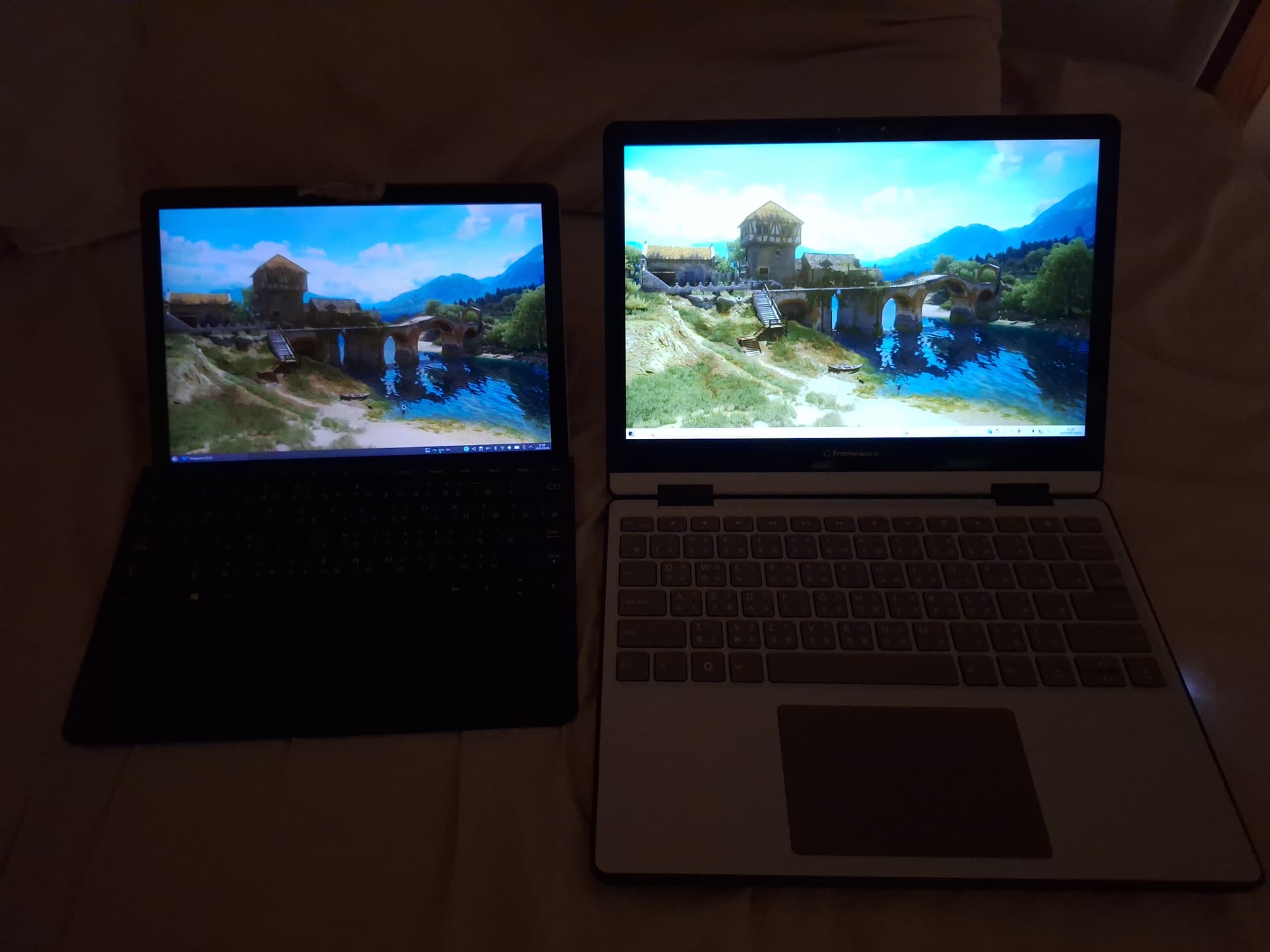
The only point I don’t like is… Its minimum brightness is still too bright for me, mainly using indoor. Let me compare with my Surface Go 3
Touchscreen
Touchscren works great under Wayland.
Stylus
I’ve tested stylus is compatible with Surface Go 3’s.
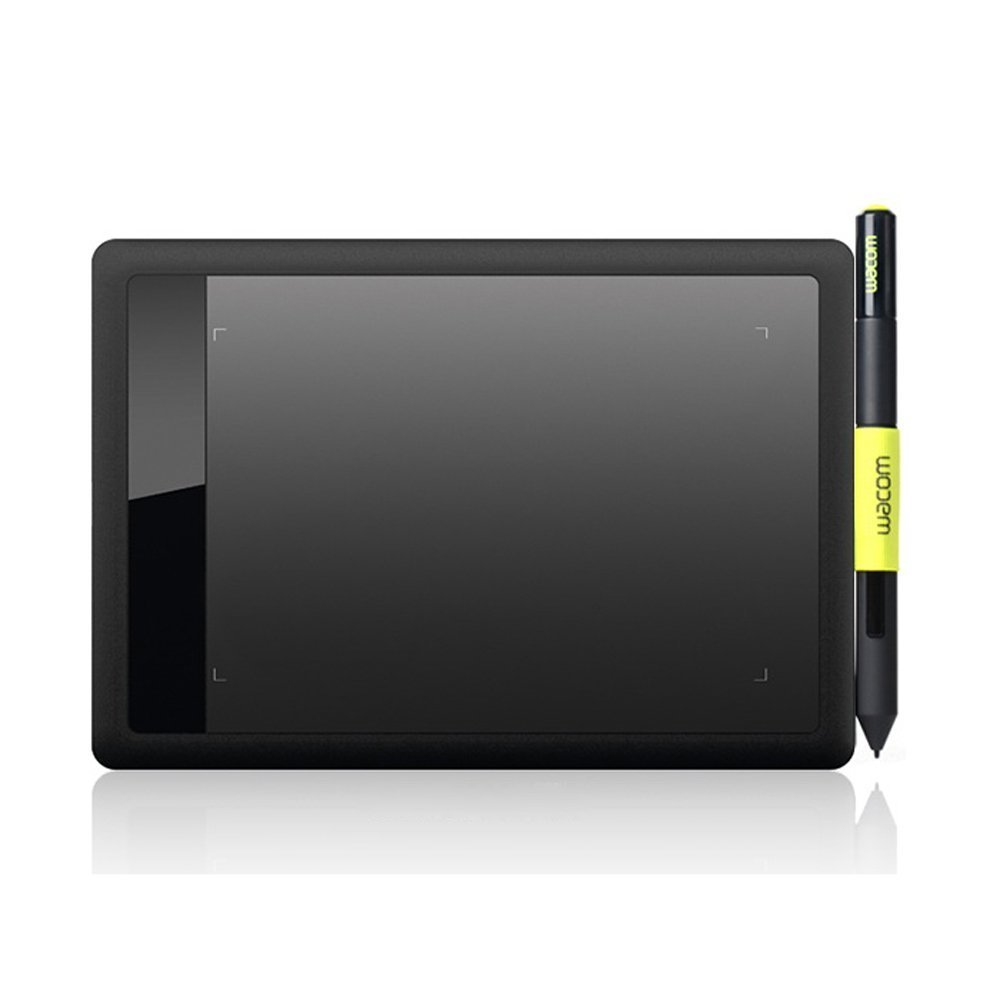
BUT, do you really not to consider design a pen holder? Even a fabric label like Wacom Bamboo tablet also better than nothing:
Keyboard
Argh… I personally feel this is the most terrible part of Framework Laptop 12. This is one or two of the worst laptop keyboard I’ve ever used in my life (among dozens of laptops of Apple, Asus, Acer, Hp, Microsoft). I’d rather call it’s a disaster.
1. The groove around kayboard is too deep and narrow.
The groove around keyboard is deep, it’s okay, but also narrow, which cause my thumb keeps getting blocked by the overly high bezel when trying to type on the keys of the most-bottom row, either Ctrl, Super, Alt, or Space keys (see the attached video):

Very annoying… I’ve never encountered such problem when using any other laptop of Acer, Asus, Apple, HP and Microsoft. Take my old HP Pavilion g4 for example, it also has a deep groove, but it’s wide so that won’t get thumbs blocked (attention the red annotations in the photo):
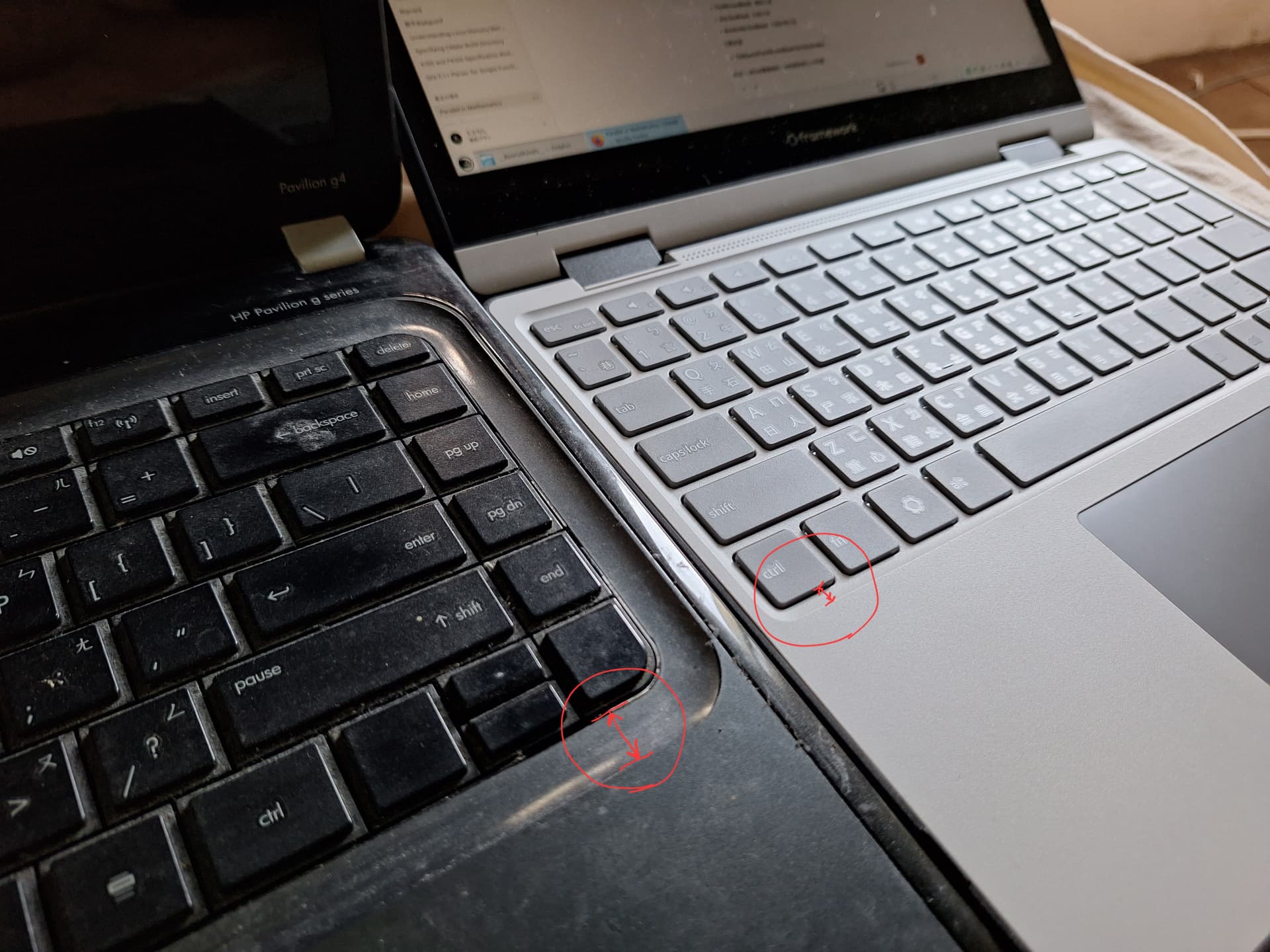
2. Terrible tactile feel and occasionally missed keystrokes
I have to say the tactile feel of this keyboard is also among the worst three out of the laptops I’ve used. It’s too mushy, lacks tactile feedback, and often miss my keystrokes (I also read some other reviewer mentioned this problem before I getting my FW12), fails to register key presses even when I clearly hit the keys. I can’t tell whether I’ve actually pressed them or not, especially when entering passwords without visual feedback. In the end, I have to deliberately press the keys with much more force than usual.I can only say that I really hope there will be upgrade kits in the future that can solve the keyboard problems once and for all…
3. No backlit.
As a human being from 2025, this is more inconvenient than I’ve expected, especially for a keyboard has a terrible tactile feel.
(4. Little wish…)
Having fingerprint recognition would be a bonus, especially for user use this 2-in-1 convertible laptop as a tablet frequently. Although… I’ve never have had a laptop with a fingerprint scanner, so I’m not sure how well it would work, especially on Linux.
Overview of Keyboard…
…I’m eagerly looking forward to an upgradable Input Cover Kit available in the future…
But I like the idea that BIOS provides some customizable niche options which can applied on keyboard (For example, switching fn and ctrl key position.), though I don’t use it because the original layout is already what I want.
Stability
- I encounter about 3~5 freeze and unsolvable via REISUB in this month. I still don’t sure who is the murderer.
- Suspend is quite speedy, but failed one time in this first month which cannot be solved by REISUB, so force poweroff.
- Wifi card seems not very stable with one of my ASUS Wifi router, Firefox often shows
NS_ERROR_INTERCEPTION_FAILED. Switching to another Wfi router seems solve problem.
Battery
Not outstanding but also not too bad.
This is the plot which drawn by system since I began to write this article until I finished this article (power saving profile, minimum screen brightness), as a reference: