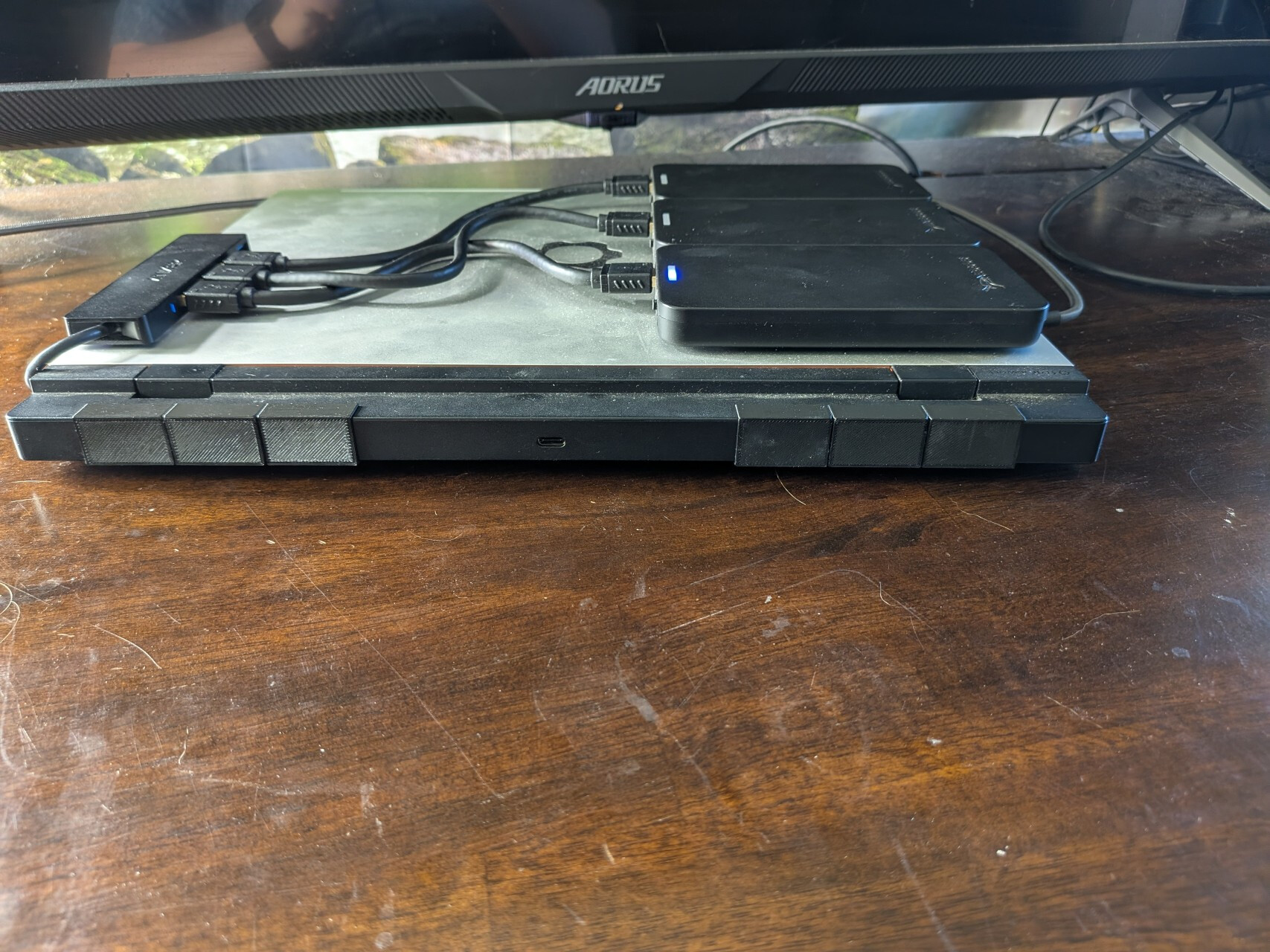
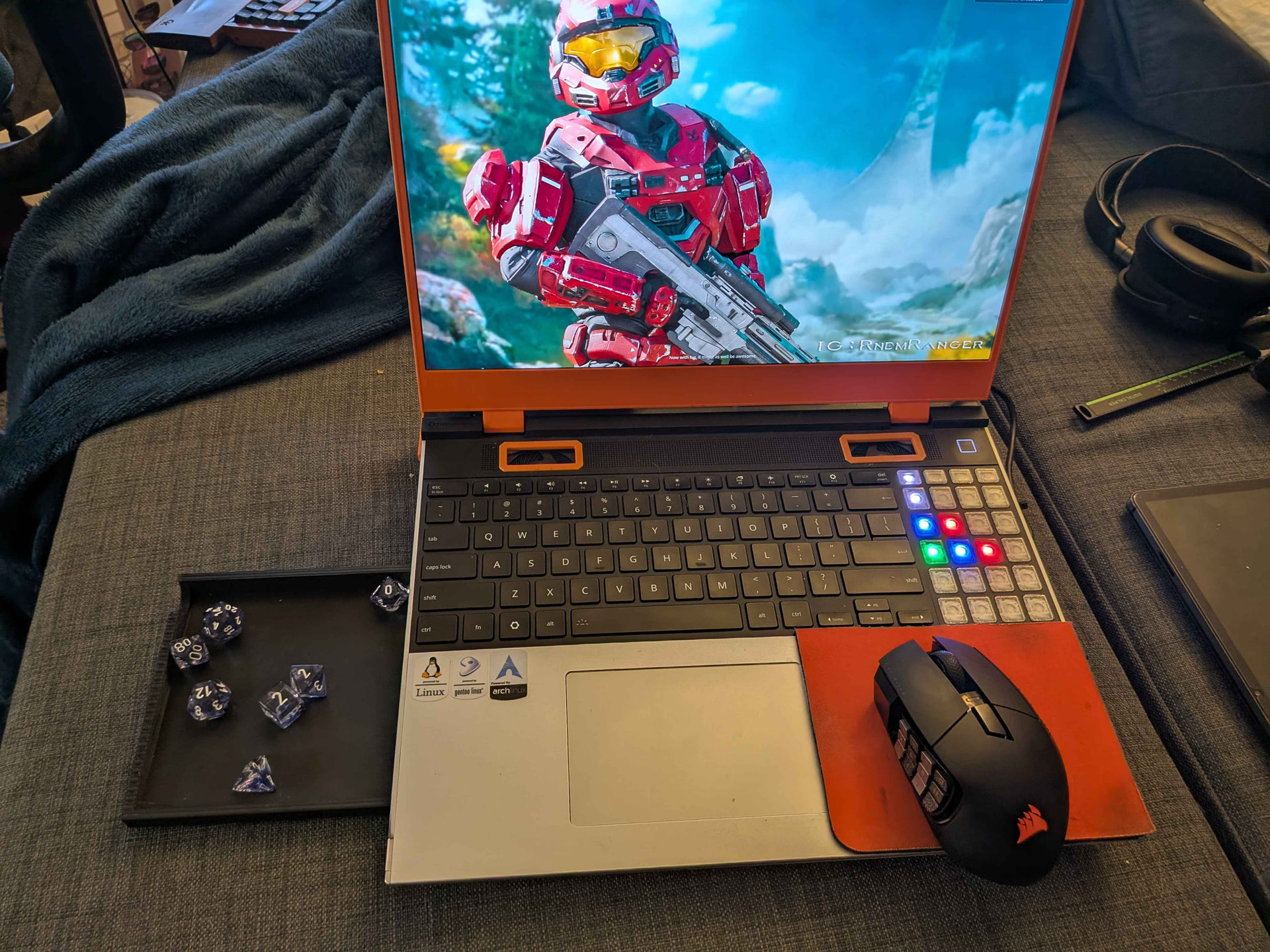
So just to let you know, I’ve recived my device. And most of the issues that you were having do not seem to be present for me. But to be fair, I have not pushed the PC hard and do not have my DGpu as of yet, I intended to go with a EGpu via the new dev kit.
There also seems to be an air vent on the top of the laptop so no need for a cut in the laptop!
Glad it’s working for you! I didn’t notice many of my issues until I played a game that hit both CPU and dGPU hard (Battlefield 6) and pushed the laptop to its limits.
Yes, there’s a vent at the top on all of them, but my device was struggling with overheating and some testing found that additional airflow would help (which isn’t always the case), so I made a modification :). As far as I’m aware, no one else has done this.
I have made a V2 of my dGPU plugs, which help with redirecting dGPU airflow back to the CPU when dGPU cooling is not needed. The V2 addresses a couple issues:
Airflow no longer blasts the plugs out
The plugs no longer need to be stored separately and can be simply slide off to the side
Resting the laptop vertically on the dGPU no longer redirects pressure to the heatsink fins, but rather keeps the weight on the chassis
One issue that still remains is that the plugs can be unintentinally knocked off given that there is nothing holding them on other than the squeezing force of the plastic. Time will tell if this is a real problem or not.
I’ve made a v3 of these vent covers! I gave it a separate post though to help people find it for those who may want to make use of such a thing: RX 7700s dGPU Vent Covers v3
I’ve started working on an integrated riser for elevating the laptop. Last night I got the first prototype to work/fit! I’m hoping to run some tests to see if this riser can help with cooling performance, making it quieter, and drawing less power. Apparently, the fans can pull up to 12W total! That’s crazy.
Next up on the todo list is to make it prettier, easier to print, and a little more optimized. Like my rail system, it latches into the vent ports so that when the laptop is picked up the wedge naturally comes along with it as part of the device
I’m also considering carving out the vent protections on the bottom of the dGPU for increased airflow and relying on this wedge to protect the fan blades. Not necessary by any means, but if I like the wedge then it’s no real sacrifice IMO.
Yeah, I’ve been considering adding a fan, maybe some additional vents under given that portions of the underside get really hot… and maybe an additional battery. Right now I’m leaning towards not, but it’s on the table
Overtime I’ve come to find the mousepad on the wrist rest has a couple things I don’t like about it, such as not being able to type while the mouse is there. So, I’ve build an under carriage that holds a slide out mousepad integrated with the laptop. As a bonus for DnD, it’s also got a slide-out dice tray on the other side! These are now integrated with the laptop, so wherever it goes, those go. I’ve got a few tweaks to make yet (such as getting it to not collide with the expansion card switches) but once I do, I’ll make the files available as always
Unfortunately the fins most likely wouldn’t improve things much due to the chassis actually doing a better job spreading that heat than convection would when positioned like that.
There’s around 6mm of clearance there and I even found a water cooling block this height and ordered it, but then the vendor sent me an 8mm unit, so now it’s gathering dust in my drawer.
Alternatively heat pipes are thin enough and could efficiently move that heat, even attached upside down in comparison to how they normally are, but then what to do with all of it?
I’ve thought about it, yeah. I’ve toyed with the idea of carving a hole or two int he bottom and then pointing a fan at it. Haven’t thought of a way to do that that I’d be acceptably happy with though. Fortunately, I’ve got a very flexible definition of acceptable so it could just be a matter of time .
I’ve come to find the power delivery on the usb ports is not as robust as many of my use cases would like, so I’ve been hesitant to add additional power reqs to the device. There could be a way to do it passively though, I’m still thinking through that in the background.
Hi, I didn’t want to start a new thread, so I’m posting here about some modifications I’ve made to my Framework 16. Probably the biggest change is that I had a company laser-cut the bottom panel. There are now ventilation openings, so hot air doesn’t get trapped inside the device but can escape directly.
I’m still testing everything, but the ventilation mod was worth it. The hotspot on the left side is still there; however, the heat stays localized to that spot, and the surrounding area—except for the center where the CPU is located—remains relatively cool. The bottom panel now only heats up in two specific spots rather than across the entire surface.
Another observation is that the system cools down faster after being under load; consequently, the fans slow down sooner and shut off completely more quickly.
In any case, this has definitely paid off.
Additionally, I attached two thin heat pipes to the top of the heatsink to help dissipate more heat. These are two thin, 1mm-thick heat pipes:
70mm x 1.0mm x 9mm and 100mm x 1.0mm x 9mm.
I just wanted to mention that my use-case for my laptop has changed and given that the Framework laptop is as modular and flexible as it is, my laptop has also changed to reflect my new usage.
Lately, practically all of my gaming has taken place on a handheld (Steam Deck/Switch 2, almost always docked). Nearly all the modifications I’ve made to my laptop have been in the name of optimizing for high-performance workloads, and gaming. Adding more storage, revamping the cooling, increasing power delivery, improving portability and etc. Since that’s not a large use case for me at the moment, I have removed many of the modifications from my system such as the SSD’s on the back and the mouse pad on the front. However, I am able to add those back on at any point
For anyone interested in more storage though: I don’t think relying on usb storage for expansion is the best solution. It works, but the power delivery across the USB ports does not seem to be reliable enough for it as a long-term solution. I got many issues related to the ports, such as my wireless headset dongle cutting out, that I believe can be tied to the power delivery.