I’ve posted this topic on Reddit before, but maybe I can get help here:
Hi, so I’ve been suffering from this issue for a little while now (Framework Desktop), but not right from the beginning and I can’t for the life of me figure out what causes (caused?) it. I use EndeavourOS on Hyprland. My framework desktop is mainboard-only, and I use a Corsair 450w SFX psu. It has 37A to the 32A on 12v Framework recommends. I also use a pretty chonky fan (Silent Wings 4 Pro).
Through a lot of observation, I found out in which exact scenario it happens, and it’s as follows:
When it happens:
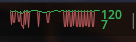
SPECIFICALLY, when I play a game that has some sort of scene where there are a lot of very quick FPS dips due to CPU processing, it may crash on one of these dips! Two games where I’ve observed this happen (and others never crash): Blue Protocol, when crafting, every time an item gets made, I have an invisible FPS dip, but Steam’s FPS graph shows that there is an instantaneous dip.
Here’s a video showing the dips: https://files.catbox.moe/nf0304.mp4 and here’s an image showing them in detail: https://files.catbox.moe/om3ctt.png. In the video above, I’ve fixed the game to 30 fps, which seems to alleviate the issue somewhat, since the dips aren’t so wild, it seems to be much less likely to die.
A second game where I have it happen is Zenless Zone Zero; but there, it only really happens in moments of loading, like the agent select, scrolling between agents can cause it, or starting a mission. Never during a mission, really. Only in moments of slight stutter.
I want to underline that it only happens ever in those games that have high frequencies of stutter in a short amount of time. I played a game yesterday that maxes the gpu all the time (100+ watts sustained load), for literally 8 hours in a row (final fantasy vii rebirth), no trouble AT ALL.
It’s only these two games I mentioned atm, and both of them are Unity engine as well…
Thesis
What this brings me to think about is power management, and looking at other threads, yes, people keep suggesting to change power management values. But this hasn’t really worked for me yet. I will attach dmesg and such of when it happens at the end of this writeup. What I think happens is during this small window of “no frames” being rendered by the GPU (CPU stalling) is that the GPU goes into a lower power window, and then right back up. I don’t know WHY this would break, but it seems in conjunction with the current driver implementation, it doesn’t like it. It also doesn’t sound good, to be fair.
What I’ve tried
So here are, in no particular order, things I’ve changed on the system to try to get rid of the issue. I’ve also tried combinations of them (albeit not every combination… probably).
- Apply kernel values
- amdgpu.ppfeaturemask=0xffffbfff (and other variants I’ve found, I haven’t documented them all)
- amdgpu.mes=0 or 1 (didn’t change anything. maybe the “new” MES scheduler is forced on this newer GPU? I definitely know it always announces itself in the dmesg when it breaks, whether or not it’s on or off)
- amdgpu.pm=0 (it causes the kernel to complain literally every second that it can’t switch power states, also seems to be stuck in a low asf power state then)
- cwsr_enable=0 - didn’t cause any changes from what I can see
- Different kernels:
- linux-drm-next-git, linux-drm-tip-git
- Since what complains is the kernel, I thought the one with the newest bleeding edge graphics implementations would work, but it didn’t change anything
- MESA
- replacing mesa lib32-mesa vulkan-mesa-layers lib32-vulkan-mesa-layers vulkan-radeon lib32-vulkan-radeon vulkan-mesa-implicit-layers lib32-vulkan-mesa-implicit-layers with this family of packages
- downgrading mesa as far as it goes (but at some point, my libc is too new, so it doesn’t go that far…)
- linux-firmware-git
- having the newest firmwares, maybe?
- proton versions
- like tkg, em, etc…
Considered that maybe the PSU is at fault (during power state switching, the PSU isn’t fast enough, causing brownout issues, making the GPU trip?). I’ve tried two other PSUs, but the FW mobo didn’t like them. It didn’t turn on. I will try my 800w psu in my big tower that drives a 200w cpu and a 300w gpu without issues, though. To put all of that out of the question.I tried the big, new PSU and it didn’t change anything. So much for that!- Memtest, came out okay.
- Reinstalling (Maybe I missed a config that’s ruining it). This time to bare Archlinux. I cherry picked everything on there now, but nope…
- Playing with LACT to keep the frequency at the highest on the GPU. This helps somewhat, but it just delays the issue. It also causes me to not have to reboot entirely, and even the DE recovers completely, usually.
The logs
This one is with some of the newer, bleeding edge packages, it’s how most of these went down. Game froze, then held that way (while music and audio continued to play as normal). Then blackscreen, unable to switch TTY while this went on. I recorded this thru SSH… [ 0.000000] Linux version 6.17.9-arch1-1 (linux@archlinux) (gcc (GCC) 15.2.1 - Pastebin.com Sometimes it would get unstable so even if I do get it to recover, it would have mouse stuttering every few seconds. So it’s usually a reboot. SysRq, REISUB, which it DID listen to!
Then the most recent one [ 0.000000] Linux version 6.17.9-arch1-1 (linux@archlinux) (gcc (GCC) 15.2.1 - Pastebin.com , in this one, it actually recovered by itself, which just killed the game but the rest kept on living.
I’m sorry for the long-ass post, I just wanted to show you that I’ve tried everything I could so far. Another thing I’m gonna try is to just switch to Plasma which is the most developed Wayland compositor and desktop, and also where Valve has their eyes on. I also considered using a gamescope-steam session to get the compositor completely out of the picture.