If this is intel, I’d gravitate towards you experiencing an entirely different issue with similar symptoms.
I just triggered this by plugging the laptop into a wonky USB-PD power bank while the laptop was suspended. It did not accept charge while it was on which I found to happen with some PD implementations, so I suspended it as a workaround.
I saw the power light go on and off a few times and might have re-plugged it.
Hello,
I have been getting the same issue recently, too.
I’ve had it before, but it’s getting more prevalent recently (already two times the last two days).
I was compiling some software (CPU intensive) but suddenly the fans got quieter and the wattage went from ~30W to 13W (I own the 13" model). Everything started being sluggish. During which the whole time my laptop is plugged into a USB-C charger (not the official one).
A reboot fixed this, but it would be much preferable that we find a solution that doesn’t require me to reboot it all the time.
On the configuration side, I also use NixOS and powerprofilectl. However, I haven’t been touching the settings. It’s set to performance most of the time, and I do not switch it quickly.
Here’s the system information in case it helps:
 - system: `"x86_64-linux"`
 - host os: `Linux 6.12.30, NixOS, 25.05 (Warbler), 7282cb57`
 - multi-user?: `yes`
 - sandbox: `yes`
 - version: `nix-env (Lix, like Nix) 2.93.0
System type: x86_64-linux
Additional system types: i686-linux, x86_64-v1-linux, x86_64-v2-linux, x86_64-v3-linux, x86_64-v4-linux
Features: gc, signed-caches
System configuration file: /etc/nix/nix.conf
User configuration files: /home/leana/.config/nix/nix.conf:/etc/xdg/nix/nix.conf:/home/leana/.nix-profile/etc/xdg/nix/nix.conf:/nix/profile/etc/xdg/nix/nix.conf:/home/leana/.local/state/nix/profile/etc/xdg/nix/nix.conf:/etc/profiles/per-user/leana/etc/xdg/nix/nix.conf:/nix/var/nix/profiles/default/etc/xdg/nix/nix.conf:/run/current-system/sw/etc/xdg/nix/nix.conf
Store directory: /nix/store
State directory: /nix/var/nix
Data directory: /nix/store/7wv7x01fjp05n40yb263wlrm0hvhzbyn-lix-2.93.0/share`
 - nixpkgs: `/nix/store/01635adignbizr4nyz5lpawkrxn4n4g8-source`
@knipp30 @jared_kidd just saw your messages in Request to any member to run s-tui test - #11 by jared_kidd
Since you have the 900Mhz CPU lock bug, are you also using NixOS?
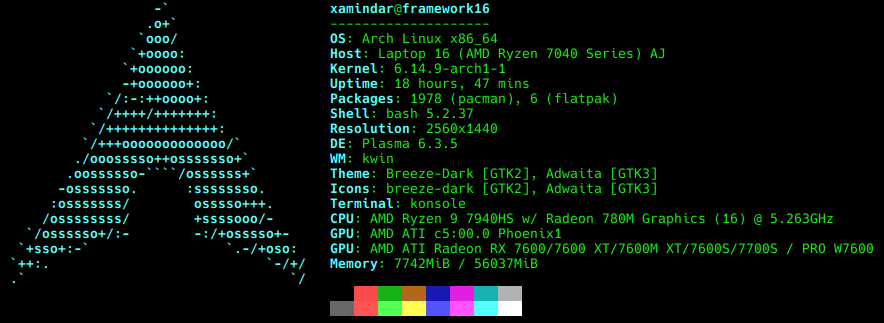
Fedora 42 here
Could you please write to support then? When I did this, I got an answer that I’m using an unsupported Linux distro, but Fedora 42 is officially supported, so maybe they’ll be able to do something further.
1 Like
It only ever happened to me that one time. A reboot fixed it, and since then I can’t repro. I just pulled my charger a few times and did s-tui again - and, it is not locking at 900 anymore 
I can consistently reproduce it by connecting to the 100w charger at my bedside. The charger may be at fault for “confusing” the laptop, but once it’s confused, it can only seem to be fixed by powering off and on again. Framework needs to fix out laptops so a silly charger can’t ruin it.
Which exact charger is this? This would be important to know so that others who have this charger can chime in whether they also repro.
Can you still repro if you connect while the laptop sleeps?
Can you repro after a reboot?
Any interesting messages in dmesg?
USB-PD is often not implemented well or fscked in some way on the charger end. Nothing FW can do about chargers not following the spec. You will experience this with any laptop, though of course not with the same set of chargers.
Oh wow, I think you might be right, this issue started for me around the same time I bought the official Framework plug.
I was locked in sub Ghz on my CPU, restarted without it plugged in, and now my CPU is functioning fine.
Power states work perfectly fine, this isn’t affected. Reporting through btop is broken, but this might be a different issue, it always shows 1.1 GHz.
Nothing in dmseg or journalctl. Other than the USB issue, Maybe related?
[    1.688732] ucsi_acpi USBC000:00: unknown error 0
[    1.689398] ucsi_acpi USBC000:00: GET_CABLE_PROPERTY failed (-5)
[    1.985330] ucsi_acpi USBC000:00: unknown error 256
Sleeping while charging didn’t lock the cpu on my single test.
Sleeping then plugging in also didn’t lock the CPU.
Starting while plugged in doesn’t lock it.
I’m almost 100% sure it’s something to do with the charge limiting. It was also around the same time of the 13" AMD Ryzen 7040Series BIOS update. Did the 16 also get a BIOS update around the same time this issue started?
The EC can sometimes force the CPU into a low power mode, but then fail to exit that low power mode.
As you have found, a reset of the EC tends to cure the problem.
A reset consists of:
- Power off the laptop (not standby/sleep).
- Unplug the PSU power cable.
- Wait 45 seconds (but probably 2 mins to be safe) This causes the EC to reset.
- Plug PSU back in and switch on.
Can this reset be done through the framework-system tool? Could probably script a fix if this is the case.
Well, you can script it, but the act of resetting the EC powers off the whole unit, and not in a graceful way.
You used to be able to script it, in the sense that it could be set to reset on the next reboot, but a bug was introduced to the EC code that prevents that method from working now.
Does Framework know about this? I know updates to bugs like this aren’t fixed at all quickly.
I’m sure they know about this issue and many many others but for some reason they have decided to abandon us 16 users and not provide any updates for (over 6?) months. All this time they have been releasing updates to everything else and new products. There was a bios update for the new 13 motherboards today even. It’s pretty sad really.
Issues off the top of my head:
-bad cpu power state from certain chargers. Stuck until long poweroff (reproducable).
-240W chargers causing worse gaming performance due to power issues.
-high battery drain while in sleep.
-keyboard and input modules remaining active in sleep while lid closed, causing unnecessary battery drain and laptop to wake up in bags and cook its self. This one has been a complaint from the very beginning and Framework has ignored it.
-rear usb port locking dgpu awake until next reboot if monitor was connected to it. Also a complaint from the very first release.
-weirdness with setting battery charge levels in bios (I just stopped using it, using OS tools as a workaround).
I know they are aware of most, if not all, of these issues. Some of them have remained broken since the laptop’s release over a year ago.
1 Like
The battery charge limit issue was fixed on the AMD 13". Took them three tries. It was an issue with the battery extender. If you disable that, it seemed to be OK.
The keyboard issue can be fixed by forcing them to not wake the laptop, but that’s not something that should be an issue in the first place.
I’m glad it’s not just us Framework Laptop 13 (AMD Ryzen 7040Series) who are having issues with bugs not getting fixed. Seems to be product wide, I’m guessing it’s more of a staffing issue where they just don’t have the time.
This brings me back to wondering why they agree’d to release the desktop. Really seems like a bad move.
Interesting. So they fixed it on the 13 version, but still ignoring us 16. That really doesn’t make sense.
Yeah, I have a service I enable when I plan to bag up my 16 to take somewhere that disables the keyboard completely when lid is closed. This workaround of disabling the keyboard also disables the backlight until you physically disconnect/reconnect the keyboard. Not a very fun workaround.
When the Framework 16 was released, they pledged to fix their lack of firmware updates. They have failed in that promise.
Yeah, I have a service I enable when I plan to bag up my 16 to take somewhere that disables the keyboard completely when lid is closed. This workaround of disabling the keyboard also disables the backlight until you physically disconnect/reconnect the keyboard. Not a very fun workaround.
That shouldn’t be the case. I disable wake from a USB mouse by simply disabling wakeup it in /sys/
echo 'disabled' > '/sys/bus/usb/devices/1-1.2/power/wakeup'
You’ll need to find the specific device, the simplest way is through powertop. If you go to the “Wake-up” tab, it should be listed.