Hi folks,
I am a new owner of the framework desktop and looking forward to all the local AI stuff i want to use is for. But at the moment i am struggle with the basic setup.
I installed Fedora 43 and the newest Bios 03.04, but booting takes ages.
I measured 1m 46sec to GDM - my far less powerful laptop takes 28 sec to GDM..
“Fast” Boot in Bios is on, but must of the time it only shows the b/w Framework icon on boot screen.
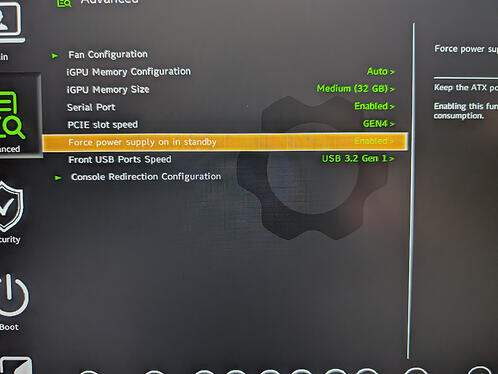
And since my plan is to work mainly remote on this desktop i wanted to enable Wake-on-Lan.
After enable it in Bios, it was working for 1 time, but since does not power on the desktop again.
I can hear a gentle relay “click” a few second after power off. Does the power supply completely power off the mainboard or is it simply a bug in bios? Anyway WoL does not work, so i cannot start it remotely..
Would be great to hear from other people if the almost 2min boot time is normal and if they have WoL working, or if i should try to get a replacement..
Cheers,
stefan