Is it expected that the display and wifi antenna cables sit a bit high where they exit the bottom? This is leading to the power button part of the input cover being raised before tightening screws and the power button mounting plate pressing on the cables.

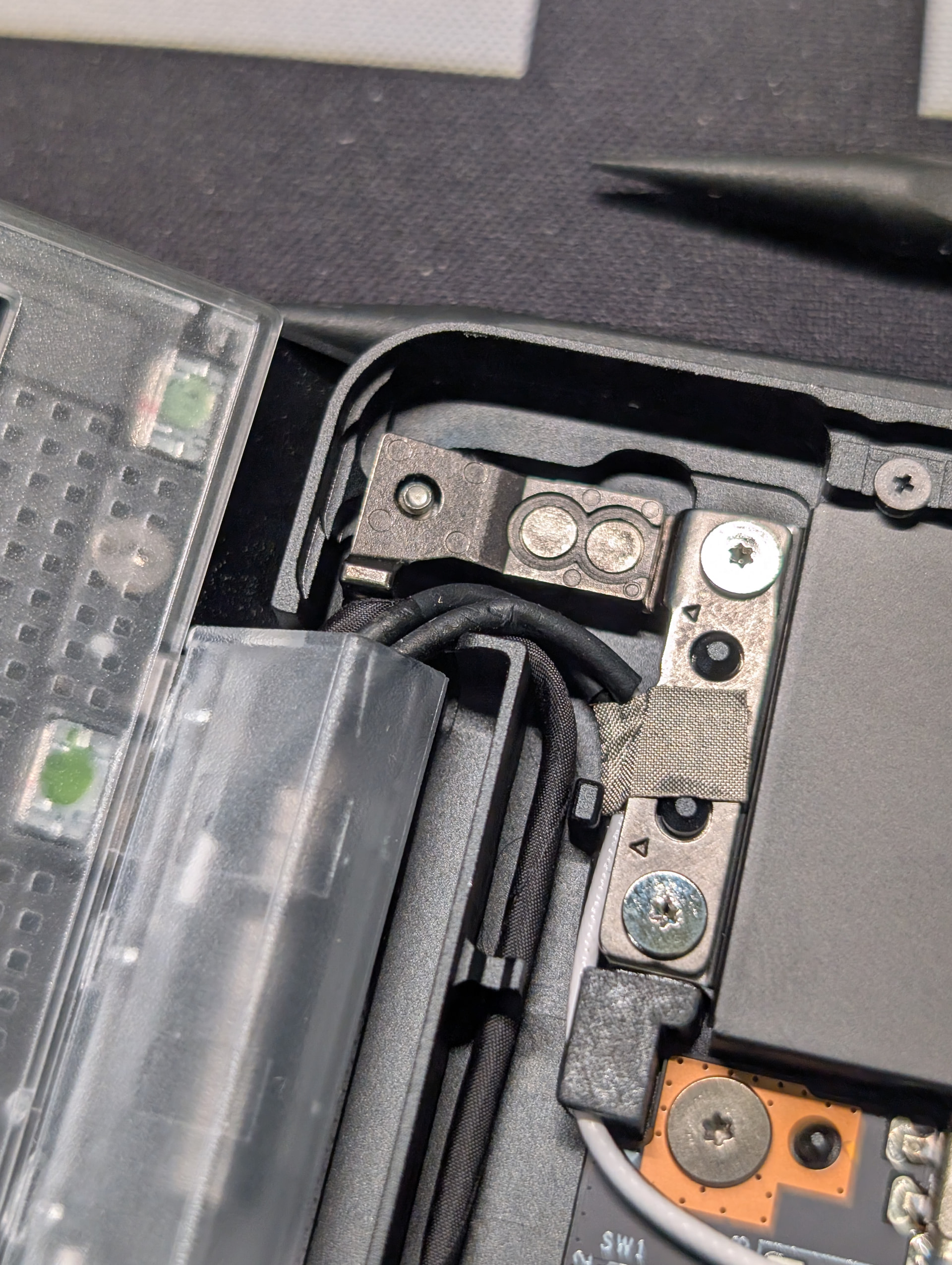
That’s actually the webcam cable. Display is on the other side.
And it is, in my opinion, the hardest thing to get right when assembling a FW13.
Your routing looks pretty normal, but you should still be able to make it so that the input cover sits flush before you screw it down. I don’t have a pro chassis, but this part looks very similar. I recently reassembled my FW13 and it took a lot of fussing before I got it so that the cables let the input cover go on all the way without forcing it.
You can see I smashed a wifi antenna cable pretty good on a failed attempt 

Hi. There are mainly only other users like you here.
Best to contact official FW support via their web site form.
As another user, I would say this looks wrong.
You could try adjusting the wires so that they pass through the gap instead of over the top.
Worth reporting to FW in any case, so that their production line fixes the problem for others.