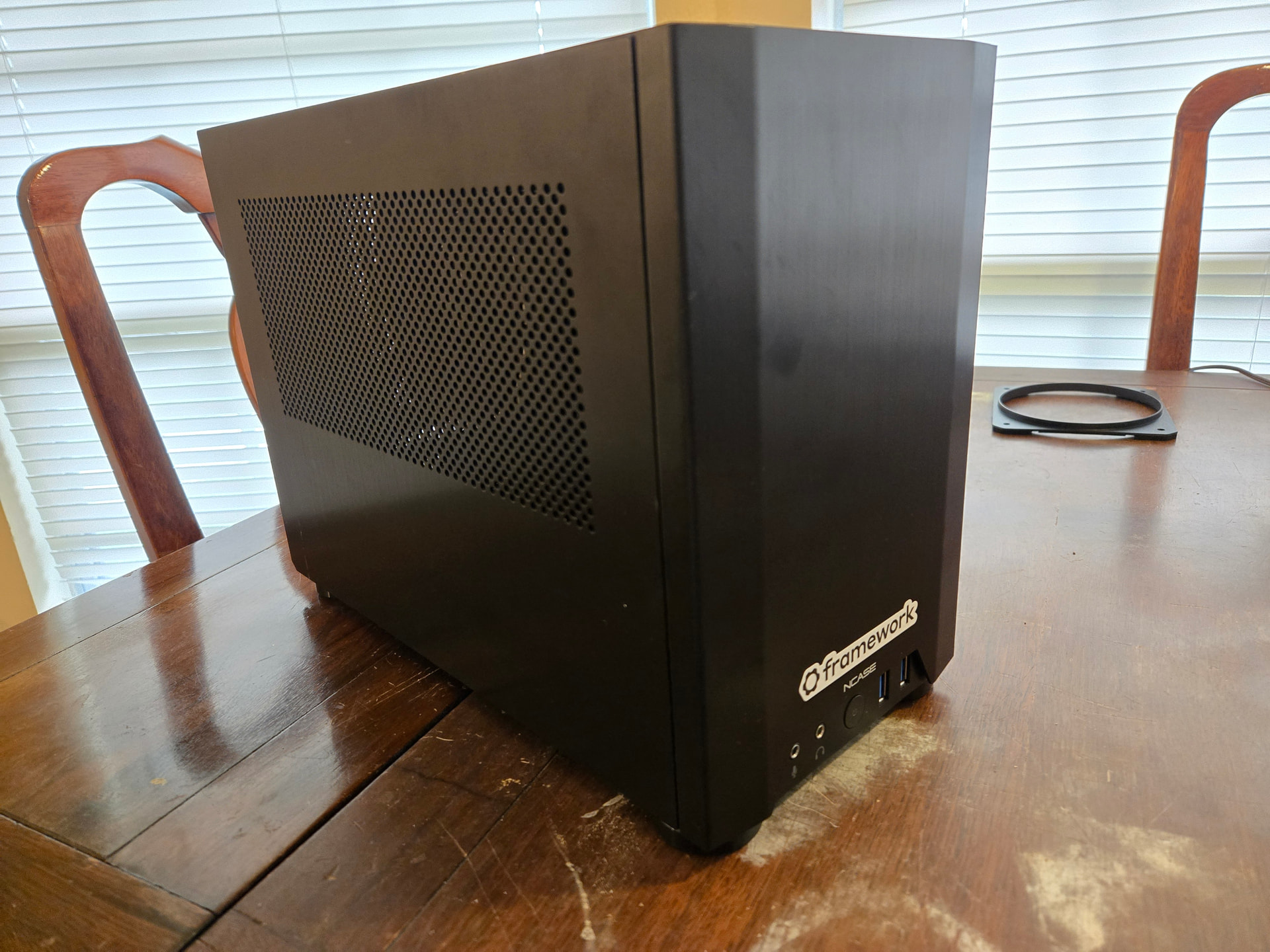
I’ve just ordered the Jonsbo TK-0, which at 14 liters is a lot more room than needed but it’s a good look on the desktop. I’m a bit concerned that it’ll look a bit empty without a GPU board as in the photo, but hopefully that’ll add to the “clean” look.
On the plus side for a larger case, that means a few more (large, but quiet) fans to increase the airflow. I’ll likely put a 140 in the bottom and top panels, though I’m considering omitting the top fan for noise reasons and putting two 90’s in the back as forced exhaust.
I was shopping around, my desktop lives in its cardboard box for now. I think I’m going to 3d print a case, I haven’t been completely happy with any of the options.
Finally had the chance to assemble my machine over my Christmas break. Nearly done. Just finishing up my PCIe x4 to x16 adapter to get the dGPU working. Everything works great just without the dGPU for now.
Put mine in an OG kickstarter Ncase M1 from 2013. This case is kind of absurd for this, but the case looks just as good today as it did 13 years ago. FYI the 140mm round noctuas with 120mm mounting holes work great. Max temp Ive seen on this thing is 80C with a sustained full GPU load and it’s whisper quiet.
I’m building my own adapter that will plug into the x4 slot of the motherboard, use external power from a 6 pin PCIe power cable, and connect to the riser built into this case. I have all the components ordered, sitting in the warehouse ready for manufacturing. I am just finishing up the layout on my PCB. How well it performs is yet to be determined, but the idea is to design it for minimal signal loss.
So, I finally got this adapter and installed it. It successfully powers one of my case’s USB-A ports… but not the other one. Haven’t looked into that yet. But it’s something…
I would probably try to figure it out if I were sticking with this case. I have decided to move my Framework MB to the Louqe Raw S1. I wanted to get the Raw S1 several years ago, but back then it cost more than I was willing to pay. But I recently learned that it’s been discontinued and they are selling off the remaining stock for a super low price and I finally ordered one.
I have installed mine in the same case I had my old desktop in, the NZXT HUSH. I was worried if everything will fit but it works well. Here are the other items I used:
be quiet Straight Power 11 CM 1000W Modular PSU (BN285) - reused from old desktop
I replace the case fans I had as the intake one was quite noisy on startup. I replaced with 2 Noctua NF-A12x25 PWM fans, which I do hear but only as a very low background hum
I reused another 120mm fan for the CPU. I just put that on top of the heatsink provided with the mainboard. It strikes me that the airflow may not be ideal as the way the case is mounted it is pulling air that would go to the exhaust. I don’t know much about this though and my thinking may be naive, but I haven’t noticed any issues but I also admit I haven’t yet stressed the machine
In general I am very happy with this, I just have a couple of minor issues with this:
the USB ports on the case aren’t connected, as the case has a USB2 9-pin connector and these don’t fit the motherboard. I was wondering about adapters for the mainboard USB Type-E headers, but this isn’t yet an issue for me so I haven’t tried
The case has a FireWire port, I am not able to connect this either but I never used it anyway.
I haven’t been able to connect my SATA disks from my old desktop. This was the main reason for using the old case, as I have a lot of space for disks I used at the time. Unfortunately I haven’t found a way to connect them yet. The following is a record of my failed attempts at the moment in case it helps anyone:
StarTech.com SATA PCIe Card - 6 Port PCIe SATA Expansion card with ASM1166. I hoped I would be able to connect my drives with this, but even plugging this into the x4 port and booting with no drives connected the computer will power and spin the case fans briefly before stopping those and only the CPU fans run.
After a few mins I see the red LED next to the orange ones on the motherboard and the orange middle one then blinks 10 times. The link Framework Desktop LED Behavior and Blink Code Diagnostic it mentions a power glitch, but I do get other flashes after those 10 flashes so I am not sure. I have tried removing and adding the card but the same result.
I also purchased a SAS HBA Card Compatible with LSI 9207-8i IT Mode PCIe SATA Expansion Card, but I neglected to spot that the x4 slot was closed and this is an x8 card. So I am wondering if I will have to get a riser for this. I am a bit worried that I am missing something with my attempt with the StarTech card, so I will think a bit before purchasing anything new for this.
I am using the Fractal Node 304, I had to take the main case fan off (140x25) because it was too thick because I did not have enough space to the back of the case after my Noctua NF-P12 redux-1700 PWM was added to the heatsink