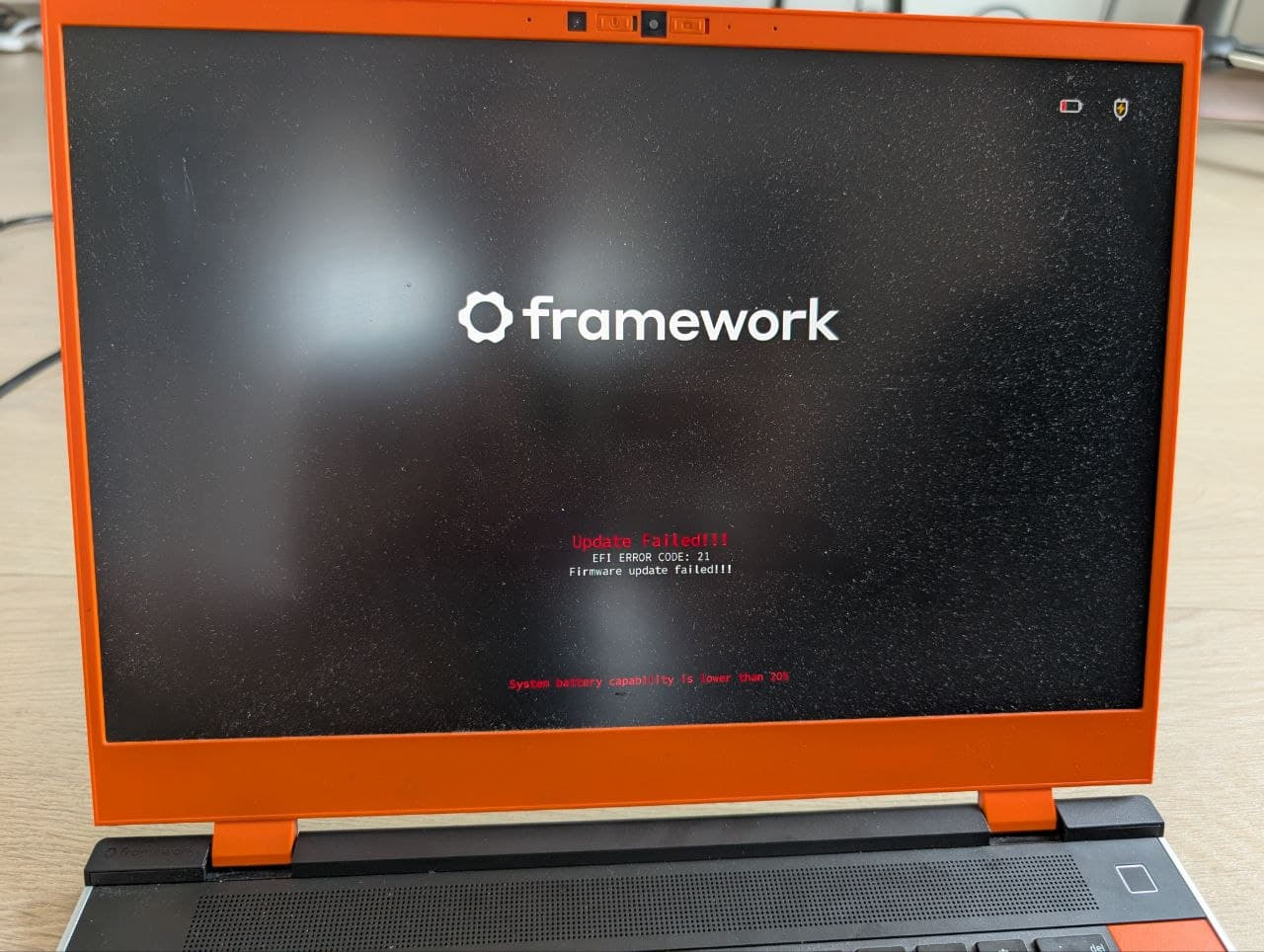
My Kubuntu 25.10 system automatically installs BIOS update. All updates before were fine, but the latest one broke everything.
In the morning, Kubuntu downloaded a BIOS update and said, as always, to restart PC. I restarted, and the update started. It displayed the 6.03.04 → 6.04.01 update. The last thing I saw was PD1 2.0.C → 0.0.22. After an hour of waiting, the screen became black. I was waiting for the update to finish for more than 2 hours with no signs of life. After 2 hours, I decided to restart the PC by pressing the power button for 10 seconds and restarted PC. After restart I saw Update failed and code 21. After this I’ve never seen the Framework logo anymore. There is always black screen on the start.
I’ve restarted PC many times, waited for long time. I’ve tried the method with Mainboard reset. Changed RAM. Nothing helps.
Can I restore it somehow?
Which BIOS version are you using? 6.03.04 → 6.04.01
Which Framework Laptop 16 model are you using? AMD AI 370. No GPU.
I think you might be OK.
The BIOS was updated, the EC was updated, but the USB PD chip firmware was not.
Try plugging a power supply into different USB ports, on the left and right until you get it charging again.
Hopefully, only one side has failed, so the other side might work.
Once you get the battery charged again. You can try the firmware update again.
Charging works okay for both sides. But now when I run laptop I don’t see Framework logo anymore. Only black screen. It ignores F12, so I can’t go into the boot select panel to rerun Bios update.
Are there any other options to flash it? What should I do?
During boot up, keep tapping F2 quite quickly. It should eventually get to bios setup screens.
You can then use that to attempt to reflash the BIOS using the EFI bios update method.
That is when you download the EFI upgrade files, put them on a usb stick, and then use the F2 bios, “boot from file”, to select the efi update file from the usb stick.
Unplugged everything and tried. No results. Does it make sense to tap F2 for 2 minutes? Or I have to see the result in the first 10 seconds?
Yeah. I’ve already raised the official support request. But they are answering only on working days. But I hope to get it fixed by Monday. Work is waiting.
So I really appreciate any help. Thank you so much.
It’s not upgrade from 3 to 4.
But the idea is good. I’ve tried a USB keyboard, but it doesn’t react on it. Even the external keyboard lighting does not turn on.
Complain on Kubuntu’s forum. BIOS updates should not be done automatically without the user’s consent. I used Fedora and Arch and I never encountered this, but I never thought a previously known Microsoft issue has creeped into Linux.
You can disable the firmware-updater.firmware-notifier and/or disable firmware updates in Discover’s settings. You can also forcefully uninstall fwupd package. Note that fwupd is not at fault here since that’s only the BIOS update mechanism. It’s the distro’s fault for configuring the OS to run fwupd behind your back.
Just as a thought, the first picture shows your battery to be fully charged, which is a big no no during BIOS updates. I think that is what broke your update. Framework makes it very clear that the battery should never be fully charged during BIOS updates and should be discharged low enough to be charging during the full update process. I take mine down to 30% below its full charge level.
I got this bios update, it said - success. But after reboot I got black screen and a dead laptop. Removed all tiles, charge or no, external monitor or no. Can’t get into bios screen no matter how fast I hit F2 or F12.
Nope, it did nothing. After this reset literally nothing changed. Power button goes from full brightness to half, screen flashes for a moment - and then nothing. No F2 or F12, no other indications of life.