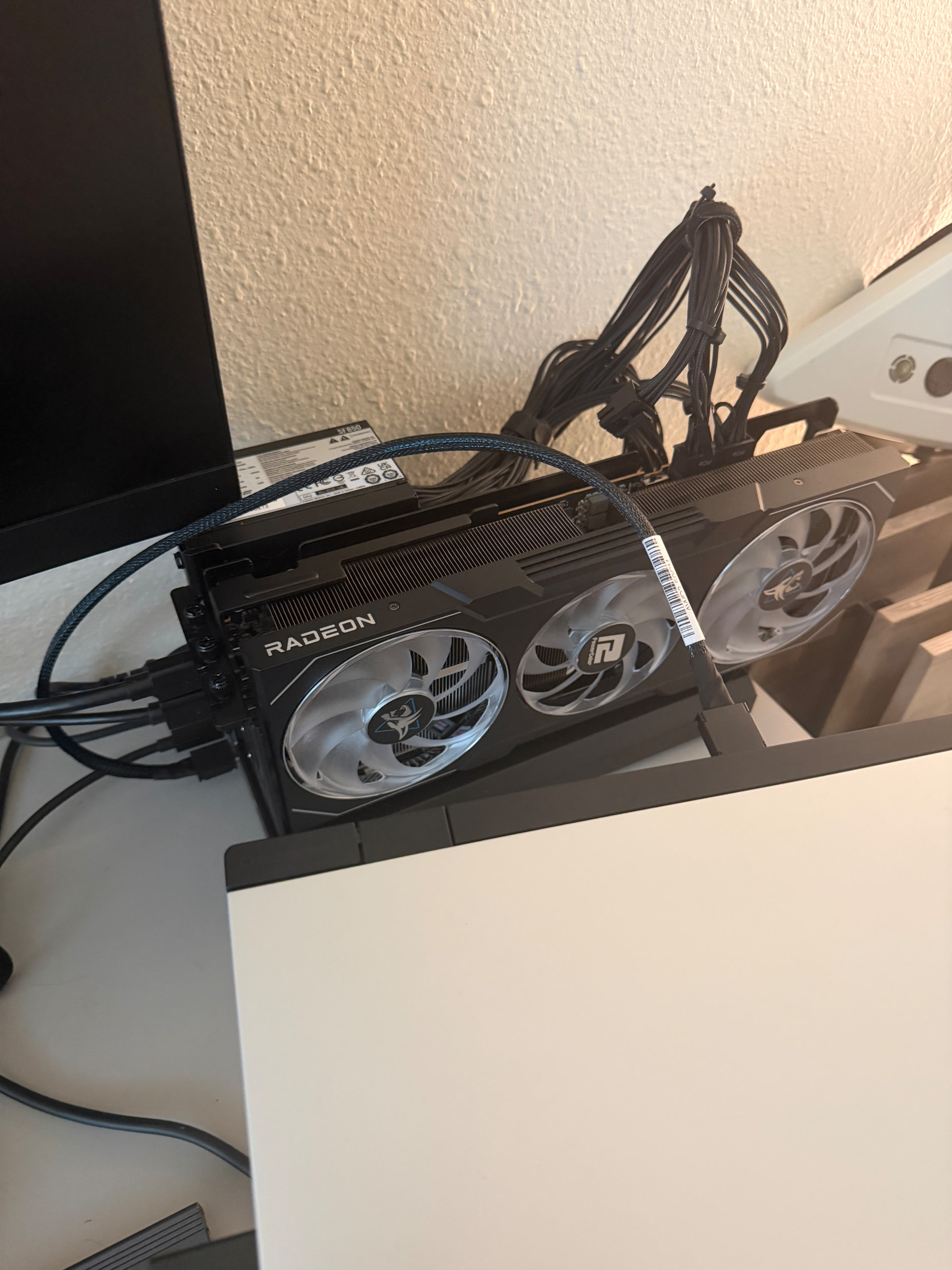
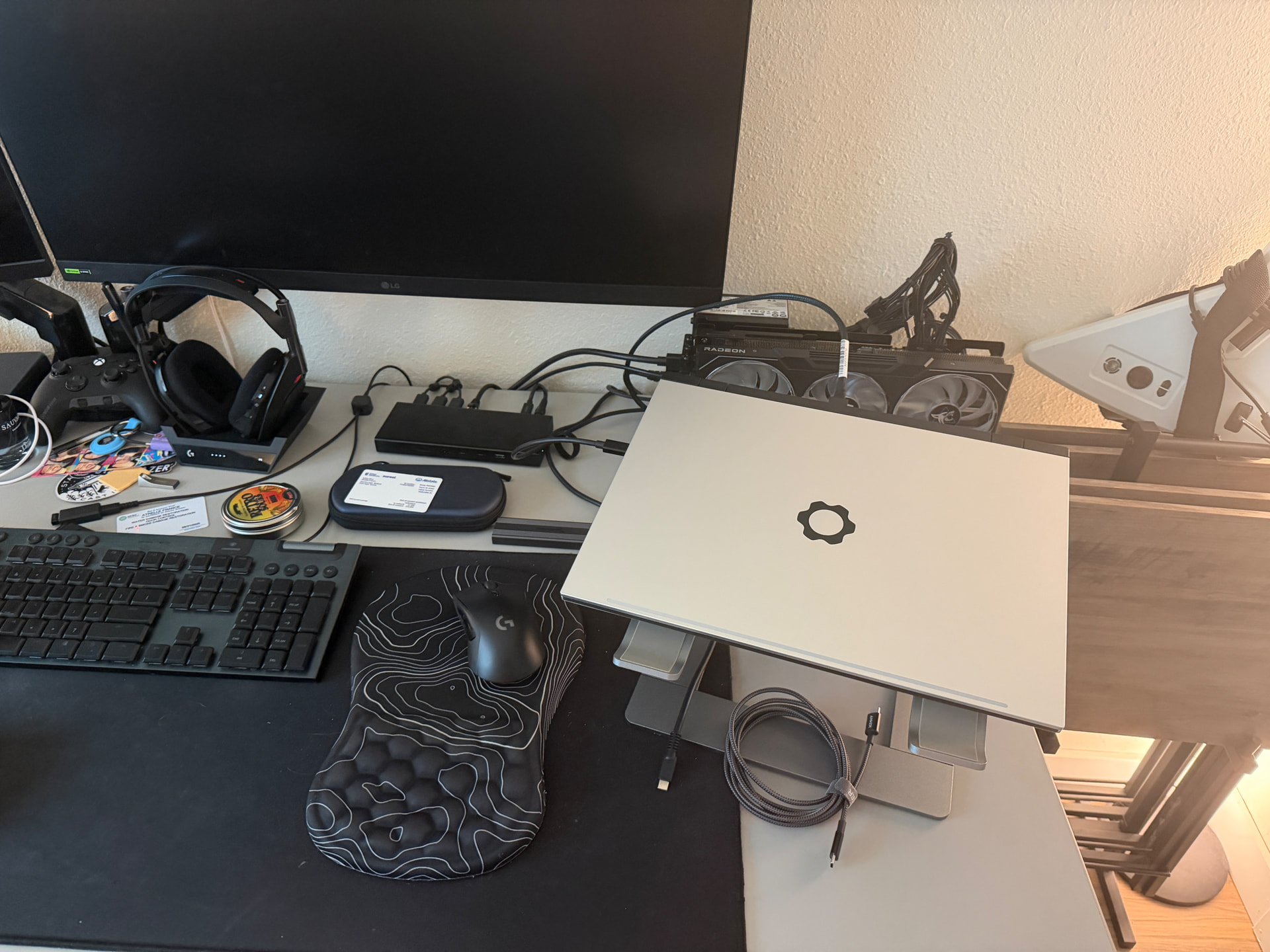
I need some recommendations on how to better orientate this setup as the cable going up and over is a little concerning. Any suggestions?
DEG1 works and no issues from initial testing. I will see about getting some benchmarks later.
PSU: MSI MAG A750GL PCIE5 750 Watt 80 Plus Gold
GPU: ASRock AMD Radeon RX 7900 XTX
Dock: MINISFORUM DEG1 Docking Station
2 Likes
Could you rotate the dock 180 and have it behind the monitor so the cables come out from the right? It’s kind of hard to see the space available on the desk.
1 Like
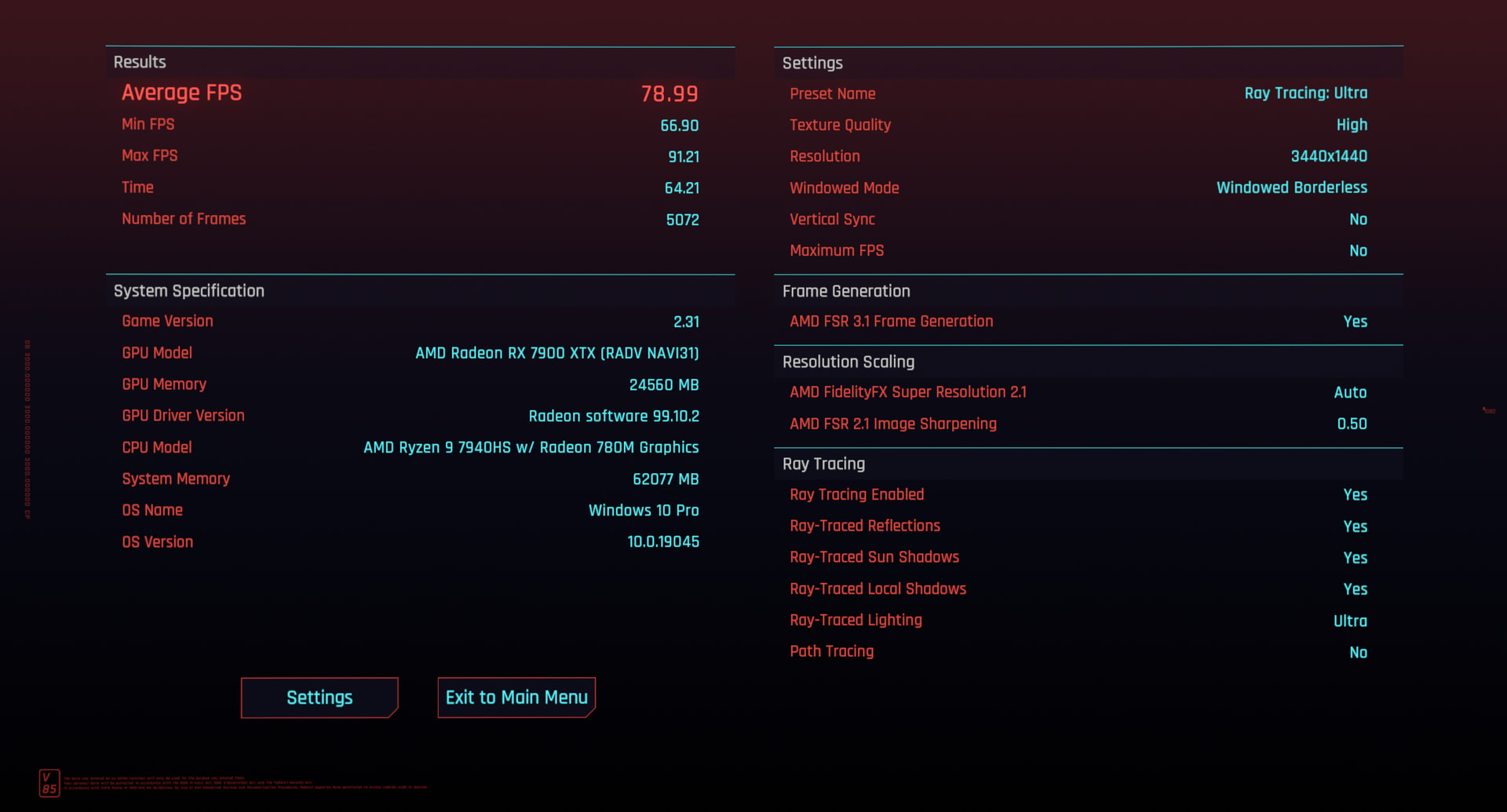
Cyberpunk (using steam proton) Benchmark.
Furmark

I am running Bazzite. I dont actually know which benchmark tools is best on Linux, but figured these 2 would work.
1 Like
Very nice. Have you tried to enable/force FSR4?

Recently I’ve noticed that my laptop takes longer to start up than usual. The GPU fans would run then stop then run again before the laptop started, and this seemed to only happen after a full shutdown but not on restart. Event viewer screenshot provided. Disabled fast startup and that worked, but I never had this problem previously. Could be due to the change in mainboard or change in the adapter (using Kyle’s adapter). Just wondered if anyone else experienced something similar before I go doing more trial and error (i.e. seeing what happens when I change to previous hardware)
UPDATE:
By turning on the eGPU first, it seems to solve the problem as well (without having to disable fast startup). However, I did not need to do this with my previous configuration. I will do some additional testing when I have time.
1 Like
I received my adapter from Kyle today and installed it in my laptop. I swapped out the M.2 to OcuLink ribbon cable I was using and inserted the adapter instead. The whole process was quite seamless (especially compared to the installation of the ribbon cable). The angle to insert the adapter is kind of awkward, as the back of the expansion bay makes it annoying to insert the adapter at an angle, but this didn’t really pose any issues.
Compared to my ribbon cable, the whole setup is a lot cleaner now, the expansion bay slides back into the laptop nicely, which was not the case when using the ribbon cable. The back plate Kyle provided also looks much nicer than the plate I had before, which kind of bulged out.
I used the laptop with my egpu and performance seems similar to what I achieved using the ribbon cable. I’d recommend the adapter over a ribbon cable for anybody who wants to add an OcuLink port to the expansion bay module.
This post details the original setup (with the ribbon cable) for those interested.
Note for those living in the EU: I did have to pay for customs. I hoped that I could avoid it, but bpost ended up charging me about 40 euros before they allowed the package to enter Belgium (which is where I live).
3 Likes
Thanks so much for the kind words!
Kyle
2 Likes
Bit of an update: I swapped back to the ribbon cable and that did not solve my problem - so at least it is not anything to do with Kyle’s adapter. I also noticed turning on the eGPU first did not solve the problem anymore either  Guess I will just turn off fast startup..
1 Like
Hi! I (EU) found out about this adapter just after the form was reopened in december, and immediately filled it out. I’m having a bit of trouble navigating through all the messages and updates about it since then, so I just wanted to ask if there’s still a chance I’ll receive a reply, or whether I should forget about it already. Should I rely on the original message for this kind of updates?
In any case, it looks awesome. Even if I was too late to buy yours, I can’t wait to get my hands on a similar product.
Hi there!
There are more adapters on the way. I am simultaneously looking for a better way to sell these. I honestly had no idea what the demand would be, and the way in which I have been selling isn’t really scalable/sustainable.
I hope to have more news soon. For folks that fill/have filled out the form, you will be the first ones to know! 
I’m sorry that “soon” is such a vague term. This is just a side project for me and life has a way of getting extra “lifey” sometimes. Both work and personal life have been extra recently.
5 Likes
Sounds great!
Maybe dropshipping from China? Would save alot of bucks on shipping and multiple imports.
Your Adapter to me came this week, but i have to go to the post office to pay taxes. Never thought this would happen on a “private” shipment. They want more than 20bucks…
@Kyle_Tuck
Just out of interest. What has the demand been? How many people have asked to purchase it?
1 Like
Hey just wanted to say that you don’t have to apologize for having a real life outside this forum
Thank you for all the work you have given the community.
I’ll be happy to read your next update whenever that may be, if at all.
5 Likes
Question for any users. As I run an external monitor with this setup, I tend to tell windows to display only on screen 2 so my laptop monitor will power down. I have been running like this since I established this whole get up no problem. Until recently. For whatever reason, now my laptop monitor will be black but remain illuminated when before it would be totally powered down. What gives? Any suggestions? I have completely uninstalled and reinstalled graphics drivers and cleared cache. Even reset my gpu with Win + Ctrl + Shift + B and nothing seems to be working. Why is this just now a problem?
Recent Windows update? Driver update?
What happens if you disable the iGPU?
Likely a windows update honestly.. they like to sneak those in. But also could be a driver update for the gpu and I might need to roll it back. I love how I tell things to not automatically update and yet they still do. I haven’t tested that yet. Disabling the igpu has to be done in the bios right?
1 Like
Checking device manager shows it is disabled 
On a related note…
I keep seeing posts that “PCIe 5.0 OCuLink isn’t going to happen”. Those people often provide a very abbreviated history of OCuLink (it was for servers, only meant to have short internal cables, etc). It really feels like OCuLink itself just keeps replying with “hold my beer”.
I know that neither of the FW16 motherboard options has PCIe 5.0, but someday…
Will the current dual M.2 expansion bay work at PCIe 5.0? Will this adapter work at 5.0? Probably not, but who knows.
But PCIe 5.0 OCuLink is possible.
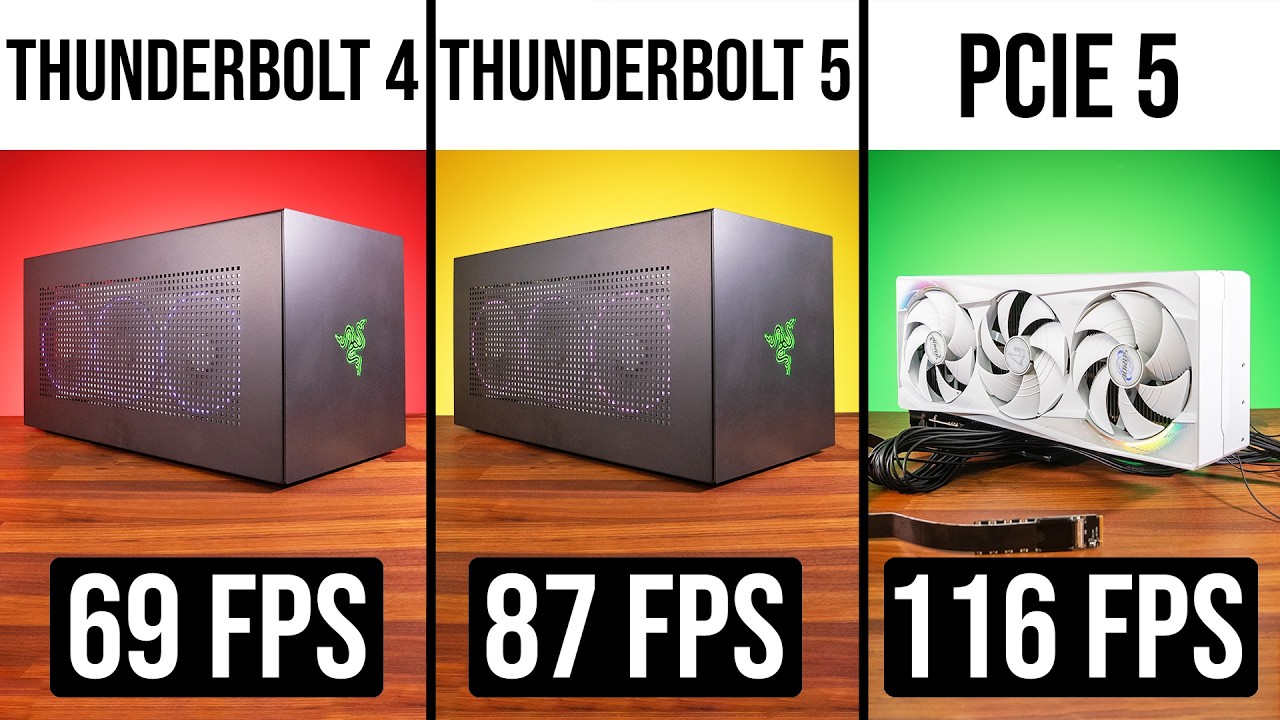
Interestingly, despite the bandwidth benchmark showing that PCIe 5.0 does nearly double the bandwidth of PCIe 4.0, even the mighty RTX 5090 doesn’t show a significant jump until running at 4K.
Oh, and OCuLink at PCIe 4.0 consistently and significantly outperforms Thunderbolt 5.