Looks fine to me. I don’t see a short or a disconnect.
Benchmarks over yonder: OcuLink Expansion Bay Module - #935 by kholdstare
5 Likes
Just got mine today. Working perfectly so far.
Using DEG 1 and 5070ti
3 Likes
Hey everyone!
I have now shipped all adapters to folks who have paid. Thank you to the folks in Europe for your patience while I arranged to get these out. Check your email for tracking information. You can enter the tracking number at the Canada Post web site.
Happy Holidays all!
Kyle
6 Likes
@Kyle_Tuck – This is fantastic work you’ve done with this project. I’ve filled out the form and eagerly await my turn to buy an adapter.
What’s next for this project? More technical validation? Scale?
You’re hard work is greatly appreciated.
2 Likes
Well, I actually have an F9G that I was planning on swapping into my custom eGPU enclosure. I abandoned that once I got the AG02 but now am thinking I’ll circle back to it. I much preferred the look of my custom one. Also, it would be good to have another data point for the F9G to confirm it as a recommended option.
Beyond that, I haven’t yet decided what to do. The number of remaining adapters is quite low. I guess I underestimated the demand considering it took a little over a month after opening the list, and there are more names on the list than adapters remaining. However, the minimum order quantity for the next batch will require a large financial commitment and I’m not sure how long the demand will continue.
I’ll take a week or two to consider next steps.
4 Likes
I guess you then need to ask for a 50% deposit on ordering once you run out of existing stock. That will at least soften the financial blow of the next order.
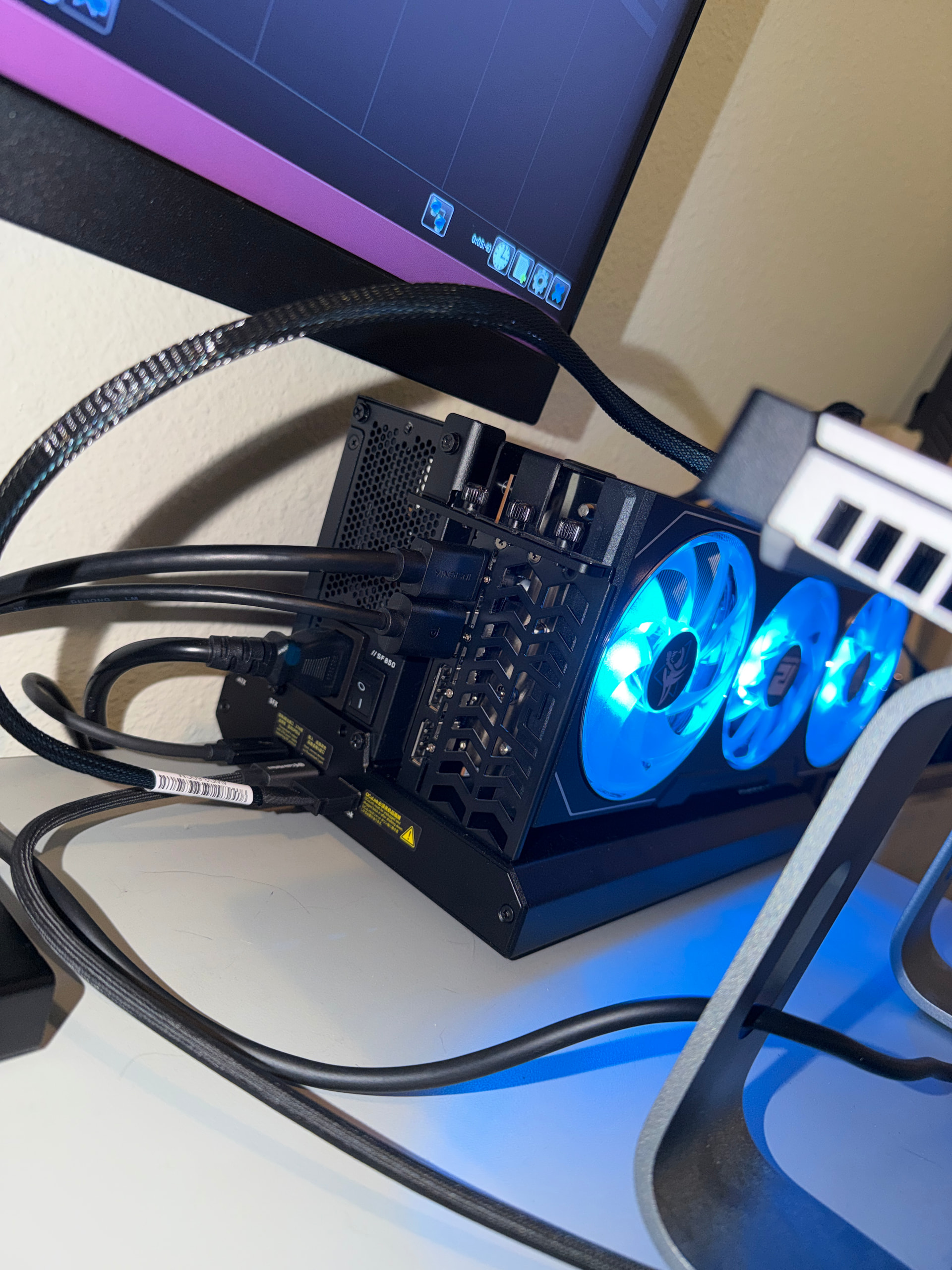
Aoostar EG02 can be added to that list as well! Worked just fine. HWINFO previously with a TB5 connect showed only 2.5GT/s now getting 16!

5 Likes
That’s awesome!
I hacked together my custom setup with the ADT-Link F9G (V 1.1) and it seems to be working! I didn’t test it thoroughly yet, but I am going to rebuild my custom enclosure to rework the position of the power supply and account for the different size of the F9G compared to the board I used before.
I’m pretty excited because I would like to switch back to my custom setup. Don’t get me wrong. I generally like the AG02 and it also has USB4 as a backup solution, but there are a few things I dislike about it.
- The power supply fan never stops, even when OCuLink is disconnected. The F9G auto-detected the OCuLink and powered on/off automatically. The power supply in my custom setup only turns on its fan when necessary (hot).
- There is something coming out of every side of the AG02. With the (decorative only) power button as a reference for the front, the IO comes out the front, the power comes out the right, the video cables come out the left, the PCIe power comes out the back, and the card comes out the top. It’s just… messy.
- It’s shorter than my custom setup, but takes up more desk space.
I’m glad @kholdstare tested with the F9G. I actually had it lying around but stopped working on my custom setup after switching to the AG02.
3 Likes
I’m not sure what happened since last night but I’ve had 4 system crashes with no clue as to why other than kernel power when all that’s connected is the dock and a 240w psu.
I reinstalled drivers to see if that’s helped so I’ll post back but honestly unsure!
Still very nice, also automatically turned on SAM/Rebar which was something I was questioning would even happen
Hi Kyle!
So I’m finally posting my install of your adapter as I promise I would.
First thanks again for your patience with me! 
OK so long story short, it is working like a charm with my DEG1 + 9070 setup. The DEG1 switches on automatically as soon as I start the laptop.
So here is the adapter itself

As for everybody else, it fits perfectly once closed
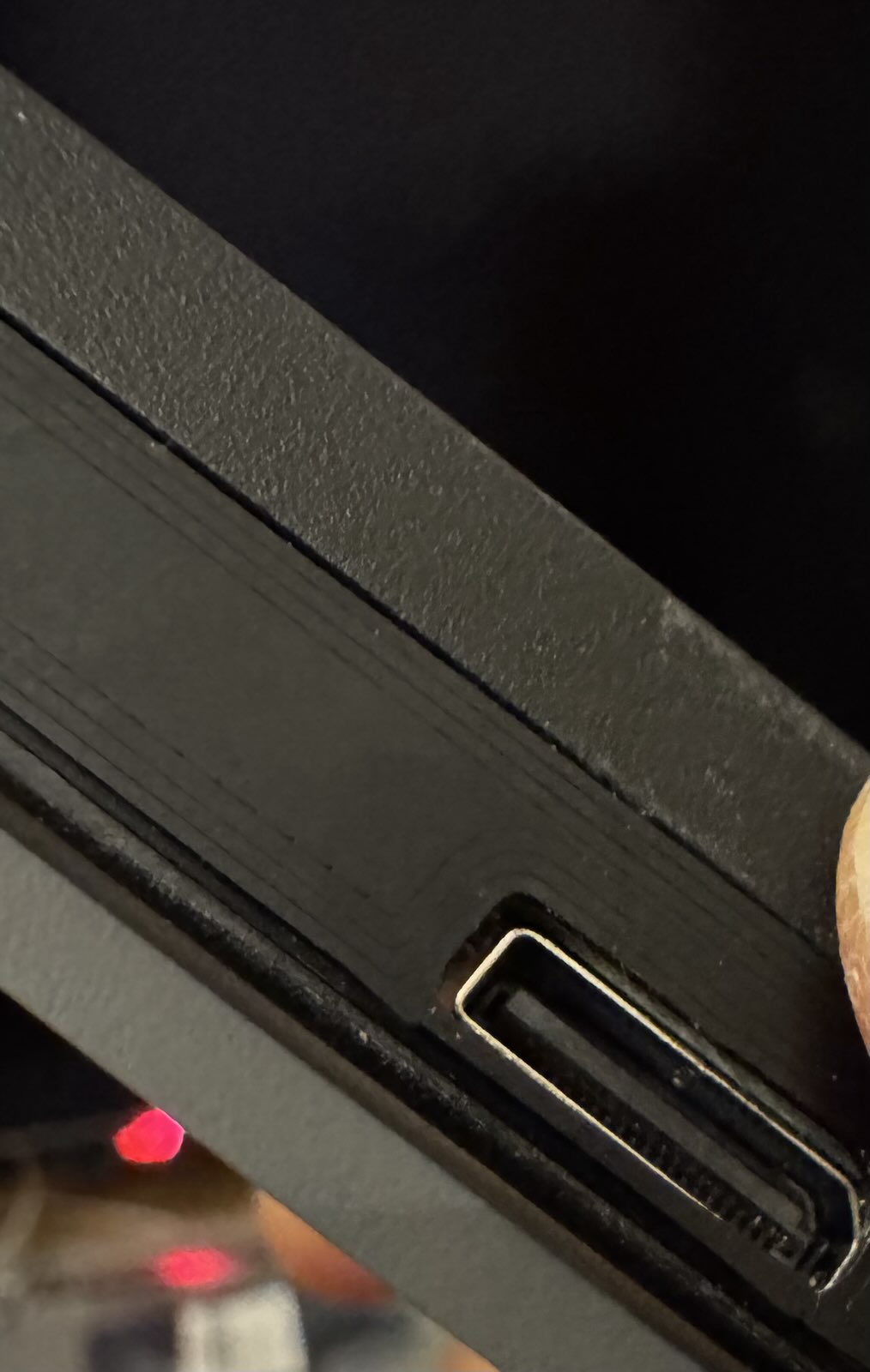
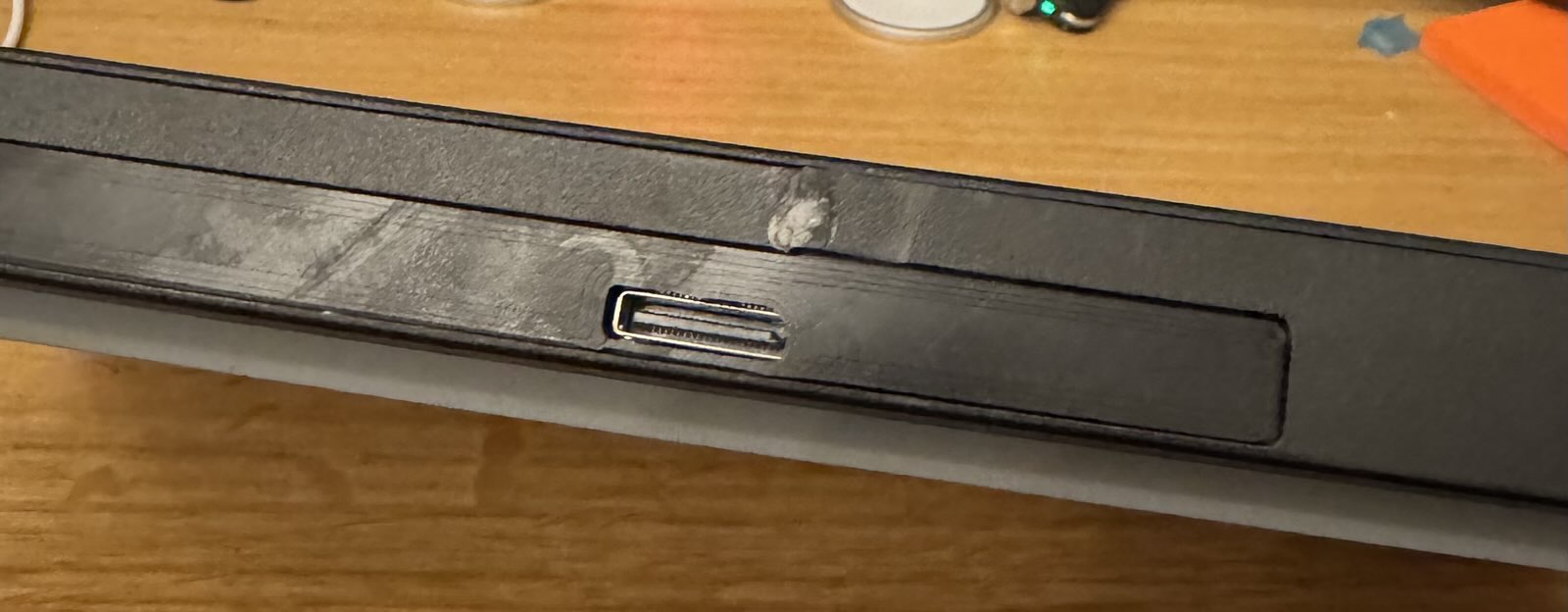
My only issue here as nothing to do with the adapter. I broke the part just above the removable cache and glued it back with UV resin. Put too much of it, tried to sand it and shouldn’t have, now I have this white-ish spot.
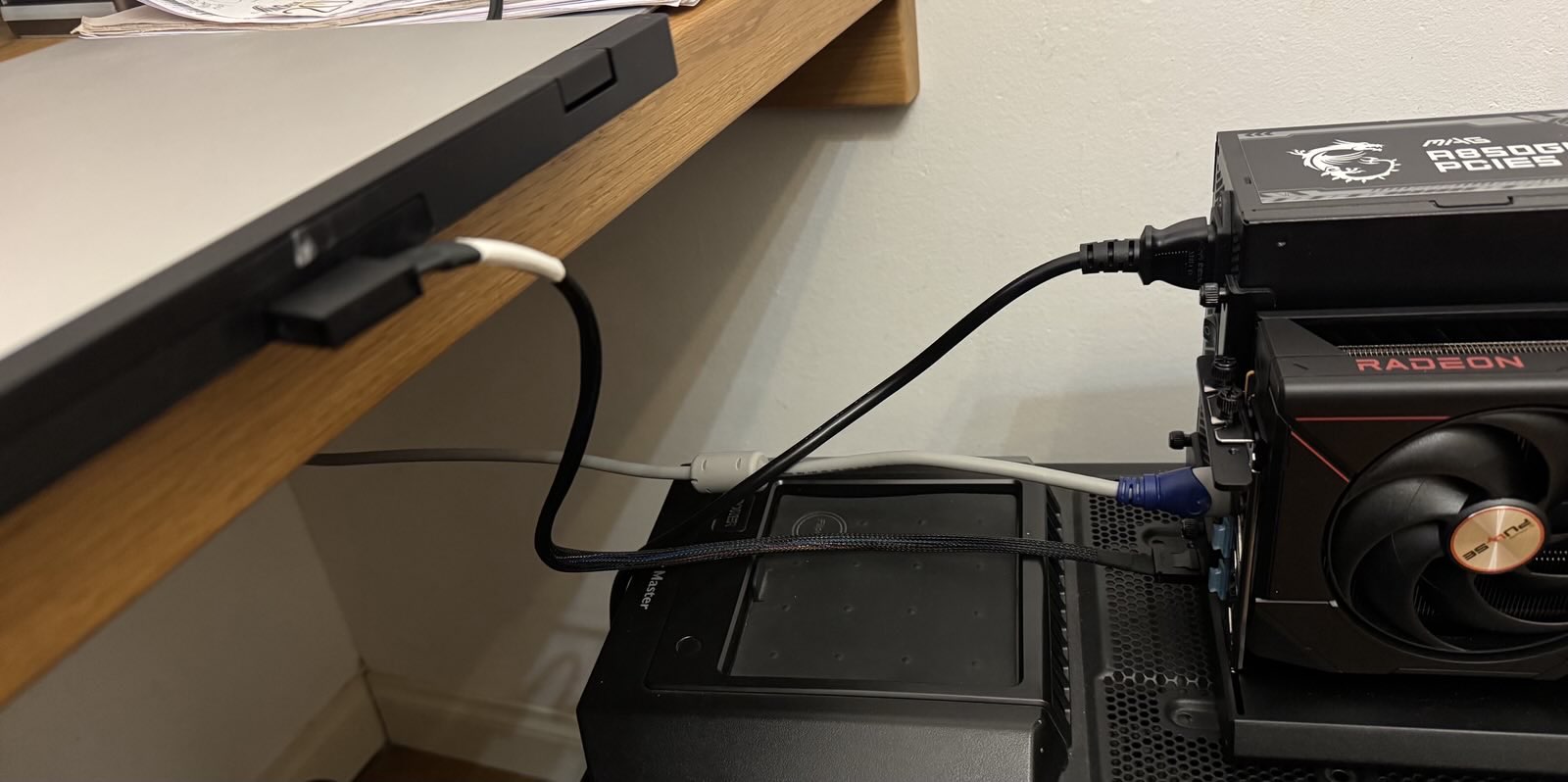
Anyway, it worked perfectly at the first try with an MSI A850-GL PSU
I’m still on Windows, plan to switch everything to Linux next month.
Was kind of surprised when W11 decided to install what seems to be standard AMD drivers. Since I’m going to switch anyway, I’m not worrying too much about this being a potential issue with Framework AMD drivers. And so far, I’m haven’t got any issues. And once the update was made, the 9070 did appear in the Device Manager

And GPU-Z was happy too, detecting the adapter as a PCIe4 x4
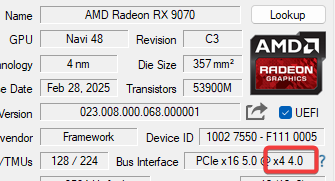
Then I ran 3dMark. The PCIe test is good as far as I can tell, in line with what can be expected out of a PCIe4 x4 link

As for the Time Spy Express, then again as far as I can tell a graphics score of 11984 is in line with what can be expected of a 9070 on a PCIe4 x4 link


Then I launched BG3. Using FSR2.2 Ultra quality with a driver enforced cap of 90-100 fps, everything runs great at 4k.
My issues: actually none of them are linked with the adapter
-
bitlocker
 : plug the DEG1 and… enter recovery key. Unplug the DEG1 and… enter recovery key.
  Solution here: use a dedicated PIN code and remove all PCR levels from the TPM checks. Heard that Linux is much more sensible here, crossing fingers
 -
noise step 1: well as soon as BG3 gets the floor, CPU runs directly to 100°C hissing like a teacup. This is dreadful, especially since I hate noise and don’t like to play with headphones. Solution here: Ryzen Controller. Allowed me to limit the TDP between 24W & 28W and limit the temperature to 70°C. For daily tasks I don’t see the difference although W11 seems to be slower to load. For games, at 4k with a 9070 I’m GPU bound so even though I’m sure there is a measurable drop in performance, I can’t see it
-
noise step 2: the MSI A850GL PSU is a very good one, but it does not have a zero fan mode. And even though its sound is a pretty gentle woosh over time it’s too much. I guess it would not be a problem if I put the DEG1 into an enclosure under my desk, but with oculink cables being so short it’s not an option. So I replaced it with a Corsair RM850x (2024): fans never spin unless load is above 30% of 850W. Since my 9070 draws at most 220W it never triggers the fan


Now I’m the happy user of my perfect oculink setup, nicely tucked on my desk
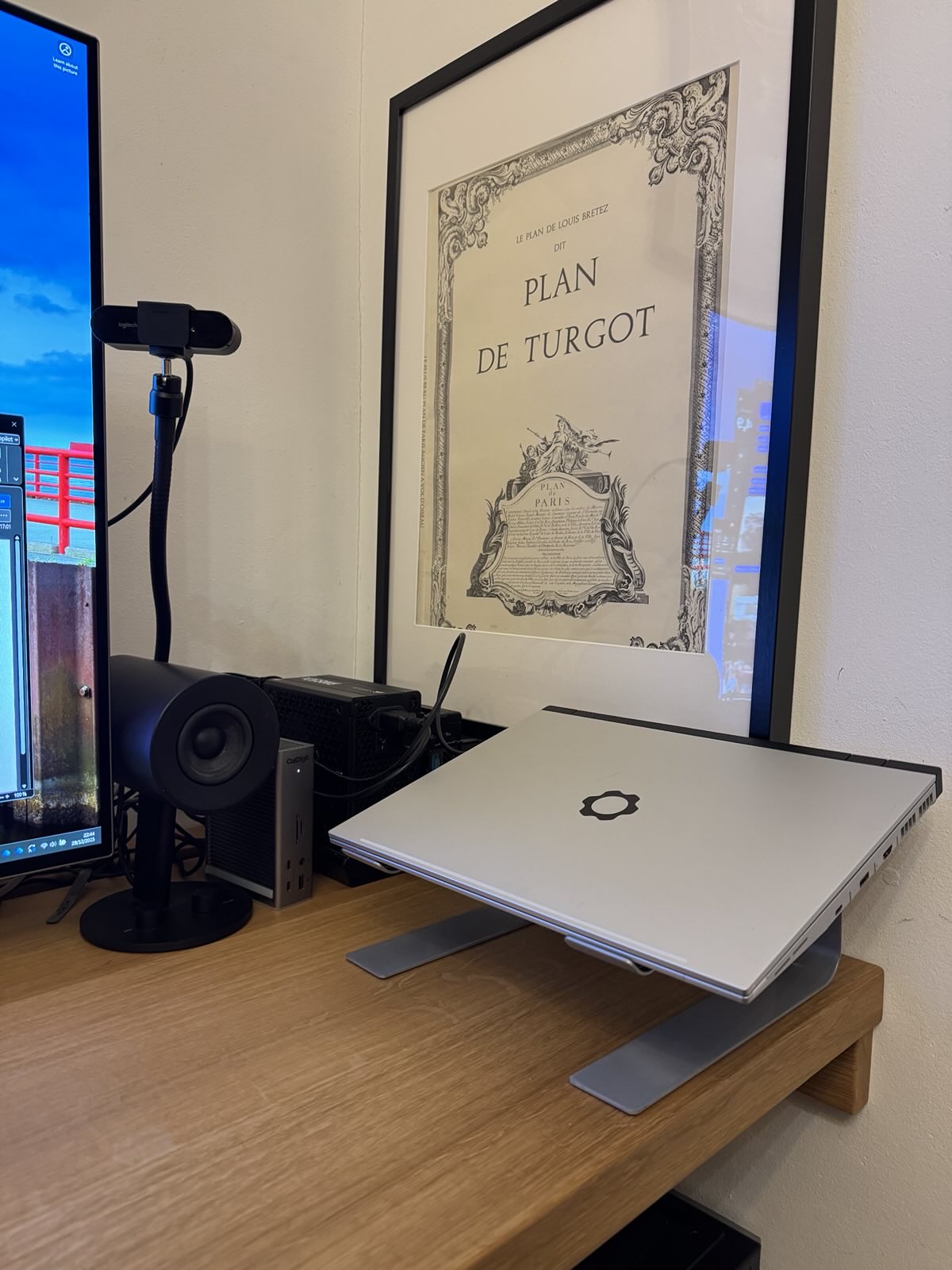
Thanks again Kyle for this amazing project. I did try my luck with cables and even though it worked, I was unable to make it nicely fit within the laptop (I’m definitely not a skilled modder). It looked so bad, with the laptop not really properly closing that I was thinking about giving up the whole thing.
Thanks to your project, all this is corrected and works like a charm.
I think you’re gonna have more and more buyers for this. As someone suggested, maybe ask for a deposit so it’s safe for you to order batches. And to anyone reading this, paying such a deposit is totally worth it, this thing really works
6 Likes
Glad it is working for you! I tested his prototype with the same setup of a DEG1 and 9070XT to confirm it would work for other users before he began selling it. If I could make one recommendation to see if it helps you as it is what I do. I used to have my laptop closed just like you since I was running an external monitor, however temps as you are mentioning were spiking. Can’t guarantee it will change something for you but it did for me. When I turn on my computer I leave the lid up, but have in my windows setting to turn off the laptop display and only project to the monitor. Reason being, the laptop has 2 intake ports for air. Both on the bottom and the top. So you are reducing your airflow intake with the lid closed. The exhaust is out the sides. Just a suggestion 
1 Like
No success on initial test. I suspect the issue is the Oculink to PCIe card. I am testing with a chenyang branded one, but the CableCC one looks the same. Both have mentions in the reviews that newer high power GPUs may not work. I think I am going to have to go get one of the below and test.
ADT-Link F9G
Minisforum DEG1
AOOSTAR EG01
1 Like
Oh did not know about that !
Sure l’ll try it, it’s simple to do after all 
1 Like
Maybe it’s the oculink cable itself? I have 3 of them, all brand new. One of them just does not work at all. At that point I thought it was the adapter failing and fortunately I thought of trying with an order cable. Just a suggestion.
The one that worked for me is the angled Chenyang cable. The amazon link for it seems to be wrong as it shows a m2 adapter, sorry. It’s the one I currently use so it should show on my photos
The one that did not work is this cableCC
Actually I didn’t test the cable included with the DEG1
1 Like
I have almost got my F9G custom setup ready to go and hope to be testing (playing with) it tomorrow. I did power it on already and it “worked”, but I didn’t do any extended testing on it. This will replace my cablecc one that just doesn’t work at all. If everything works, I’ll share more about my custom setup. My video card is a 9070 XT (PowerColor Reaper).
3 Likes
Well, looks like I’ll be sticking with the AG02 for now. Things didn’t go too well.
I don’t think it’s an issue with the F9G. My custom setup requires a Flex PSU. I have an Apevia 500W unit that has a 396W max 12V which just isn’t enough to keep the 9070 XT running stable. I ordered a 600W unit with much higher 12V but it didn’t run for long. The eGPU shut down suddenly, and there is the smell of burnt circuits in the air. Mild freak out followed as I shut everything down and moved the GPU back over to the AG02 to make sure it was OK.
Just finished playing on it in the AG02 for an hour and seems to be OK. The smell seems to be in the PSU.
Might have to redesign everything around SFX PSU to try again with the F9G. That won’t happen anytime soon.
3 Likes
This is very exciting! I’m currently using the previous solution of bending the m.2 nvme to oculink cable over itself to expose the port. It works, but my expansion bay hasnt fully sat right with it, this will definitely be a much better solution. Hopefully I can get my hands on one
1 Like
Over the last several months, I have received various queries about the adapter. I thought I would share them in the first post, but I guess I can’t edit it anymore.
Quick rundown:
- Adapter is lead-free.
- It is a 6-layer PCB design.
- The M.2 connectors are gold-plated.
- The OCuLink connector is rated for 1000 cycles.
I know that a couple of people have expressed interest in gerbers/design files. Unfortunately, that will not be possible because the extent of my “design” was providing the physical dimensions of the board and where the port needed to be. All other work was done by the manufacturer.
Kyle
4 Likes
Happy New Year!
Quick update. More adapters are on the way. I need to get some things sorted over the next week or two, so just a little more patience please.
1 Like