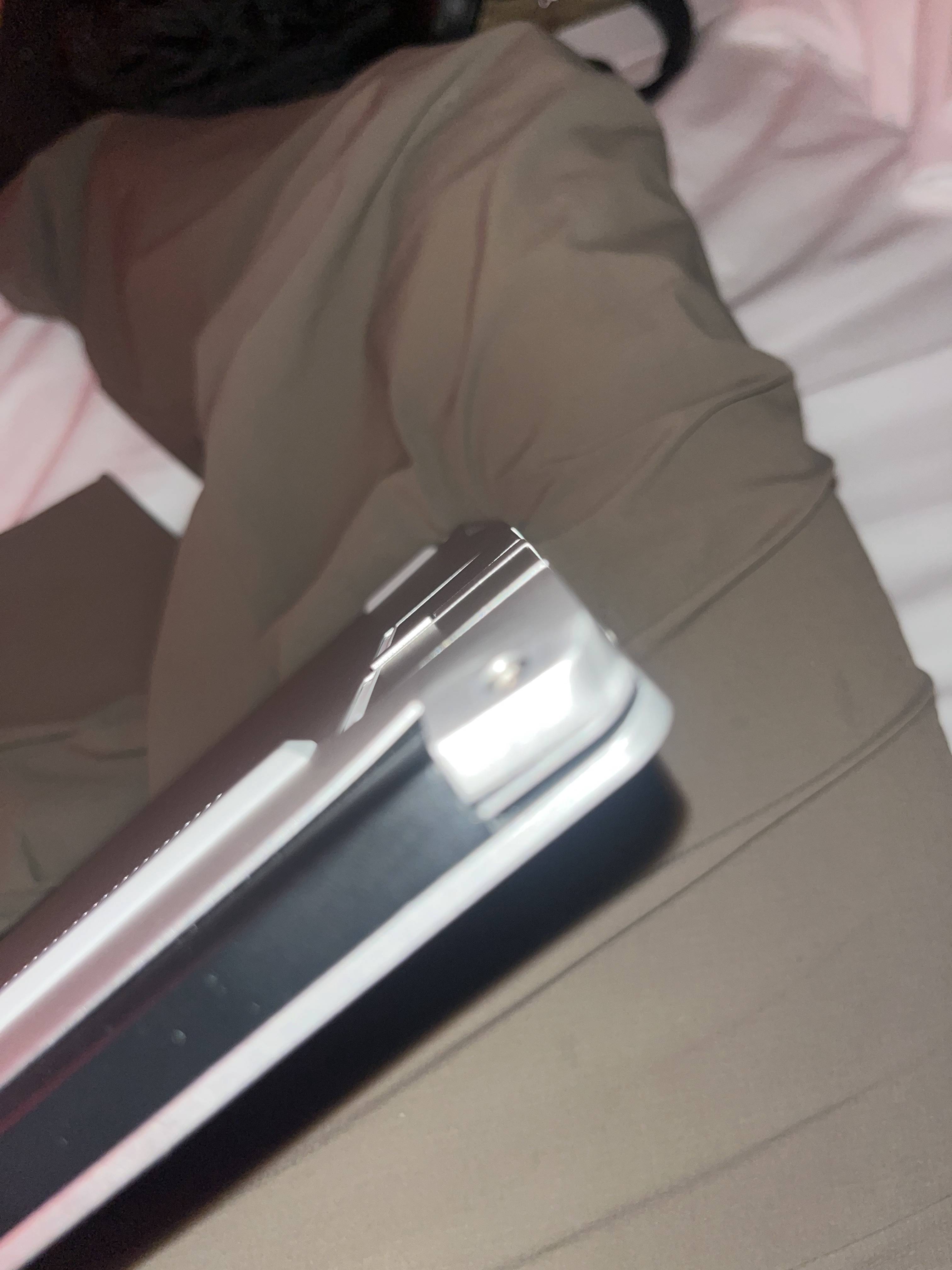
My Framework Laptop 13 fell last day. Since then, several specific keys stopped working, maybe 40% approximatively. To diagnose it, I tested:
• Two Framework keyboards (AZERTY + QWERTY) → same keys dead • Two matrix ribbon cables (the blue ones) → same result • External USB keyboard → works perfectly
The power button area on the Input Cover is also physically bent (see the picture), so I can’t turn it on/off normally.
Since the keyboard connects through the ZIF connector on the small Input Cover board, and I already ruled out the keyboards + ribbons + touchpad cable, it seems the issue has to be the Input Cover’s internal board / ZIF connector.
Before I order a new Input Cover Kit, can you confirm this diagnosis sounds right?
Also, any idea how long shipping usually takes to France (EU)?
Sorry, what ribbon cables?
The ones that are attached to each keyboard and not removable? Or the input cover to mainboard cable?
The touchpad board just passes the keyboard lines through as-is, though it sounds like you already know how the keyboard works. So yeah, it sounds like somewhere you have several lines broken. Cracked solder points is a possiblity. If you make a list of the exact keys that are dead, you could compare them to the keyboard matrix and see which pins on the connectors are the issue.
I don’t see a picture. Perhaps the forum blocked it? You could use imgur.com if the forum is refusing you.
I meant the matrix ribbon that is permanently attached to each keyboard (the blue one). I tested two different Framework keyboards, each with its own ribbon, inside the same Input Cover, and they both showed the exact same dead keys.
I also tested two different touchpad-to-mainboard ribbons, and the result was identical.
Here is the list of the keys that do NOT work on my AZERTY keyboard:
a, e, g, h, x, c, v, , ; : ! → % µ
It’s always the exact same set of keys.
Since the Input Cover around the power button area is physically bent, I’m thinking the internal board or some solder points may be damaged, causing a few specific matrix lines to break.
You can find the matrix column and row lines here: howett.net/data/framework_matrix. Note that it uses qwerty layout to denote the location of the keys, but it’s only the location that matters, not what’s printed on the keycaps. Your dead keys match well to two lines being broken. I believe KSI0 and KSI2. If you have good eyes & / or good magnification, you could examine those lines for solder cracks or other issues. github.com/FrameworkComputer/Framework-Laptop-13/tree/main/Touchpad#keyboard-connector