Update on my Framework desktop, for the first few months the PSU fan never turned on (or I didn’t hear it), a couple weeks ago it turned on for the first time, and it’s unreasonably loud. Now the PSU fan is frequently turning on, even at idle. Since then I 3D printed the stand for under-case airflow, set my CPU fan to 30% minimum, and the PSU fan still decides to turn on at idle. Not sure why this happened, I am a little sad my PSU went from silent to problematic.
1 Like
Where did you plug the replacement noctua fan?
Did you take any other pictures during the replacement of the fan? It was easy to open and manipulate the PSU? I’m considering this option…
Well, and here I thought, I was the only one. During the first month - the honeymoon phase - I didn’t notice it as strongly, but the 0 to 100% PSU fan noise every 10-20 minutes or so from merely browsing is a bit annoying. I’m not young, being 40, but the whirr IS grating after a while. I probably just didn’t notice it as much, because I often also hear music, but during work I need my silence, and that’s when I notice that unpleasant problem. But after studying all the responses, it seems to be a problem in the PSU design. Shame. In essence, I love my small working horse, but between the unreliable drivers and the PSU noise… the regrets are mounting.
Here’s my experience with this issue so far
My PSU fan was making noise maybe every 20-30 min. It wasn’t the worst thing in the world but it was actually louder than the Noctua APU fan at full speed, and since I tend to leave my Desktop on even at night, it became kind of a problem.
I would say the problem was the PSU overheating, because the fan would start less often with the left panel open, and more often when the Desktop was pulling more power (during a CPU stress test for instance).
I ended up contacting the customer service about it. There was a lot of back-and-forth and troubleshooting. They asked me to send them videos of the Desktop making this noise, which I found reasonable, but then started asking more tests like with and without the USB modules (? what could this possibly have to do with the PSU fan ?). At some point they asked for a video of the PSU fan which I found a bit egregious (I would have had to take the whole computer apart and remove the PSU air duct I guess) but then they changed their mind and sent me a replacement part instead.
I installed it, it’s not completely straightforward since you do have to remove most of the internals to reach the PSU. So far (ie in the past hour), the PSU has been quiet. I ran a stress test, which previously would end up triggering the PSU fan (I guess because of the additional power draw) and I didn’t hear it. I guess I’ll see later if they actually fixed the issue or not.
EDIT: still noisy. It’s a higher pitch now, and definitely less audible than before, but still there from time to time.
1 Like
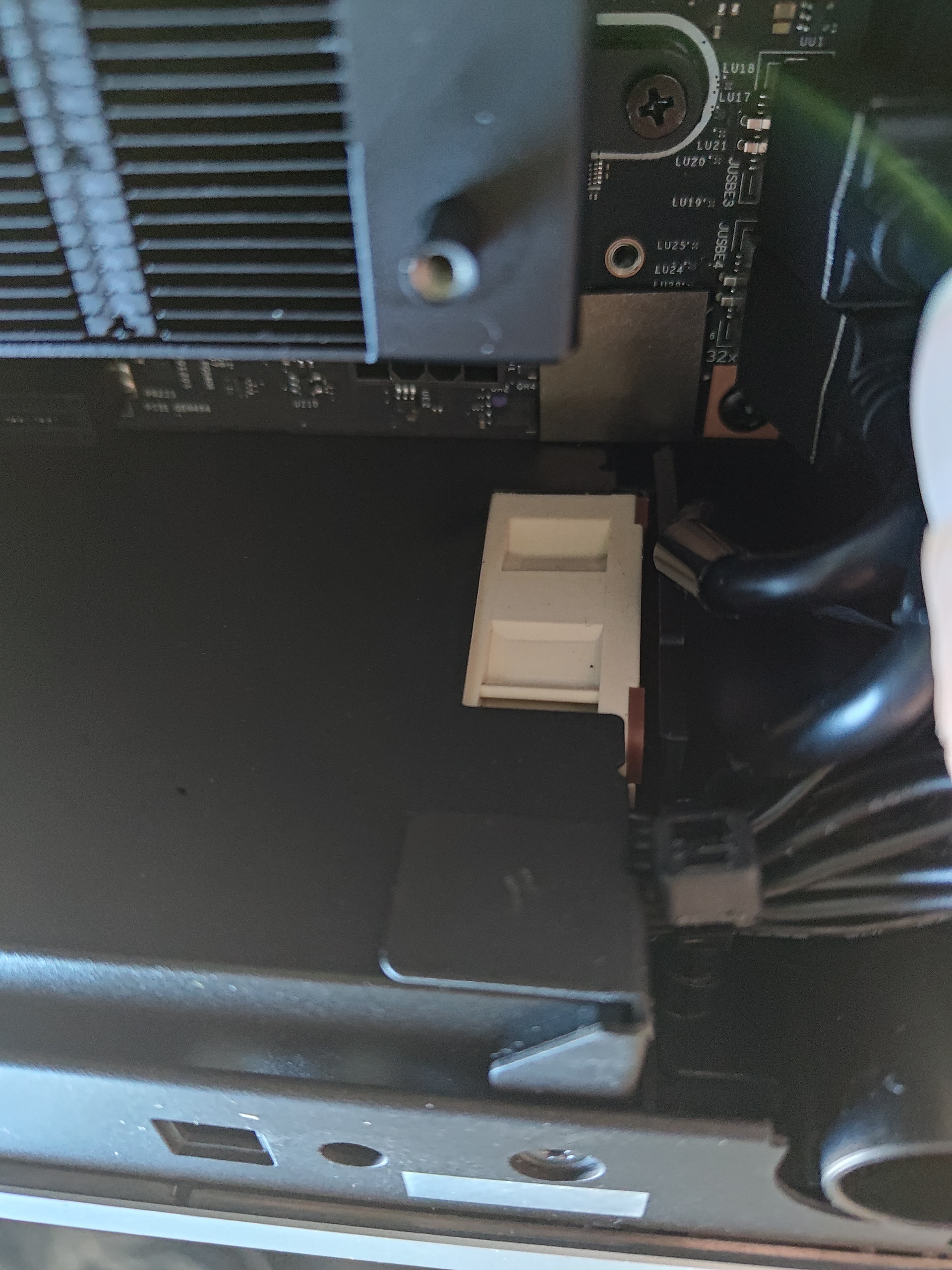

As for the photos, I don’t have any better ones. I was too annoyed that I bought a fan that was too thick. I should have bought the NF-A4x10 instead of the NF-A4x20, so I had to improvise.
The steps required to get to the point where you can remove the PSU are very well described here:
https://www.ifixit.com/Guide/Framework+Desktop+Power+Supply+Replacement/189719
After that, it’s just the PSU itself. Disassembly is quick. In the guide above, steps 36–37 show the screws that need to be removed. The screwdriver included with the computer is sufficient for this.
The actual fan replacement and connecting it to power was a bit of a makeshift solution in my case. However, this video shows that it is also quite easy to do:
6 Likes
Do you confirm that NF-A4x10 is a better fit?
Thanks for the youtube link.
Hi, I received my Framework Desktop a few weeks ago. I am posting here to voice my feedback, similar to many others, that the PSU fan on the Framework Desktop is annoying and I have sadly relegated it to under my desk where the fan is not as noticeable.
The reviews I saw made it sound like this would be a quiet PC with the large Noctua fan and didn’t mention the PSU fan. I have a quiet room and the higher pitch PSU fan turns on every 5-10 minutes for a minute or so, even with the computer is at idle. The intermittent on and off is very annoying; it would be much better to me if there was an option for it to stay on constantly at a lower DB. The noise is especially annoying when the computer is on your desk a few feet away from you, which I was hoping to do because of its small size!
I see a lot of posts here with work around hacks but I don’t have a 3D printer and know I’d probably waste hours/days tweaking/obsessing trying to find a quiet solution. You can call me the “general audience” who just wants things to work and isn’t much of a hacker. There are many Framework customers who have fun hacking their computer, but I bought Framework more for the customer support and modularity… I like that I have the option to switch out to an upgraded mainboard in a few years which is not possible with other Mini PC vendors.
Instead of returning it I will keep it under my desk where it is not as noticeable, because the great performance and much lower TDP make it still worth it, but I see this as a major flaw in this product. Framework should treat this as a major issue!
I hope Framework can come out with an official statement and come out with at least some temporary fixes.
I hope they are working on finding a better vendor for the PSU that is silent or with much better fan and control settings. And I hope they make this available to current customers when they source it.
5 Likes
is anyone in touch with framework direct-support about this?
what can be done?
i’ve tried a pencil in the psu-fan, works to reduce noise…  but not a good long-term solution
Just to let you know that I am experiencing the same PSU fan issue as reported by others, and I am UK-based.
I just hope that they are able to come up with a fix soon
Good choice to keep it! A desktop with that much performance in that form factor is incredible. Love it too.
My guess is that one day they’ll just announce new PSU. Not sure how they’ll handle replacements, but so looking forward to that day.
@janne_anderson many opened a support ticket. Would recommend you do the same. You can tell them that it’s just to let them know and that you’ll wait for a solution. So that they can gauge how many people are affected. Just good in general to document it.
The actual team chimed in (not just 1st level support) and they are analyzing and trying to come up with a solution. It’s a bit more involved as they have hoped and it takes some time. No actual timeline or anything concrete is known at this time.
1 Like
Yes, NF-A4x20 is to big. NF-A4x10 should fit perfect
Just beware, it’s well known in mini-pc modding circle that Noctua fan’s max air flow is lower than the manufacture fitted one. So the PSU won’t be cooled enough at higher power level. Don’t push your PSU too hard.
i am using the hdplex 250w with cpu @176w max tdp. no issuses !
I measured the power consumption at the wall socket with a multimeter, even running FurMark, CPU Burner, and even DiskMark. The maximum power draw was 268w at the wall socket, and that only lasted for a few seconds. No problems at all! The HDPlex 250W handles peak loads very well.
btw… Power consumption in idle mode has dropped from 20W to 15W! The HDPlex is also very efficient!
2 Likes
Thanks for confirming what many of us suspected.
I’ve also been a happy user of the HDplex 250W and my 395+ 64GB for the last 4 months, no issues, no noise, and with the package TDP limited to 70W and the Noctua fan @ 20-30% this is also one of the coolest systems I’ve every been running, after hours of full load the APU temperature tops out at slightly below 70°C.
On the other hand the original PSU is collecting dust (well not actually because it’s stored in a closure) waiting for a fix.
Even at maximum TDP… the power supply doesn’t even get warm! There’s no reason to limit the power.
btw. the gmktec evo-x2 comes with 230w powerbrick… the zotak comes with 240w powerbrick
Oh… that sounds magical. A bit hesitant to do the change, as I had the impression from someone else posting pictures that it’s a very tight fit in the Framework chassis.
What was your experience? Does it fit well or did you have to tinker? Does it look like stock, or any holes / anything poking out?
When you close the side panel, it looks like the original. Yes, the power supply is a bit smaller than the original, but unfortunately a bit longer. I removed one of the two front USB ports so it could lie flat on the floor. It’s held in place reasonably well by all the cables underneath. If you don’t move the case around too much, it should be “okay” like this. …


2 Likes
Possible PSU fan noise was one of the concerns for me prior to order, although my Framework Desktop Max+ 395 - 128GB (FW 03.04) shipped to me on 2026-01-19 seems to be quiet and doesn’t have audible PSU noise even after a long period of use. The only time I hear the PSU fan in a quiet room is when I Suspend the power (Ubuntu 24.04 Desktop) and listed to noise coming from the PC from like 10cm distance - the PSU fan works quietly for 20-30 sec before shutting off.
So, the system is quiet and even under load, Noctua system fan is barely audible (I have it on my desk next to me). PSU fan noise is virtually non-existent on my system and definitely not as it was reported by some users as high-pitch coming every few minutes.
I am, however, returning the system for refund. It feels like a beta product (could be AMD fault as well) with some issues like USB-A ports not coming back from sleep, or application crashes that does not happening on DGX Spark, but about all of it, is the slow and unresponsible Framework’s support. For $3000+ system, it is inexcusable to wait for days and get generic response such as “Please note that due to higher-than-normal contact volumes, Framework Escalation support may be slower to respond. Escalations are handled Monday-Friday US Pacific time and responses may take 1-2 working days.”, and weeks for some resolution.
1 Like
There’s a setting in the BIOS under Advance to “Force power supply on in standby” See point 2. under Highlights