I don’t think that anybody expects all of that from you. We are all just excited about this and I, for one, am totally willing to take those risks and that price sounds reasonable to me. I’m sure the same can be said for others. Take your time and do what you have to do. We are all just excited about it
Honestly, I think the best solution would be making a completely custom module that directly connects to the interface instead of the m.2 slots. Somebody was doing that in another thread but unfortunately disappeared which is a real shame. I am also following your attempts because if you’re able to have success, that’s exciting news
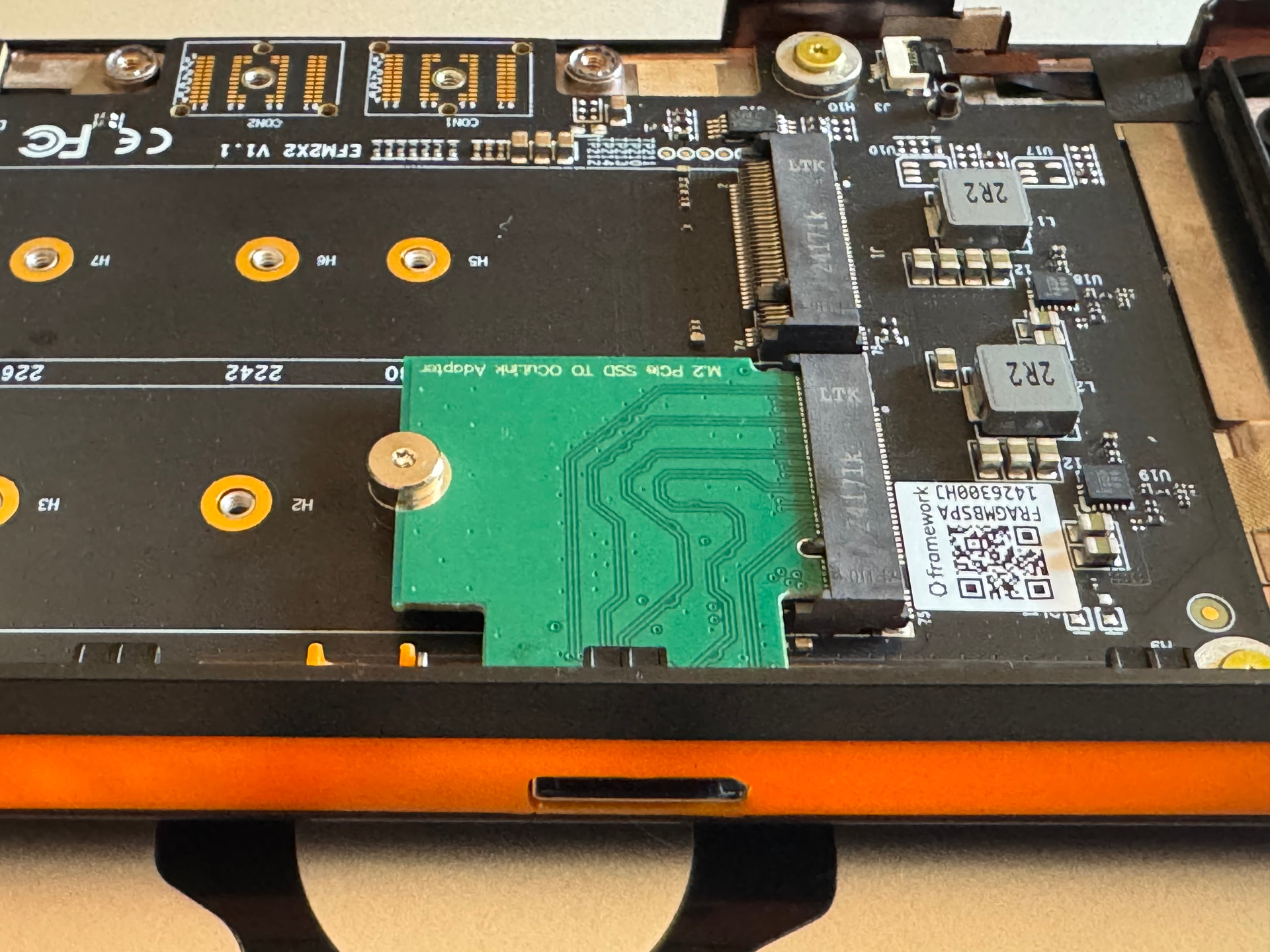
Well folks! These adapters are in hand and testing is underway. Testing is going well so far.
So… I think it’s finally time for a list.
If you’re serious about getting one, feel free to submit the form. Be sure to read my earlier post as well.
I will send a black IO shield with the adapter but here is a link to the model on Tinkercad.
16 Likes
Damn!
Awesome to see one working irl.
I haven’t kept up with the thread. Would anyone be so kind as to fill me in on whether anyone is planning a 8i OcuLink one?
Like so:
Or maybe that not feasible at the moment? I recall there are limitations in what the EC will do.
1 Like
AFAIK the only serious attempt was @Gu_tally’s standalone expansion bay module (not an adapter for the M.2 baord). It seems they’ve been busy with life ever since July
EDIT: There’s another currently active project
There is another relevant project, however:
https://community.frame.work/t/framework-16-pcie-x-16-slot-for-expansion-bay/
This, in conjunction with a PCIe to 8i adapter (such as this), could also work
5 Likes
Correct. The expansion bay module tells the CPU to split the 8 lanes into 2x4. According to what I’ve read it may be possible to flash the expansion bay module to not do this, but I don’t think anybody is pursuing this avenue.
4 Likes
There was an update to EC which allows changing the expansion bay EEPROM contents from the OS, so it might actually become easier to do this in the future (source)
9 Likes
Just submitted the request form. Hopefully Kyle is still taking orders!
I am sure he is as long as he still has product in stock. Just wanted to post a little update here for folks. I have been working and haven’t been home much to do real benchmarking with the production model. However, after having it for a few weeks now I can say that it has been working every bit stable as the test model did. I’ve run all my normal games/applications on it that I did previously and it has not shown any tearing/freezing/stuttering fps drops etc under heavy loads for several consistent hours. And IMHO real-time under load tests are more reliable than a benchmark. He’s a reliable person in terms of payment and shipping a working product in case anyone has any doubts. Speaking from personal experience for both testing his prototype and receiving a production model I purchased from him. Solid dude when I have been in communication with him. If you are on the fence about it, let my remarks put your folks mind at ease. I am pleased with the outcome of the final product. It works well!
4 Likes
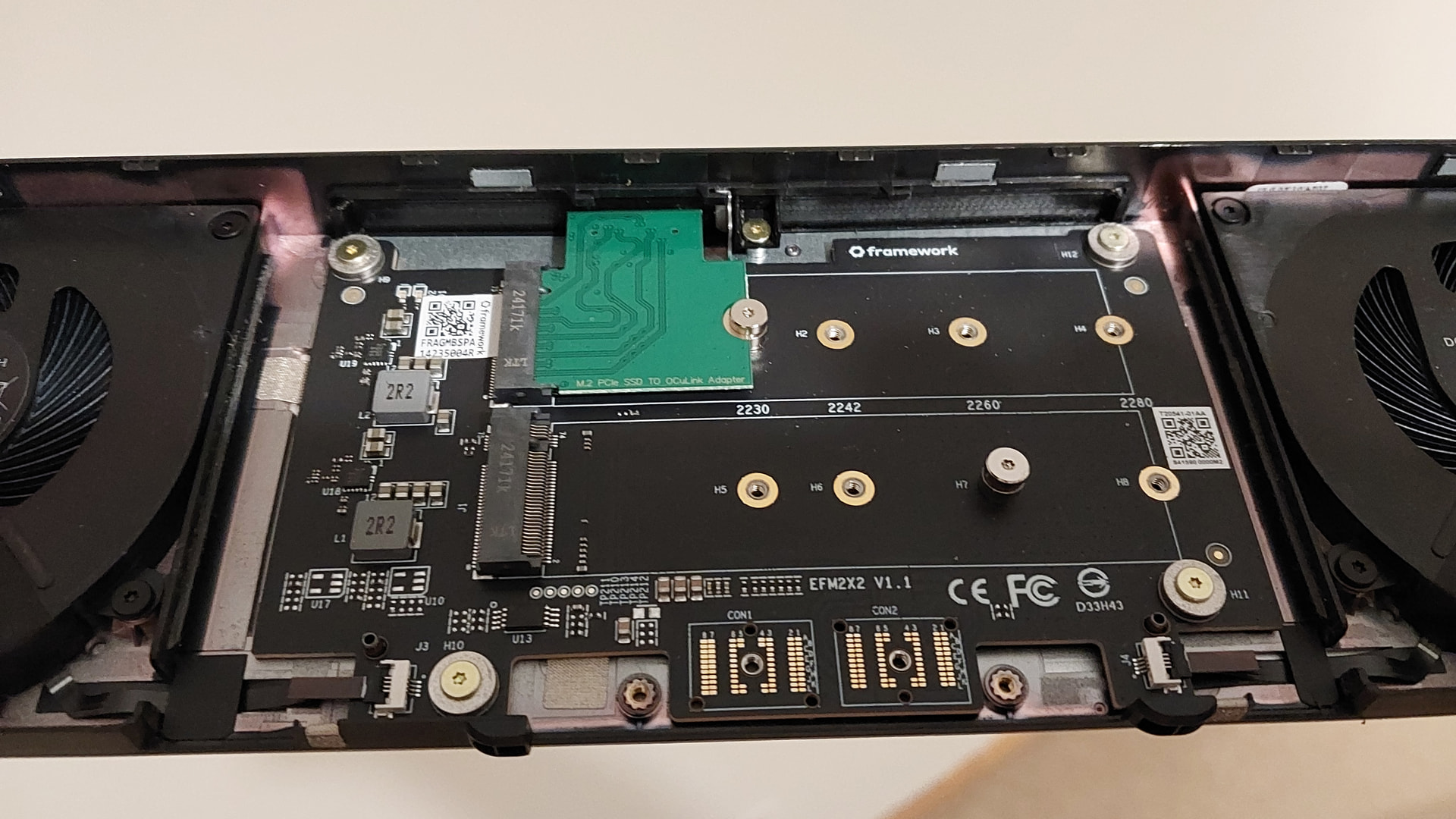
Meant to post sooner, but been busy. Using Kyle_Tuck’s adapter successfully as well here. No issues to report and was a smooth drop-in replacement for what I was using before (see attached pictures for before & after).
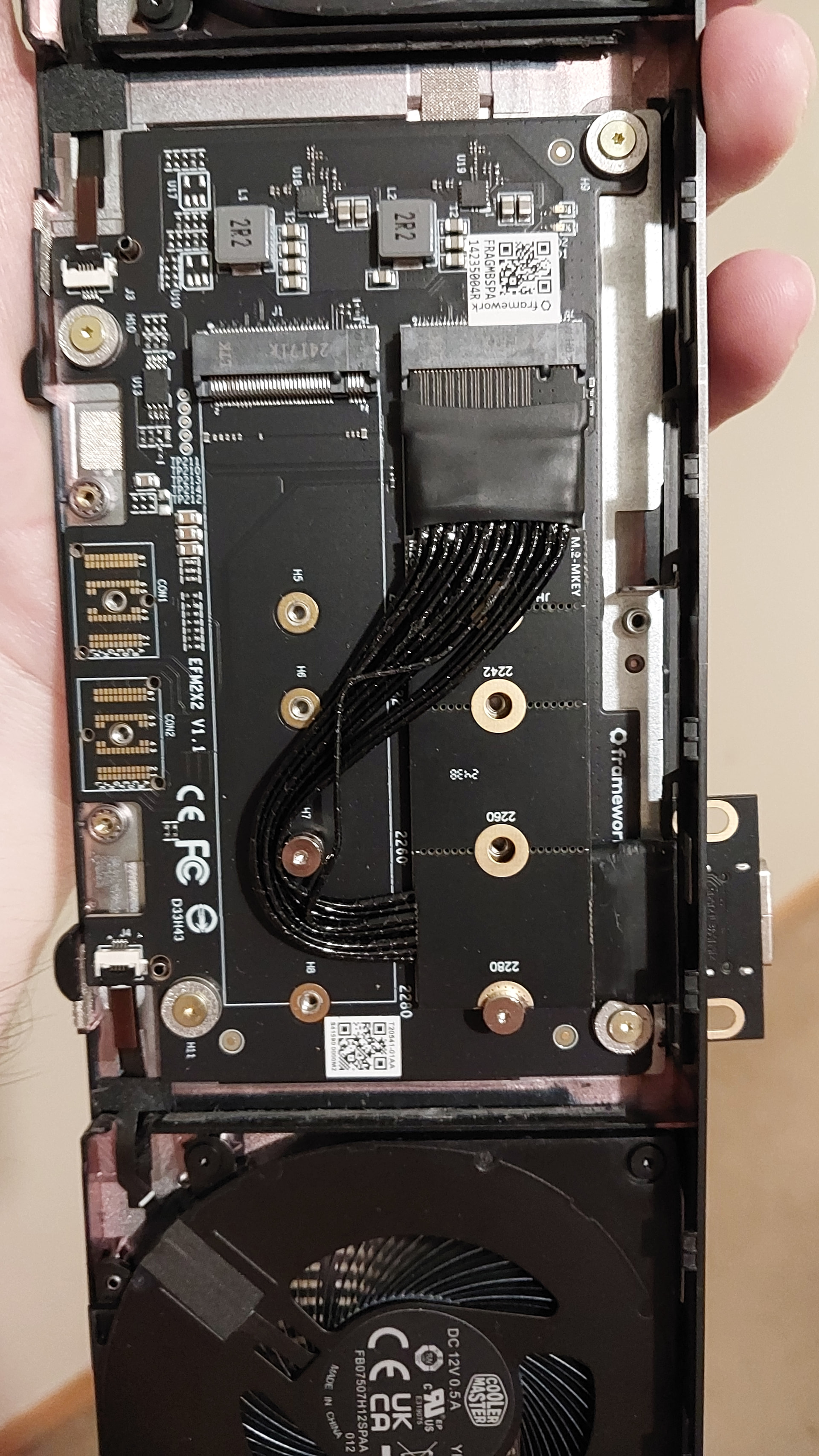

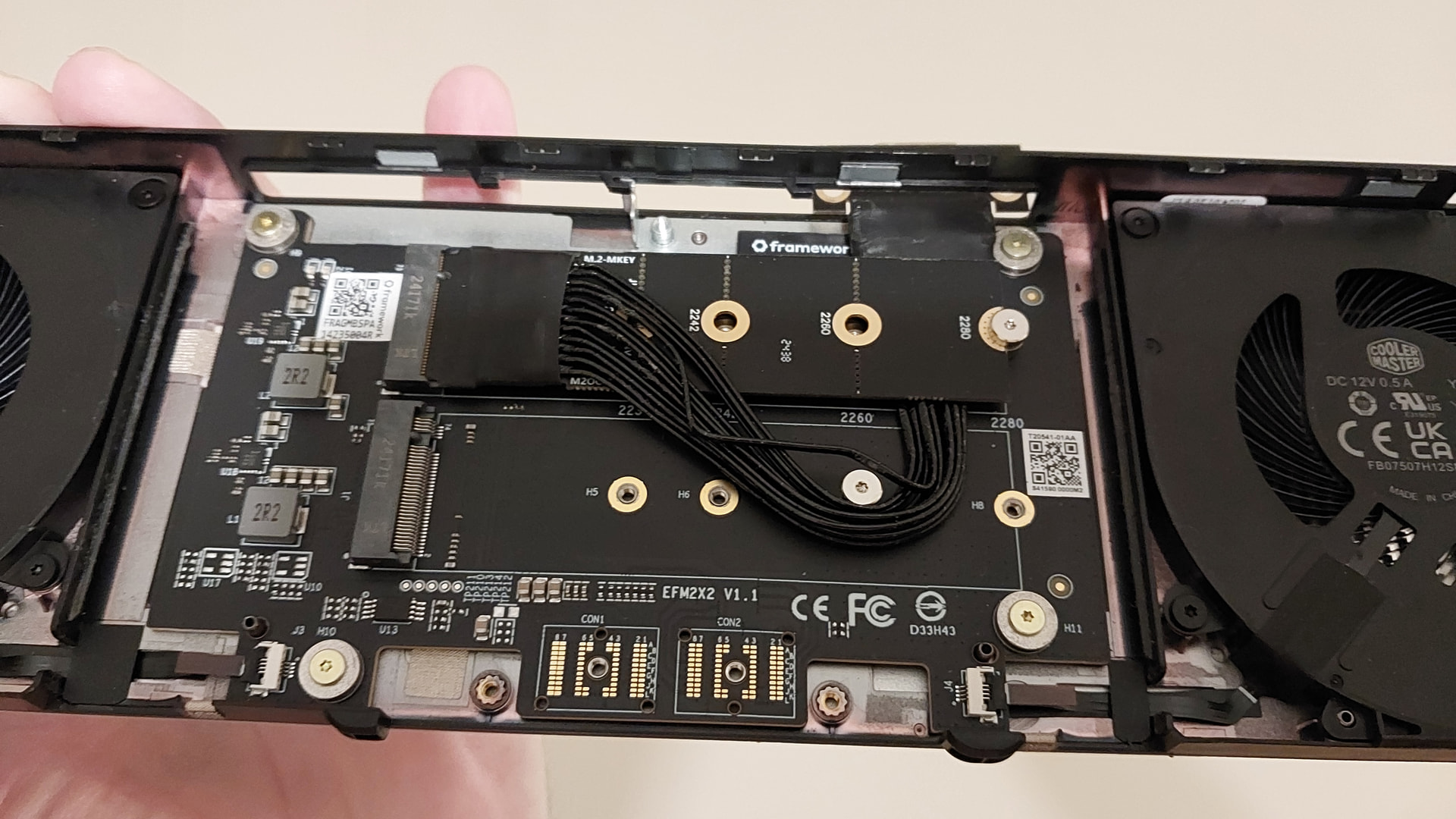
And now the new solution with Kyle_Tuck’s module…
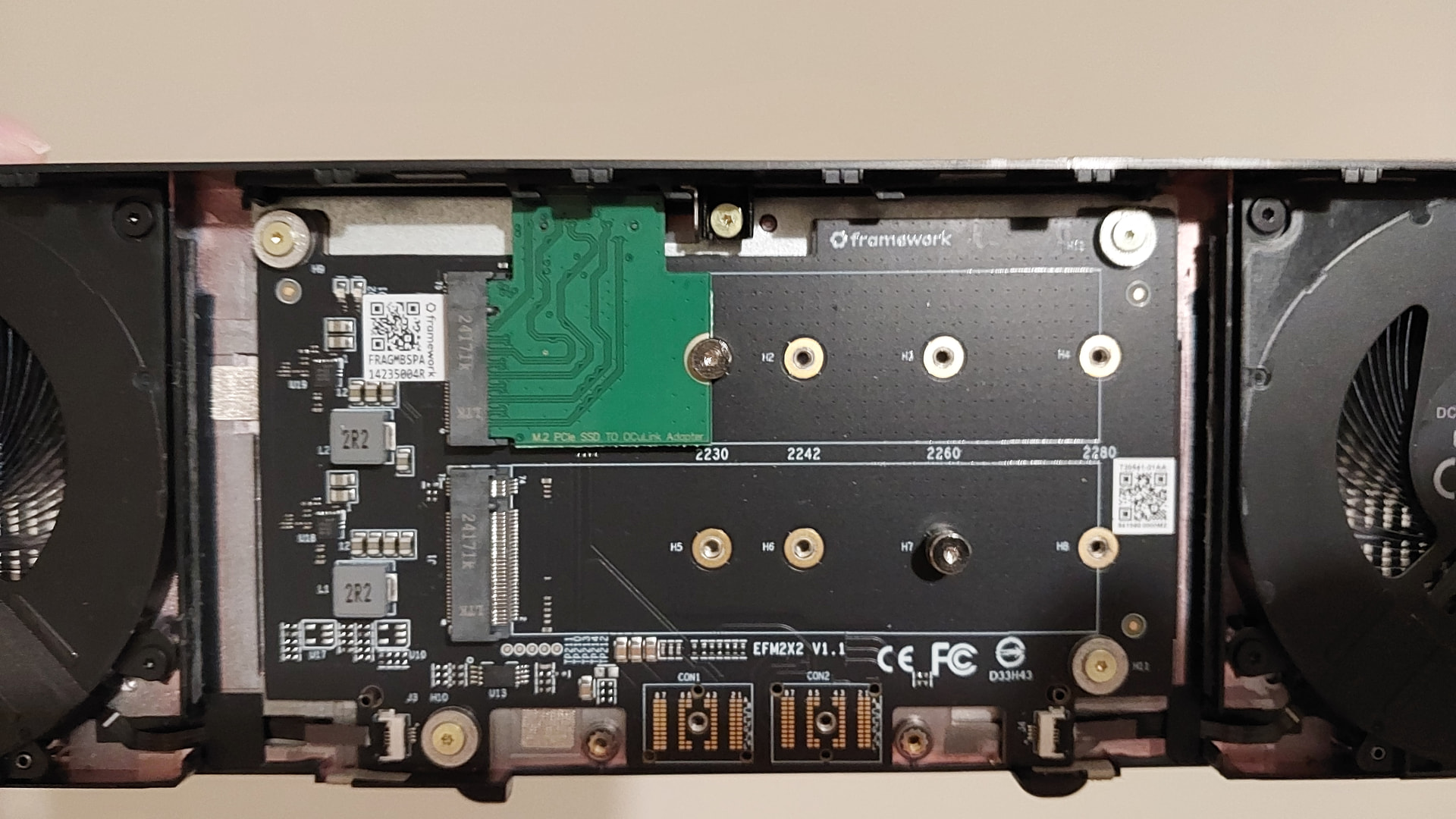
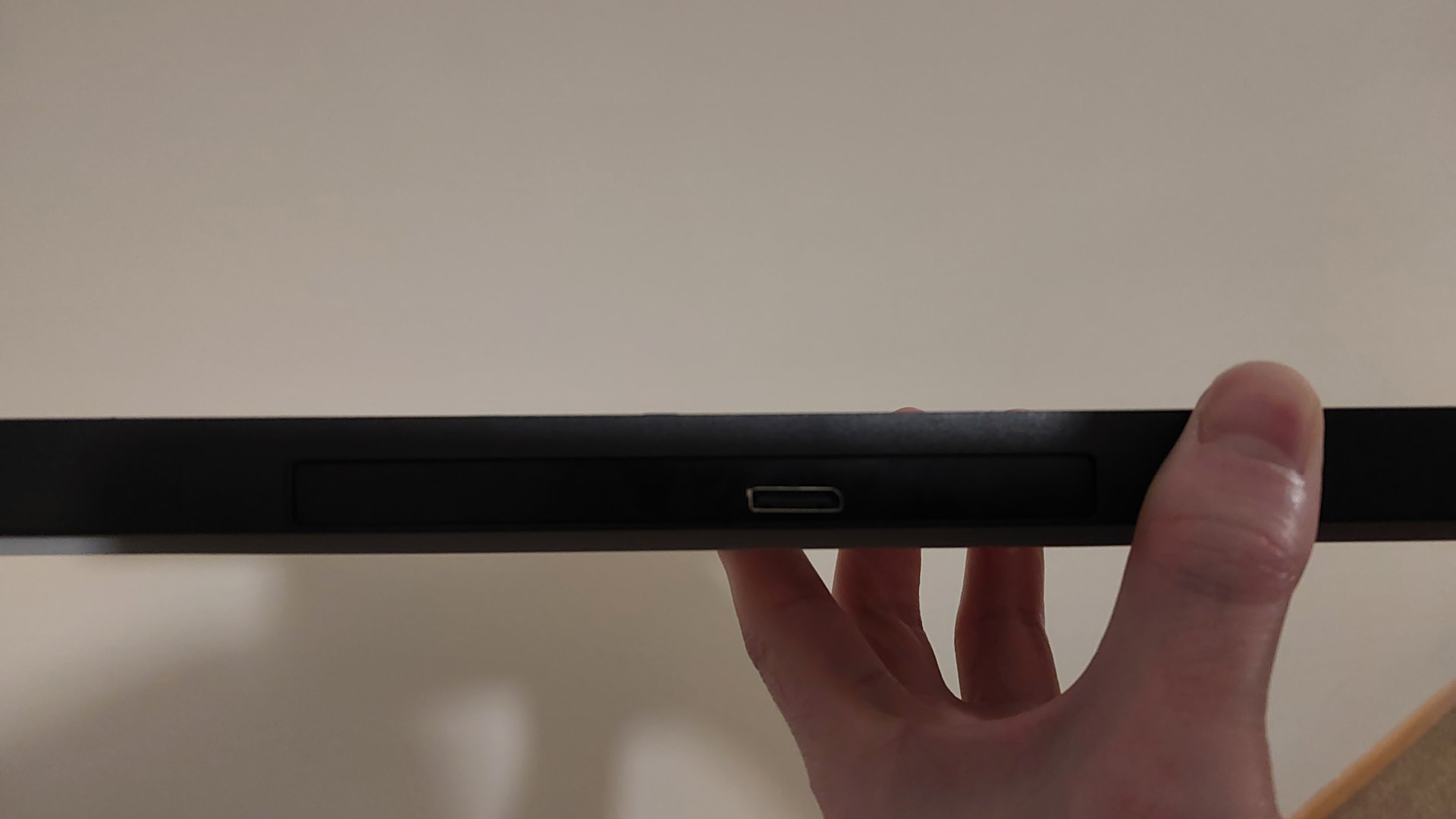
12 Likes
Yeah, well, what can you say - it’s much cleaner ;).
Looking forward to testing it too!
It’s probably not necessary to do so, but I also ordered it even though I had a good cable solution already.
1 Like
Yes, but like you said, it’s much cleaner, doesn’t have trouble fitting in the bay, and gives you easy space for a SSD as well
1 Like
Dang it life got busy and of course I missed the order. @Kyle_Tuck will there be more coming?
@Lars_Pihlava any news/updates will be in the other dedicated thread. 
3 Likes
Just to confirm as I have done in the other thread that I have now tested it and it works very well!
2 Likes
Has anyone successfully gotten OCuLink eGPU working with the new Ryzen AI 300 series mainboard? I just purchased the Dual M.2 Expansion Bay + DEG1 dock setup to use with my 3090, but I came across this post on Reddit:
( Reddit - The heart of the internet )
from December 2025 where a user reported major compatibility issues after upgrading from the 7840HS to the AI 300 board. I’ve already invested over $2,000 into this laptop and would hate to discover this major gotcha. Can anyone confirm whether this works reliably with the AI 300 series, or if there’s a BIOS update/workaround that resolves these issues? Thanks!
1 Like
I upgraded from the 7940HS to the AI 370 and it (egpu 9070XT/oculink via the DEG1) is working without a hitch thanks to @Kyle_Tuck ‘s adapter 
4 Likes
That’s great to hear Kyle’s adapter works! Did you happen to test with a regular M.2→OCuLink cable before upgrading to his custom module? I’ve already signed up for his email notifications, but I’m not sure when he’s producing the next batch. I have until January 30th to decide on keeping the laptop.
Just trying to determine if the standard Dual M.2 Expansion Bay approach is workable as a temporary solution with AI 390, or if I need Kyle’s adapter.
I too upgraded my 7040 to a AI300 board with the cable solution. Works just as well without issues.
1 Like
Many people have used a standard M.2 to OCulink cable; the biggest issue was trying to cram it into the expansion bay. However, you can also leave the cable hanging out the back of the expansion bay if you don’t mind a cable sticking out. Worked well for me and definitely feasible as a temporary solution.