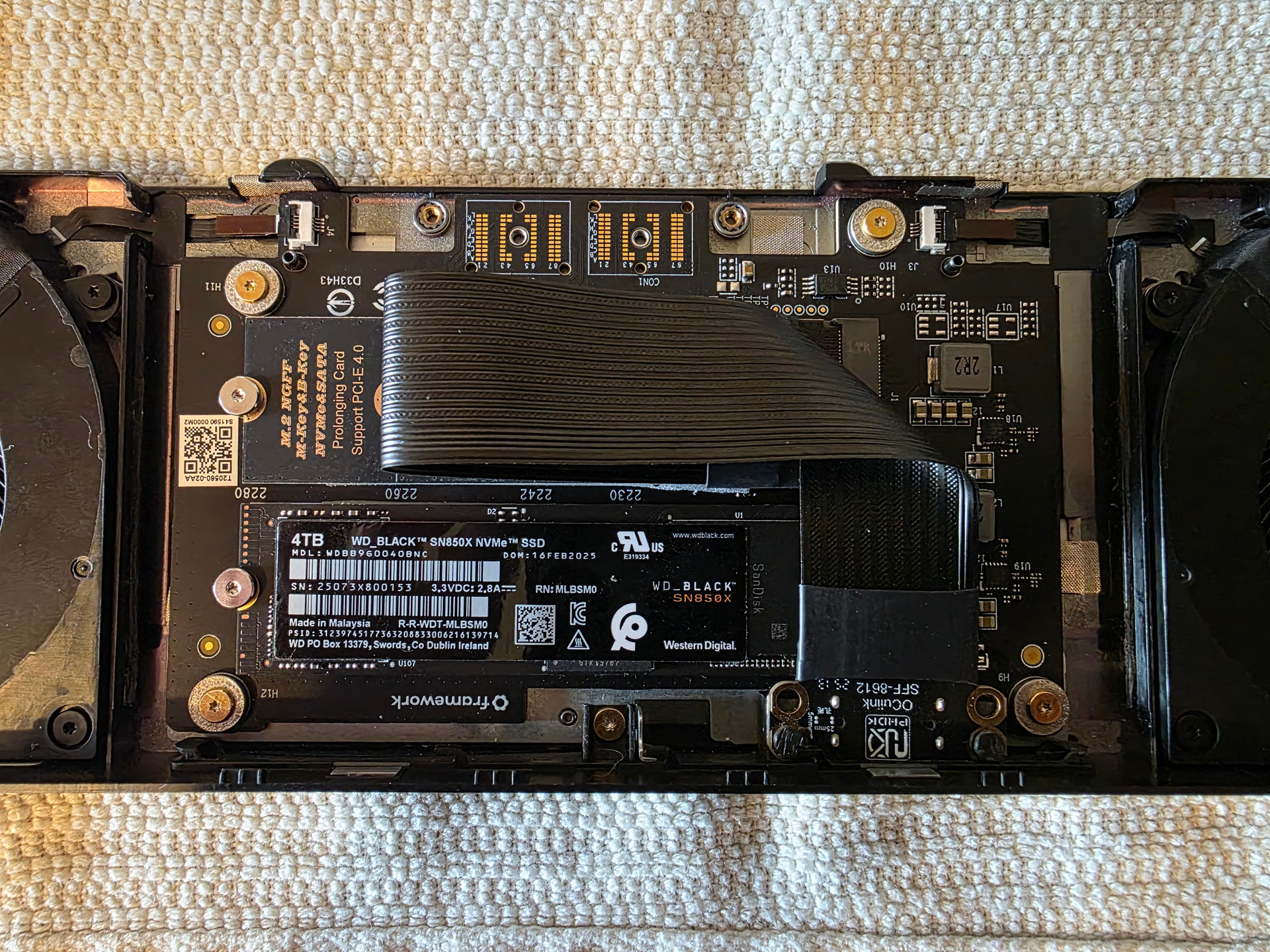
My adapter still depends on the dual M.2 expansion bay. It’s just a cleaner solution than the cable adapters, and it keeps the second M.2 slot available.
More adapters are on the way. I am also sorting out a different sales method.
My adapter still depends on the dual M.2 expansion bay. It’s just a cleaner solution than the cable adapters, and it keeps the second M.2 slot available.
More adapters are on the way. I am also sorting out a different sales method.
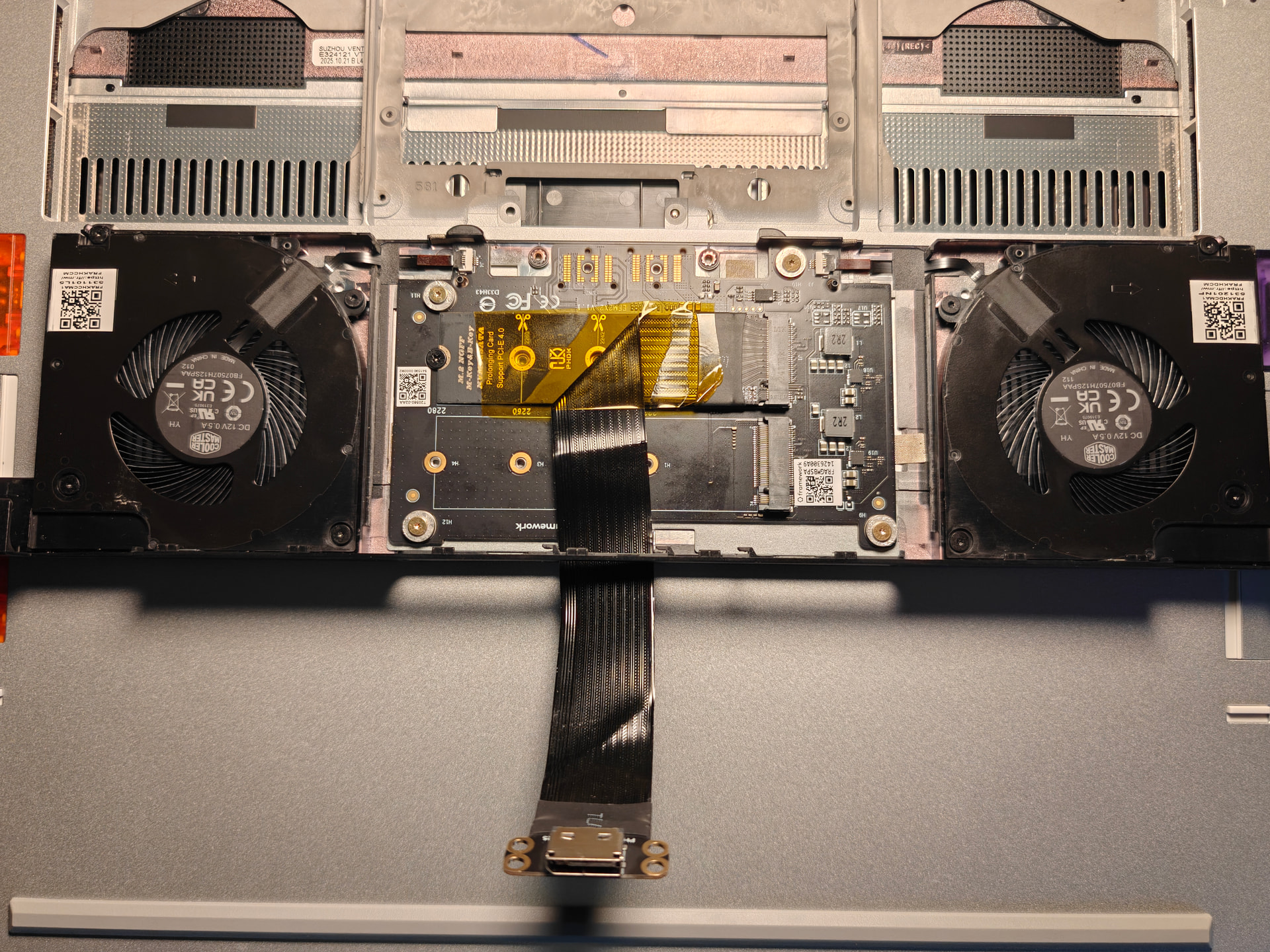
Has anyone else struggled with the fit of this Amazon cable? It’s been a real pain to install.
I already removed the thermal pad from the bottom of the expansion bay, but it still won’t seat properly. I also printed the two IO shields from the top of the forum link, but the cable sits too far back with them, they don’t seem compatible with this cable.
At this point, I’m not worried about looks. I just want to test and confirm everything works. Any tips or suggestions would be appreciated!
Many have struggled with that specific fit, you’re a bit late to the party. Compartment space becomes a real issue with snags on those bends in the ribbon at times too. This is precisely what I moved away from. This was originally how I had it prior to taping it down.
I moved my cable to the rear M.2 slot and I was able to get clearance, or I simply figured out how to slot the expansion bay back in properly. Who knows! Either way it looks to be running smoothly on Windows 11 for now, although the AMD iGPU tends to fight for control on certain applications. I’ll be running some more tests this weekend and seeing how it plays with CachyOS.
Welcome to the club ;). This looks all fine. With the cable solution I would just not open it up too often. But should be fine too, it’s just a bit of a hassle sometimes.
im assuming you are running with 4 lanes?
Well I got the oculink cable installed, plugged in the dock with laptop off, turned on the power supply, then dock, then laptop. Nothing is happening. Is there a software I need installed? Or is this just not functional?
For extra info, I got the Minisforum DEG1 and that 4 hole Oculink adapter
What is stranger to me is that it’s not like nothing is passing through. When I turn off my windows PC, the dock turns off too.
I have not had to manually power everything on in stages prior to boot with my DEG1. Try just booting your pc and see if it kick starts the DEG1.
Try error 43 fixer here: [SCRIPT] nvidia-error43-fixer | M.2, mPCIe, Expresscard eGPU
Sorry it took a bit. Just got in my modular Power supply. I am trying this again with a GTX 1050ti and that error43 fixer says that no Nvidia GPU is found. I have also tried a new Cable, and the same issue is occuring.
It did kick start the DEG1. However the GPU still doesn’t show up. I’ve tried two different cards with no result.
It’s been a while since I set mine up and I seem to recall I had to do a setting in windows but for the life of me I can’t remember what it was. I want to say it had something to do with the start up settings and I really shouldhave taken note when I did it. Maybe someone else on the thread will be able to point it out. Or maybe I’ll find it again when I research.
Edit: try disabling fast startup?
Got a different result this time! I can see the Microsoft Display Adapter (which is likely the GTX 1050). Will be holding off on downloading drivers as the RTX 3080 is what I will be using. Will report back but thank you for the help!
Hey glad I remembered. Hope it works for you. Fast start can be an issue for external gpus using pcie.
Update:
Just for background. I am currently doing #49 as my mod, I have the four-hole Oculink adapter, a 4ft oculink cable (unshielded because shielded ones are nonexistent for the length), RTX 3080 as GPU. After using the Error 43 fixer script and turning off fast startup, the GPU got detected and was showing up as needed. I installed drivers and started doing some light usage of the laptop (I was downloaded stuff while watching youtube. After a few minutes, the PC would experience a blue screen of death and often would crash without showing the blue screen. Very unsure of why that is happening.
Running theories are the cable is too long causing the crash, or the cable being unshielded is causing it to get interference from something. Anyone else had this problem?
Your cable is 4ft? Yeah that’s much too long to be running oculink. The longer the cable the less performance/capability over all, potentially causing failure entirely. I wouldn’t go past 2ft for this specific setup. Likely crashing due to signal integrity and the fact that oculink is not hot swappable.
That was definitely the problem! Moved back to the manufacturers 2ft cable and it works like a charm! Thank you all for the help thus far. Once I finish fittling with this I will write up a more detailed post here of my experience with this.
I’m curious how the hole on the expansion bay is from for the oculink port. Are they drilled or already there? Asking for Morkale’s solution specifically
It’s a 3d printed plate for the oculink port. Framework intentionally has a removable plate there so you can 3d print your own if you make a custom module