I have my framework in a standard Mini-ITX case running Windows 11 (or Linux) without issue. This gives me easy access to the PCIe slot.
Since the case is metal, I wanted to try using the PCIe slot for a wireless card that has nice external antenna connections. Yes, I know the board has a M2 slot for a wireless card but I was uncertain how to expose the wireless interface. Plus I wanted to try the PCIe slot.
After researching for AMD compatibility, I bought an inexpensive Intel AX210 based card that claims AMD compatibility.
The system doesnt even detect the card. I tried Windows, Linux and even changing the bus speed to Gen3 in the Framework Bios.
Thinking the card was defective, I installed it into another machine and it came right up.
So now I wonder if there are issues with the PCIe slot? My concern is that most users dont have access to it so maybe there is an undetected problem..
Anyone else have success with the PCIe slot and wireless?
How does the WiFi antenna work in the standard Framework case? Maybe I can use that solution instead and save the PCIe slot for something else.
BTW, here is an article where the AX210 was confirmed to work with the Framework Desktop (although in its native slot):
Quick update: Here is what Google Gemini Pro says about this situation. Sounds plausible..
Why this specific adapter (Ziyituod/Generic) fails on Strix Halo
The adapter you linked (B07X462KRK) is a “passive” pass-through. It connects the pins from the M.2 card directly to the PCIe slot.
Old Behavior: Older adapters assume the motherboard provides a clock signal 100% of the time (Free Running Clock). They often leave the CLKREQ# pin on the M.2 card disconnected or floating.
New Behavior (Strix Halo): The Strix Halo is a mobile-derived platform. It aggressively saves power by turning off the PCIe clock to a slot unless the device explicitly pulls the CLKREQ# pin low to request it.
The Mismatch: Your AX210 is screaming “Turn on the clock!” (pulling the pin low), but the adapter isn’t passing that signal to the motherboard. The motherboard assumes the slot is empty and cuts the clock. No clock = “Device does not exist.”
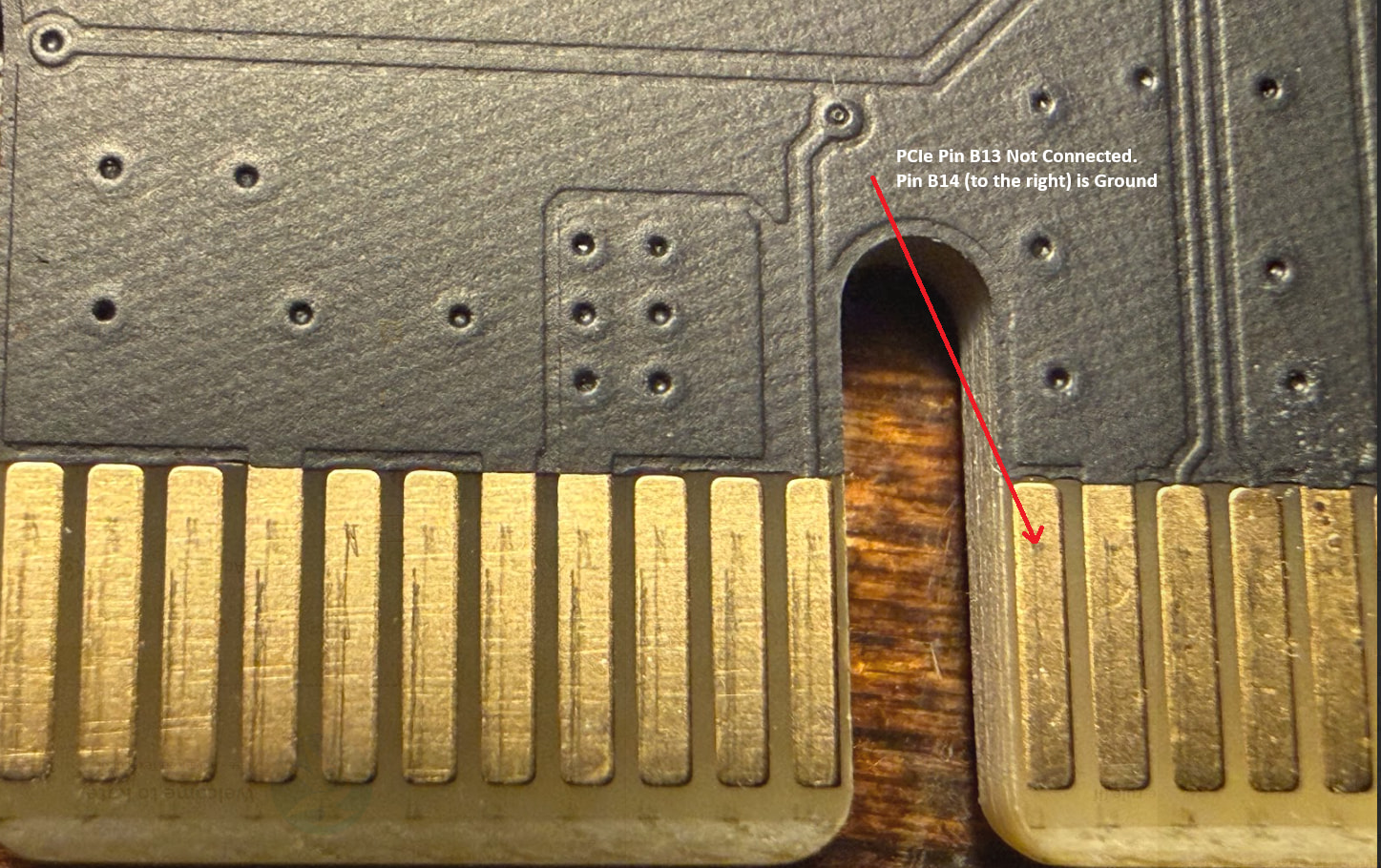
In case anyone is interested, I managed to ground that pin without killing the card. It still worked in the other PC. But it didn’t fix the problem. Now the AI is suggesting other stuff different from legacy Desktop vs “Mobile derived” PC’s like Strix Halo but I think its a lost cause. The lesson here: Arbitrary PCIe cards may not work in this slot given the difference in generation.
–
BTW, I did manage to kill the card momentarily by spilling some flux on the adjacent signal pins. They are VERY sensitive and I had to clean the pads to get the adapter to work in the older PC.