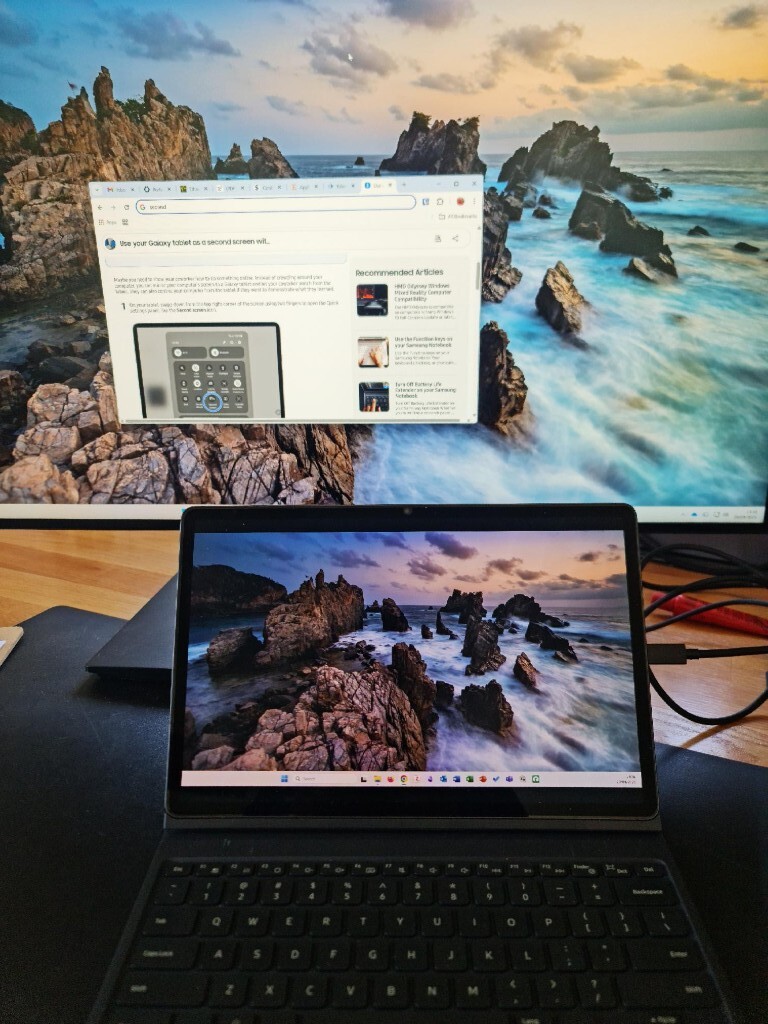
I wanted to explore mobile display output options (other than getting a portable monitor to carry with my Framework Desktop). Currently I am trying to figure out - if travelling with regular devices like Samsung fold/andriod tab/ Ipad could suffice as an alternative to carrying a portable monitor.
Has anyone thought of any such solutions? I wanted to particularly leverage on FWD’s video over USB to output on a portable device likes the ones I mentioned above.
The first thing that springs to my mind would be using some form of remote desktop on your phone as I do that on my Pixel 9 fold a fair bit with a small folding Bluetooth keyboard with my current desktop at home (I VPN onto my home network when I’m out and about)
The difficulty with the fw desktop and bringing it with you would be that you’d probably need to use your phone as a hotspot that the FW desktop would connect to then try to rdp from the phone once it connects.
Alternative setup: phone has hotspot, fw desktop and tablet both connect to it and you RDP from the tablet.
Not tried it of course, but it feels like it might work in my head at least.
I feel hdmi dongle does not make a lot of sense in presence of USB that allows direct connection with a display. I feel hdmi dongle would add a bit of extra cost, effort, wires/hardware -and inconvenience. It would also limit portability to some extent.
I feel the issue much before we figure out the wifi network. My query is based more towards booting the FW desktop on to the added screen (like Samsung fold/andriod tab/ Ipad).
The basic idea/requirement is to be able to boot FW desktop into a handheld device (like Samsung fold/andriod tab/ Ipad) via usb - ideally, without having to carry another display when on the move.
I have a feeling this should be possible and that it would be very convenient to just grab the FW by the handles and take it anywhere
Maybe I’m misunderstanding what you’re trying to achieve here, sorry.
What I suggested would allow you to carry the desktop about and use the tablet/phone as a display for it once it’s booted up with no need to worry about additional dongles or cables.
The process I’m suggesting:
Start hotspot on your phone
boot FW Desktop
Wait for desktop to automatically connect to your hotspot during boot
RDP/VNC/other remote desktop solution of your choice into the OS once it’s booted
Of course, if you can get this working and can rely on a solid enough network connection wherever you are you could also leave the machine at home and have a VPN in place to let you remote desktop in from wherever you are.
As I said, if I’ve missed something key about your scenario then please accept my apologies for the pointless suggestion
I appreciate your reply. So I have two issues/further questions with this solution:
A solution similar to remote desktop would not benefit from a lag free quality experience of using FW Desktop, unless I am wrong (gaming won’t be an option, right?)
How can I remotely:
a) Boot up my FW Desktop
b) Choose which OS to Boot from
c) Type in username/password to log in
(I admit I am intrigued by the ‘remote desktopping’ idea to some extent )
Even if some of the things above are possible, I would love to know. And yes, thanks for your time!
Why cant the USB of the FWDesktop (which can carry video signals) simply connect to the Ipad (for example) and the Ipad acts as a monitor (using some app). Maybe FWD could have a ‘dummy hdmi dongle) so that it doesnt give me errors when it is booting up and looking for a monitor - (if that happens)
Thanks for pointing out where my idea was failing to meet what you were trying to do. I fully accept that points 1 and 2 aren’t going to be possible with my solution, as you’d need to power on the matchine yourself, but if it’s with you and course connecting over a phone’s hotspot you can still push the power button as you would need to do when using your device with a usb cable. If you were truly remote then you could set up some kind of wake on lan stuff to boot it.
For latency, if the machine is connected to your phone’s hotspot I’d suggest latency will likely be minimal. If it’s back at home? That depends on your connection quality, I’ll accept that playing games or watching videos may not be perfect, but for me, I do this on a semi-regular basis with Sunshine on the desktop and moonlight on my phone/laptop/tablet and it works well from hundreds of km away.
What this absolutely can’t do is choose which OS to boot into, so if that’s a key requirement for you then this is no good for you
For entering a username and password, that’ll be do e via the remote desktop connection.
What I’ve been unclear on perhaps is the use of the word remote. Your phone or tablet can be a handful of cm away or many km away. You could make this approach work either via a hotspot or over the internet with a little prep.
I’m surprised that a phone or tablet could be turned into a monitor in the way you’re looking for, I’d always worked on the understanding that on phones and tablets usb was a way of getting video out of the device, not into it, but it’s been many years since I last tried to research that in detail.
How about a really nice portable monitor that you can also use with your other devices (bit of a reframe)?
I got a really nice 16"inch 2k120hz oled that is a better display than any of my portable devices has, I only really use it for my laptop but it would theoretically work with my phone even if I don’t really see why I would want to do that.
As for using other devices, for low intensity stuff vnc/rdp/or hell even ssh if you don’t actually need display should do the trick.
Might as well go full usb-c if you are actually going down the protable screen route.
A 16"inch 2k120hz oled that is a better display is a great option for portable monitors, however if someone (like me) already has a portable device (like Ipad or tablet) then connecting it directly via usb is convenient and economical
This leave me with the question - that (how) can I boot into this screen from a cold startup (without having access to another screen - other than the tablet)
If said already owned device has a proper display in functionality which isn’t particularly common and if you are just streaming to the device you may as well use vnc/rdp/moonlight/whatever with whatever device you want.