I’ve been working on trying to get my CPU cooler, thinking I may have an overheating issue. On a whim, since I had a new keyboard arriving anyways I added a new CPU thermal pad to the order and replaced it. When I lifted my heatsink, I expected to see, well, a thermal pad. Instead I found a set of dried goop squeezed out the sides of my heatsink/die that reminded me very much of the liquid metal I had originally replaced. Does anyone know if this is what PCM should look like when the heatsink is removed? Could be normal… but might not. Just thought I’d check.

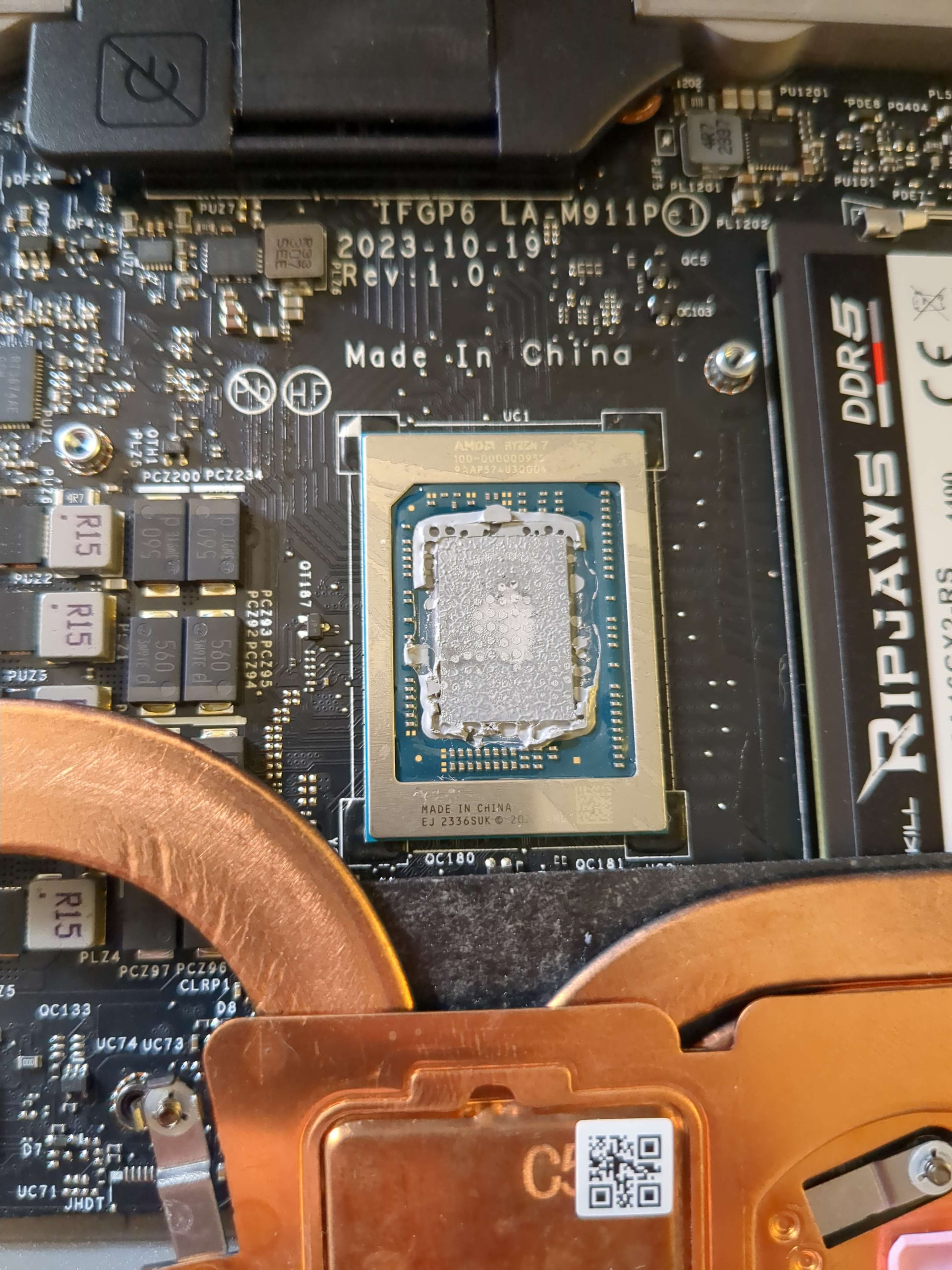
That looks like a perfect, even, application. Excess PTM will push to the sides, that is normal.
Yours is “good” as noted by the fact that there is a 100% covering of the die (from what I can see) forming a thing layer of PTM.
1 Like
Thanks for the confirmation then 
Update: benchmarks are now in: they would agree with you. Nothing changed.
1 Like
If you want to try improving thermals, take off that lm shim on the heatsink. It should come off easy with pliers and twisting. There is a whole thread about it on here somewhere. Sand (lap) the copper, replace with a copper shim sandwiched between ptm.
2 Likes
I’m familiar with the thread, but I didn’t realize that it was replacing that shim. I was always wondering where the space for the copper shim came from lol. thanks for the tip! I’ll sleep on it, might be more worth it than I thought.
1 Like