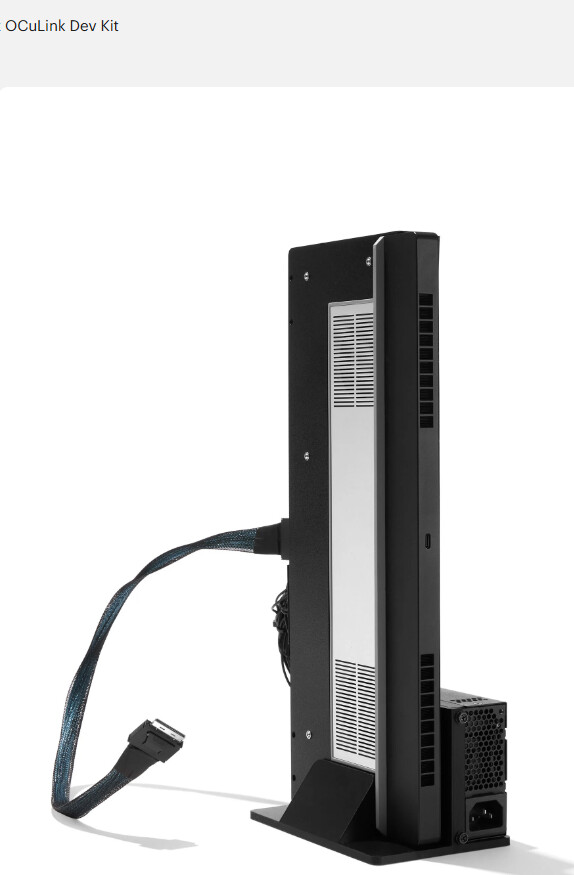
ok I know very little about Oculink but from what I understand that cable would connect to the oculink board… but… I want to use the dock to do eGpu on FW13.
what would be needed to get that loose cable make its way to FW13’s USB4 port ?
and yes… I’m sure there are better eGpu that I could use for it.. and all that.. but I have some GPU modules from Fw16 just sitting around.. so would be nice to just use one of them at least
The FW13 has USB4/Thunderbolt.
You could get a USB4/Thunderbolt to OCuLink adapter, or a Thunderbolt to M.2 card adapter, and then put an Oculink adapter in the M.2 slot.
Those sorts of adapter sometime cost a lot, so it might be cheaper to just get a Dock with a USB4/Thunderbolt port on it.
THank you for that, you seem to have used words that are of English origin..
but I can not seem to find any Thunderbolt to OCulink or Thunderbolt to M.2…
but I’ll keep looking not like there is a rush for it at the moment… and who knows what this thing will actually be like once they release it, but thought I should get a head start to learn about this stuff
I think they meant OCulink to M.2 (rather than thunderbolt to M.2).
M.2 is the type of connector the SSD and wifi module uses.
There exist relatively cheap adapters which covert M.2 to OCulink. Trouble is, you’ll need to give up your SSD, so then you’re forced to instead use a storage drive connected to USB. This can work but USB is not as reliable a connection means for storage drives which house your Operating System. There is some increased chance of issues. The wifi module’s M.2 would not be as usable for OCulink for a graphics card because it has limited bandwidth.
Ok so might not be easy thing then unless of course framework could just add the bits needed to the dock And make it a choice between using it for OCulink or thunderbolt.
Not the most ideal. But it would be the most inexpensive way to make use of the FWL16 GPU modules you have sitting around. I’ve seen community members post about doing just this. Using an M.2 to oculink adapter with a FWL13, putting their OS on a storage side expansion card. Here is a one thread talking about it & pointing out a spot for the oculink port, community.frame.work/t/the-quest-for-a-no-compromise-framework-13-with-a-64gbps-egpu-the-framekenwork/64034
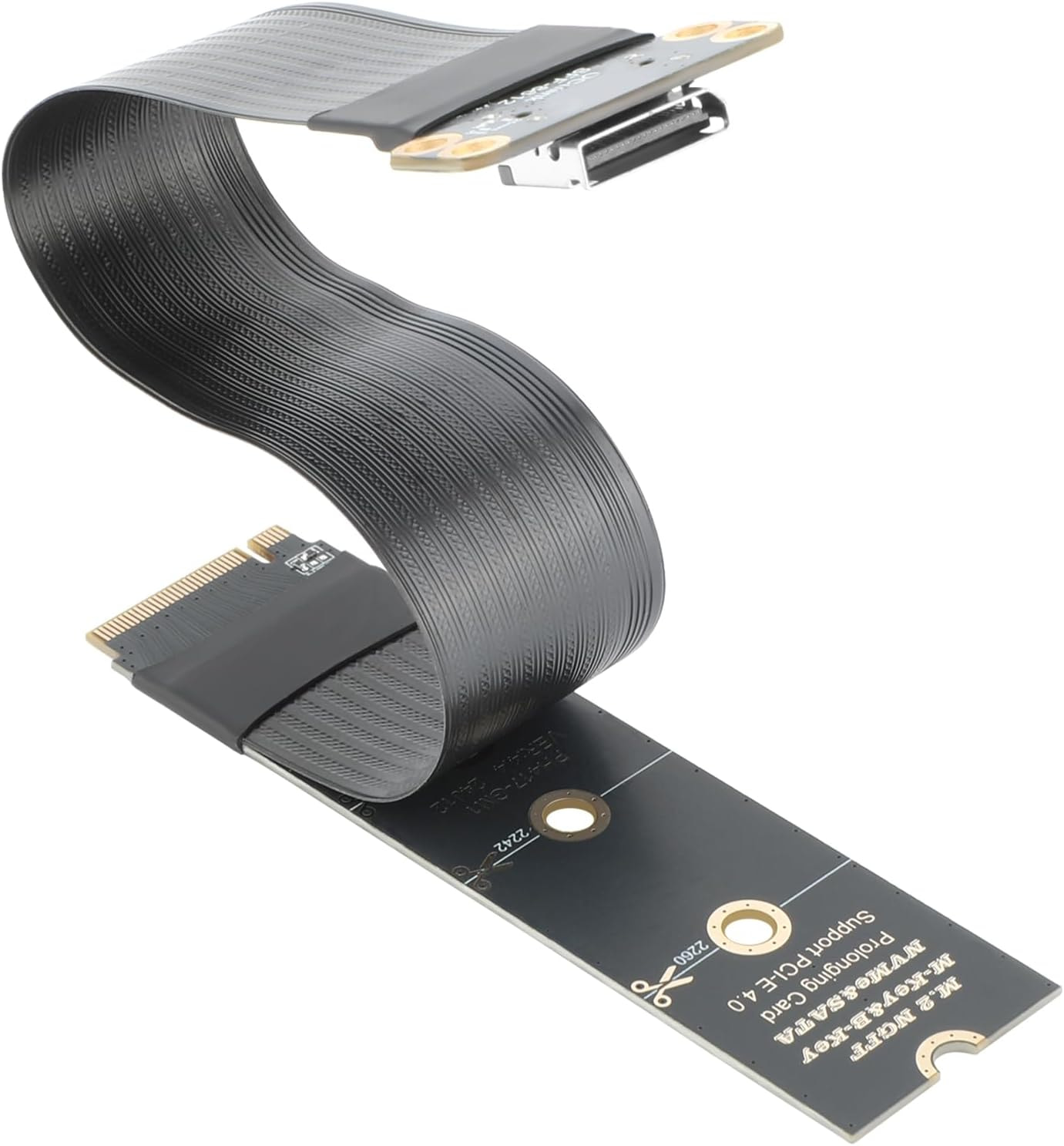
Hm, that one looks less than ideal. I don’t believe single-piece flat cables provide the best signal integrity. That is if I recall from the testing community members did in the FWL16 dual-ssd expansion bay to oculink thread. I believe, in here, community.frame.work/t/oculink-egpu-works-with-the-dual-m-2-expansion-bay-module/62273. That particular flat cable looks like it might provide some level of shielding, but I don’t think it will be as good as the fully independently shielded lines of cables which look like the one pictured here,
but that enclosure should work yeah ? won’t be quite as good as using the M.2 on the mainboard…
ok this gives mesomething to think about now I just need to see the final details of the Oculink Dev kit thanks for the help.
I not really up on which chips give the best performance for SSD enclosures. But in general for fitting a FWL13 SSD, and being fast enough, that looks good at a glance. Sounds like it should fit with whatever SSD you have, since it says it supports double-side 2280-size SSDs in B+M or M-Key M.2. And it has some user reviews with speed tests.
Oh… I was thinking I could put the OCulink adaptor cable in the enclosure… but the SSD in there could work too..
But yeha no that won’t work… Hmmm so yeah OS on external and graphics through M.2 internal..
anyway… still need to see how the dev kit turns out